









































































































































































































































































































































FAQs

Video
You may be eligible for a pre-approved personal loan offer
Enter mobile and OTP | Check offer | No branch visit needed
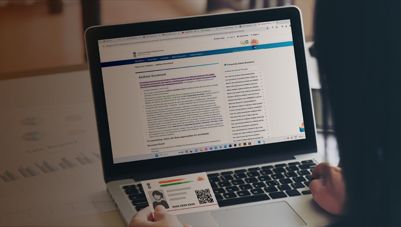
The Aadhaar Self Service Update Portal (SSUP) is an online platform by the Unique Identification Authority of India (UIDAI) that allows Aadhaar holders to update their personal details — such as name, address, date of birth, mobile number, and email — from the comfort of their home. Available in 13 regional languages, SSUP ensures that citizens across India can conveniently manage their Aadhaar information without visiting an enrolment centre.
How to update Aadhaar Card details online (SSUP)
Updating your Aadhaar details online through SSUP is a simple, step-by-step process:
- Visit the SSUP Website: Go to the official Aadhaar Self-Service Update Portal at ssup.uidai.gov.in.
- Enter Aadhaar number: Input your 12-digit Aadhaar number in the designated field.
- Generate OTP: Enter the captcha displayed on screen and request a One-Time Password (OTP), which will be sent to your registered mobile number.
- OTP verification: Enter the OTP and click "Login" to proceed.
- Select details to update: Choose the demographic detail you wish to modify (e.g., name, address, or mobile number).
- Enter updated information: Input the correct details in the respective fields.
- Upload supporting documents (if required): Some updates require scanned copies of valid documents. Refer to UIDAI guidelines for the accepted document list.
- Review and verify: Double-check all information carefully before proceeding.
- Submit update request: Click "Submit" to send the request.
- Receive URN: A unique Update Request Number (URN) will be generated to help you track the status of your request.
- Download acknowledgment receipt: Save the receipt for future reference.
- Processing time: Updates typically take a few weeks to reflect in the Aadhaar database.
How to update SSUP Aadhaar card details without documents?
Certain demographic updates — such as minor corrections to name or date of birth — may be processed without requiring supporting documents, subject to UIDAI's eligibility criteria. In such cases, the portal will indicate that document upload is not mandatory. For updates that do require documentation, you can visit the nearest Aadhaar Seva Kendra (ASK) or enrolment centre as an offline alternative.
Details you can update through SSUP
The following details can be updated via the SSUP portal or at an enrolment centre:
- Name – Modify due to marriage, divorce, legal name change, or correction of spelling errors.
- Date of birth – Correct errors or update inaccurate birth details (subject to UIDAI policy).
- Gender – Change if incorrectly recorded at the time of enrolment.
- Address – Update to reflect your current residential address.
- Mobile number – Update to ensure you can receive OTPs for all Aadhaar-linked services.
- Email address – Add or update your email ID to receive UIDAI notifications.
- Photograph – In certain cases, a new photograph can be updated for accuracy.
Note: Online updates through SSUP are generally free. However, demographic updates made at an Aadhaar Seva Kendra or enrolment centre attract a nominal fee of Rs. 50 per request.
Supported languages on the SSUP portal
The SSUP portal is accessible in 13 languages, ensuring ease of use for citizens across India:
- English
- Hindi
- Bengali
- Tamil
- Telugu
- Marathi
- Gujarati
- Kannada
- Malayalam
- Odia
- Punjabi
- Assamese
- Urdu
Aadhaar SSUP not working – Common reasons and fixes
If you face trouble accessing or using the SSUP portal, here are the most common reasons and what you can do:
- Technical glitches or server downtime: The portal may be temporarily unavailable due to maintenance. Try again after some time or check UIDAI's official social media for updates.
- Incorrect details entered: An incorrect Aadhaar number or invalid OTP will prevent processing. Always double-check the information you enter.
- Expired OTP: OTPs have a limited validity window. If yours has expired, simply request a new one.
- Network or connectivity issues: A slow or unstable internet connection can disrupt your session. Ensure you have a stable connection before starting the update process.
- Blocked or locked aadhaar: If your Aadhaar has been locked (e.g., through the biometric lock feature), you will need to unlock it via the UIDAI website before proceeding.
- Unregistered mobile number: If your mobile number is not linked to your Aadhaar, you will not receive an OTP. In this case, visit your nearest Aadhaar Seva Kendra to update your mobile number in person.
Why keeping your aadhaar updated matters for financial services
An accurate and up-to-date Aadhaar is more than just a government ID — it is the backbone of your financial identity in India. When you apply for a personal loan, lenders rely on Aadhaar-based eKYC (electronic Know Your Customer) to verify your identity and address in real time. This paperless verification process makes Personal Loan applications faster, more convenient, and accessible entirely online.
If your Aadhaar has an outdated address, a misspelled name, or incorrect date of birth, the eKYC verification may fail — potentially delaying or even rejecting your personal loan application. Keeping your Aadhaar details current through SSUP ensures that when you need quick access to funds, there are no avoidable hurdles slowing you down.
In short, a few minutes spent updating your Aadhaar today can save you significant time and effort when applying for a personal loan or any other funding option that relies on Aadhaar-based KYC.
Also check
| Aadhaar Biometric Unlock | Aadhaar Pay | Aadhaar Act |
| TOTP in Aadhaar | Bhuvan Aadhaar | Types of Aadhaar Cards |
Key offerings: 3 loan types
Personal loan interest rate and applicable charges
Type of fee | Applicable charges |
Rate of interest per annum | 10% to 30.5% p.a. |
Processing fees | Up to 4.13% of the loan amount (inclusive of applicable taxes). |
Flexi Facility Charge | Term Loan – Not applicable Flexi Loans –Up To Rs 1,999 To Up To Rs 18,999/- (Inclusive Of Applicable Taxes) |
Bounce charges | Rs. 700 to Rs. 1,200/- per bounce “Bounce charges” shall mean charges for (i) dishonor of any payment instrument; or (ii) non-payment of instalment (s) on their respective due dates due to dishonor of payment mandate or non-registration of the payment mandate or any other reason. |
Part-prepayment charges | Full Pre-payment:
Part Pre-payment
|
Penal charge | Delay in payment of instalment(s) shall attract Penal Charge at the rate of up to 36% per annum per instalment from the respective due date until the date of receipt of the full instalment(s) amount. |
Stamp duty (as per respective state) | Payable as per state laws and deducted upfront from loan amount. |
Annual maintenance charges | Term Loan: Not applicable Flexi Term (Dropline) Loan: Up to 0.295% (Inclusive of applicable taxes) of the Dropline limit (as per the repayment schedule) on the date of levy of such charges.
Up to 0.472% (Inclusive Of Applicable Taxes) Of The Dropline Limit During Initial Tenure. Up to 0.295% (Inclusive Of Applicable Taxes) Of Dropline Limit During Subsequent Tenure |
| Credit guarantee scheme fee | Up to 1.18% p.a. (pro-rated daily till 31st March) (inclusive of all applicable taxes) of the loan amount |
| Credit guarantee scheme renewal fee | Up to 1.18% p.a. (inclusive of all applicable taxes) on the outstanding loan amount as on April 01 of the subsequent Financial Year. *Renewal Fee to be collected only for 3 subsequent financial years. **If the Remaining Tenure is less than 12 months, the CG Fee in subsequent years shall be charged prorated. |
Not your nearest branch?

Frequently asked questions
Overview
To access the SSUP portal, follow these steps:
- Visit the official website of UIDAI SSUP
- Click on ‘Login’
- Provide your relevant credentials, including your Aadhaar number and captcha
- Tap ‘Send OTP’ to receive a One-Time Password on your registered mobile number
To update your Aadhaar details online, visit the SSUP portal and log in using your Aadhaar and OTP, follow the prompts to update your information.
Related articles



Disclaimer
Bajaj Finance Limited has the sole and absolute discretion, without assigning any reason to accept or reject any application. Terms and conditions apply*.
For customer support, call Personal Loan IVR: 7757 000 000