











 Smartphones
 Led TVs
 Refrigerators
 Air Coolers
 Laptops
 Washing Machines
 Savings Offer
 Easy EMI Loan
 Personal Loan
 Check Eligibility
 Salaried Personal Loan
 EMI Calculator
 Bajaj Pay
 Wallet to Bank
 Refer & Earn
 Mobile Recharge
 Buy FASTag
 Bill Payments & Other Recharges
 Wallet
 Deals starting @99
 Min. 50% off
 Personal Loan
 Gold Loan
 Business Loan
 Loan for Doctors
 Home Loan
 Secured Business Loan
 Loan Against Property
 Loan Against Shares
 Loan for Chartered Accountants
 Medical Equipment Finance
 Loan Against Property Balance Transfer
 Home Loan Balance Transfer
 Commercial property loan
 Loan Against Mutual Funds
 Loan Against Insurance Policy
 ESOP Financing
 Easy EMI Loan
 Buy a Used Car
 New Tractor Loan
 Two-wheeler Loan
 Loan Against Car
 Car Loan Balance Transfer and Top-up
 New Car Loan
 Loan for Lawyer
 Secured Business Loan Balance Transfer
 Industrial Equipment Finance
 Industrial Equipment Balance Transfer
 Industrial Equipment Refinance
 Used Car Loan
 Personal Loan Branch Locator
 Used Tractor Loan
 Loan Against Tractor
 Tractor Loan Balance Transfer
 Flexi
Flexi Check Loan Offer
 View All
 Two-wheeler Loan
 Bike
Bike Commuter Bike
 Sports Bike
 Tourer Bike
 Cruiser Bike
 Adventure Bike
 Scooter
 Electric Vehicle
 Best Sellers
 Popular Brands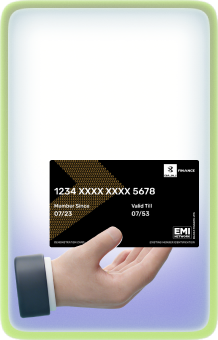
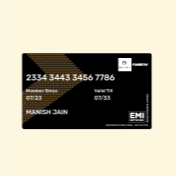 Insta EMI Card
 Open Demat Account
 Trading Account
 Margin Trading Facility
 Share Market
 Invest in IPO
 All stocks
 Top gainers
 Top losers
 52 week high
 52 week low
 Loan against shares
 Home Loan
 Transfer your existing Home loan
 Loan against Property
 Home Loan for Salaried
 Home loan for self employed
 Commercial property loan
 Loan Against Property Balance Transfer
 Home Loan EMI Calculator
 Home Loan eligibility calculator
 Home Loan balance transfer
 View All
 Health Insurance
 Term Life Insurance
 ULIP Plan
 Savings Plan
 Family Insurance
 Senior Citizen Health Insurance
 Critical Illness Insurance
 Child Health Insurance
 Pregnancy and Maternity Health Insurance
 Individual Health Insurance
 Low Income Health Insurance
 Student Health Insurance
 Group Health Insurance
 Retirement Plans
 Child Plans
 Investment Plans
 Wallet Care
 Wallet care entertainment+
 Personal Accident Care
 EMI/SIP Cover
 Health Prime Max
 Fonesafe Lite
 Mobile Protect
 Wallet Protekt
 Dengue Cover
 Niva Bupa Health Plus
 Health Plus Hospital Cash
 Four Wheeler Insurance
 Business Loan
 Secured Business Loan
 Loan against property
 Loans against property balance transfer
 Loan for Doctors
 Loan for Chartered Accountants
 Loan for Lawyers
 Loan against shares
 Home Loan
 Loans against mutual funds
 Loan against bonds
 Loan against insurance policy
 Apply for Gold Loan
 Transfer your Gold Loan with Us
 Chat with Us
 Gold Loan Branch Locator
 Fixed Deposit
 Renew Fixed Deposit
 ULIP Plan
 Savings Plan
 Retirement Plans
 Child Plans
 Free Demat Account
 Invest in Stocks
 Invest in IPO
 Margin Trading Facility
 Equity Mutual Funds
 Debt Mutual Funds
 Hybrid Mutual Funds
 New Fund Offers
 Open Mutual Fund Account
 Fixed Deposit Branch Locator
 New Car Loan
 Used Car Loan
 Loan Against Car
 Car Loan Balance Transfer and Top-up
 My Garage
 Get Bajaj Prime
 Mobiles on EMI
 AC on EMI
 Air Cooler on EMI
 Refrigerator on EMI
 LED TV on EMI
 Kitchen appliances on EMI
 Washing machines
 Electronics on EMI
 Personal Loan EMI Calculator
 Personal Loan Eligibility Calculator
 Home Loan EMI Calculator
 Home Loan Eligibility Calculator
 Good & Service Tax (GST) Calculator
 Flexi Day Wise Interest Calculator
 Flexi Transaction Calculator
 Secured Business Loan Eligibility Calculator
 Fixed Deposits Interest Calculator
 Two wheeler Loan EMI Calculator
 New Car Loan EMI Calculator
 Used Car Loan EMI Calculator
 All Calculator
 Used Tractor Loan EMI Calculator
 Hot Deals
 Kitchen Appliances
 Tyres
Tyres Camera & Accessories
 Mattresses
 Furniture
 Watches
 Music & Audio
 Cycles
 Mixer & Grinder
 Fitness Equipment
 Fans
Fans
 Personal Loan for Doctors
 Business loan for Doctors
 Home Loan
 Secured Business Loan
 Loan against property
 Secured Business Loan Balance Transfer
 Loan against share
 Gold Loan
 Medical Equipment Finance
 Smart Hub
 ITR Service
 Digi Sarkar
 Savings Offer
 Easy EMI
 Offer World
 1 EMI OFF
 New Launches
 Zero Down Payment
 Clearance Sale
 Bajaj Mall Sale
 Mobiles under ₹20,000
 Mobiles under ₹25,000
 Mobiles under ₹30,000
 Mobiles under ₹35,000
 Mobiles under ₹40,000
 Mobiles under ₹50,000
 Articles
 Overdue Payments
 Other Payments
 Document Center
 Bank details & Documents
 Tax Invoice Certificate
 Do Not Call Service
 Hamara Mall Orders
 Your Orders
 Explore Bajaj Prime
 Explore Rewards
 Buy Deals & Gift cards
 Fixed Deposit (IFA) Partner
 Loan (DSA) Partner
 Debt Management Partner
 EMI Network Partner
 Became a Merchant
 Partner Sign-in
 Trade directly with your Demat A/c
 ITR
ITR My Garage
 Video Wall
 Live Videos
 Savings Offer
 Smartphones
 LED TVs
 Refrigerators
 Air Coolers
 Laptops
 Washing Machines
 Water Purifiers
 Tablets
 Kitchen Appliances
 Mattresses
 Furniture
 Music and Audio
 Cameras & Accessories
 Cycle
Cycle Watches
 Tyres
Tyres Luggage & Travel
 Fitness Equipment
 Tractor
 Easy EMI Loan
 vivo Mobiles
 OPPO Mobiles
 Bluestar ACs
 Sony LED TVs
 Voltas ACs
 LG ACs
 Aisen Air Coolers
 Godrej Air Coolers
 Lloyd Air Coolers
 New Tractor Loan
 Used Tractor Loan
 Loan Against Tractor
 Tractor Loan Balance Transfer
 New Car Loan
 New Cars Under ₹10 Lakh
 New Cars – ₹10–₹15 Lakh
 New Cars – ₹15–₹20 Lakh
 New Cars – ₹20–₹25 Lakh
 New Car Brands
 Petrol – New Cars
 Diesel – New Cars
 Electric – New Cars
 CNG – New Cars
 Hybrid – New Cars


Customer awareness programme
Discover Bajaj Finserv Customer Awareness Programme — your guide to understanding important financial policies, services, and initiatives that shape your financial well-being. Stay informed, make confident decisions, and take charge of your financial future.
Programme categories



Watch related videos

Protect your Insta EMI Card from fraud
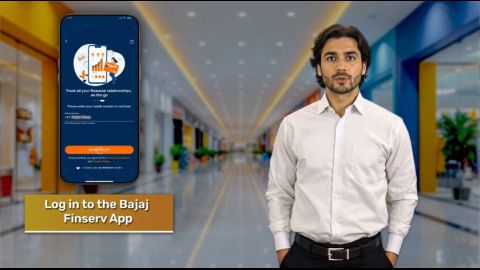
How to complete your KYC verification using Virtual ID

Why keep your bank account details updated?
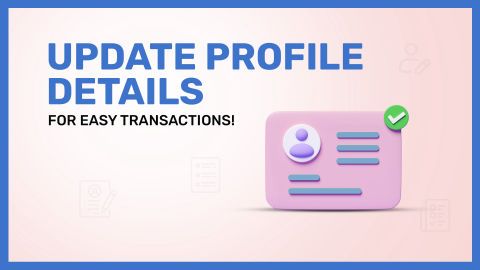
Why should you have your correct profile details updated?
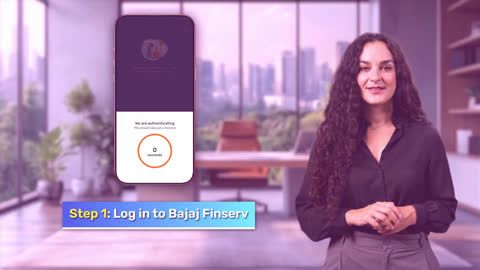
How to complete your KYC verification using DigiLocker
Articles and insights

Frequently asked questions
An M-PIN is a Mobile Banking Personal Identification Number. It secures your app, makes your logins convenient and authenticates transactions through it. It is a 4-digit passcode that you can create during your first registration. It will be used to authenticate your logins in the future and will reduce the possibility of any fraud on your account.
Nomination fraud occurs when someone falsely claims to be the nominee of an account holder or coerces the account holder into changing their details to gain access to the account holder's funds.
Ensure your nominee details are accurate and up-to-date. Regularly review your nominations and be cautious of any pressure to change your nominee.
In case you suspect any fraudulent activity on your Bajaj Finserv Health EMI Network Card or transaction you haven't done, you can self-block the card by following these steps:
- Go to #*{My_Relations}#, scroll to the 'Cards' section, and select the EMI Card you want to block
- Click on 'Block Card'
- Select 'Fraud attempt on the card' as the reason for blocking your card and click on 'Proceed'
- Enter the OTP sent to your registered mobile number and click on 'Submit'
You can also #*{click_here}*# to raise a request.
Note: In case you are blocking the card from Bajaj Finserv App, then you do not need to enter the OTP.
In case you suspect any fraudulent activity on your Bajaj Finserv Insta EMI Card, you can self-block it by following the steps below:
1. Go to #*{My_Relations}*#, scroll to the 'Cards' section, and select the EMI Card you want to block
2. Click on 'Block Card'
3. Select 'Fraud attempt on the card' as the reason for blocking your card and click on 'Proceed'
4. Enter the OTP sent to your registered mobile number and click on 'Submit'
You can also #*{click_here}*# to raise a request.
Note: In case you are blocking the card from Bajaj Finserv App, then you do not need to enter the OTP.
You can get all essential communication from us by updating your personal details. This also helps us prevent fraudulent activities from occurring in your account. We can provide immediate assistance in case you face any account-related issues.
Keeping your profile updated is also important for maintaining accordance with 'The Prevention of Money Laundering Act, 2002'. It also helps us to ensure that no one can access your account without your permission and adds an extra layer of security to your personal account.
We ask you to validate your identity to ensure:
- Personal details changes are initiated only by you
- No fraudulent activities take place on your account
- No one accesses your account without your permission
Your mobile number is verified as a security measure to prevent fraud and ensure the authenticity of the linking process.
Your mobile number is verified as a security measure to prevent fraud and ensure the authenticity of the linking process.
Your UPI PIN is required to authorise UPI transactions. Without knowing your UPI PIN, no one can make transactions.
Important: Do not share or disclose your UPI PIN to anyone to minimise the risk of fraud and unauthorised transactions.
No, Two-Factor Authentication is required to ensure the safety and security of your Bajaj Pay wallet transactions. This helps prevent any loss that may occur due to unauthorised, suspicious, or fraudulent activity.
Please note that Two-Factor Authentication is mandatory as per RBI's Master Direction on Prepaid Payment Instruments.
DigiLocker is a platform authorised by the government that provides a secure and convenient way to store and manage documents for KYC purposes. It uses two-factor authentication to prevent frauds. The process is easy, quick, and intuitive, and can be completed digitally without the need for any physical paperwork.
The Key Fact Statement (KFS) provides details of the key information about your loan. It is prepared in compliance with the guidelines laid down by the Reserve Bank of India (RBI).
The KFS is a standardised document across lenders, based on templates from the Reserve Bank of India (RBI). The RBI’s guidelines on digital lending, for instance, need the KFS to specify details like the loan amount, tenure, rate of interest, repayments due, other fees and penalties a customer might incur, details about third parties involved in the contract, details of the grievance redress officer, the cooling-off period etc.
The KFS is displayed before execution of loan agreement and provides you with the details of the key information about your loan. Its purpose is to ensure transparency between you and Bajaj Finance Limited (BFL).