PAN Card Name Change: Online Process, Fees and Documents

PAN Card Name Change: Online Process, Fees and Documents

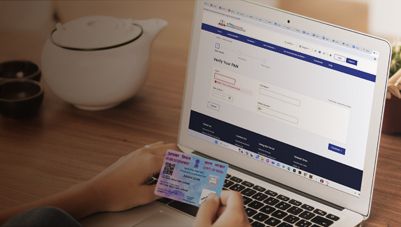
To change your PAN card name, submit Form CR-01 through Protean or UTIITSL. Your PAN number remains the same; the application route, supporting documents and fee depend on your provider and submission mode.

Rs. 40,000 - Rs. 15,50,000

You may be eligible for a pre-approved offer

Enter mobile and OTP | Check offer | No branch visit needed

Key takeaways


Changing the name on your Permanent Account Number (PAN) card updates the details linked to your existing PAN. It does not give you a new PAN number. Keep these six points in mind before applying:


  • Form: Individuals use CR-01 and non-individuals use CR-02 from 1 April 2026. The earlier Change Request form is no longer accepted.
  • Proof: Submit documentary evidence supporting the name change, such as a marriage certificate or official gazette notice, depending on the reason.
  • Aadhaar name: The name recorded in Aadhaar is printed on the PAN card. Check it before submitting CR-01.
  • Fees: Protean charges Rs. 101 for a paperless application with a physical card delivered in India, or Rs. 107 when you submit physical documents.
  • Posting deadline: For Protean's physical-document route, the acknowledgement and supporting documents must reach its Pune office within 15 days of applying online.
  • Tracking: Use the 15-digit acknowledgement number to follow a Protean application.

Aadhaar and PAN details should also be consistent for successful linking. Check the current requirements of your chosen provider before paying or sending documents.

How do you change your PAN card name online?

You can request a PAN name correction online through Protean or UTIITSL. 


  • On Protean, select PAN Change Request
  • On UTIITSL, choose the PAN change or correction service. 


Both providers use CR-01 for individuals and CR-02 for non-individuals.


The new forms apply from 1 April 2026 under Rule 158(12) of the Income-tax Rules, 2026. An order issued by the Director General of Income-tax (Systems) specifies the forms and procedure. The earlier Form 49A, Form 49AA and Change Request forms are not accepted for applications submitted from that date.


You can submit CR-01 or CR-02 online through either provider or physically at an authorised PAN centre. Your choice depends on the submission modes available to you and whether you can complete the required electronic verification.

Show More Show Less

Protean or UTIITSL: which route suits you?

Protean eGov Technologies (formerly NSDL e-Gov) and UTI Infrastructure Technology and Services Limited (UTIITSL), the two PAN service providers, differ in their routes and fees:


PointProteanUTIITSL
Paperless routee-KYC and e-Sign, e-Sign with scans, or a digital signature certificate (DSC) with scanse-KYC mode, for Instant e-PAN holders
Physical routeApply online and post documents within 15 days, or use a PAN centreHand in the form at a UTIITSL office or PAN centre
Card fee in IndiaRs. 101 paperless, Rs. 107 physicalRs. 107
Fee dateChecked November 2026Schedule in force from 16 June 2018
Tracking15-digit acknowledgement numberTrack PAN Card service

Last reviewed: 19th November, 2026


Choose the route that matches your circumstances:


  • Protean, paperless: Choose this route if you can complete the available e-KYC and e-Sign, scanned e-Sign or DSC process.
  • Protean, physical documents: Choose this route if you cannot complete an available paperless verification method or need to submit supporting documents physically.
  • UTIITSL, e-KYC: This route is available to applicants who obtained an Instant e-PAN through the Income Tax Department's e-filing portal.
  • UTIITSL, in person: Choose this route if you prefer submitting the application through a PAN centre or UTIITSL office.


How do you apply on Protean?


On Protean, you complete the request in six steps:


  1. Select PAN Change Request, then choose your citizenship, category and title, and enter your details.
  2. Note the token number generated and emailed to you, which lets you save a draft and resume it later.
  3. Tick the box beside the name field and enter the new name in full.
  4. Choose the submission mode, fix any format errors the form flags, then edit or confirm your details on the confirmation screen.
  5. Pay the fee online.
  6. Download the acknowledgement, which is also emailed to you as a PDF with the payment receipt.

You use the same CR-01 form for other kinds of PAN correction online, such as fixing your date of birth, address or parents' names. You tick each field you change, and one request can cover several fields.


What should you check before you pay?


Before you confirm the request and pay, check these points:


  • The name reads exactly as on your proofs of identity and address, with no initials or abbreviations.
  • Only the fields you mean to change are ticked, as a ticked box marks a field for correction.
  • Your email ID is right, because the acknowledgement and any e-PAN are sent to it.
  • The fee on the payment screen matches the mode and delivery you chose.
Show More Show Less

Which documents prove your change of name on PAN?

You send one proof of the name change, along with proofs of your identity, address, date of birth and existing PAN. Your proofs of identity and address must be in your own name and show the new name exactly as you enter it on the form.


Protean lists these proofs of a name change (checked November 2026), and you send one from the row that fits your case:


Reason for the changeProof accepted (any one)
MarriageMarriage certificate or invitation card, gazette notice, gazetted officer's certificate or passport with husband's name
Other change of your own nameOfficial gazette notice or gazetted officer's certificate
Father's or mother's nameOfficial gazette notice only
Spelling errorProof that supports the correction

Last reviewed: 19 November 2026

. 

An official gazette notice is accepted for every reason except a spelling error, so it is the one proof that covers most cases. Alongside the proof of change, you send:


  • Identity, address and date of birth: documents in your own name, and Aadhaar covers all three.
  • Existing PAN: a copy of your PAN card or your PAN allotment letter.

No other document, such as an e-filing printout, counts as proof of PAN. If you have no copy of your PAN card and no allotment letter, Protean processes the application only on a "good effort" basis.


If your Aadhaar shows a different name


Because your proofs of identity and address must show the new name exactly, an Aadhaar that still carries your old name cannot serve as either proof for this request. Update it through the Unique Identification Authority of India (UIDAI) first, or send another accepted proof that already shows the new name.


Matching names also matter for linking PAN and Aadhaar, which the Income Tax Department sets out as follows (checked November 2026):


  • Who must link: Individuals who held a PAN on or before 1 July 2017 and are eligible to obtain Aadhaar must link the two records.
  • Who is exempt: The requirement does not apply to specified individuals residing in Assam, Jammu and Kashmir or Meghalaya, non-residents under the applicable tax provisions, individuals aged 80 years or older, and people who are not Indian citizens.
  • What happens if you do not link: An applicable PAN that remains unlinked becomes inoperative. The consequences include restrictions on tax refunds and higher tax deduction at source (TDS) or tax collection at source (TCS).


The inoperative-PAN consequences took effect from 1 July 2023. The fee for making an applicable inoperative PAN operative through Aadhaar linking is Rs. 1,000. Pay it through the Income Tax Department's e-Pay Tax service before submitting the linking request.


Please Note: If your PAN is inoperative, you pay a Rs. 1,000 fee on the Income Tax Department's e-Pay Tax service before the link request (checked November 2026). If linking fails once both records match, a Protean or UTIITSL centre offers biometric authentication; take your PAN, Aadhaar and the fee challan, and pay the biometric charge there.

Show More Show Less

How do you change your PAN name after marriage?

To change your PAN name after marriage, submit CR-01 with the supporting document for the name change. Protean lists a marriage certificate, marriage invitation card, official gazette notice, gazetted officer's certificate or passport showing the husband's name among the accepted examples.


Check your Aadhaar details before applying. Since the Aadhaar name is printed on the PAN card, update Aadhaar first if it still shows your maiden name and you want the PAN card to display your married name.


Pay particular attention to three details in the form:


  • Enter the name correctly: Fill in the name fields without abbreviations. If Aadhaar contains initials, follow the CR-01 instructions for entering the expanded name in the name field.
  • Retain your father's name: The form requires a married woman to enter her father's name, not her husband's name, in the father's name field.
  • Select the parent to be printed: Choose whether your father's or mother's name should appear on the PAN card.

You do not need a marriage certificate if you have another accepted document supporting the change. A marriage invitation card, gazette notice or gazetted officer's certificate may be used where applicable. A passport showing the husband's name is another document listed by Protean.

Show More Show Less

What does a PAN card name change cost you?

The PAN correction fee depends on the submission mode and whether you request a physical card or an e-PAN only. On Protean, the fee for a physical card delivered in India is Rs. 101 through a paperless application and Rs. 107 when you submit physical documents.


Delivery optionPaperless submissionPhysical-document submission
Physical card delivered in IndiaRs. 101Rs. 107
Physical card delivered outside IndiaRs. 1,011Rs. 1,017
e-PAN only, sent by emailRs. 66Rs. 72

Last reviewed: 19 November 2026


These Protean fees include applicable taxes. The term physical-document submission refers to the application route, not the type of PAN card. You can still request an e-PAN only through this route.

UTIITSL currently lists a fee of Rs. 107 for a PAN card delivered in India and Rs. 72 for an e-PAN only. Its portal also lists Rs. 1,017 for dispatch outside India. Check the payment screen for the amount applicable to your request.


If your name is already correct and you only need another physical card, use Protean's separate reprint service instead of submitting a correction request. The reprint fee is Rs. 50 for delivery in India or Rs. 959 for delivery outside India.

Show More Show Less

How do you post your PAN name change documents?

You need to post documents only when you select Protean's physical-document submission mode. The acknowledgement, supporting documents and any applicable payment instrument must reach Protean within 15 days of your online application.


Prepare the envelope with the following:


  • Printed acknowledgement: Attach two recent colour photographs with a white background, each measuring 4.5 cm × 3.5 cm. Do not staple or clip them to the acknowledgement.
  • Signature: Sign across the photograph on the left side so that part of your signature appears on both the photograph and the acknowledgement. Keep the right-side photograph clear.
  • Supporting documents: Include the required proofs of identity, address, date of birth, existing PAN and name change.
  • Aadhaar document: Include the Aadhaar allotment letter if you quoted Aadhaar in the application.
  • Payment instrument: Include the demand draft, if you selected that payment method.

Send the envelope to:


Income Tax PAN Services Unit


Protean eGov Technologies Limited
4th Floor, Sapphire Chambers
Baner Road, Baner
Pune 411045


Write APPLICATION FOR PAN – N-[15-digit acknowledgement number] on the envelope, replacing the example with your own acknowledgement number.


Use the Baner address specified by Protean rather than an older address in Model Colony, Pune. The 15-day period begins on the date of your online application, so allow enough time for delivery.

Show More Show Less

How do you check your PAN card name change status?

Use the acknowledgement number issued when you submitted your application to track its progress. Protean provides a status service for its applications, while UTIITSL has a separate Track PAN Card facility.


ProviderTracking methodContact number
ProteanEnter the 15-digit acknowledgement number on its status service020-27218080
UTIITSLUse the Track PAN Card service on its portal033-40802999

Last reviewed: 19 November 2026


Protean also provides an interactive voice response (IVR) service on 08069708080 and WhatsApp support on 8096078080. UTIITSL lists its helpline as available from 9 am to 8 pm every day. You can also email - utiitsl.gsd@utiitsl.com.


Keep the acknowledgement email until you receive the corrected PAN card or e-PAN. If you contact either provider about a pending request, quote the acknowledgement number so the support team can identify your application.

Show More Show Less

How do you change the name on a business PAN?

A company, partnership firm, limited liability partnership (LLP), trust or other non-individual applicant uses Form CR-02 to correct its PAN details. The application must include the supporting records that establish the entity's revised legal name.


The relevant document depends on the entity's legal structure. Examples include:


EntitySupporting record for the revised name
CompanyCertificate of name change issued by the Registrar of Companies
Partnership firmRevised partnership deed
LLPUpdated registration or incorporation record
Trust or other non-individualRevised trust deed, registration certificate or other applicable formation record

Last Reviewed: 19th November 2026. 


Select the non-individual category when starting the PAN Change Request. Tick the name field, enter the revised legal name and provide the supporting documents required under CR-02.


The entity's PAN, identity and address records must also be supported by the documents specified for its category. Companies and LLPs must provide their registration number in the form.

Show More Show Less

Why should your changed PAN name match your loan documents?

A difference between your PAN name and other identity documents can lead to additional verification when you apply for a loan. Keeping your records consistent helps the lender verify your identity against the documents submitted with your application.


For a Bajaj Finance Personal Loan, the document list includes your PAN card and a separate KYC document, such as Aadhaar, a passport or a voter's ID. The lender may request additional documents depending on your application and customer profile.


If you have recently changed your name, check that your PAN and KYC records reflect the correct details before completing the loan application. You can Check your loan eligibility with Bajaj Finance and review the applicable documentation requirements before proceeding.

Show More Show Less

Frequently asked questions

Before you apply

After you apply

Money matters

Does your PAN number change after a name correction?

No. Your 10-character PAN number remains the same when you correct your name or other details. The correction updates the information associated with your existing PAN; it does not create a new PAN. You should therefore submit a correction request rather than apply for another PAN. Existing PAN holders also do not need a new number under PAN 2.0, the upgraded system approved by the Union Cabinet on 25 November 2024.

You sign the form yourself when the PAN belongs to you. For a Hindu Undivided Family (HUF), the karta signs; for a company, an authorised director signs; and for a firm or LLP, an authorised partner signs. Other non-individual applicants use their authorised representative. If you provide a left thumb impression instead of a signature, it must be attested by an authorised official, such as a magistrate, notary public or gazetted officer, under the applicable instructions.


The processing time depends on verification by the Income Tax Department and the service provider. The provider can print and dispatch the corrected card only after the department processes the correction. A paperless application removes the need to send documents by post, but it does not guarantee a fixed processing time. Keep your acknowledgement number and use the provider's tracking service to check the application status.

Choose the e-PAN-only option when submitting your correction request if you do not need a physical card. Protean requires an email address and sends the e-PAN to the address entered in the application. UTIITSL also provides an e-PAN-only option and a separate Download e-PAN service. Check the applicable fee and email details before submitting your request, and retain the acknowledgement until the corrected e-PAN is available.

You can check a lender's application requirements while your PAN correction is pending, but a mismatch between your PAN and other KYC documents can lead to additional verification or delays. For a Bajaj Finance Personal Loan, the document list includes PAN and a separate KYC proof. If your other documents already show your new name, consider waiting until the PAN record is corrected or confirming the acceptable documentation with the lender before completing your application.

Yes. Protean accepts online payment through credit card, debit card or net banking for its online application routes. Its published instructions specify who can make payment on behalf of different applicant categories. For an individual, payment can be made by the applicant or an immediate family member; a company director can pay for a company, and a partner can pay for a firm or LLP. Demand drafts are available only for eligible applications with a foreign address and must follow Protean's payment instructions.

Show More Show Less

Disclaimer

Bajaj Finance Limited has the sole and absolute discretion, without assigning any reason to accept or reject any application. Terms and conditions apply*.
For customer support, call Personal Loan IVR: 7757 000 000