Published Jun 12, 2026 .3 min read

  1. What does “infrared rays blocked” mean on a vivo phone?
  2. Common reasons for the “infrared rays blocked” message
  3. How to remove the “infrared rays blocked” notification on vivo phones
  4. Explore latest vivo phones on Easy EMIs
  5. FAQs

If your vivo phone displays the "Infrared rays blocked" warning, it usually means the sensor near the top of the screen is covered or not working correctly. In most cases, the issue is minor and can be fixed easily. This guide explains the causes and the steps to remove the warning.


If the problem turns out to be a damaged sensor and you decide it is time for an upgrade, you do not have to pay the full cost of a new phone at once. You may qualify for a pre-approved offer and buy your next vivo device on Easy EMIs from Bajaj Finance. Check your loan eligibility and shop from 1.5 lakh+ partner stores across 4,000+ cities, with repayment options ranging from 3 months to 60 months and benefits such as zero down payment on select products.

What does “infrared rays blocked” mean on a vivo phone?

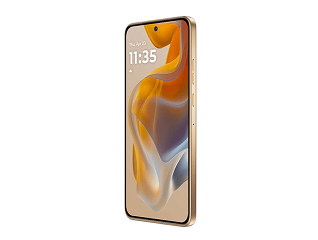
Every vivo phone has a small proximity sensor placed near the earpiece, at the top of the display, next to the front camera. This sensor uses infrared (IR) light to detect when an object — such as your face — comes close to the screen. During a call, it switches the display off so that your cheek or ear does not accidentally press buttons, and it switches the screen back on when you move the phone away.


When something physically covers or obstructs this sensor, the infrared light cannot pass through properly. Funtouch OS (the software on vivo phones) detects this and shows the “infrared rays blocked” notification to alert you. In short, the phone is telling you that its proximity sensor cannot see clearly and needs the obstruction removed.


Common reasons for the “infrared rays blocked” message

Before fixing the issue, it helps to understand what causes it. The table below lists the most common reasons this message appears on vivo phones.


Possible cause


Why it triggers the message


Screen protector or tempered glass


A protector with a thick edge, colored border, or poor cut-out can sit over the sensor and block the infrared light.


Dirt, dust, or fingerprints


Smudges and grime over the sensor area reduce light transmission, so the phone reads it as an obstruction.


Phone case or cover


A case that overlaps the top edge of the screen can partially cover the sensor.


Hand or finger placement


Holding the phone with a finger resting near the top of the screen can block the sensor temporarily.


Software glitch


A minor bug or an outdated software version can make the sensor misread its surroundings.


Hardware damage


A faulty or physically damaged sensor will keep showing the message even when nothing is covering it.


How to remove the “infrared rays blocked” notification on vivo phones

Try the following solutions in order, starting with the simplest checks. In many cases, the warning disappears after the first few steps.


1. Move objects away from the top of the screen


Check how you are holding the phone. Make sure your fingers, a phone holder, or any accessory is not covering the area around the front camera and earpiece. Repositioning your grip may remove the warning immediately.


2. Clean the top of the screen


Gently clean the area around the front camera and earpiece using a soft, dry microfibre cloth. Dust, fingerprints, and oil buildup can interfere with the sensor and trigger the warning.


3. Remove or adjust the screen protector


Inspect your screen protector to ensure it is not covering the sensor area. Tempered glass protectors with thick borders or incorrect cut-outs are a common cause of this issue. Remove the protector temporarily and check whether the warning disappears.


4. Remove the phone case


Take off the phone case and monitor whether the notification returns. Some cases extend slightly over the top edge of the display and can block the sensor.


5. Restart your vivo phone


A restart can resolve temporary software glitches affecting the sensor.


  1. Press and hold the power button.
  2. Tap Restart.
  3. Wait for the phone to reboot and check if the warning reappears.


6. Update your phone software


Software updates often include fixes for sensor related issues.


  1. Open Settings.
  2. Tap System update or Software update.
  3. Download and install any available updates.
  4. Restart the device if required.


7. Test the phone in Safe Mode


Safe Mode disables third party apps and helps determine whether an installed app is causing the problem.


  1. Restart the phone in Safe Mode.
  2. Check whether the warning still appears.
  3. If the issue disappears, uninstall recently installed or suspicious apps one at a time until the problem is resolved.


8. Reset all settings


Resetting system settings can fix incorrect configurations without deleting personal data.


  1. Open Settings.
  2. Go to System management.
  3. Select Reset all settings.
  4. Follow the on screen instructions to complete the process.


9. Perform a factory reset


If the warning persists and you suspect a software issue, perform a factory reset after backing up your data.


  1. Back up important files, photos, and contacts.
  2. Open Settings.
  3. Select System management and then Factory reset.
  4. Follow the prompts to erase and reset the device.


10. Visit an authorised vivo service centre


If the warning remains even after a factory reset, the infrared or proximity sensor may be damaged.

An authorised vivo technician can inspect the sensor, diagnose the issue, and repair or replace the affected component if necessary.


How to prevent the “infrared rays blocked” problem

A few simple habits can help keep your vivo phone's proximity sensor working properly and reduce the chances of seeing the warning again:


  • Use a properly fitted, vivo-compatible screen protector that does not cover the sensor area.
  • Clean the top portion of the display regularly with a soft microfibre cloth to remove dust, fingerprints, and smudges.
  • Choose a phone case that does not overlap or obstruct the top edge of the screen.
  • Keep your phone updated with the latest version of Funtouch OS or OriginOS.
  • Avoid placing your fingers near the earpiece and sensor area during calls or while using the device.

Following these steps can help ensure accurate sensor performance and prevent unnecessary sensor warnings.

When should you consider upgrading your vivo phone?

The "Infrared rays blocked" warning is usually easy to fix and does not mean your phone needs replacing. However, it may be worth considering an upgrade if:


  • The warning persists even after cleaning the sensor area, removing accessories, updating the software, and performing a factory reset.
  • The proximity sensor or front camera module has suffered physical damage.
  • Your phone no longer receives software or security updates.
  • You regularly experience multiple hardware issues, such as poor battery life, overheating, charging problems, or display faults.
  • Repair costs are high compared to the value of the device.
  • You want newer features, improved cameras, better performance, or longer battery life.

If the issue is limited to the sensor, a repair is often more cost effective. However, for older devices with recurring hardware problems, upgrading to a newer vivo phone may be the better long term solution.

Explore the latest vivo phones on Easy EMIs

Explore vivo phones on Easy EMIs from Bajaj Finance with affordable monthly payments, advanced camera features, powerful performance, and sleek designs, making it easier to own the latest smartphone without upfront financial pressure.


ModelPrice in India (Rs.)
vivo T3 5GRs. 19,999
vivo V30 5GRs. 33,999
vivo Y200 5GRs. 21,999
vivo V29 5GRs. 32,999
vivo Y27 5GRs. 13,999
vivo X100Rs. 69,999

Disclaimer: Prices are subject to change. Please check the official website for the most accurate and up-to-date information. Explore the latest offers from Bajaj Finance and grab the best deals for a premium shopping experience.

Shop smart with Easy EMIs

Bajaj Finance puts you in control of your shopping. See if you are eligible for a loan and get instant approval in just a few steps. Once approved, go to any of 1.5 lakh+ partner stores across India. Pick from over 1 million products from 550+ leading brands. Pay in Easy EMIs with 50+ flexible options that fit your budget. Enjoy a fast, seamless, and stress-free shopping experience—with more freedom and more savings.

Why use the Smart Savings Calculator

Bajaj Finance's Smart Savings Calculator helps you unlock maximum savings every time you shop at partner stores. It brings together all available brand, dealer, and scheme offers, so you can see your total savings instantly and shop smarter with Easy EMIs.


  • Dealer offers: Grab exclusive in-store deals at over 1.5 lakh partner stores across India.
  • Brand offers: Access limited-time discounts from top brands across electronics and appliances.
  • Bajaj offers: Unlock exclusive Bajaj Finance deals available only to our customers.
  • Scheme offers: Take advantage of time-sensitive offers on select EMI schemes.


Explore more mobile phones


Mobiles by brands


vivo mobileLAVA phonesiQOO mobiles
TECNO mobilesOnePlus mobilesSamsung mobiles
realme mobilesNokia mobilesXiaomi mobiles
Infinix mobilesmotorola mobiles 

Mobiles by features


10000 mAh battery mobiles120 W fast charging mobilesXiaomi curved display mobiles
200MP camera mobiles16GB RAM mobilesFlagship mobiles
Dolby Atmos phonesDual stereo speaker mobilesMobiles with optical zoom
Ultra-wide camera phonesSony IMX sensor camera mobiles 

Mobiles by budget


Mobiles under Rs. 10,000Mobiles under Rs. 15,000Mobiles under Rs. 20,000
Mobiles under Rs. 25,000Mobiles under Rs. 30,000Mobiles under Rs. 35,000
Mobiles under Rs. 50,000Mobiles under Rs. 60,000Mobiles under Rs. 80,000

5G mobiles by brands


OPPO 5G mobilesrealme 5G mobilesNokia 5G mobiles
motorola 5G mobilesSamsung 5G mobilesMi 5G mobiles
vivo 5G mobilesGoogle 5G mobilesiQOO 5G mobiles

5G mobiles by budget


5G mobiles under Rs. 15,0005G mobiles under Rs. 20,0005G mobiles under Rs. 25,000
5G mobiles under Rs. 30,0005G mobiles under Rs. 40,000 

Brands by budget (Rs. 20,000)


vivo mobiles under Rs. 20,000Samsung mobiles under Rs. 20,000OnePlus mobiles under Rs. 20,000
iQOO mobiles under Rs. 20,000Xiaomi mobiles under Rs. 20,000POCO mobiles under Rs. 20,000
Infinix mobiles under Rs. 20,000realme mobiles under Rs. 20,000motorola mobiles under Rs. 20,000
ASUS mobiles under Rs. 20,000  

Frequently asked questions

What does “infrared rays blocked” mean on a vivo phone?

It means the infrared proximity sensor near the top of your screen is being obstructed. The sensor uses infrared light to detect nearby objects, and the message appears when something — such as a screen protector, dirt, a case, or a finger — blocks that light.

How do I remove the infrared rays blocked notification?

Start by moving any objects away from the top of the screen, then clean the sensor area with a microfibre cloth. If the message continues, remove the screen protector or case, restart the phone, and install any available software update. A reset or service centre visit may be needed if the issue persists.

Is the infrared rays blocked message a serious problem?

Usually not. In most cases it is caused by something simple covering the sensor and can be fixed at home. It is only a concern if the message keeps appearing after cleaning the sensor and removing accessories, which may point to a hardware fault.

Can a screen protector cause the infrared rays blocked messages?

Yes. A screen protector with a thick edge, colored border, or an inaccurate cut-out can sit over the proximity sensor and block the infrared light. Using a precisely cut, vivo-compatible protector usually solves this.

Will a factory reset fix the infrared rays blocked issue?

A factory reset can fix the issue if it is caused by a software glitch. Always back up your data first, as a reset erases everything on the phone. If the message still appears after a reset, the sensor hardware likely needs servicing.

Can I buy a new vivo phone on EMI if my sensor is damaged?

Yes, you can buy a new vivo phone on Easy EMIs using the Bajaj Finance Insta EMI Card. Check your eligibility in just a few clicks and enjoy the convenience of converting your purchase into affordable monthly instalments.

Show More Show Less

Bajaj Finserv App for all your financial needs and goals

Trusted by 50 million+ customers in India, Bajaj Finserv App is a one-stop solution for all your financial needs and goals.
 

You can use the Bajaj Finserv App to:
 

  • Apply for loans online, such as Instant Personal Loan, Home Loan, Business Loan, Gold Loan, and more.
  • Explore and apply for co-branded credit cards online.
  • Invest in fixed deposits and mutual funds on the app.
  • Choose from multiple insurance for your health, motor and even pocket insurance, from various insurance providers.
  • Pay and manage your bills and recharges using the BBPS platform. Use Bajaj Pay and Bajaj Wallet for quick and simple money transfers and transactions.
  • Apply for Insta EMI Card and get a pre-approved limit on the app. Explore over 1 million products on the app that can be purchased from a partner store on Easy EMIs.
  • Shop from over 100+ brand partners that offer a diverse range of products and services.
  • Use specialised tools like EMI calculators, SIP Calculators
  • Check your credit score, download loan statements, and even get quick customer support—all on the app.


Download the Bajaj Finserv App today and experience the convenience of managing your finances on one app.

Disclaimer

1. Bajaj Finance Limited (“BFL”) is a Non-Banking Finance Company (NBFC) and Prepaid Payment Instrument Issuer offering financial services viz., loans, deposits, Bajaj Pay Wallet, Bajaj Pay UPI, bill payments and third-party wealth management products. The details mentioned in the respective product/ service document shall prevail in case of any inconsistency with respect to the information referring to BFL products and services on this page. 

2. All other information, such as, the images, facts, statistics etc. (“information”) that are in addition to the details mentioned in the BFL’s product/ service document and which are being displayed on this page only depicts the summary of the information sourced from the public domain. The said information is neither owned by BFL nor it is to the exclusive knowledge of BFL. There may be inadvertent inaccuracies or typographical errors or delays in updating the said information. Hence, users are advised to independently exercise diligence by verifying complete information, including by consulting experts, if any. Users shall be the sole owner of the decision taken, if any, about suitability of the same.