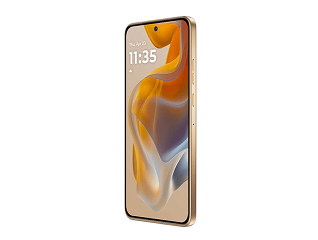
There are several ways to find the IMEI number on a vivo phone. The dialler code method is the fastest, but you can also check it through Settings, the retail box, the SIM tray, or your linked accounts.
Method 1: Dial *#06# (fastest method)
This is the quickest and most reliable way to view your IMEI number on any vivo phone.
Quick steps:
- Open the Phone app.
- Dial *#06#.
- A pop-up will instantly display your IMEI number. Dual-SIM devices will show two IMEI numbers.
- Take a screenshot or note the number for future reference.
Method 2: Through the Settings menu
You can also find the IMEI number within the phone's settings.
Quick steps:
- Open Settings.
- Tap About phone.
- On older versions, go to More settings > About phone.
- Tap Status info, Status, or Device information.
- Scroll down to view the IMEI number.
- Long-press the number if you want to copy it.
Method 3: Check the original retail box
If your vivo phone is unavailable or will not turn on, the IMEI number can usually be found on the original packaging.
Look for a white label on the side or back of the box. It typically contains:
- IMEI 1
- IMEI 2 (for dual-SIM models)
- Device model name
- Serial number
- Barcode information
Method 4: Check the SIM tray or back panel
Many vivo smartphones have the IMEI number printed directly on the SIM tray.
Quick steps:
- Power off the phone if required.
- Use the SIM ejector tool to remove the SIM tray.
- Check the tray for the printed IMEI number.
On some older vivo models, the IMEI sticker may be located under the removable back cover near the battery compartment.
Method 5: Using Google Find My Device
If your vivo phone is lost, you may still be able to retrieve the IMEI number through your Google account.
Quick steps:
- Open the Find My Device website in a browser.
- Sign in using the Google account linked to the phone.
- Select your vivo device from the list.
- Open the device information section to view available details, including the IMEI number.
Method 6: Through your vivo account or e-warranty card
If you have registered your device with a vivo account or activated its e-warranty, the IMEI may be available in your account details.
Quick steps:
- Open Settings.
- Go to your vivo account section.
- Check the registered device information or E-warranty card section.
- View the stored IMEI number and device details.