







































































































































































































































































Locating your unique financial credentials is vital for smooth commercial account management. Bajaj Finance provides fast, automated digital tools alongside structured physical routes to help corporate entities pull up their loan identifiers within minutes. Having this reference ready protects your accounting operations from simple payment allocation errors.
What is a business loan account number and why do you need it
A business loan account number, often called a LAN, is a unique alphanumeric identifier assigned by an NBFC to a specific credit facility. Unlike a customer reference code which tracks your entire corporate profile, this specific string isolates a single borrowing transaction. You need this identifier to execute crucial commercial financial tasks.
For instance, when making a manual prepayment via electronic clearings or querying the service desk regarding interest certificates, this reference is mandatory. It acts as the primary data point for regulatory tracking. Reporting agencies require it to map your commercial credit behavior accurately to corporate registries, ensuring that your automated NACH payment files align perfectly with the corresponding open credit balances.
Ways to check your business loan LAN online
- Log in to the digital customer portal: Open the secure consumer portal on the official Bajaj Finance web interface and complete the sign-in step using your primary corporate mobile credentials and an interactive secure code.
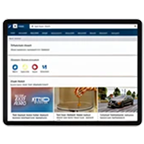
- Inspect the main account dashboard: Look directly at the primary landing layout where all active commercial credits, working capital lines, and term facilities appear automatically under a unified overview panel.
- Download your latest loan statement: Click the document generation link next to your active facility to pull up a comprehensive digital statement where your exact LAN appears in the upper information margin.
- Check your automated welcoming email: Search your corporate electronic mailbox for the official welcome correspondence dispatched by the operations desk immediately following your initial loan contract finalization.
- Review your smartphone software dashboard: Open the official corporate mobile utility application on your handheld device where linked financial lines reveal their exact numbers directly on the main application interface.
- Access digital government locker systems: Query your verified corporate digital locker profile where authenticated NBFC loan summary sheets are stored safely under your registered business permanent account reference.
Offline methods to retrieve your business loan account number
- Examine your original physical contract paperwork: Read through the initial printed loan agreement booklets or the signed physical sanction letters kept in your corporate archival filing cabinets.
- Visit a regional corporate service branch: Walk into the nearest operational Bajaj Finance physical office branch with your corporate registration proofs to request a manual account lookup from a service manager.
- Check your business bank statement files: Look up your corporate bank ledger exports to find the payment remarks column where automated NACH auto-debit descriptions append your exact alphanumeric loan reference.
- Dial the telephone support helpline channels: Connect directly with the commercial customer care staff using your registered corporate phone line to retrieve your file records after passing standard identity verification checks.