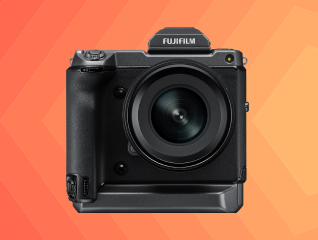
HD cameras and IP cameras are among the most commonly used CCTV surveillance solutions for homes, offices, retail stores, and commercial spaces. HD cameras usually transmit video signals through coaxial cables and are commonly preferred for cost-effective surveillance upgrades, while IP cameras use internet-based networking technology for higher-resolution monitoring and advanced remote access features. Both camera types support night vision, motion detection, and HD video recording, but they differ in installation complexity, storage systems, connectivity methods, and smart surveillance capabilities. The right option generally depends on security requirements, budget, scalability, and remote monitoring preferences.
To know more, head to any of Bajaj Finance’s 1.5 lakh partner stores in 4,000 cities in India. Choose your ideal model, pay with Easy EMIs, and enjoy zero down payment on select deals. Simply check your loan eligibility now and bring home your desired camera without worrying about overspending.
HD camera vs IP camera - Technology and working differences
HD and IP cameras use different video transmission technologies, networking systems, and surveillance architectures for security monitoring.
| Feature | HD camera | IP camera |
| Working technology | HD cameras transmit video signals through coaxial cables connected to DVR systems for local surveillance recording. | IP cameras transmit digital video data through internet or network connections using NVR systems and IP networking technology. |
| Signal transmission | Video signals are transferred directly through physical coaxial cabling between camera and recorder units. | Video data is transferred through Ethernet cables, Wi-Fi, or internet-based network systems for remote accessibility. |
| Networking capability | HD cameras usually operate through standalone CCTV infrastructure without requiring advanced networking setup. | IP cameras support advanced networking integration, remote access, cloud systems, and smart surveillance management. |
| Scalability support | HD camera systems are generally easier for smaller surveillance installations with limited camera expansion requirements. | IP camera systems are more suitable for larger security setups requiring multiple cameras and advanced monitoring control. |
| Smart surveillance features | HD cameras support basic recording and surveillance functionality suitable for standard monitoring requirements. | IP cameras commonly support AI detection, cloud recording, facial recognition, and advanced motion analytics features. |