


























































































































































































































Published May 12, 2026 · 4 Min Read

Importance of cleaning LG AC filters

Cleaning LG AC filters regularly is important for maintaining strong cooling performance, clean airflow, and efficient electricity usage. Dirty filters can block air circulation, reduce cooling speed, and force the air conditioner to work harder, which may increase power consumption and wear over time.


  • Better cooling performance: Clean filters allow smooth airflow, helping the AC cool the room faster and more evenly
  • Improved energy efficiency: When airflow is unrestricted, the AC uses less power to maintain the desired temperature
  • Cleaner indoor air: Filters trap dust, pollen, and airborne particles, improving air quality inside the room
  • Longer AC lifespan: Reduced strain on internal components helps extend the life of the air conditioner
  • Lower maintenance issues: Regular cleaning helps prevent clogging, freezing, and airflow-related performance problems
  • Reduced electricity bills: Efficient operation can help control monthly power costs during regular usage
  • Less noise during operation: Clean filters help the system run more smoothly with fewer airflow obstructions
  • Better moisture control: Proper airflow supports effective dehumidification in humid weather conditions
  • Health benefits: Cleaner filters reduce dust circulation, which may help people with allergies or sensitivity
  • Consistent comfort: Maintains steady cooling without sudden drops in performance over time

If you are planning to buy a LG AC, head to any of Bajaj Finserv’s 1.5 lakh partner stores in 4,000 cities in India. Choose your ideal model, pay with Easy EMIs, and enjoy zero down payment on select deals. Simply check your loan eligibility now and bring home your desired product without worrying about overspending.

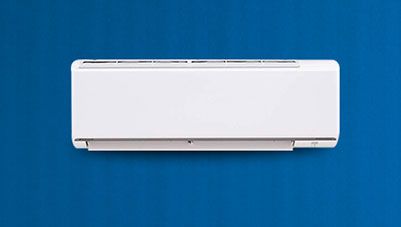
When should you clean LG AC filters

Cleaning LG AC filters at the right time helps maintain cooling efficiency, healthy airflow, and lower electricity consumption. The cleaning frequency depends on usage hours, dust levels, room conditions, and seasonal demand.


  • Every two to four weeks: Ideal cleaning interval for regular home use during active summer months
  • During heavy summer usage: Clean more often when the AC runs daily for long hours
  • If cooling feels weaker: Reduced airflow or slower room cooling can indicate dirty filters
  • When electricity bills rise unexpectedly: Blocked filters may force the AC to consume more power
  • In dusty environments: Homes near roads, construction areas, or open windows need more frequent cleaning
  • If bad odour develops: Dust and moisture buildup on filters can create unpleasant smells
  • When airflow feels low: Weak air coming from vents often signals clogged filters
  • Before peak summer season: Clean filters before regular seasonal use begins for best performance
  • After long non-use periods: Clean filters before restarting the AC after monsoon or winter storage
  • As per user manual guidance: Follow LG AC maintenance recommendations for your specific model

Tools required to clean LG AC filters

Cleaning LG AC filters is simple and requires only a few basic tools available at home. Using the right items ensures safe cleaning without damaging the filters.
 

  • Clean, lukewarm water is needed to wash away dust and dirt from the AC filters gently
  • A soft brush helps remove stubborn dust particles without damaging or bending the filter mesh
  • A soft microfiber cloth is used to wipe and dry the filters properly after washing
  • Mild soap or liquid detergent can be used for deeper cleaning when filters are heavily clogged
  • A dry towel helps remove extra moisture before reinstalling the filters for safe use

How to clean LG AC filter at home

Cleaning an LG AC filter at home is a simple maintenance task that helps improve cooling performance, airflow, and energy efficiency. Regular cleaning also reduces dust buildup and helps maintain cleaner indoor air quality.


  • Turn off the AC: Switch off the air conditioner and unplug the power supply before starting for safety
  • Open the front panel: Gently lift or open the indoor unit front cover as per your LG AC model design
  • Remove the filter carefully: Slide out the air filters slowly to avoid bending or damaging them
  • Shake off loose dust: Remove surface dust gently before washing the filter
  • Wash with clean water: Rinse the filter under lukewarm or normal water to remove trapped dirt
  • Use mild soap if needed: For stubborn dirt, use mild soap and a soft brush without scrubbing harshly
  • Dry completely: Let the filter air dry fully in shade before reinstalling it
  • Avoid direct sunlight: Strong sunlight may damage or warp some filter materials
  • Reinstall properly: Place the dry filter back in its original position and close the front panel securely
  • Restart the AC: Turn the power back on and check airflow after cleaning

Difference between cleaning split AC and window AC filters

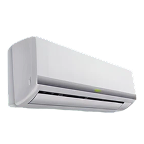
Cleaning split AC and window AC filters follows a similar purpose, but the access method, filter size, and maintenance process can differ. Understanding these differences helps users clean filters correctly and maintain better cooling performance.


FeatureSplit AC filtersWindow AC filters
Filter locationInside indoor unit behind front panelFront grille of the main unit
Access methodOpen top/front indoor panelRemove front cover or slide panel
Cleaning difficultyEasy to moderateUsually easy
Filter sizeSlim and lightweight mesh filtersLarger and thicker filters
Cleaning frequencyEvery two to four weeksEvery two to four weeks
Dust buildupModerate, depends on room useOften higher due to outdoor-facing unit
Drying timeFaster due to lighter filtersMay take slightly longer
ReinstallationSlide back into indoor unit slotsFit back into front frame
Professional servicing needHelpful for deep indoor coil cleaningHelpful for full unit cleaning
Best maintenance benefitBetter airflow and silent coolingBetter airflow and stronger cooling

Common mistakes to avoid while cleaning LG AC filters

Avoiding common mistakes while cleaning LG AC filters is important to protect the unit and maintain its cooling efficiency. Proper care ensures better performance and longer appliance life.
 

  • Do not clean filters without switching off and unplugging the AC, as it can lead to safety hazards and electrical damage
  • Avoid using hot water or harsh chemicals, as they can damage the filter mesh and reduce efficiency
  • Never scrub filters aggressively, as rough handling may tear or bend the delicate mesh structure
  • Do not reinstall wet filters, as moisture can lead to mold growth and bad odors
  • Avoid skipping regular cleaning schedules, as dust buildup reduces airflow and increases power consumption
  • Do not ignore damaged filters; replace them to maintain proper cooling and air quality

Benefits of regular cleaning of LG AC filter

Regular cleaning of LG AC filters plays a key role in maintaining efficient cooling and healthy indoor air. It ensures the AC performs smoothly while saving energy and reducing maintenance issues.
 

  • Improves cooling efficiency by allowing smooth airflow and reducing strain on the AC system for better room comfort
  • Lowers electricity consumption as the AC does not need to work harder due to dust-free filters
  • Enhances indoor air quality by removing dust, allergens, and pollutants from circulating air
  • Extends the lifespan of the AC by preventing internal component damage caused by clogged filters
  • Reduces repair costs and maintenance issues by keeping the system clean and well-functioning over time
  • Ensures consistent performance, especially during peak summer usage when cooling demand is high

Get electronics and appliances on Easy EMIs with Bajaj Finserv

Upgrading your home with the latest electronics and appliances is now easier and more affordable with Bajaj Finserv’s flexible financing options. Follow these steps to get started:


  • Explore products on Bajaj Mall: Browse a wide range of electronics and appliances from trusted brands on  Bajaj Mall. Compare features like energy ratings, storage capacity, performance settings, and design to choose the right product for your home.
  • Visit a partner store: Once you shortlist a model, step into any of Bajaj Finserv’s 1.5 lakh partner stores across 4,000 cities in India. See the product in person, talk to experts, and make a confident decision.
  • Choose the Easy EMI Loan option: At checkout, select the Bajaj Finserv Easy EMI Loan. Avail financing of up to Rs. 5 lakh and split the cost into convenient monthly instalments. Some products also come with a zero down payment option.
  • Check your loan eligibility online: Plan better by checking your loan eligibility in minutes. Simply enter your mobile number and OTP to know your pre-approved limit.
  • Use the EMI Network Card for purchases up to Rs. 3 lakh: Already own the Bajaj Finserv EMI Network Card? Use it for instant, paperless checkout and convert your purchases of up to Rs. 3 lakh into Easy EMIs.

Frequently asked questions

Can I buy a new AC on EMIs?

Yes, you can easily purchase a new AC with Bajaj Finserv's Easy EMI options. Whether you already have the EMI Network Card or are new to it, here is how you can get started:

If you have the Bajaj Finserv EMI Network Card:

  • Explore air conditioners on Bajaj Mall: Choose from top brands offering models with powerful cooling, strong durability, and high energy efficiency.
  • Visit a partner store: Check out the latest ACs in person at any of 1.5 lakh partner stores across 4,000 cities.
  • Use your EMI Network Card at checkout: Convert the total cost into Easy EMIs that fit your monthly budget.
  • Zero down payment on select models: Bring home your air conditioner without paying anything upfront.


If you do not have an EMI Network Card:

Check your Insta EMI Card eligibility online using your mobile number and OTP. If eligible, you can apply instantly and start shopping for your preferred AC easily and affordably.

How often should I clean my LG AC filter?

You should clean your LG AC filters every 2–4 weeks for best performance. If you use the AC daily or live in a dusty area, more frequent cleaning may be needed. Regular cleaning ensures better cooling, lower power consumption, and improved indoor air quality.

Can I clean AC filters without removing them?

Light surface dust can be cleaned without removing filters, but proper cleaning requires removal. Taking out the filters allows thorough washing and removes deep dust buildup. This ensures better airflow, improved cooling efficiency, and longer AC life compared to just surface cleaning.

Is it safe to clean AC filters at home?

Yes, it is completely safe to clean AC filters at home if done carefully. Always switch off and unplug the AC before starting. Use soft tools like water and a brush to avoid damage. Following basic steps ensures safe cleaning and proper maintenance.

What happens if I don’t clean AC filters?

If AC filters are not cleaned regularly, dust builds up and blocks airflow. This reduces cooling efficiency, increases electricity bills, and puts extra load on the system. It can also cause bad odors, poor air quality, and may shorten the AC’s lifespan over time.

How long does it take to clean AC filters?

Cleaning AC filters usually takes about 15 to 30 minutes depending on dust levels. Light cleaning is quicker, while heavily clogged filters take more time for washing and drying. Regular maintenance ensures faster cleaning and keeps the AC running efficiently without major effort.

Show more Show less

Bajaj Finserv app for all your financial needs and goals

Trusted by 50 million+ customers in India, Bajaj Finserv App is a one-stop solution for all your financial needs and goals.

You can use the Bajaj Finserv App to:

  • Apply for loans online, such as Instant Personal Loan, Home Loan, Business Loan, Gold Loan, and more.
  • Invest in fixed deposits and mutual funds on the app.
  • Choose from multiple insurance for your health, motor and even pocket insurance, from various insurance providers.
  • Pay and manage your bills and recharges using the BBPS platform. Use Bajaj Pay and Bajaj Wallet for quick and simple money transfers and transactions.
  • Apply for Insta EMI Card and get a pre-qualified limit on the app. Explore over 1 million products on the app that can be purchased from a partner store on Easy EMIs.
  • Shop from over 100+ brand partners that offer a diverse range of products and services.
  • Use specialised tools like EMI calculators, SIP Calculators
  • Check your credit score, download loan statements and even get quick customer support—all on the app.

Download the Bajaj Finserv App today and experience the convenience of managing your finances on one app.

Disclaimer

1. Bajaj Finance Limited (“BFL”) is a Non-Banking Finance Company (BAJAJ FINANCE) and Prepaid Payment Instrument Issuer offering financial services viz., loans, deposits, Bajaj Pay Wallet, Bajaj Pay UPI, bill payments and third-party wealth management products. The details mentioned in the respective product/ service document shall prevail in case of any inconsistency with respect to the information referring to BFL products and services on this page.

2. All other information, such as, the images, facts, statistics etc. (“information”) that are in addition to the details mentioned in the BFL’s product/ service document and which are being displayed on this page only depicts the summary of the information sourced from the public domain. The said information is neither owned by BFL nor it is to the exclusive knowledge of BFL. There may be inadvertent inaccuracies or typographical errors or delays in updating the said information. Hence, users are advised to independently exercise diligence by verifying complete information, including by consulting experts, if any. Users shall be the sole owner of the decision taken, if any, about suitability of the same.