








Support available online, on call, or at branches across Kerala.
Get quick assistance and manage your Bajaj Finance products online.
Enter mobile and OTP · No password needed · No branch visit needed
How to Contact Bajaj Finance Customer Care in Kerala?
If you are residing in Kerala, and you need prompt solutions for any queries related to Bajaj Finance products and services, you can reach out to us on our customer care number +91 8698010101. Our dedicated team is here to address your queries and will provide you with the assistance you deserve, right at your fingertips.
Also, our customer portal, My Account, provides a user-friendly platform for seamless management of your existing product relationships. You can conveniently pay missed installments, prepay loans, and explore special offers.
Features of Bajaj Finance Customer Portal
This well-developed Bajaj Finance customer service portal can be beneficial to both new and existing customers for investing or borrowing. Customers can avail any financial information without requiring any personal assistance at any time.
Besides, this Bajaj Finance customer portal offers a host of features and benefits like:
Update contact information
With the integration of technology, customers can receive all the necessary payment-related information and alerts on their registered mobile numbers. Through this portal, customers can inform if there are changes in their contact numbers to avoid missing out on any important update regarding their loan accounts or payments.
Download necessary documents
Customers can conveniently log in to the Bajaj Finance consumer care portal and download crucial documents in no time. Here are the documents that one can download from this portal –
• Loan account statement
• No dues certificate
• Interest certificateView EMI Network Card limit
Customers owning a Bajaj Finance EMI Network Card can purchase their preferred product from any e-commerce facility at zero down payment and affordable EMIs. However, one must check his or her card limit through this Bajaj Finance customer portal and purchase accordingly.
Block/ Unblock Bajaj Finance EMI Network Card
Customers can block/ unblock the EMI Network Card by logging in to the Bajaj Finance My Account portal in a few simple steps. Moreover, one can also recover the card through the same portal.
Initiate loan foreclosure and pay missed EMIs
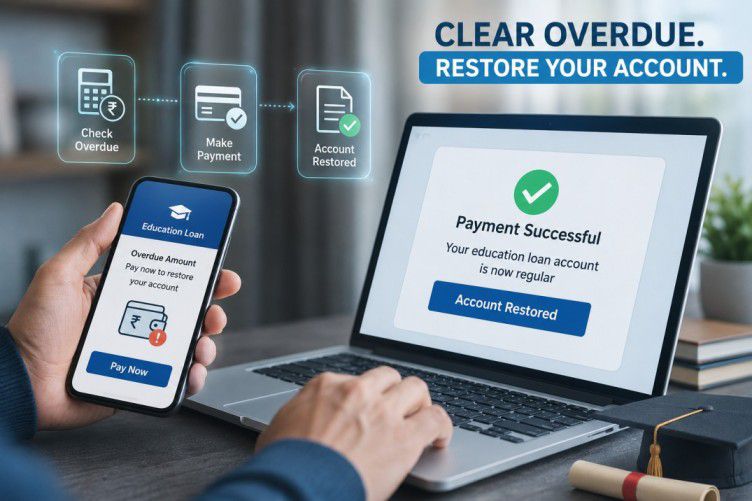
Bajaj Finance notifies consumers regarding missed EMIs or the due dates. Through this Bajaj Finance My Account portal, consumers can pay their missed EMIs conveniently and avoid paying penalties. Besides, one can also part pre-pay or foreclose his or her loan swiftly through this portal.


Bajaj Finance Customer Care Details – Kerala
The Bajaj Finance customer portal comes with a simple and user-friendly interface that is exclusively designed to provide a smooth borrowing experience and fundamental navigation. Customers can connect with us through different modes discussed below and resolve their queries:
Customer portal (My Account)
Through this customer service portal-My Account, customers can address their queries and doubts at their convenience. Therefore, follow the login procedure below to do the same:
Step 1 - Go to the Bajaj Finance customer login page
Step 2 - Enter your contact details, email or customer ID
Step 3 - Select between the ‘OTP’ or ‘Password’ options at your convenience
Step 4 - Choose ‘Next’ or ‘Generate OTP’ option
Step 5 - Feed relevant details and click on submit
Alternatively, you can download the Bajaj Finance app from Google Play Store and manage your necessary financial activities.
Bajaj Finance app
To raise your query through the Bajaj Finance app, take a look at the steps below:
Step 1 - Download the app from the Google Play Store
Step 2 - Go to the ‘Help and Support’ category in the main menu
Step 3 - Choose your respective product to raise the query
Step 4 - Choose the query and sub-query type and elaborate your issue
Step 5 - Enter authentic details and click on submit
Raise a request
Here are the steps to raise the request:
For existing customers:
Step 1 - Visit Raise a request
Step 2 - Select customer category
Step 3 - Existing customers can use Bajaj Finance My Account log in ID and raise their request
For new users:
Step 1 - Visit the similar portal
Step 2 - Click on ‘Yes’ or ‘No’ as per the displayed question
Step 3 - Input necessary details such as mobile number, query, product and other necessary details to continue
Step 4 - Enter the CAPTCHA code and proceed to raise the request
View your pre-approved offers
Out of the numerous Bajaj Finance customer care benefits, pre-approved offers are available on various secured and unsecured financial products such as personal loans, business loans, home loans, loans against property etc. These pre-approved offers significantly speed up the lending procedure and save time.
Customers can go through their Bajaj Finance pre-approved offers by following these simple steps.
- 1Visit the Bajaj Finance My Account portal
- 2Feed your full name and contact details
- 3Click on ‘Agree’ to the terms and conditions
By following the above-mentioned steps, customers can check out the exclusive pre-approved offers.
From the above explanation, borrowers have a clear understanding regarding Bajaj Finance customer care in Kerala and can take the assistance of customer service portal - My Account through to manage varied financial activities.
To understand resolutions for grievances you may face, please refer to the following:
Frequently Asked Questions
Customer Support
My Account & Online Services
Mandates & Account Management
How do I raise a complaint with Bajaj Finance from Kerala?
You can raise a complaint with Bajaj Finance online through the official website or mobile app. Log in using your registered mobile number, select the relevant product or service, and submit your concern. You can also track the status of your complaint online.
Can I track my Bajaj Finance service request online in Kerala?
Yes. After raising a service request, you receive a Service Request (SR) number. Track its progress through the Bajaj Finance customer portal or app under "Track Requests," regardless of your location. Customers in Kerala can also contact customer care directly, quoting their SR number for updates.
Can I access Bajaj Finance services online from Kerala without visiting a branch?
Yes, customers in Kerala can access Bajaj Finance services online without visiting a branch. Log in through the website or mobile app to view loan details, make payments, download statements, check offers, and manage service requests from anywhere.
How can I update the change of contact details?
To update or change the registered mobile number, customers can visit the Bajaj Finance customer portal and do the same. Here are the steps discussed below:
Step 1 - Visit the customer portal and input your customer ID and submit the OTP sent to the old contact number
Step 2 - Go to the ‘My profile’ section and choose ‘Update contact details’. Next, click on ‘Edit details’ to update the mobile number
Step 3 - Review and confirm the changes made. Your registered contact details will be changed within minutes
How can I download my loan statement or No Dues Certificate through My Account?
Sign in to the Bajaj Finance customer portal or app using your registered mobile number and OTP. Go to the "Service" section, select your loan account, then choose "Statement of Account" or request your No Dues Certificate under Quick Actions, to download it as a PDF.
Can the Bajaj Finance mandate be cancelled?
The cancellation process of the NACH mandate is simple and straightforward. If the customer needs to withdraw or cancel, he/ she can do it by contacting the respective financial institution and requesting them to cancel the mandate. The concerned account holder or client can remove the mandate or debit instruction straight from his/ her financial lender, bypassing the concerned institution. In such cases, the customers’ withdrawal section would be considered as ‘stop payment’ instruction in the cheque clearing system.
More Articles

Disclaimer
While care is taken to update the information, products, and services included in or available on our website and related platforms/websites, there may be inadvertent inaccuracies or typographical errors or delays in updating the information. The material contained in this site, and on associated web pages, is for reference and general information purpose and the details mentioned in the respective product/service document shall prevail in case of any inconsistency. Subscribers and users should seek professional advice before acting on the basis of the information contained herein. Please take an informed decision with respect to any product or service after going through the relevant product/service document and applicable terms and conditions. In case any inconsistencies observed, please click on reach us.
*Terms and conditions apply.