In summary
You can make your axis bank credit card payment online through Bajaj Pay on Bajaj Finance, using the last 4 digits of your card and your registered mobile number.
- Platform: Bajaj Pay processes your payment through Bharat Connect, the bill payment system conceptualised by RBI and run by NPCI Bharat BillPay Limited.
- Payment modes: For an axis credit card bill payment, you can pay using UPI, debit card or net banking.
- Identifier needed: Enter the last 4 digits of your Axis Bank credit card number and the mobile number registered with Axis Bank.
- Confirmation: Bharat Connect confirms your payment in real time, and Bajaj Finance notifies you once it succeeds.
- Due date: Pay by the due date printed on your Axis Bank credit card statement to avoid late payment charges.
Pay your Axis Bank credit card bill now through Bajaj Pay Bharat Connect on the Bajaj Finance app or website.
Axis Bank credit card payment online
You can make your axis bank credit card payment online through Bajaj Pay on Bajaj Finance, using UPI, debit card or net banking. Payments are processed through Bharat Connect, formerly known as Bharat Connect. Follow the steps below to complete your Axis credit card bill payment on the Bajaj Finance website.
What happens if you pay less than the total amount due on your Axis Bank credit card
If you pay less than the total due on your axis bank credit card bill payment, you lose the interest-free period and interest applies on the unpaid balance from each transaction date.
| Axis credit card bill payment option | What it means | Key impact |
|---|---|---|
| Total amount due | Full statement outstanding | No interest on purchases |
| Minimum amount due | 2% of the balance plus all instalments, fees, interest, taxes and over-limit amount | Avoids late charges, but interest of 3.75% a month applies on most cards |
| Partial amount | Between the minimum and total due | Avoids late charges and lowers interest, but interest still applies |
How to verify if your automatic payment has settled your Axis Bank credit card dues
To check an axis bank credit card payment online made through auto debit, log in to the Axis Bank mobile app or internet banking and view your card’s recent payments. This confirms your axis bank credit card auto debit setup works.
- Log in to the Axis Bank mobile app or internet banking
- Go to the credit cards section and select your card
- Open your recent transactions
- Look for the auto debit entry with its date and amount
Auto debit payments take 1 working day to clear. If your axis bank credit card bill payment is not reflected after that, call Axis Bank on 1860 500 5555.
How to plan Axis Bank credit card repayment when your salary arrives after bill generation
For axis bank credit card bill payment, your due date falls 20 days after your billing cycle date, giving you time to pay once your salary arrives.
- Check your statement for your billing cycle date and axis credit card payment due date
- If your salary arrives within those 20 days, pay the total due to keep your interest-free period
- Pay a few days early, as some channels take 1 working day to clear
- With auto debit, keep funds ready, as Axis Bank runs NACH mandates 1 day before the due date
You can also pay part of your bill through Bajaj Pay on Bajaj Finance as soon as your salary arrives.
Other ways to pay your Axis Bank credit card bill
Beyond Bajaj Finance, you can make an axis bank credit card payment online or offline through several channels. Here is how to pay axis bank credit card bill online and offline, with processing times from Axis Bank’s terms.
| Axis bank credit card bill payment method | Steps summary | Processing time |
|---|---|---|
| Axis Bank internet banking | Log in and pay from your Axis Bank account | 1 working day |
| Auto debit | Set up a standing instruction from your Axis Bank account | 1 working day |
| NEFT from another bank | Add your card as a payee and transfer | 1 working day |
| IMPS | Transfer using your card details | Same day |
| Visa Money Transfer | Pay through your bank’s VMT service | 2 working days |
| Cash at an Axis Bank branch | Pay at the counter; Rs. 175 fee per payment | Same day |
Third-party app payments may take longer to clear.
Benefits of paying Axis Bank credit card bill on Bajaj Finance
When you make your axis bank credit card payment online through Bajaj Pay on Bajaj Finance, your payment is processed through Bharat Connect, formerly known as Bharat Connect.
| Axis credit card bill payment feature | Details |
|---|---|
| Payment modes | Pay using UPI, debit card or net banking |
| Bajaj Pay Bharat Connect platform | Your payment runs on Bharat Connect, the bill payment system conceptualised by RBI and run by NPCI Bharat BillPay Limited |
| Payment confirmation | Bharat Connect confirms your payment in real time, and Bajaj Finance notifies you once it succeeds |
| Details needed | Last 4 digits of your Axis Bank credit card number and your registered mobile number |
How to make Axis Bank credit card bill payment online through Bajaj Finance platforms
On the Bajaj Finance app
- Download the Bajaj Finance app from the Google Play Store or App Store and install it on your device
- Open the app, log in, or register if you are a new user
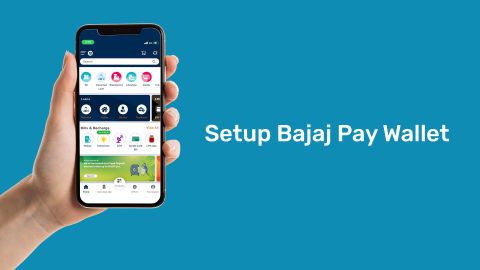
- Scroll down to the ‘Bills and recharges’ section and click on ‘View all’
- Tap on ‘CREDIT CARD BILL’
- Select ‘AXIS BANK CREDIT CARD’ as your credit card provider by clicking on ‘Add card’
- Enter the last 4 digits of your Axis Bank credit card number and your registered mobile number, and click on ‘PROCEED’
- Your bill amount will appear, click on ‘PROCEED TO PAY’
- Select your mode of payment like UPI or Debit Card and tap on ‘PAY’
- Once you have completed the transaction, you will get notified that the payment was successful
On the Bajaj Finance website
- Go to the Bajaj Finance website
- Scroll down to the ‘Bills and recharges’ section and click on ‘View all’
- Tap on ‘CREDIT CARD BILL’
- Select ‘AXIS BANK CREDIT CARD’ as your credit card provider
- Enter the last 4 digits of your Axis Bank credit card number and your registered mobile number, and click on ‘FETCH YOUR BILL’
- Your bill amount will appear, click on ‘PROCEED TO PAY’
- Select your mode of payment like UPI or Debit Card and tap on ‘PAY’
- Once you have completed the transaction, you will get notified that the payment was successful
Pay other banks’ credit card bills
Apart from Axis Bank, you can also pay the credit card bills of other banks through Bajaj Finance. This feature is particularly useful for those who hold multiple credit cards and find it difficult to keep track of the payment due dates. You can pay credit card bills of various banks such as:
Related links
| Axis Bank credit card billing cycle | Check free CIBIL score | Bajaj Finance Super Credit Card | Pay credit card bill with UPI |
Recharge and Pay Bills
Bajaj Finance app for all your financial needs and goals
Trusted by 50 million+ customers in India, Bajaj Finance App is a one-stop solution for all your financial needs and goals.
You can use the Bajaj Finance App to:
- Apply for loans online, such as Instant Personal Loan, Home Loan, Business Loan, Gold Loan, and more.
- Invest in fixed deposits and mutual funds on the app.
- Choose from multiple insurance for your health, motor and even pocket insurance, from various insurance providers.
- Pay and manage your bills and recharges using the BBPS platform. Use Bajaj Pay and Bajaj Wallet for quick and simple money transfers and transactions.
- Apply for Insta EMI Card and get a pre-qualified limit on the app. Explore over 1 million products on the app that can be purchased from a partner store on Easy EMIs.
- Shop from over 100+ brand partners that offer a diverse range of products and services.
- Use specialised tools like EMI calculators, SIP Calculators
- Check your credit score, download loan statements and even get quick customer support—all on the app.
Download the Bajaj Finance App today and experience the convenience of managing your finances on one app.
Frequently asked questions
Yes. You can pay your Axis Bank credit card bill online through Bajaj Pay on Bajaj Finance. Go to ‘Bills and recharges’, tap ‘CREDIT CARD BILL’, select Axis Bank and enter the last 4 digits of your card and your registered mobile number. You can then pay using UPI, debit card or net banking, and the payment is processed through Bharat Connect.
Yes, you can pay only the minimum amount due, which avoids late payment charges. Axis Bank calculates it as 2% of your balance plus all instalments, fees, interest, taxes and any over-limit amount. However, interest of 3.75% a month on most cards applies to the unpaid balance from each transaction date, and you lose your interest-free period.
Your Axis Bank credit card payment due date falls 20 days after your billing cycle date, as stated in Axis Bank’s terms. The exact date is printed on your monthly statement. Depending on when you make a purchase, this gives you an interest-free period of 20 to 50 days, provided you paid your previous bill in full.
If you miss your due date, Axis Bank charges a late payment fee based on your total due: nil up to Rs. 500, Rs. 500 up to Rs. 5,000, Rs. 750 up to Rs. 10,000, Rs. 1,200 up to Rs. 50,000 and Rs. 1,300 above that. Interest also applies, and Axis Bank reports the account as past due to credit bureaus if it stays unpaid more than 3 days after the due date.
To check the status of a payment made through Bajaj Pay, check the notification you receive from Bajaj Finance after the transaction. To confirm Axis Bank has credited it, log in to the Axis Bank mobile app or internet banking and view your card’s recent transactions. Payments through internet banking, NEFT and auto debit take 1 working day to clear.
Yes. You can set up auto debit from your Axis Bank account through Axis Bank internet banking or the Axis Bank mobile app, to pay either the total or minimum amount due. Axis Bank states that auto debit payments take 1 working day to clear. If you use a NACH mandate, it runs 1 day before your due date, so keep funds in your account.
You can pay your Axis Bank credit card bill from another bank account through NEFT, IMPS or Visa Money Transfer, by adding your card as a payee. Axis Bank states that NEFT takes 1 working day, IMPS is credited the same day and Visa Money Transfer takes 2 working days. You can also pay through Bajaj Pay on Bajaj Finance using UPI, debit card or net banking.
It depends on how you pay. According to Axis Bank’s terms, IMPS and cash at a branch are credited the same day. Internet banking, auto debit, ATM and NEFT payments take 1 working day, Visa Money Transfer takes 2 working days and Click to Pay takes 3 working days. Payments through third-party apps may take longer, so pay a few days before your due date.
Paying your Axis Bank credit card bill in full and on time helps you avoid interest, late payment charges and a past due report to credit bureaus. Axis Bank reports to CIBIL twice a month, so your payment record is updated regularly. You can pay before your due date through Bajaj Pay on Bajaj Finance using UPI, debit card or net banking.
If an EMI looks wrong on your Axis Bank credit card statement, check the instalment amount, the number of instalments left and any interest or processing fee shown against it. Compare these with the EMI details from when you converted the purchase. If something still does not match, contact Axis Bank on 1860 500 5555 or 1800 103 5577 before the due date.