
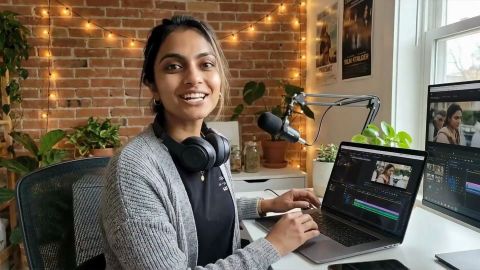
Video editing demands a lot from a laptop — a capable processor, sufficient RAM, fast storage, and a display that shows your footage accurately. Finding a laptop that ticks all those boxes without crossing Rs. 50,000 is entirely possible in 2026. The Indian market now offers some genuinely strong machines from brands like HP, Dell, Lenovo, and ASUS that handle 1080p editing with ease and even manage light 4K work. Whether you create YouTube videos, short films, or social media reels, you do not need to stretch your budget to get a reliable editing machine.
The Bajaj Finance Insta EMI Card makes it even more accessible — you can split your purchase into Easy EMIs and take your preferred laptop home without paying the full amount upfront.
Overview of best laptops for video editing under Rs. 50,000
The sub-Rs. 50,000 laptop segment in India has matured considerably. Today, you can find machines with 8th to 13th generation Intel Core i5 or AMD Ryzen 5 processors, NVMe SSD storage for quick file access, and full HD displays with accurate colour reproduction. These specifications are more than adequate for editing 1080p footage in popular applications like Adobe Premiere Pro, DaVinci Resolve, and CapCut. Dedicated GPU options also exist in this price range, making colour grading and rendering noticeably faster. For beginner and intermediate creators, these laptops deliver reliable, everyday performance at a price that makes sense.
Key features and specifications of best laptops for video editing under Rs. 50,000
A good video editing laptop is about more than raw specifications — it is about how those specifications work together to give you a smooth, frustration-free editing experience. Here is what to look for:
- Processor: Aim for a minimum of a 12th or 13th generation Intel Core i5 or AMD Ryzen 5 processor. More cores mean faster rendering and smoother timeline playback, which directly saves you editing time.
- RAM: 8 GB is the minimum for basic 1080p editing, but 16 GB gives you the headroom to run your editing software alongside a browser, reference files, and a music player without the system slowing down.
- Storage: An NVMe SSD of at least 512GB ensures your operating system, editing software, and project files load quickly. Slow storage is one of the most common causes of editing lag.
- Display: A full HD (1920 x 1080 pixel) IPS display with good colour accuracy is essential. You want to see your footage the way your audience will see it.
- Graphics: Integrated graphics from Intel Iris Xe or AMD Radeon handle basic editing well. A dedicated GPU, such as an NVIDIA GeForce GTX 1650 or RTX 2050, accelerates effects, colour grading, and export times significantly.
- Battery life: Long battery life matters if you edit on the move. Look for a battery that offers at least five to six hours of real-world use.
- Thermal performance: Good cooling keeps the processor running at full speed during long renders. Laptops with dual fans or efficient thermal design maintain performance better over time.
Specifications range for video editing laptops under Rs. 50,000
| Specification | Entry-level range | Mid-range |
|---|---|---|
| Processor | Intel Core i5 (11th–12th Gen) / AMD Ryzen 5 5000 series | Intel Core i5 (13th Gen) / AMD Ryzen 5 7000 series |
| RAM | 8 GB DDR4 | 16 GB DDR4/DDR5 |
| Storage | 512GB SSD | 512GB–1TB NVMe SSD |
| Display | 15.6-inch FHD IPS, 60 Hz | 15.6-inch FHD IPS, 60–144 Hz |
| Graphics | Integrated (Intel Iris Xe / AMD Radeon Vega) | Dedicated (NVIDIA GTX 1650 / RTX 2050) |
| Battery | 38–42 Wh | 45–50 Wh |
| Weight | 1.8–2.2 kg | 1.6–2.0 kg |
| Charging | 45 W–65 W | 65 W |
Price list of the best laptops for video editing under Rs. 50,000 in India (2026)
Here are five laptops that offer genuine value for video editors in India, listed in ascending order of price. All prices are indicative and subject to change based on platform and offers.
| Model name | Key features | Why should you get this | Price |
|---|---|---|---|
| ASUS Vivobook Go 15 (E1504FA) | AMD Ryzen 5 7520U, 8 GB RAM, 512GB SSD, 15.6-inch FHD display | A lightweight, affordable starting point for beginner editors handling 1080p footage | Rs. 38,999 |
| ASUS Vivobook 15 X1504VA | 13th Gen Intel Core i5, 8 GB RAM, 512GB SSD, 15.6-inch FHD display | The newest Intel generation at this price point delivers noticeably better single-core performance and integrated graphics | Rs. 44,382 |
| Acer Aspire 7 (A715-76G, NH.QMYSI.001) | 12th Gen Intel Core i5-12450H, 8 GB RAM, 512GB SSD, 4 GB NVIDIA GTX 1650, 15.6-inch FHD IPS 144 Hz | A dedicated GPU at this price is rare — it accelerates colour grading and rendering in DaVinci Resolve and Premiere Pro | Rs. 45,990 |
| HP 255R G10 2025 | AMD Ryzen 5 7535U, 8 GB RAM, 512GB SSD, 15.6-inch FHD anti-glare display, 65 W fast charging | A business-class build with a fast-charging battery and reliable performance for everyday editing workflows | Rs. 46,693 |
| Dell Inspiron 15 (13th Gen) | 13th Gen Intel Core i5, 8 GB RAM, 512GB SSD, 15.6-inch FHD display | Dell's wide service network across India makes this a dependable long-term choice for creators who value after-sales support | Rs. 48,990 |
Disclaimer: Product features, availability, and prices may differ based on location and time. For the latest and most accurate details, visit a partner store.
Why should you choose a laptop for video editing under Rs. 50,000
Spending more does not always mean editing better. A well-chosen laptop under Rs. 50,000 gives you everything you need to build a real editing workflow without the financial strain. Here is why this budget makes sense:
- It handles everyday editing tasks without compromise. Modern laptops in this range manage 1080p timelines, multi-track audio, and basic effects in tools like Adobe Premiere Pro and CapCut without significant lag.
- SSD storage transforms your workflow. Projects load faster, exports complete more quickly, and the system boots in seconds — all of which add up to hours saved over a month of regular editing.
- You get genuine brand reliability. Brands like HP, Dell, ASUS, and Lenovo offer dedicated service centres across India, so after-sales support is accessible when you need it.
- It leaves room in your budget for peripherals. Investing in an external monitor, a good pair of headphones, or an external hard drive improves your editing setup meaningfully — and this is money saved by not overspending on the laptop itself.
- It is an ideal starting point for beginner and intermediate creators. Once you outgrow the machine, the resale value remains reasonable, and you can upgrade confidently with the experience you have built.
What is a Bajaj Finance Insta EMI Card?
The Bajaj Finance Insta EMI Card is a pre-approved card loan offer that lets you shop for electronics, appliances, and more at over 1.5 lakh partner stores across 4,000 cities in India. It gives you a card loan offer of up to Rs. 3 lakh, which you can use to purchase your preferred laptop and pay for it in Easy EMIs over a repayment tenure of 3 to 60 months. You do not need to carry cash or worry about upfront payments. The application process is quick and fully digital.
Check your Insta EMI Card eligibility online using your mobile number and OTP. If eligible, you can apply instantly and start shopping for your preferred video editing laptop easily and affordably.
How to buy a laptop for video editing under Rs. 50,000 on Easy EMIs using the Insta EMI Card
Buying your video editing laptop on Easy EMIs with the Bajaj Finance Insta EMI Card is straightforward. Here is how to get started in a few simple steps:
- Step 1 – Check your eligibility: Visit the Insta EMI Card eligibility page and enter your mobile number. Complete the OTP verification to see if you qualify instantly.
- Step 2 – Apply for the card: If eligible, complete the quick online application. The entire process is digital and takes only a few minutes.
- Step 3 – Choose your laptop: Browse the range of video editing laptops available at partner stores — both online and at over 1.5 lakh physical stores across India.
- Step 4 – Select your EMI tenure: Pick a repayment tenure of 3 to 60 months that suits your monthly budget. Longer tenures mean smaller monthly payments.
- Step 5 – Complete your purchase: Use your Insta EMI Card at checkout, confirm your Easy EMI plan, and your laptop is yours — no large upfront payment required.
Benefits of using the Insta EMI Card
| Feature | Details |
| Easy EMIs | Split the cost of your purchase into affordable monthly instalments with minimal interest, making it budget-friendly. |
| High pre-qualified limit | Get up to Rs. 3 lakh card loan offer amount to buy multiple products without upfront stress. |
| Wide acceptance network | Accepted at over 1.5 lakh partner stores across 4,000 cities and major e-commerce platforms. |
| Flexible repayment tenure | Choose a repayment period from 3 to 60 months based on your financial comfort. |
| Zero down payment offers | Avail deals with no upfront payment requirement on select models. |
| No foreclosure charges | Close your loan early without any penalties or extra fees. |
| Credit score benefit | Timely EMI payments may help strengthen your credit profile and financial health. |
Also read: Features and benefits of the Bajaj Finance Insta EMI Card
Eligibility criteria for the Insta EMI Card
- Nationality: Indian Citizen.
- Age: 21 years to 65 years.
- Credit score: A healthy credit score per Bajaj Finance policies.
- Income: A steady, regular source of income.
- Documents: PAN Card, Aadhaar Card, and a cancelled cheque for e-mandate.
Also read: Eligibility criteria for the Insta EMI Card
How to apply for an Insta EMI Card
- Verify mobile number: Enter your 10-digit mobile number and verify the OTP sent to your phone to initiate the process.
- Auto-fetch details: Provide your full name and select the option to auto-fetch your details for a faster application experience.
- Confirm information: Verify your pre-filled personal details carefully and click on the continue button to move to the next stage.
- Check offer: Review your pre-qualified card loan offer amount and select continue to proceed with the specified limit.
- Set up wallet: Review your wallet setup details and verify the security OTP to integrate the card with your account.
- Verify identity: Complete your identity verification process by confirming your current residential address as per the required official records.
- Pay fee: Make the mandatory one-time joining fee payment of Rs. 530 through the secure digital payment gateway provided.
- View card: Access and view your new digital card details instantly on the Bajaj Finance application after the successful payment.
Also read: How to apply for the Insta EMI Card
Explore more:
| EMI full form | BNPL | POS full form |
List of the biggest upcoming sales:
Frequently asked questions
Which processor is best for video editing laptops under Rs. 50,000?
For video editing under Rs. 50,000, the 13th generation Intel Core i5 and the AMD Ryzen 5 7000 series are the strongest choices available in India. Both deliver fast multi-core performance, which speeds up rendering and keeps your editing timeline responsive. The 13th Gen Intel Core i5 offers improved single-core speed and better integrated graphics than older generations, while the Ryzen 5 7000 series excels at sustained workloads and power efficiency. Either processor handles 1080p editing in Premiere Pro or DaVinci Resolve without trouble. Check your Insta EMI Card eligibility before getting started, so you can plan your purchase on Easy EMIs right away.
Can I edit 4K videos on laptops under Rs. 50,000?
Yes, you can edit 4K videos on laptops under Rs. 50,000, though with some caveats. Basic 4K trimming and cutting work reasonably well on machines with a 12th or 13th generation Intel Core i5 or AMD Ryzen 5, especially when you use proxy workflows in DaVinci Resolve or Premiere Pro. Laptops with a dedicated GPU, such as the Acer Aspire 7 with its NVIDIA GTX 1650, perform noticeably better for 4K colour grading and export. For heavy, multi-layer 4K projects with effects and transitions, a machine above Rs. 50,000 with a more powerful GPU gives you a smoother experience.
Which laptop brand with models under Rs. 50,000 is best for beginner video editors?
ASUS is a strong recommendation for beginner video editors in India. The Vivobook series offers excellent value, with recent 13th generation Intel Core i5 processors, full HD IPS displays, and fast SSD storage at competitive prices. The build quality and keyboard comfort make long editing sessions manageable. HP and Dell are equally reliable if you prioritise after-sales service — both brands have extensive service networks across Indian cities, which matters when you depend on a machine for your creative work.
Are gaming laptops under Rs. 50,000 good for video editing?
Gaming laptops in this budget, such as the Acer Aspire 7, are genuinely good for video editing. Their key advantage is a dedicated GPU — the NVIDIA GTX 1650, for example — which accelerates GPU-based effects, colour grading, and hardware-accelerated exports in DaVinci Resolve and Premiere Pro. High-refresh-rate displays also help with smooth timeline scrubbing. The trade-off is that gaming laptops tend to be heavier and have shorter battery life than ultrabooks. If you edit primarily at a desk, a gaming laptop under Rs. 50,000 is arguably the best bang for your money. Check your Insta EMI Card eligibility to buy one on Easy EMIs.
Which is better for video editing: Intel Core i5 or AMD Ryzen 5?
Both are capable of smooth 1080p video editing, and the right choice depends on the specific generation and configuration. The 13th generation Intel Core i5 delivers strong single-core performance and better integrated graphics, which benefits editors who work without a dedicated GPU. The AMD Ryzen 5 7000 series offers excellent multi-core efficiency and tends to handle sustained workloads well over longer sessions. In practical terms, the performance difference for everyday editing is minor. Focus instead on the generation number, RAM, and whether the laptop includes a dedicated GPU — those factors make a bigger difference to your editing experience than the processor brand alone.
What connectivity ports are important in a laptop for video editing?
Connectivity matters more for editors than most users. Look for at least one USB-A port for connecting external drives or hard disks holding your raw footage. A USB-C port with data transfer capability — ideally USB 3.2 or Thunderbolt — lets you connect high-speed external SSDs for faster project imports and exports. An HDMI port is essential if you plan to connect an external monitor for a dual-screen editing setup. An SD card reader is a significant convenience for photographers and videographers who work with camera cards. A 3.5 mm headphone jack for monitoring audio during edits rounds out a well-connected editing laptop.