








₹ 2 lakh – ₹ 80 lakh
Check your pre-approved offer and other benefits
Enter mobile and OTP | Check offer | Know your exact loan terms
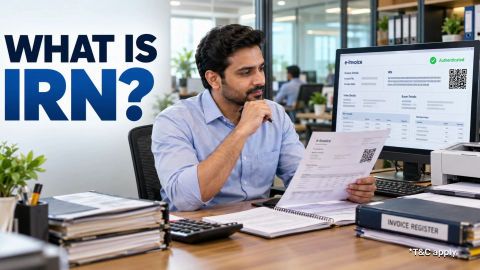
Invoice Reference Number Explained
-
In summary
An Invoice Reference Number (IRN) is a unique reference generated when an Invoice Registration Portal accepts an eligible document. It applies to documents covered by the e-invoicing requirements, rather than every GST invoice.
- An IRN is a 64-character hash, separate from your invoice number and the portal’s digital signature.
- E-invoicing generally applies to notified taxpayers whose aggregate turnover exceeded Rs. 5 crore in any preceding financial year from 2017–18 onwards, subject to exemptions.
- From 1 April 2025, taxpayers with aggregate annual turnover of Rs. 10 crore or more face a 30-day reporting restriction.
- IRP cancellation is available within 24 hours, subject to applicable conditions.
Check applicability, verify the portal response and retain the registered document. An IRN does not confirm every tax treatment or guarantee the buyer’s input tax credit.
What is an Invoice Reference Number?
-
IRN stands for Invoice Reference Number. It identifies an invoice, credit note or debit note registered through the GST e-invoicing system.
You prepare the document in your accounting or billing system and report its prescribed details to an authorised Invoice Registration Portal (IRP). After successful validation, the portal returns an IRN, digitally signed invoice data and a signed QR code. These are separate elements of the response.
Creating a PDF or assigning an invoice number does not, by itself, generate an IRN. Your system must receive the successful registration response.
Who needs to generate an IRN?
-
E-invoicing generally applies to notified registered persons whose aggregate turnover exceeded Rs. 5 crore in any preceding financial year from 2017–18 onwards. The Rs. 5 crore threshold took effect on 1 August 2023. Assess aggregate turnover across the relevant PAN, rather than looking only at one branch’s sales.
For covered taxpayers, relevant documents include:
Document or transaction General position Tax invoices for supplies to registered recipients Covered by the applicable mandate Export invoices Covered by the applicable mandate Credit notes and debit notes Covered where the e-invoicing provisions apply Ordinary B2C invoices Outside this IRN reporting requirement Specified supplier categories are exempt. These include SEZ units and certain financial, transport and other notified entities. An SEZ developer should not assume that the exemption for an SEZ unit also applies to it. Check your supplier category and transaction together. Portal enablement is useful operational information, but your legal obligation depends on the applicable provisions.
How does an IRN differ from other invoice identifiers?
Several references can appear on the same document. Each serves a different purpose.
| Item | Purpose |
|---|---|
| Supplier’s invoice number | Identifies the invoice in the supplier’s records |
| IRN | Identifies the document registered in the e-invoicing system |
| IRP acknowledgement number and date | Record the successful registration response |
| Signed QR code | Supports verification of key registered details |
| E-way bill number | Identifies a separate movement-of-goods record, where required |
Keep your own invoice number when generating an IRN. The registration reference supplements it. E-invoicing and e-way bills also have separate requirements. An integrated system may handle both, but obtaining an IRN does not automatically complete every obligation relating to goods movement.


What is the IRN format?
An IRN is a 64-character hash generated using SHA-256. Its identifying inputs include:
| Input | What it identifies |
|---|---|
| Supplier GSTIN | The supplier’s GST registration |
| Financial year | The document’s financial year |
| Document type | Invoice, credit note or debit note |
| Document number | The supplier-assigned document number |
The result is one hash. It is not divided into readable sections showing the GSTIN, year and invoice number. You do not need to calculate it manually. Use the reference returned by the authorised IRP and retain the associated response. The hash helps identify the document. Verification also relies on the signed information returned by the portal, so a plausible-looking string alone is insufficient.
How do you generate an IRN?
Prepare the document, report the required data and confirm that registration succeeded.
- Check whether the supplier and document fall within the mandate.
- Prepare the invoice, credit note or debit note in your billing system.
- Check GSTINs, document details, values and tax information.
- Submit the prescribed data through an authorised IRP using its supported method.
- Resolve any validation errors and resubmit where appropriate.
- Receive and save the IRN, acknowledgement, signed data and signed QR code.
- Incorporate the required information into the invoice issued to the recipient.
Your software may automate these steps. Still, check its response: a submission attempt is different from successful registration. For taxpayers covered by Rule 48(4), Rule 48(5) addresses invoices issued without following the prescribed e-invoicing process. Build registration into your invoice workflow rather than leaving it to a later reconciliation exercise.
What reporting deadline should you check?
From 1 April 2025, taxpayers with aggregate annual turnover of Rs. 10 crore or more must report covered invoices, credit notes and debit notes within 30 days of the document date. The system restricts reporting beyond that window. This reporting restriction is separate from the Rs. 5 crore applicability threshold.
| Check | Why it matters |
|---|---|
| E-invoicing applicability | Establishes whether the mandate covers you |
| Document date | Determines the relevant reporting window |
| Reporting restriction | Can prevent late IRN generation |
| Invoice-issuance requirements | Determine when the compliant invoice must be issued |
The 30-day window is not permission to issue a required e-invoice without an IRN and complete registration later. Monitor rejected submissions promptly.
What would the process look like in practice?
Consider a hypothetical Jaipur manufacturer whose aggregate turnover was Rs. 12 crore in a preceding financial year. Assume it is not exempt and is making a covered B2B supply. The accounts team prepares the invoice and checks the buyer’s GSTIN, document number, date, values and taxes. Its software submits the prescribed data to an IRP.
Before sending the invoice, the team confirms:
| Check | Expected result |
|---|---|
| Registration response | Successful acceptance |
| IRN | Saved against the correct invoice |
| Signed QR code | Included and readable |
| Returned details | Match the intended document |
| Records | Original response and issued invoice retained |
If submission fails, the team investigates the error. It should not treat a saved draft as a successfully registered invoice.
Can you cancel or amend an IRN?
An IRN can be cancelled through the IRP within 24 hours of generation, subject to the system’s conditions. An active linked e-way bill can prevent cancellation; its position must be resolved through the applicable process first. The IRP does not provide an amendment facility for a registered e-invoice. After the cancellation window, assess the appropriate GST correction, return or credit-note treatment. Do not assume that editing your PDF changes the registered data. Preserve the original response and document the reason for any correction.
How should you verify an e-invoice?
Use an official verification facility or supported QR-code reader to examine the signed e-invoice QR code. Compare the displayed information with the invoice, including the supplier, recipient, document details and value. The QR code contains key information, rather than every line of the complete invoice. A payment QR code serves a different purpose. It should not be mistaken for the signed e-invoice QR code. If details conflict, obtain clarification before relying on the document. IRN registration does not settle questions about the actual supply, correct tax classification or the recipient’s credit eligibility.
What records should you retain?
Keep the issued invoice and its registration records together.
- Original submitted data and successful IRP response.
- IRN, acknowledgement number and acknowledgement date.
- Signed invoice data and signed QR code.
- Cancellation records, where applicable.
- Related credit notes and correction explanations.
- Reconciliations with accounting records and GST returns.
Use backups and retain records for the applicable statutory period. Review differences between your books, registered documents and return data before filing.
How can businesses manage cash flow alongside e-invoicing requirements?
Maintaining accurate invoices and generating IRNs on time can help businesses keep their transaction records organised, but timely invoicing does not always mean immediate customer payments. A business may still need funds to manage inventory, supplier payments, salaries, technology costs, or other operating expenses while receivables remain outstanding.
Eligible established businesses can consider a Bajaj Finance Business Loan to support such business expenses, subject to applicable business loan eligibility and credit assessment. The loan offers Rs. 2 lakh to Rs. 80 lakh, with repayment tenures of 12 to 96 months. Business loan interest rates range from 14% to 23.50% per annum, and processing fees may be up to 4.72% of the loan amount, inclusive of applicable taxes.
Before borrowing, assess the timing of customer collections, existing liabilities, expected cash flows, and the total cost of credit. A business loan should complement sound invoicing and cash-flow practices rather than substitute for them.
How to apply for a Bajaj Finance Business Loan?
- Click the 'Check Loan Offer' button to open the online application form.
- Enter basic details, including Name, PAN, Date of Birth, PIN Code, and Business details, and click 'CONTINUE'.
- Complete banking verification and continue.
- View your offer details, select the loan type — Term Loan, Flexi Dropline Loan, or Flexi Hybrid Loan — and choose the repayment tenure.
- Review the details and submit the business loan application.
Check your pre-approved business loan offer








Select loan by amount
Applicable fees and charges on our business loan

Loans for business needs














Get business loan for your needs

Women Business Loan
Get Women Business Loan upto 80 Lakh

Medical Store Business Loan
Get Medical Store Business Loan upto 80 Lakh

Manufacturer Business Loan
Get Manufacturer Business Loan upto 80 Lakh
Business loan in different cities

Business loan in bangalore

Business loan in mumbai

Business loan in pune

Business loan in Jaipur

Business loan in Kerala
Business loan for different budgets

2 lakh business loan
3 lakh business loan
5 lakh business loan
10 lakh business loan

15 lakh business loan
20 lakh business loan
25 lakh business loan
30 lakh business loan
50 lakh business loan
Types of business loan
Unsecured Business Loan
Secured Business Loan
Term Loan
Cash Credit
Working Capital Loan
Machinery Loan
Line of Credit
Micro Loan
Merchant cash Loan
Frequently asked questions
Overview
Does every GST invoice need an IRN?
No. IRNs apply to documents covered by the e-invoicing mandate. Check the supplier’s turnover history, notified category, exemptions and transaction. Ordinary B2C invoices do not follow the same IRN requirement. A supplier’s GST registration alone does not establish that it must generate an IRN for every invoice it issues.
Does an IRN guarantee input tax credit?
No. An IRN confirms registration through the e-invoicing system, but input tax credit depends on the applicable GST conditions. The recipient still needs to examine the supply, supporting invoice, receipt and relevant return information. Check inconsistencies promptly rather than assuming that the presence of an IRN makes every tax amount recoverable.
What should you do after a duplicate-IRN error?
First check whether the document was already registered, particularly if an earlier request timed out before your software saved the response. Use the available retrieval or status facility and reconcile the result with your records. Avoid repeatedly submitting the same document or changing its number merely to bypass the error. Investigate the existing registration before proceeding.
More articles


Disclaimer
Bajaj Finance Limited has the sole and absolute discretion, without assigning any reason to accept or reject any application. Terms and conditions apply*.