








View status for all active & closed loans
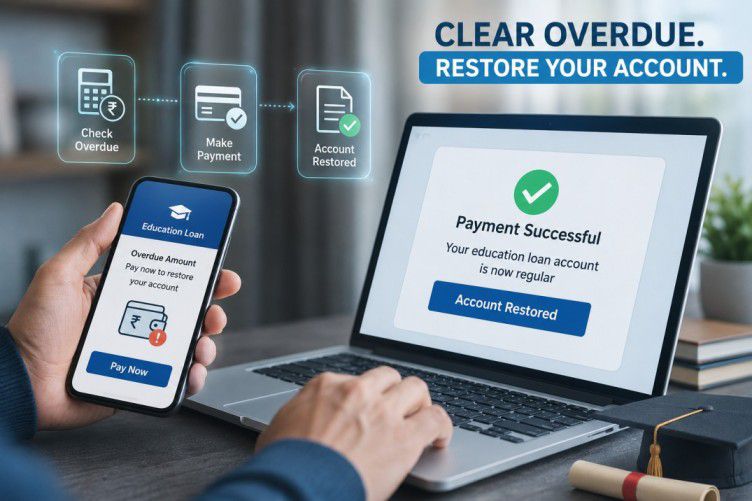
Know your exact overdue amount and clear it today
Loan status reflects real-time data from Bajaj Finance systems. T&C apply.
Bajaj Finance Home Loan is a feature-rich product that offers financing of Rs. 5 crore* or higher based on the eligibility for a flexible tenor of up to 30 years at an economical interest rate. You can avail a home loan through online application. To track your application status, you can use a variety of methods.
Bajaj Finance Loan Status
After you submit your loan application form and required documents, Bajaj Finance verifies your details. During this process, you can track your loan application status to know the latest update.
You can check your Bajaj Finance loan status online or offline using your application ID, loan ID, or registered mobile number. You can also view your loan details, download statements, make payments, and access other loan services through digital platforms.
Via Official Website
You can check your Bajaj Finance loan application status online through the official website.
Follow these steps:
- Visit the Bajaj Finance website.
- Go to the loan application tracker section.
- Enter your loan ID, application ID, or registered mobile number.
- Submit the details to view your current loan application status.
Existing customers can also use the customer portal to check loan details, view EMI information, download statements, and manage their loan account.
Via Bajaj Finance App
You can also track your loan details using the Bajaj Finance app.
Follow these steps:
- Open the Bajaj Finance app on your mobile phone.
- Sign in using your registered mobile number and OTP.
- Go to the loan section.
- Select your loan account to view details.
The app allows you to check your loan status, repayment information, statements, and other loan-related services anytime.
Via SMS
You can check your loan application status through SMS using your registered mobile number.
New customers can send an SMS with the required keyword to the Bajaj Finance SMS service number. After verification, you can receive updates related to your loan application status.
Ensure that you send the SMS from the mobile number provided during your loan application.
Via Customer Care
You can contact Bajaj Finance customer care to know your loan application status.
Keep your loan application ID, registered mobile number, or other required details ready before calling. The customer support team can help you check your application status and answer product-related queries.
Via Branch
You can also visit the nearest Bajaj Finance branch to check your loan status.
Carry your application details and identity documents for verification. A branch representative can help you check the latest status of your loan application and provide support for other loan-related requests.
What are the different stages of a Bajaj Finance loan application
After you apply for a Bajaj Finance loan, your application goes through different stages before the loan amount is disbursed. Tracking these stages helps you understand the current status of your application.
Loan application journey:
Applied → Under Review → Approved → Disbursed
- Applied:
Your loan application has been successfully submitted along with the required details and documents. The lender starts processing your request. - Under Review:
Your application details and documents are checked during the verification process. Additional information may be requested if required. - Approved:
Your loan application is approved after successful verification and meeting the required eligibility criteria. You will receive updates about the next steps. - Disbursed:
After completing all required formalities, the approved loan amount is transferred as per the lender’s process.
You can track your Bajaj Finance loan application status online using your application details or registered mobile number.
How to check Bajaj Finance home loan/business loan status
You can check your Bajaj Finance home loan or business loan status online using your registered details. Tracking your loan status helps you know whether your application is under review, approved, or completed.
Follow these simple steps:
- Visit the Bajaj Finance website or open the Bajaj Finance app.
- Sign in using your registered mobile number and complete the verification process.
- Go to the loan section or application tracker.
- Enter your loan application ID, loan ID, or required details.
- View the latest status of your home loan or business loan application.
You can also contact Bajaj Finance customer care or visit the nearest branch for assistance. Keep your registered mobile number, application number, or other loan-related details ready for quick verification and support.
How to find your Bajaj Finance Loan Account Number (LAN)
Your Bajaj Finance Loan Account Number (LAN) is a unique number linked to your loan account. It helps identify your loan and is required when checking loan details, making payments, downloading statements, or raising service requests.
You can find your LAN through different ways:
- Customer portal: Sign in to the Bajaj Finance customer portal and select your active loan account to view your LAN.
- Bajaj Finance app: Open the app, go to your loan details section, and check your loan account information.
- Loan documents: Your LAN is usually mentioned on your loan agreement and related documents.
- Customer support: Contact Bajaj Finance customer care for help after completing the required verification.
Keep your LAN handy whenever you need support or want to manage your loan services online.
More Guides on Managing Your Bajaj Finance Loan Account
Frequently Asked Questions
Loan Status Tracking
Active & Overdue Loans
My Account Navigation
How do I check my Bajaj Finance personal loan status online?
Log in to My Account on the Bajaj Finance website or app using your registered mobile number and OTP. Go to the loan section and select your personal loan account. Your current loan status, outstanding balance, next EMI due date, and payment history are all available there.
What does 'pending' loan application status mean?
A pending status means your loan application has been received and is being reviewed by Bajaj Finance. It has not yet been approved or disbursed. You may be contacted for additional documents or verification during this stage. Log in to My Account to check for any updates or action required.
Can I track my loan status with just my mobile number?
Yes. Log in to My Account on the Bajaj Finance website or app using your registered mobile number and the OTP sent to it. No separate username or password is required. Once logged in, you can view the status of your loan application or active loan account directly.
Where can I check if my loan EMI is due or overdue?
Log in to My Account on the Bajaj Finance website or app. Select your loan account from the dashboard. Your next EMI due date, the amount payable, and any overdue amount are displayed on your loan summary screen. You can also make a payment directly from the same section.
How do I check my Bajaj Finance loan account details?
Log in to My Account using your registered mobile number and OTP. Select your loan from the account dashboard. You can view your loan account number, outstanding principal, interest rate, repayment schedule, EMI amount, and payment history. You can also download your loan statement from the same section.
What is the difference between active and overdue loan status?
An active loan status means your account is in good standing and all EMIs are being paid on time. An overdue status means one or more EMIs have not been paid by the due date. An overdue account attracts penal charges and the missed payments are reported to credit bureaus.
Why is my loan showing overdue status even after payment?
Loan account status updates after payment is processed and confirmed. If your status still shows overdue after payment, check your payment history in My Account. If the payment appears there but the status has not updated, contact Bajaj Finance customer care with your payment reference number for assistance.
How do I pay my overdue EMI to restore active status?
Log in to My Account on the Bajaj Finance website or app. Go to your loan account and select the option to pay overdue or missed instalments. Pay the full outstanding amount, including any applicable charges, using UPI, net banking, or debit card. Save your payment confirmation after completing the transaction.
Will my overdue loan status be visible to other lenders?
Yes. Bajaj Finance reports loan account status to credit bureaus including CIBIL on a monthly cycle. An overdue status is recorded on your credit report and is visible to any lender who checks your credit history. Clearing the overdue amount stops further negative entries from being reported.
How long does it take for loan status to update after payment?
Loan account status is updated after your payment is confirmed and processed. The exact time can vary depending on the payment method used. If your status has not updated after a reasonable period, contact Bajaj Finance customer care with your loan account number and payment reference number to confirm.
How do I log in to Bajaj Finance My Account to check my loan?
Go to the Bajaj Finance website or open the Bajaj Finance app. Click on the My Account or Sign In option. Enter your registered mobile number and the OTP sent to it. Once logged in, select your loan account from the dashboard to view all details.
Can I check all my loans in one place on Bajaj Finance?
Yes. My Account on the Bajaj Finance website and app displays all active loan accounts linked to your registered mobile number or customer ID in one place. You can view the status, outstanding balance, and EMI details for each loan from the same dashboard without switching between accounts.
Where can I find my loan account number in My Account?
Log in to My Account using your registered mobile number and OTP. Your loan account number is displayed on the loan summary screen when you select your loan from the dashboard. It also appears on your loan statement, repayment schedule, and any official communication from Bajaj Finance.
Can I download my loan statement from My Account?
Yes. Log in to My Account on the Bajaj Finance website or app. Go to your loan account and look for the statement or documents section. You can download your loan statement, repayment schedule, and interest certificate from there. Statements are available for the current and previous loan periods.
Is there a mobile app to track my Bajaj Finance loan status?
Yes. The Bajaj Finance app is available for download on Android and iOS. Log in using your registered mobile number and OTP to view your loan account status, outstanding balance, EMI due dates, payment history, and overdue amounts. You can also make payments directly through the app.
More Articles



Disclaimer
While care is taken to update the information, products, and services included in or available on our website and related platforms/websites, there may be inadvertent inaccuracies or typographical errors or delays in updating the information. The material contained in this site, and on associated web pages, is for reference and general information purpose and the details mentioned in the respective product/service document shall prevail in case of any inconsistency. Subscribers and users should seek professional advice before acting on the basis of the information contained herein. Please take an informed decision with respect to any product or service after going through the relevant product/service document and applicable terms and conditions. In case any inconsistencies observed, please click on reach us.
*Terms and conditions apply.