








Loans from ₹20,000 – ₹40 Lakh
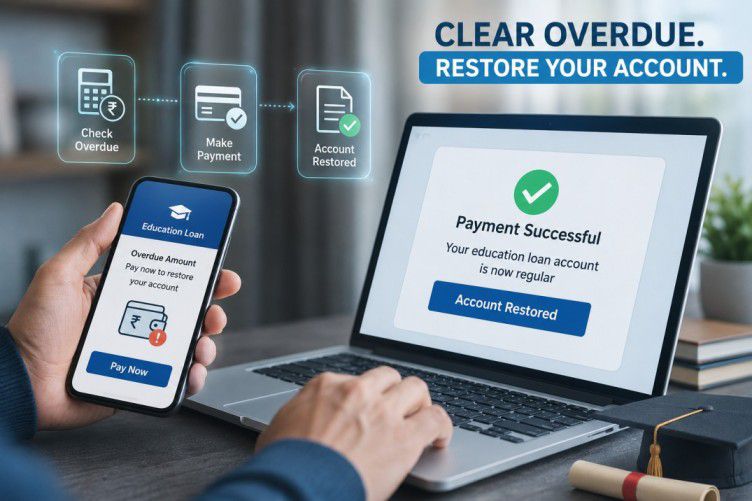
Clear overdue dues before applying for waiver
Waiver on foreclosure charges subject to eligibility & Bajaj Finserv policy. T&C apply.
What does loan closure mean?
Loan closure means completing the repayment obligations and having the loan account updated to reflect that no amount remains payable, subject to the applicable loan terms and account status. A loan may generally be closed through regular repayment or by repaying the applicable outstanding amount before the scheduled end of the tenure. Regular closure occurs when you complete the scheduled EMIs and clear the final amount due. Foreclosure or pre-closure involves repaying the applicable outstanding amount before the original loan tenure ends, subject to the applicable terms. Before closing a loan early, check the amount required for closure and any applicable charges. The amount payable may depend on your loan account, outstanding balance, repayment date, and applicable terms. You can also use authorised Bajaj Finance digital platforms to review your loan details and available full-payment or foreclosure options.
What should you check before closing your loan?
Before making a final or full payment, review your loan account carefully to understand the amount required to complete the closure.
Check the following:
- Outstanding amount: Confirm the amount currently payable against the loan.
- Pending dues: Check whether any overdue EMI or other applicable amount remains unpaid.
- Closure or foreclosure charges: Review the applicable loan terms and account information for any charges.
- Payment date: The amount required for closure may depend on the date on which the payment is made.
- Loan documents: Keep your loan agreement and repayment records available for reference.
- Closure documents: Check which documents will be available after successful closure, such as a closure confirmation or No Dues Certificate, where applicable.
Do not rely on an estimated amount when making a full closure payment. Check the amount shown through an authorised channel for the relevant closure date.
How can you close a loan through Bajaj Finance platforms?
You can check the available full-payment or foreclosure option through the Bajaj Finance App or My Account portal. The exact option may depend on your loan type and account status
Steps through My Account
- Visit the Bajaj Finance website and open My Account.
- Sign in using your registered mobile number and OTP.
- Complete the required verification.
- Go to Service and select the relevant loan under Your Relations.
- Select Make loan payments.
- Choose Full payment/Foreclosure, if the option is available for your account.
- Review the displayed amount and applicable details.
- Complete the payment through an available authorised payment method.
- Save the payment receipt and closure-related confirmation for your records.
You can also check the corresponding options through the Bajaj Finance App. Menu names may vary depending on the platform version and loan account.
What should you do after making the final payment?
Making the final payment is an important step towards loan closure, but the account should also be checked to confirm that the payment has been processed and the closure status is updated. Retain your payment records and review the account after processing.
After payment:
- Check the account status: Confirm that the loan no longer shows an outstanding amount, subject to processing.
- Save payment proof: Retain the transaction receipt, payment confirmation, and relevant bank record.
- Collect closure documents: Keep the applicable closure confirmation, No Dues Certificate, or other document issued for your account.
- Review your credit record: Check the loan status after the relevant reporting cycle and raise a query if the information does not match your records.
- Retain communication: Keep copies of any service request, closure communication, or legal notice related to the account.
A loan closure document can serve as important evidence that the repayment obligation has been completed. Bajaj Finance's loan closure information also highlights the importance of retaining documents such as the final payment receipt and No Objection Certificate, where applicable.
If your account continues to show an outstanding amount after the final payment, compare the account details with your payment records and raise a service request through an authorised channel.
What if you have received a legal notice before loan closure?
If you have received a legal notice relating to an overdue loan, review the notice before deciding how to proceed with closure. The notice may specify an outstanding amount or particular action that requires attention. Check the notice against your loan account and payment records, particularly if you believe you have already made a payment.
Keep the following information ready:
- Loan account number
- Payment date and amount
- Transaction reference or UTR, where available
- Bank statement or payment confirmation
- Current loan statement
- Legal notice and related communication
If the amount in the notice differs from your records, do not ignore the communication. Raise the discrepancy through an authorised service channel and provide the relevant supporting documents. If an amount remains overdue, take appropriate repayment action according to the applicable loan terms and communication received.
More Guides on Managing Your Bajaj Finance Loan Account
Frequently Asked Questions
Closure Fees Explained
Waiver Process
Does loan closure happen immediately after the final payment?
The final payment must be successfully processed and the loan account updated before closure can be confirmed. Check the account status and applicable closure documents after payment rather than assuming that the transaction itself confirms closure.
What is the difference between loan closure and foreclosure?
Loan closure generally refers to completing the repayment obligation and closing the account. Foreclosure means repaying the applicable outstanding loan amount before the scheduled tenure ends. The availability and terms of foreclosure depend on the loan agreement.
What happens to the remaining interest when a loan is closed early?
The amount payable for early closure depends on the loan terms and the closure date. Review the applicable foreclosure statement or account details to understand the amount payable before making the full payment.
What records should you keep after closing a loan?
Keep the final payment receipt, loan statement, closure confirmation, and No Dues Certificate or NOC, where issued. These records can help verify that the repayment was completed if an account-related discrepancy arises later.
What should you do if your closed loan still appears active?
Check whether the final payment has been credited and whether the account has been updated. If it still shows an outstanding amount or active status, compare the details with your payment records and raise a service request with supporting documents.
More Articles

Disclaimer
While care is taken to update the information, products, and services included in or available on our website and related platforms/websites, there may be inadvertent inaccuracies or typographical errors or delays in updating the information. The material contained in this site, and on associated web pages, is for reference and general information purpose and the details mentioned in the respective product/service document shall prevail in case of any inconsistency. Subscribers and users should seek professional advice before acting on the basis of the information contained herein. Please take an informed decision with respect to any product or service after going through the relevant product/service document and applicable terms and conditions. In case any inconsistencies observed, please click on reach us.
*Terms and conditions apply.