








Loans from ₹20,000 to ₹40 Lakh
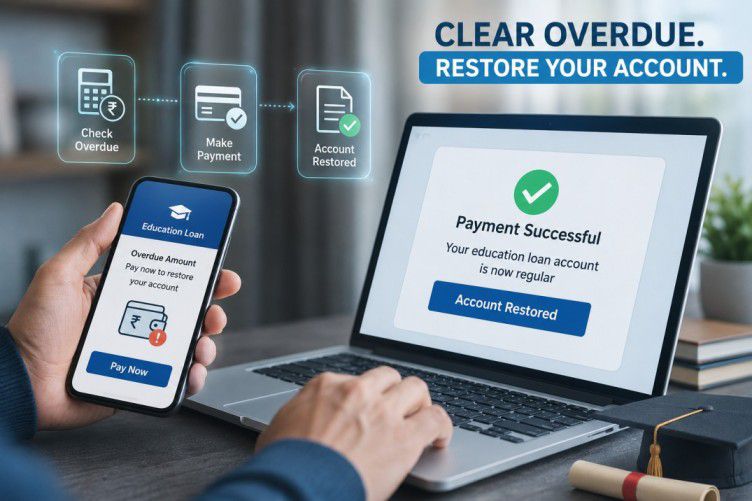
Clear overdue now – avoid late charges
*T&C apply. Late payment charges may be applicable.
What is a loan account number
A loan account number, commonly known as a LAN, is a unique set of numbers assigned to your loan when it is disbursed. Every loan you take from Bajaj Finance, whether a personal loan, home loan, or consumer durable loan, gets its own distinct LAN, even if you hold more than one loan with the same lender. This number acts as an identifier for your specific loan account and is used across all loan-related activities, such as making payments, checking your balance, downloading statements, or raising a service request. You will find your LAN mentioned on your loan agreement, loan statement, and within My Account or the Bajaj Finance app.
Why your loan account number matters for repayment
Tracking your EMI history
Your loan account number lets you access your complete repayment history in one place. Using your LAN, you can view past EMI payments, check how many instalments remain, and download your loan statement whenever needed. This makes it easier to keep a clear record of your repayment progress and refer back to it if you ever need to verify a payment or raise a query with Bajaj Finance.
Avoiding overdue penalties
Having your loan account number handy helps you act quickly when it matters most. Whether you are checking your outstanding balance, confirming your next due date, or making a payment close to the deadline, your LAN makes the process faster and reduces the chances of delay. Quick access to your loan details this way can help you avoid missed payments, bounce charges, and the penal interest that often follows an overdue EMI.
How to find your loan account number
You can locate your LAN through a few simple methods:
| Method | How to access it |
|---|---|
| My Account or app | Log in with your registered mobile number and OTP, then check the 'Your relations' section |
| Loan statement or agreement | Your LAN is printed on both physical and digital copies |
| SMS | Send 'LAN' from your registered mobile number to 227564444 |
| Branch visit | Visit your nearest Bajaj Finance branch with your required documents |
Keeping your LAN saved somewhere accessible, such as in My Account or your loan documents folder, can save you time whenever you need it.
How to check your loan account status and clear overdue
Checking your loan balance online
Once you have your loan account number, checking your balance is straightforward. Log in to My Account or the Bajaj Finance app using your registered mobile number and OTP, go to the 'Your relations' section, and select your loan using your LAN. Here, you can view your outstanding balance, EMI schedule, and current loan status, whether active or closed, all updated in real time.
Steps to clear your overdue EMI
If your loan account shows an overdue amount, you can resolve it quickly online. Log in to My Account or the app, select your loan account using your LAN, and go to the overdue payment section. Choose your preferred payment method, such as UPI, net banking, or a debit card, and complete the payment. Clearing your overdue EMI promptly helps you avoid further penal charges and protects your credit score from further impact.
What your loan account number is used for
- Checking your outstanding balance and repayment schedule
- Downloading your loan statement or other account documents
- Making EMI payments, including overdue or advance payments
- Raising a service request or query with Bajaj Finance
- Verifying your identity when contacting customer care about your loan
What to do if you cannot find your loan account number
If you are unable to locate your LAN, you have a few options:
- Check your welcome email or SMS sent at the time of loan disbursement
- Look for it on your loan agreement or any physical loan documents
- Send an SMS with the keyword 'LAN' from your registered mobile number to 227564444
- Contact Bajaj Finance customer care for assistance, keeping your registered mobile number and other loan details handy
Manage Your Bajaj Loan: Essential Guides & Resolution Steps
Not your nearest branch?

Frequently Asked Questions
Loan Account Number
Overdue & Repayment
What is a loan account number in Bajaj Finance?
A loan account number, or LAN, is a unique number assigned to each loan you take with Bajaj Finance. It helps identify your specific loan account and is used for tracking repayments, checking your balance, and raising service requests.
How can I find my Bajaj Finance loan account number?
You can find your LAN through My Account or the Bajaj Finance app under your loan details, on your loan statement or agreement, or by sending an SMS with the keyword 'LAN' from your registered mobile number to 227564444.
Where do I find my loan account number in the Bajaj Finserv app?
Log in to the Bajaj Finance app using your registered mobile number and OTP. Go to the 'Your relations' section, select your active loan, and your loan account number will be displayed along with other loan details.
How do I pay overdue EMI on my Bajaj Finance loan?
Log in to My Account or the app, go to your loan account using your LAN, and select the overdue payment option. Choose your preferred payment method and complete the transaction to clear the dues and avoid further charges.
Will a missed EMI affect my CIBIL score?
Yes, a missed EMI can be reported to credit bureaus and may lower your CIBIL score, especially if it remains unpaid for an extended period. Paying promptly, even after a missed due date, helps limit the impact on your credit record.
What are the charges for overdue EMI?
Overdue EMIs may attract bounce charges and penal interest, as specified in your loan agreement. The exact charges vary by loan type, so check your loan documents or My Account for the specific amount applicable to your loan.
More Articles

Disclaimer
While care is taken to update the information, products, and services included in or available on our website and related platforms/websites, there may be inadvertent inaccuracies or typographical errors or delays in updating the information. The material contained in this site, and on associated web pages, is for reference and general information purpose and the details mentioned in the respective product/service document shall prevail in case of any inconsistency. Subscribers and users should seek professional advice before acting on the basis of the information contained herein. Please take an informed decision with respect to any product or service after going through the relevant product/service document and applicable terms and conditions. In case any inconsistencies observed, please click on reach us.
*Terms and conditions apply.