








EMI Card Limit up to ₹4 Lakh
Inactive card? Clear overdue EMI to reactivate
*T&C apply. Card activation subject to policy eligibility.
Your Bajaj Finance EMI Network Card status shows whether your card is ready to use, restricted, or under review. Knowing your current status helps you avoid failed transactions and keep uninterrupted access to easy EMIs. You can check and manage your status online at any time through the Bajaj Finance app or My Account portal, without needing to visit a branch.
How to check your EMI card status online
You can check your card status through either the Bajaj Finance app or the My Account portal, using the same simple steps:
- Open the Bajaj Finance app, or visit the official Bajaj Finance website
- Log in using your registered mobile number or Customer ID
- Enter the OTP sent to your mobile number to verify your identity
- Go to the 'My Relations' or 'My Account' section
- Select your EMI Network Card
- View your current status, available limit, and recent transactions
This takes only a couple of minutes and gives you an up-to-date view of your card, whether you are checking before a purchase or reviewing your account.
Common status types: What active, blocked, and on-hold mean
Your card status generally falls into one of these categories. Exact terminology and triggers can vary, so always refer to the status and any instructions shown in your app or portal for your specific account.
| Status | What it usually means | What to do |
|---|---|---|
| Active | Your card is functional and available for EMI purchases | No action needed |
| Blocked | Access is restricted, often due to missed payments or a verification issue | Clear any outstanding dues and check for pending verification requirements |
| On-hold | Temporary restriction, often linked to a pending KYC or document update | Complete any pending KYC or document requirements shown on your account |
If your status changes from active, check your account for the specific reason shown, since this tells you exactly what needs resolving.
Why timely EMI payment matters for your card status
Your card status is closely linked to your repayment record. Paying your EMIs on time helps keep your card active and supports a healthy credit profile. Missing a payment can lead to consequences, even from a single missed EMI:
- Your account may be flagged for a delayed payment
- Late fees or penal charges may apply
- Your card status may change to on-hold or blocked
- Your available limit may be reduced
- Future purchase approvals could be affected
- Your credit score may be impacted
Staying on top of your due dates is the simplest way to avoid these outcomes and keep your card in good standing.
What to do if your card status shows blocked
If your card shows as blocked, these steps can help you resolve it:
- Check for any missed EMI payments and clear outstanding dues
- Review your account for KYC or verification requirements
- Update any pending documents requested
- Avoid repeated failed login or transaction attempts, as this can cause further restrictions
- Contact Bajaj Finance customer support if you need clarification
- Allow some time for your status to update after completing the required steps
Resolving these promptly helps restore your card without unnecessary delay.
Keeping your card status secure
A few simple habits help protect your card from unauthorised use:
- Never share your OTP, login credentials, or card details with anyone
- Only check or manage your card through the official Bajaj Finance app or website
- Turn on device security features such as a screen lock
Review your transactions regularly so you can spot anything unfamiliar early
Manage Your Bajaj Loan: Essential Guides & Resolution Steps
Not your nearest branch?

Frequently Asked Questions
Card Status Basics
Overdue & Reactivation
Why is my Bajaj Finance EMI Card status showing as blocked?
Your card may be blocked due to missed EMI payments, a pending verification issue, or a security concern flagged on your account. Check your app or My Account portal for the specific reason and clear any outstanding dues to resolve it.
How long does it take to unblock my EMI Network Card?
This depends on the reason for the block and how quickly you complete the required action, such as clearing dues or updating KYC. There is no fixed timeframe, so check your account status regularly after taking action.
Can I still use my card if it shows on-hold status?
Generally, an on-hold status means your card is temporarily restricted until the pending requirement, such as a KYC update, is completed. Check your account for the specific instructions to restore full access.
Does checking my card status affect my credit score?
No, checking your own card status does not affect your credit score. Only your actual repayment behaviour, such as timely or missed EMI payments, is reported to credit bureaus and impacts your score.
What should I do if my card status has not updated after clearing dues?
Allow some time for your account to reflect the update, as this is not always instant. If your status has not changed after a reasonable period, contact Bajaj Finance customer support for assistance.
More Articles
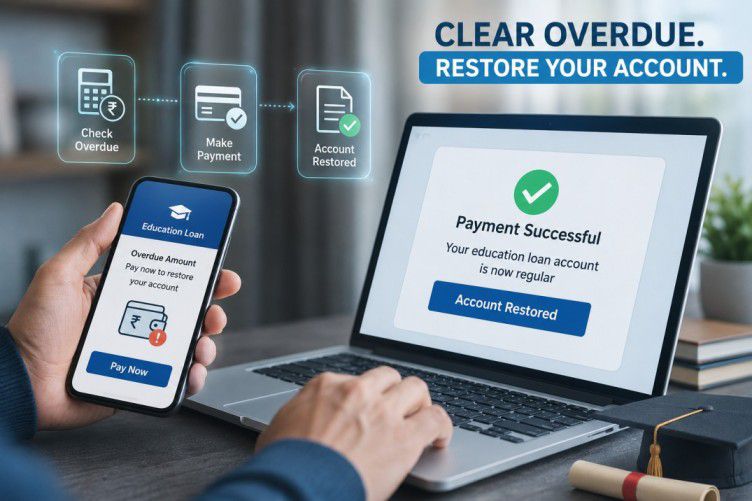
5 Ways to Repay Your Loan
5 Ways to Effectively Repay Your Loan

Avoid EMI Bounce Charges
How to Avoid EMI Bounce Charges
Repayment Impact on Credit Score
Repayment Impact on Credit Score

Guide to Checking Insta EMI Card Validity and Expiry Date
Check Insta EMI Card Validity
Disclaimer
While care is taken to update the information, products, and services included in or available on our website and related platforms/websites, there may be inadvertent inaccuracies or typographical errors or delays in updating the information. The material contained in this site, and on associated web pages, is for reference and general information purpose and the details mentioned in the respective product/service document shall prevail in case of any inconsistency. Subscribers and users should seek professional advice before acting on the basis of the information contained herein. Please take an informed decision with respect to any product or service after going through the relevant product/service document and applicable terms and conditions. In case any inconsistencies observed, please click on reach us.
*Terms and conditions apply.