If you are unable to download your electricity bill receipt, it may be due to technical glitches or incomplete transactions.
Steps to Access and Download Receipts
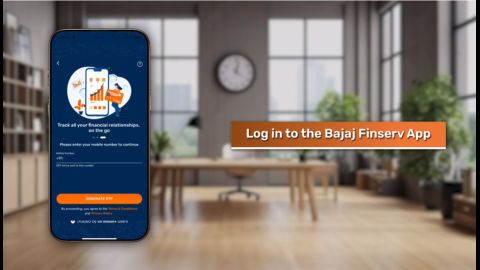
- Re-login to the app: Logging back into the Bajaj Finserv App can refresh the system and allow receipt downloads.
- Check email notifications: Receipts may be sent to your registered email ID.
- Contact support: If the issue persists, reach out to Bajaj Finserv customer care for assistance.
App freezes when paying West Bengal electricity bill via Bajaj Finserv
App freezing can disrupt your payment process. Here are steps to resolve this issue:
How to Fix App Freezing Issues
- Update the app: Ensure your Bajaj Finserv App is updated to the latest version.
- Clear cache: Remove app cache files from your device settings to improve performance.
- Switch devices: If the issue persists, try using the app on another device.
Cashback not credited after West Bengal electricity bill payment via Bajaj app
Cashback delays can occur due to eligibility criteria or processing times.
Steps to Resolve Cashback Issues
- Check eligibility: Ensure your payment qualifies for cashback as per the offer terms.
- Verify credit timelines: Cashback amounts may take up to 7 days to reflect in your account.
- Raise a query: Contact Bajaj Finserv customer support if the cashback is not credited within the expected timeframe.
CTA: Check if your payment qualifies for cashback via the Bajaj Finserv app!
Overcharged on West Bengal electricity after paying via Bajaj Finserv – why?
Overcharges may occur due to billing errors or incorrect user inputs.
Steps to Address Overcharge Concerns
- Verify bill details: Check your electricity bill statement for discrepancies.
- File a dispute: Use the Bajaj Finserv App to raise a dispute for incorrect charges.
- Contact service provider: Reach out to your electricity provider for clarification on final billing.
How to raise a West Bengal electricity complaint if paid but service is not updated
Unresolved payments can lead to service interruptions. Here is how to raise a complaint:
Steps to File an Electricity Complaint
- Document payment proof: Keep screenshots and receipts of your payment ready.
- Use the Bajaj Finserv App: Navigate to the service request section to file a complaint.
- Follow up: Monitor your complaint status regularly for updates.
Conclusion
Paying your West Bengal electricity bill via Bajaj Finserv App is convenient, secure, and offers added benefits like cashback and instant updates. While occasional issues may arise, the solutions provided above ensure a seamless experience. By following these steps, you can resolve payment failures, delays, and other concerns efficiently.
Download the Bajaj Finserv App today to manage your electricity bill payments with ease!
Read More