Failed payments, where the amount is deducted but the transaction does not go through, are a common issue during Punjab electricity bill payments. This can occur due to server downtime, network interruptions, or technical glitches in the app.
Reasons for Failed Payments
- Server Downtime: Temporary outages on the electricity provider’s server or the Bajaj Finserv app.
- Network Issues: Poor internet connectivity during the transaction process.
- Technical Errors: App crashes or incomplete payment processing.
How Bajaj Finserv Resolves This
- Check Payment Records: Open the Bajaj Finserv app and navigate to the transaction history to verify the payment status.
- Contact Customer Support: Use the in-app chatbot or call Bajaj Finserv’s support team to report the issue.
- File a Service Request: The app allows users to raise a ticket for failed transactions directly, ensuring swift resolution.
CTA: Resolve your Punjab electricity payment issue in just two steps today! Download the Bajaj Finserv app now.
Cannot fetch Punjab electricity bill on Bajaj app with account number
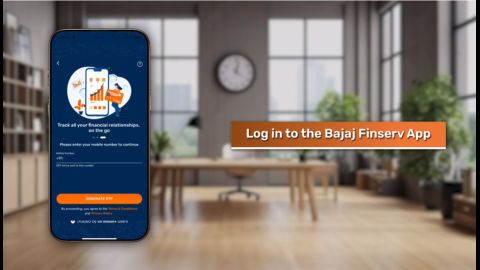
Retrieving your online electricity bill Punjab using the Bajaj Finserv app is straightforward. However, users may encounter issues due to incorrect account details or app-related errors.
Common Problems
- Incorrect Account Information: Entering an invalid or outdated account number.
- App Cache Issues: Accumulated cache data can hinder bill retrieval.
- Server Errors: Temporary disruptions in the electricity provider’s database.
Solutions to Fetch Your Bill
- Double-Check Account Details: Ensure the account number entered matches the one provided by your electricity provider.
- Clear App Cache: Go to your device settings and clear the Bajaj Finserv app cache.
- Use Real-Time Assistance: The app’s chatbot offers instant help to resolve account-related queries.