Efficient and hassle-free electricity bill payments are essential for ensuring uninterrupted service. If you are a resident of Puducherry, managing your electricity bills is now easier with the Bajaj Finserv app. This comprehensive guide provides solutions for common issues, actionable steps, and tips for resolving challenges related to Puducherry electricity bill payments via Bajaj Finserv.
Payment failed but amount deducted Puducherry electricity bill paid on Bajaj Finserv
Payment failures can be stressful, especially when the amount is deducted from your account. This issue may arise due to server disruptions, network errors, or delays in payment processing. Fortunately, Bajaj Finserv provides a streamlined process to resolve these concerns.
What causes payment failures?
- Server issues: Temporary outages or slow server responses can interrupt transactions.
- Network disruptions: Poor internet connectivity during payment may lead to incomplete processing.
- Bank or UPI delays: Delays in communication between the app and your bank or UPI platform can result in failed payments.
How to resolve this issue?
Follow these steps to address a failed payment where the amount has been deducted:
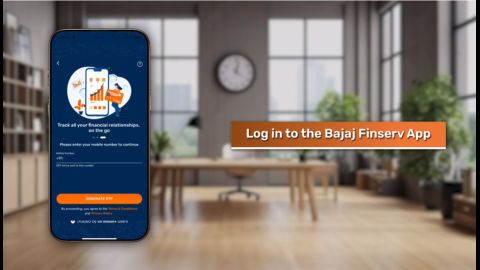
- Open the Bajaj Finserv app and log in using your registered mobile number.
- Navigate to the ‘Transaction History’ section under the ‘Electricity Bill Payments’ tab.
- Locate the failed transaction and click on ‘Raise a Complaint.’
- Provide the required details, including the transaction ID and payment method.
- Submit the complaint and track its status in the app.
If the issue persists, contact the Bajaj Finserv customer support team via the in-app chatbot for further assistance. Refunds for failed payments are typically processed within 7–10 working days.
Pro-tip: Always ensure a stable internet connection and sufficient wallet or bank balance before initiating payments to minimise errors.
Cannot fetch Puducherry electricity bill on Bajaj app with account number
Sometimes, users may encounter errors when attempting to fetch their Puducherry electricity bill using their account number. This issue can occur due to incorrect credentials or technical glitches.
Common reasons for this issue
- Incorrect account details: Double-check the account number entered in the app. Even a minor typo can prevent the system from retrieving your bill.
- Outdated information: If your electricity provider has updated your account details, ensure you are using the latest information.
- Technical issues: Temporary glitches in the Bajaj Finserv app or the electricity provider’s system may lead to errors.
Steps to troubleshoot
- Ensure that you have entered the correct account number as per your electricity bill.
- Verify your account details with your electricity provider to confirm accuracy.
- Update the Bajaj Finserv app to the latest version to avoid compatibility issues.
- Clear the app cache from your phone’s settings and restart the application.
- If the error persists, contact Bajaj Finserv support via the in-app chatbot and provide the necessary details, including your account number and error message.
Pro-tip: Save your account details in the app for faster access during future payments. This reduces the chances of manual entry errors.