It can be frustrating when a payment fails, but the amount is deducted from your account. This issue is more common than you think and is usually caused by network disruptions, server errors, or incorrect account details.
How Bajaj Finance helps resolve this issue:
- Quick Resolution via Service Portal: Bajaj Finance offers a dedicated service portal to address such concerns. Users can log in to raise a service request and track the resolution progress.
- Step-by-Step Guide to Raise a Service Request:
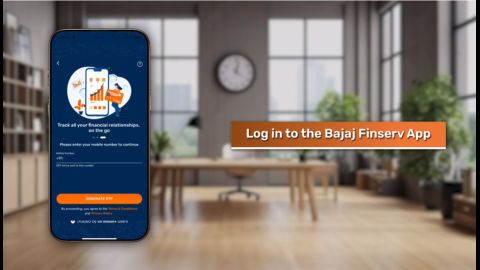
- Open the Bajaj Finance App or visit the service portal.
- Navigate to the ‘Help and Support’ section.
- Select ‘Payment Issues’ and provide the necessary transaction details.
- Submit your request and track updates in real-time.
Pro-Tip: Enable SMS or email alerts on the Bajaj Finance App to monitor payment activities and receive instant updates on transactions.
Cannot fetch Jodhpur electricity bill on Bajaj Finance app with account number
At times, users may face difficulties fetching their electricity bills using an account number. This can occur due to incorrect details, outdated app versions, or temporary server issues.
Troubleshooting Tips:
- Double-check your account number and ensure it matches the one linked to your electricity provider.
- Update the Bajaj Finance App to the latest version for optimal functionality.
- Use the Bajaj Finance App’s ‘Bill Fetch’ feature for quick access to your electricity bill details.