If you are unable to download your electricity bill receipt, follow these steps:
- Check transaction history: Navigate to the transaction history section in the Bajaj Finance app. You can download the receipt from there.
- Request a copy: If the receipt is not available in the app, contact customer support to request a copy.
Pro Tip: Enable email notifications in the app to receive digital receipts automatically.
App freezes when paying Jaipur electricity bill via Bajaj Finance
An app freeze can occur due to device or app-related issues. Here is how to troubleshoot:
- Clear cache: Go to your device settings and clear the app cache.
- Update the app: Ensure you have the latest version of the Bajaj Finance app installed.
- Switch devices: Try completing the payment on another device.
Pro Tip: Avoid running multiple apps in the background while making payments to prevent freezing.
Cashback not credited after Jaipur electricity bill payment via Bajaj app
If your cashback has not been credited, follow these steps:
- Check cashback terms: Ensure your transaction meets the eligibility criteria for cashback.
- Track cashback status: Use the app to check the status of your cashback.
- Raise a claim: If the cashback is delayed, raise a claim through the app or contact support.
Pro Tip: Regularly check for offers and promotions on the Bajaj Finance app to maximise your savings.
Overcharged on Jaipur electricity after paying via Bajaj Finance – why?
Overcharges can occur due to multiple payments or incorrect details. Here is how to resolve this issue:
- Verify payment history: Check your transaction history to identify duplicate payments.
- Contact the electricity board: Reach out to the Jaipur electricity board to confirm the exact amount due.
- Raise a dispute: Use the Bajaj Finance app to report overcharges and seek a resolution.
Pro Tip: Always cross-check your bill amount before making payments to avoid overcharges.
How to raise a Jaipur electricity complaint if paid but service is not updated?
If your service is not updated despite payment, follow these steps:
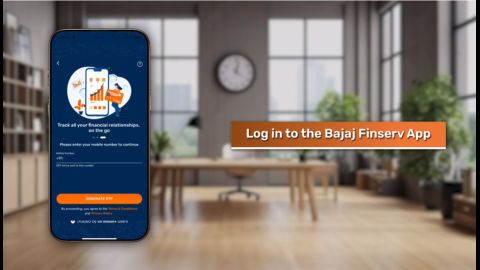
- Log in to the app: Go to the complaints section in the Bajaj Finance app.
- Provide details: Enter the transaction ID, payment date, and other relevant details.
- Contact customer support: If the issue is not resolved through the app, call or email Bajaj Finance support.
Pro Tip: Keep a record of all communication with customer support for future reference.