Sometimes, payments are processed successfully, but the bill status remains unchanged. This may happen due to delays in confirmation from the electricity provider.
Steps to resolve this issue:
- Verify payment confirmation:
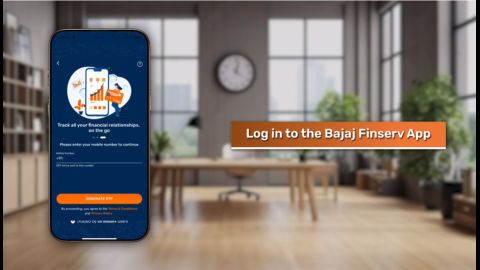
- Check your transaction history in the Bajaj Finserv App to ensure the payment was processed.
- Update bill status manually:
- Refresh the app or log out and log back in to see if the status updates.
- If the issue persists, contact Bajaj Finserv support or the electricity provider for assistance.
- Raise a complaint:
- Use the complaint portal on the Bajaj Finserv website or app to escalate unresolved issues.
OTP delay when paying Hyderabad electricity bill via Bajaj Finserv app
OTP delays can disrupt your payment process. These delays are often caused by network issues or server congestion.
How to fix OTP delays:
- Ensure your registered mobile number is active and has sufficient network coverage.
- Click on ‘Resend OTP’ after waiting for a few seconds.
- Restart the app or clear the app cache if the problem persists.
- If the issue continues, contact Bajaj Finserv support to verify your account details.
Wallet amount not refunded after failed Hyderabad electricity payment
Refund delays can occur due to processing timelines or technical errors. Here is how to address this issue:
- Check refund status:
- Log in to the Bajaj Finserv App and navigate to the ‘Wallet’ section.
- Verify if the refund has been credited.
- Estimated refund timeline:
- Refunds typically take 5–7 working days. If it exceeds this period, raise a query.
- Contact support:
- Use the app’s live chat or email feature to report the delay.
- Provide transaction details for quick resolution.
Cannot fetch Hyderabad electricity bill on Bajaj app with account number
If you are unable to fetch your bill using your account number, the issue could be due to incorrect details or a technical error.
Steps to resolve this issue:
- Double-check the account number entered for accuracy.
- Ensure you are using the latest version of the Bajaj Finserv App. Update it if necessary.
- Refresh the app or clear the cache from the app settings.
- If the issue persists, contact Bajaj Finserv support for assistance.