Downloading your electricity bill receipt is crucial for record-keeping. If you cannot download it, follow these steps:
Steps to download the receipt:
- Check ‘Transaction History’:
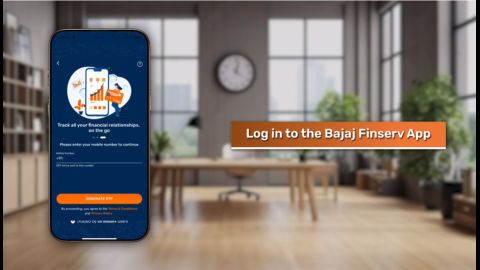
Open the Bajaj Finance App, navigate to the ‘Transaction History’ section, and select the relevant transaction to download the receipt. - Alternative options:
If the receipt is not available in the app, check your registered email for a copy or contact Bajaj Finance support for assistance.
CTA: Download your receipt instantly in PDF format.
App freezes when paying Mumbai electricity bill via Bajaj Finance
An app freeze during payment can disrupt the process. This issue may arise due to outdated app versions, device memory issues, or software bugs.
Troubleshooting steps:
- Clear cache and update the app:
Clear the app cache from your device settings and ensure that you are using the latest version of the Bajaj Finance App. - Reinstall the app:
Uninstall and reinstall the app to resolve any persistent issues. - Use alternative methods:
If the problem continues, switch to the Bajaj Finance online portal to complete your payment.
Cashback not credited after Mumbai electricity bill payment via Bajaj app
If you are eligible for cashback but have not received it, there are steps you can take to track and claim your rewards.
Steps to check cashback status:
- Check rewards section:
Log into the Bajaj Finance App and navigate to the ‘Rewards’ section to view the cashback status. - Understand cashback timelines:
Cashback is usually credited within 7–10 working days. Delays may occur due to promotional terms. - Raise a query:
If the cashback is not credited within the expected timeframe, contact support to resolve the issue.
Overcharged on Mumbai electricity after paying via Bajaj Finance – why?
Overcharges on your electricity bill could result from late payment penalties or discrepancies in the bill amount.
Steps to resolve:
- Review charge details:
Open the Bajaj Finance App and check the detailed breakdown of your payment. - Raise a dispute:
If overcharged, lodge a complaint through the app and provide supporting documents such as your receipt and bill.
Pro-Tip: Enable auto-pay on the Bajaj Finance App to avoid missing due dates and incurring penalties.
How to raise a Mumbai electricity complaint if paid but service is not updated
If your payment has been deducted but the service is not updated, raising a complaint is the best course of action.
Steps to lodge a complaint:
- Gather documents:
Keep your transaction ID, payment receipt, and electricity bill handy. - Raise a service request:
Log into the Bajaj Finance App, go to the complaints section, and submit your request along with the required documents. - Track complaint status:
Use the app to monitor the progress of your complaint until it is resolved.