













An OTP will be sent to this number for verification

You may have a pre-approved offer
Enter required loan against property amount
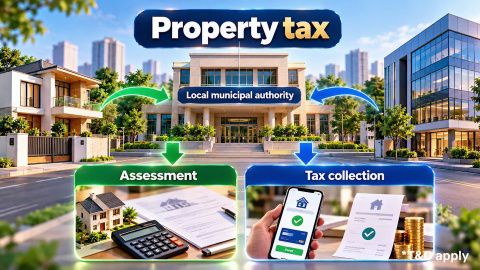
Property tax in your city
In summary
Jabalpur Municipal Corporation collects property tax from eligible properties within its municipal limits. Check the property details and current demand before making a payment.
- The JMC online property-tax service uses identifiers such as a Property ID, PIN number or Service Number to retrieve tax details.
- Property tax is assessed under the Madhya Pradesh Municipal Corporation Act, 1956.
- The Act provides for a property-tax rate between 6% and 10% of the annual letting value, as determined by the Corporation for each financial year.
- You can pay property tax online through the MP e-Nagar Palika portal.
- The portal supports property-tax payment through digital payment methods, including net banking, debit cards, credit cards and UPI.
- The applicable rebate period, payment deadline and late-payment charges should be checked against the latest JMC notification and current property demand.
A property-tax receipt records tax payment but does not independently establish ownership.
Use the current demand shown against your property record. If the tax amount, property details or payment status appears incorrect, resolve the mismatch before making another payment.
Show More
Show Less
What is Jabalpur property tax?
Jabalpur property tax is a municipal tax levied on eligible buildings and land within the jurisdiction of Jabalpur Municipal Corporation. The municipal corporation manages property-tax assessment and collection under the Madhya Pradesh Municipal Corporation Act, 1956. The municipal record can show the Property ID, assessment details, current demand, earlier payments and outstanding dues. Property-tax payment keeps your municipal tax account current. Legal ownership, however, depends on title and registered ownership documents rather than the tax receipt alone.
Source: Madhya Pradesh Municipal Corporation Act, 1956, and Jabalpur Municipal Corporation.
Show More
Show Less
What are the Jabalpur property tax dates for 2026-27?
The available official JMC and MP e-Nagar Palika information does not establish a confirmed rebate period, extended deadline or penalty-start date for 2026-27.
The payment-related details are:
| Event | 2026-27 date or details |
| Original rebate period | Not confirmed from available official information |
| Extended rebate deadline | Not confirmed |
| First-half interest | As per applicable municipal rules |
| Penalty start date | Check the applicable JMC notification |
| Second-half interest | As per applicable municipal rules |
The availability of a rebate and the conditions for claiming it depend on the applicable municipal notification. JMC may also announce specific concessions or surcharge-waiver schemes for outstanding dues. If you are paying now, use the current demand shown against your property rather than manually deducting an assumed rebate. Check the amount payable and any interest or penalty displayed before completing the transaction.
How is Jabalpur property tax calculated?
Jabalpur property tax is assessed based on the annual letting value of the property under the Madhya Pradesh Municipal Corporation Act, 1956. Section 135 of the Act provides that the property-tax rate must be between 6% and 10% of the annual letting value, as determined by the Corporation for each financial year.
The annual letting value assessment considers factors such as:
- Property location and municipal area
- Carpet area of the building or land
- Purpose for which the property is used
- Capacity for profitable use
- Quality of construction
Other relevant factors considered by the Corporation
The applicable tax rate and assessment details should be checked against the current JMC demand. Do not apply the statutory rate range as a single fixed rate to every property.
Consider Aditi, aged 36, who owns a 1,200 sq. ft. self-occupied residential property in Jabalpur. Her previous property-tax receipt shows Rs. 12,500, while the current portal displays a demand of Rs. 14,000. The difference is: Rs. 14,000 - Rs. 12,500 = Rs. 1,500
| Calculation detail | Value |
| Property location | Jabalpur |
| Built-up area | 1,200 sq. ft. |
| Previous tax receipt | Rs. 12,500 |
| Current portal demand | Rs. 14,000 |
| Difference | Rs. 1,500 |
Aditi should not assume that the additional Rs. 1,500 is incorrect simply because the previous receipt was lower.
She should compare:
- The assessment year on both records.
- The property area recorded in the municipal system.
- The property location and applicable rate zone.
- The property usage and construction details.
- Earlier unpaid dues.
Interest or penalty shown against the property.
If the current assessment details are correct, the current municipal demand should guide her payment. If the property information itself is incorrect, Aditi should resolve the record mismatch before relying on the demand. The decision rule is simple: use an old receipt for comparison, but use the verified current property record for payment.
How do you pay Jabalpur property tax online?
You can check the current Jabalpur property-tax demand and complete payment through the MP e-Nagar Palika portal.
Follow the online payment journey:
- Open the Jabalpur Municipal Corporation Mayor Helpline portal.
- Select the online property-tax or water-charge payment option.
- You will be redirected to the MP e-Nagar Palika portal.
- Select the property-tax payment service.
- Enter the requested Property ID, PIN number or Service Number.
- Retrieve and confirm the correct property record.
- Check the assessment details and outstanding tax amount.
- Review any arrears, interest or penalty shown.
- Select an available payment method.
Complete the transaction and save the receipt and transaction reference.
The MP e-Nagar Palika payment system supports digital payment methods, including net banking, debit cards, credit cards and UPI. You can also access the payment service through the MP e-Nagar Palika portal. After payment, check that the transaction appears against the correct property. Keep the receipt and transaction reference with your property records.
Show More
Show Less
What do Property ID, PIN and Service Number mean for Jabalpur property tax?
A Property ID identifies a property within the municipal property-tax system. The PIN or Service Number can be used to retrieve the relevant tax record through the payment service.
You may encounter identifiers and records such as:
| Identifier or record | What it relates to |
| Property ID | Property within the municipal tax system |
| PIN number | Reference used to retrieve the property-tax record |
| Service Number | Identifier accepted by the payment service |
| Old Property ID | Earlier municipal property reference |
| Owner's name | Name recorded against the property |
| Ward and zone details | Municipal location of the property |
Older property-tax receipts can help you locate the identifier used for your property. The MP e-Nagar Palika payment instructions specify that taxpayers should select the Property tax ledger and enter the PIN Number or Service Number to search for the record. Use the identifier accepted by the official payment portal rather than substituting another reference number.
What if your Jabalpur property tax payment is wrong?
Check the transaction status before paying again if money has been debited but the property-tax portal does not show a successful payment.
Different issues need different actions:
| Issue | First action |
| Amount debited but payment not updated | Check the online payment status |
| Payment awaiting confirmation | Check the bank or payment gateway status |
| Duplicate payment | Keep both transaction references and contact JMC |
| Incorrect receipt | Raise a payment or receipt query with JMC |
| Wrong owner name | Use the municipal correction process with supporting documents |
| Incorrect property details | Compare the tax record with the property documents |
| Unexpected earlier dues | Compare the demand with previous receipts and assessments |
Consider Rohan, aged 42, who pays Rs. 24,000 online. His bank account is debited, but the property-tax portal does not immediately show the payment. Rohan should not make another Rs. 24,000 payment immediately. He should first retain the bank debit and transaction reference, check the payment status and contact the municipal authority if the transaction remains unresolved. Paying twice could result in Rs. 48,000 being debited before the original transaction is resolved. The JMC Mayor Helpline portal provides a complaint facility for municipal service-related issues. Property owners can also contact its customer-care number, 1800 233 3128, for assistance.
Does Jabalpur property tax prove ownership?
A Jabalpur property-tax receipt records municipal tax payment but does not independently establish legal ownership.
Consider Meera, aged 38, who purchases a residential property in Jabalpur. Her registered sale deed records the transfer in her name, but the municipal property-tax record still carries the previous owner's details. Paying the tax does not replace Meera's registered ownership document. She should also complete the municipal record-update process to correct the tax record.
| Record | Main purpose |
| Property-tax receipt | Records municipal tax payment |
| Municipal tax record | Identifies and assesses the property for tax |
| Registered ownership document | Records documented ownership rights |
| Mutation record | Records a change in the municipal or revenue records |
The distinction matters when you sell, inherit, transfer or use the property for financing.
Can Jabalpur property tax records affect a loan against property?
Updated Jabalpur property-tax records can support the documentation trail for a loan against property, but a tax receipt alone does not determine loan eligibility or the sanctioned amount.
A lender reviews the applicant and property through separate checks.
| Assessment area | What may be reviewed |
| Ownership | Property rights and supporting documents |
| Property records | Municipal and property information |
| Legal assessment | Title and legal aspects |
| Technical assessment | Property type, location and condition |
| Valuation | Property value for lending purposes |
| Applicant profile | Income, credit profile and repayment capacity |
Consider Nikhil, aged 41, who lives in Jabalpur, earns Rs. 1.50 lakh per month and has a Credit Information Bureau (India) Limited (CIBIL) Score of 760. Nikhil is considering a Rs. 50 lakh loan against property for a business requirement.
Assume an illustrative interest rate of 10% per annum over 15 years.
The Equated Monthly Instalment (EMI) formula is: EMI = [P × R × (1 + R)^N] ÷ [(1 + R)^N - 1]
Where:
- P = Rs. 50 lakh
- R = 10% ÷ 12 ÷ 100
- N = 180 monthly instalments
The approximate EMI is: Rs. 53,730 per month
If Nikhil increases the loan amount to Rs. 60 lakh, while the rate and tenure remain unchanged, the approximate EMI rises to Rs. 64,476 per month.
| Illustrative loan amount | Rate | Tenure | Approximate EMI |
| Rs. 50 lakh | 10% per annum | 15 years | Rs. 53,730 |
| Rs. 60 lakh | 10% per annum | 15 years | Rs. 64,476 |
The additional Rs. 10 lakh increases the approximate monthly EMI by: Rs. 64,476 - Rs. 53,730 = Rs. 10,746
Nikhil's income, CIBIL Score and property records form part of the wider assessment. None of them independently guarantees loan approval.
Bajaj Finance offers Loan Against Property amounts of up to ₹15.50 crore with repayment tenure of up to 15 years, subject to eligibility and property assessment. Bajaj Finance loan against property interest rates currently range from 7.5% per annum to 14.25% per annum. Borrow according to the amount you need and the EMI you can manage rather than selecting the maximum available amount. You can compare loan against property interest rates and use a loan against property EMI calculator to test different loan amounts, rates and repayment tenures. Planning to use your property for financing? Check eligibility for a loan against property with Bajaj Finance.
Frequently Asked Questions
Rebate and late payment
Payment records and dues
Is there a rebate on Jabalpur property tax for 2026-27?
The available official JMC information does not confirm a specific rebate period or discount for 2026-27. Check the latest notification issued by Jabalpur Municipal Corporation before making a payment.
What happens if you pay Jabalpur property tax late?
A surcharge or other applicable charges may apply under the municipal rules. The applicable amount and payment dates should be checked against the current JMC demand and notification rather than estimated using an assumed percentage.
Which records should you keep after paying Jabalpur property tax?
Keep the tax receipt, transaction reference and bank payment record with your property documents. If you raise a payment query, also retain the acknowledgement or complaint reference. These records help you trace a payment if the portal later shows an incorrect status, an earlier due remains visible or a duplicate transaction needs to be investigated.
Why do old dues appear on your Jabalpur property-tax demand?
Old dues can appear when unpaid tax, interest, penalties or assessment differences remain linked to the property. Compare the demand with earlier receipts and check the assessment year and property information.
Loan Against Property for different budget
Check your pre-approved offer now
Loan Against Property for Professionals




Find your nearest branch

What do our customers say about us
customers
Play Store rating
reviews
Anita Das
04 March 2026
The loan against property process was smooth and transparent. Interest rates were competitive, and the documentation requirements were minimal. The team provided clear guidance at every step, making the entire experience hassle-free. Highly recommended for quick approvals and reliable support.
Aashish
04 March 2026
The loan disbursal was quick, and the customer support team handled all my queries with patience and clarity. Flexible EMIs made it easy to manage monthly expenses. Overall, a great experience, especially for salaried individuals seeking a loan against property.
Prakash
04 March 2026
I had a great experience transferring my existing loan against property. The process was quick and hassle-free, and I saved significantly with the lower interest rate. The customer service team was supportive throughout. Highly recommended for anyone considering a balance transfer.
Yogesh Singh
04 March 2026
Clear guidance, quick approval, and flexible repayment options made purchasing my new house much easier than expected. The team managed the entire process professionally and ensured smooth coordination at every stage. Overall, a very satisfying experience, and I would recommend their home loan services to others.
Related articles


Watch our videos

Know the tax benefits on your loan against property

What are the documents required for a Loan Against Property?

What are the types of property eligible for Loan Against Property

What is the eligibility criteria for a Loan Against Property
Bajaj Finance app for all your financial needs and goals
Trusted by 50 million+ customers in India, Bajaj Finance App is a one-stop solution for all your financial needs and goals.
You can use the Bajaj Finance App to:
- Apply for loans online, such as Instant Personal Loan, Home Loan, Business Loan, Gold Loan, and more.
- Invest in fixed deposits and mutual funds on the app.
- Choose from multiple insurance for your health, motor and even pocket insurance, from various insurance providers.
- Pay and manage your bills and recharges using the BBPS platform. Use Bajaj Pay and Bajaj Wallet for quick and simple money transfers and transactions.
- Apply for Insta EMI Card and get a pre-qualified limit on the app. Explore over 1 million products on the app that can be purchased from a partner store on Easy EMIs.
- Shop from over 100+ brand partners that offer a diverse range of products and services.
- Use specialised tools like EMI calculators, SIP Calculators
- Check your credit score, download loan statements and even get quick customer support—all on the app.
Download the Bajaj Finance App today and experience the convenience of managing your finances on one app.
Disclaimer
1. Bajaj Finance Limited (“BFL”) is a Non-Banking Finance Company (NBFC) and Prepaid Payment Instrument Issuer offering financial services viz., loans, deposits, Bajaj Pay Wallet, Bajaj Pay UPI, bill payments and third-party wealth management products. The details mentioned in the respective product/ service document shall prevail in case of any inconsistency with respect to the information referring to BFL products and services on this page.
2. All other information, such as, the images, facts, statistics etc. (“information”) that are in addition to the details mentioned in the BFL’s product/ service document and which are being displayed on this page only depicts the summary of the information sourced from the public domain. The said information is neither owned by BFL nor it is to the exclusive knowledge of BFL. There may be inadvertent inaccuracies or typographical errors or delays in updating the said information. Hence, users are advised to independently exercise diligence by verifying complete information, including by consulting experts, if any. Users shall be the sole owner of the decision taken, if any, about suitability of the same.