






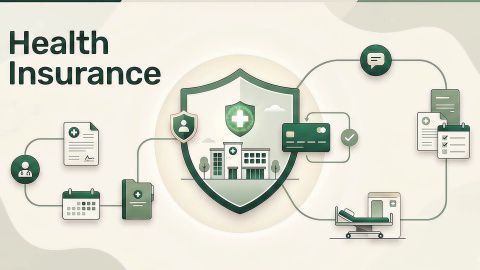
Health insurance goes beyond hospitalization—it covers OPD visits, medicines, ambulance charges, preventive checkups, and even alternative treatments, giving you all-around financial security.

Check health insurance plans with comprehensive coverage
Get Quote
Health plans from leading insurers | Comprehensive coverage | Offers multiple optional add-ons to enhance coverage
Benefits of Health Insurance Why You Need a Policy
In summary
Downloading your digital health insurance policy schedule provides instant, legally binding proof of medical coverage for hospitalisation and tax compliance.
- Instant digital access within 2 minutes: Policyholders can download verified policy PDFs instantly using registered mobile numbers, policy numbers, or e-insurance accounts. Source: General Insurance Council
- Full statutory legal validity under it act: Digitally signed policy schedules hold identical legal enforceability to physical policy bonds under Section 65B of the Indian Evidence Act. Source: Ministry of Electronics and Information Technology
- Seamless digilocker and eia integration: Easily accessible through National Insurance-repository accounts and DigiLocker for biometric verification. Source: Insurance Regulatory and Development Authority of India
- Mandatory cashless admission credential: Network hospital insurance desks require the digital policy number and TPA member ID for instant pre-authorisation clearance. Source: National Health Authority
- Streamlined policy management via Bajaj Finance: Downloading policy bonds, tracking renewal terms, and comparing market-leading healthcare plans is simplified by exploring check now on Bajaj Finance.
What is meant by downloading your health insurance policy?
What is meant by downloading your health insurance policy? Downloading your health insurance policy refers to the secure electronic retrieval of your complete, legally binding insurance contract in portable document format (PDF) from the digital servers of your insurance provider, corporate intermediary, or electronic insurance repository (eIA).
When an insurance company underwrites a health cover, it generates a comprehensive document suite comprising:
● The policy schedule: The primary certificate of insurance stating the policyholder's demographic details, covered family members, sum insured, policy tenure, cumulative bonus, deductibles, and premium paid.
● The policy terms and conditions (wordings): The comprehensive legal contract detailing covered medical treatments, daycare procedures, waiting periods, sub-limits, exclusions, and claim adjudication protocols.
● The digital cashless health card: A portable virtual identification card containing individual TPA member IDs, policy numbers, and network emergency toll-free contact numbers.
● The Section 80D tax exemption certificate: The statutory receipt demonstrating eligible premium payments deductible under Section 80D of the Income Tax Act.
Downloading this digital bundle ensures that policyholders have instantaneous, verifiable evidence of their medical entitlements stored securely on their personal smartphones, cloud drives, or email accounts.
Did you know?
Under IRDAI regulations, all general and health insurers in India are statutorily required to issue electronic insurance policies (e-policies) with digital signatures, eliminating the need to wait for physical couriers.
Pro tip
Why download health insurance policy?
Relying exclusively on physical paper policy copies poses severe logistical hazards in modern domestic life. Physical documents are vulnerable to water damage, misplacement during residential relocations, or being locked in home cabinets during sudden medical crises.
The critical reasons to download and preserve your digital policy copy include:
● Immediate cashless hospitalisation clearance: During acute clinical emergencies, admitting desks at network hospitals demand immediate verification of the active policy number and TPA member ID to initiate cashless pre-authorisation.
● Filing Section 80D income tax claims: Employers and chartered accountants mandate the submission of the official 80D premium certificate as documentary proof before granting annual income tax deductions.
● Verifying coverage terms and waiting periods: Having direct access to policy wordings enables policyholders to check specific room rent caps, ICU limits, and pre-existing disease waiting periods before scheduling elective surgeries.
● Tracking family endorsements: Confirms that newly married spouses, newborn infants, or elderly parents added mid-term are accurately recorded on the official household roster.
● Facilitating reimbursement claims: Submitting post-hospitalisation claims requires attaching certified true copies of the policy schedule along with medical bills.
The table below compares digital policy storage versus physical documentation across critical emergency parameters:
| Evaluation parameter | Physical paper policy bond | Digital policy PDF / e-card | Practical policyholder advantage |
|---|---|---|---|
| Emergency availability | Restricted to home storage cabinets | Accessible 24/7 on smartphone cloud storage | Instant presentation at hospital admission desks |
| Vulnerability to loss | High (fire, water damage, misplacement) | Zero (permanently retrievable from portal) | Eliminates costly duplicate bond issuance fees |
| Verification speed | Requires manual document inspection | Instant QR code scanning by hospital TPA | Faster pre-authorisation turnaround time |
| Tax filing utility | Requires physical scanning and filing | Instant PDF attachment for income tax filing | Frictionless corporate HR reimbursement submission |
| Multi-user access | Available only to whoever holds the paper | Shareable instantly across family members | All adult family members carry emergency credentials |
How to download a health insurance policy document?
Insurance companies provide multiple intuitive digital pathways enabling policyholders to retrieve their official documents within minutes. The standard retrieval routes include:
Method 1: insurer official web portal
● Visit the official website of your health insurance provider.
● Navigate to the "Customer Support", "Self-Service", or "Download Policy" portal.
● Enter your registered mobile number, email ID, or policy number.
● Complete Two-Factor Authentication via One-Time Password (OTP) sent to your registered mobile number.
● Access your customer dashboard, select your active policy schedule, and click "Download PDF".
Method 2: mobile application service
● Download and open your insurance company's official mobile application on iOS or Android.
● Log in using your registered mobile credentials or biometric fingerprint/face authentication.
● Tap on "My Policies", select the relevant active cover, and choose "Download Policy Document".
● Save the PDF file directly to your smartphone's local storage or Apple Wallet / Google Drive.
Method 3: digilocker integration
● Open the DigiLocker website (`digilocker.gov.in`) or mobile application.
● Log in using your Aadhaar credentials and mobile OTP.
● Under "Issued Documents", search for your insurance provider in the "Banking and Insurance" sector.
● Enter your policy number to pull the official digitally signed policy certificate into your national digital vault.
Quick fact:
A health insurance policy document pulled through DigiLocker carries a digitally verified timestamp from the Government of India, making it an internationally recognised, tamper-proof electronic document.
Popular plans for you



How to download policy document for a policy purchased through Bajaj Finance?
If you have arranged your health insurance policy through Bajaj Finance, document retrieval is exceptionally seamless through the dedicated digital self-service ecosystem:
● Step 1: Access the Bajaj Finance digital customer portal: Navigate to the official customer portal on the Bajaj Finance website or open the Bajaj Finance App on your smartphone.
● Step 2: Authenticate via registered mobile number: Enter your 10-digit registered mobile number; receive and input the secure 6-digit OTP for instant login.
● Step 3: Navigate to my account / insurance services: Go to the "My Account" or "Insurance" section on your dashboard, where all your active insurance policies are categorized.
● Step 4: Select your health insurance policy: Locate your active health insurance plan; you will view key coverage parameters, sum insured, renewal dates, and servicing options.
● Step 5: Click download policy schedule / tax certificate: Tap on "Download Policy Document" to instantly receive the high-resolution PDF of your policy schedule, and click "Download 80D Certificate" for tax documentation.
This unified digital interface ensures that policyholders managing multiple health or top-up policies can access all documentation in one centralized, secure dashboard.
Benefits of downloading your health insurance policy
Benefits of downloading your health insurance policy. Maintaining an active digital copy of your health insurance policy delivers profound practical benefits:
● Elimination of administrative delays: Hospital insurance desks can immediately scan policy numbers and initiate TPA pre-authorisation without waiting for couriered papers.
● Family-wide accessibility: You can share digital PDF copies and virtual health cards with your spouse, adult children, and parents via email or messaging apps, ensuring that any dependent can initiate hospitalisation independently.
● Clarity on claim exclusions: Instant access to policy wordings allows you to verify whether specific surgical procedures, diagnostic tests, or medical consumables are covered before incurring large hospital charges.
● Effortless renewal tracking: Digital schedules display exact policy expiry dates and grace period terms, preventing unintentional policy lapsation and loss of accrued cumulative bonuses.
● Frictionless portability processing: When porting your policy to another insurer, producing digital copies of your previous policy schedules satisfies regulatory underwriting continuity requirements.
Importance of having a digital copy of your insurance policy
In an era dominated by electronic hospital workflows, a digital insurance policy is no longer a convenience—it is a critical emergency asset.
When a medical emergency strikes away from home—such as during business travel, vacations, or highway transit—a physical policy locked in a home drawer is completely useless. Having your policy PDF stored in your smartphone ensures that emergency medical personnel and hospital admissions desks can immediately verify network empanelment, establish cashless eligibility, and commence life-saving treatment without demanding upfront personal deposits.
Furthermore, healthcare service portals integrate directly with the National Health Claims Exchange (NHCX), where claim adjudicators match digital policy schedules with hospital Electronic Medical Records (EMR) in real time, accelerating discharge authorizations.
Did you know?
Under the Ayushman Bharat Digital Mission (ABDM), policyholders can link their Ayushman Bharat Health Account (ABHA ID) to their digital health insurance policy, allowing seamless interoperability across hospital networks nationwide.
Health Insurance in different cities

Health Insurance in Bangalore

Health Insurance in Jaipur

Health Insurance in Pune

Health Insurance in Mumbai

Health Insurance in Kerala
Compare types of Health Insurance Plans
Tax-savings plans for you
What our customer say about us
+ Customers
Play Store Rating
Reviews
Arjun Mehta
13 Jul 2025
I opted for the Health Infinity plan for my parents. The digital onboarding was incredibly fast with no medical tests required since they are under 50. We had a minor daycare procedure last month, and the cashless approval came through in less than 2 hours. Very impressed with the efficiency.
Priya Sharma
28 Feb 2025
The Bajaj Finance Health app is a lifesaver. I use it for my regular OPD consultations and medicine orders. The 10% discount on pharmacy bills and the easy reimbursement for doctor visits make it much more than just a 'hospitalization' policy. It’s daily health support.
Sneha Kapoor
15 Mar 2025
Switched my family floater to Bajaj General this year. The network of hospitals in my city (Pune) is excellent. The only downside was a slight delay in getting my physical card, but the digital copy on the app works everywhere. The 'Wellness Rewards' for hitting step goals is a cool touch!
What issues can occur while downloading a health insurance policy?
While digital portals are designed for 24/7 reliability, users may occasionally encounter technical bottlenecks. Common issues and their resolutions include:
● Mobile number mismatch: If you attempt to log in using a mobile number different from the one provided in your original proposal form, the portal cannot locate your policy record. Resolution: Contact customer care to update your primary registered mobile number via re-KYC.
● OTP transmission delays: Network congestion or telecom DND filters may delay OTP delivery. Resolution: Wait for the 60-second timer to reset and opt for email OTP or WhatsApp authentication.
● Policy underwriting pending status: If you purchased the policy recently, the document may not be immediately available if medical underwriting or tele-merical scrutiny is ongoing. Resolution: Policy PDFs are typically generated within 24 to 48 hours following proposal acceptance.
● Browser cache or pop-up blocker conflicts: Web browsers with active pop-up blockers may prevent the PDF download window from launching. Resolution: Disable pop-up blockers for the insurer's URL or try downloading via an alternative browser.
● Corrupted PDF downloads: Incomplete downloads due to unstable mobile internet connections. Resolution: Download the file while connected to stable broadband Wi-Fi and open with standard Adobe Acrobat Reader.
The table below summarizes common digital download errors and their immediate fixes:
| Operational error | Primary technical cause | Immediate corrective action |
|---|---|---|
| "Policy Number Not Found" | Typographical error or space in policy string | Re-enter digits without hyphens; verify via welcome SMS |
| "User Not Registered" | Mobile number not mapped to customer master ID | Use registered email ID or policy number for initial login |
| "PDF Fails to Open" | Outdated PDF viewer software on smartphone | Install official Adobe Acrobat Reader or Google Drive Viewer |
| "80D Certificate Unavailable" | Policy renewed within the last 48 hours | Allow 2 to 3 working days for financial reconciliation |
Tips for managing your health insurance policy
Tips for managing your health insurance policy. Disciplined document management guarantees that your family remains fully protected and ready for any medical eventuality:
● Maintain a dedicated cloud folder: Create a shared folder on Google Drive, iCloud, or OneDrive named "Family Health Insurance"; store the latest policy schedule, e-cards, and 80D receipts.
● Archive historical schedules: Preserve previous policy schedules for at least 4 to 5 years; continuous policy continuity records are required to prove completion of pre-existing disease waiting periods when porting.
● Review endorsement confirmations: Whenever you add a newborn child or spouse, download the newly generated policy schedule to confirm accurate spelling and date of birth entries.
● Set calendar reminders for renewal: Schedule calendar alerts 30 days and 15 days before policy expiry to evaluate coverage limits and complete renewal before the grace period begins.
● Evaluate supplemental coverage annually: Assess whether your current sum insured matches escalating medical inflation; compare super top-up plans via Bajaj Finance to expand family coverage affordably.
Explore suitable health insurance plans and compare top-up coverage options to understand your premium requirements. Check now on Bajaj Finance.
Worked practical scenario: Emergency document retrieval during hospital admission
Consider the experience of Vivek Shastry, a 42-year-old IT operations manager from Pune whose 39-year-old spouse, Preeti, suffered acute lower abdominal pain on a Sunday evening, requiring emergency laparoscopic appendicectomy. Rushing to an empanelled network hospital without physical insurance papers, Vivek opened DigiLocker on his smartphone, authenticated his Aadhaar credentials, and retrieved his digitally signed IRDAI health policy schedule in under 90 seconds. Presenting the digital document and policy number at the admission desk, the hospital verified cashless coverage with the insurer within 25 minutes. The surgical intervention and 2-day inpatient stay totalled Rs. 1,28,000, all of which was settled cashlessly by the insurer. Vivek incurred an out-of-pocket cost of only Rs. 2,200 for personal consumables, demonstrating how rapid digital document accessibility averts admission delays and safeguards emergency funds during weekend medical emergencies.
Decision framework: Do's and don'ts for managing digital insurance policies
| Do | Why it matters | Don't | Risk to avoid |
| Download and store policy PDFs on multiple family devices | Ensures instant access during emergencies even if one smartphone is lost | Don't rely solely on paper copies stored in home filing cabinets | Paper copies cannot be accessed during transit or travel emergencies |
| Link your insurance policy to DigiLocker and your ABHA ID | Creates a verified national digital archive accessible across hospitals | Don't forward policy documents containing PAN or Aadhaar to public groups | Unsecured sharing exposes personal financial credentials to fraud |
| Download the Section 80D tax certificate immediately upon renewal | Simplifies annual tax filing and prevents year-end corporate HR disputes | Don't wait until the tax submission deadline to download tax certificates | Heavy portal traffic during March tax deadlines can cause server delays |
| Check demographic details on the downloaded schedule immediately | Allows immediate correction of typographical errors in names or birth dates | Don't ignore minor spelling errors in dependent names on policy schedules | Name discrepancies between ID cards and policies cause claim query delays |
| Review policy terms and compare upgrades via Bajaj Finance | Guarantees that coverage keeps pace with private medical inflation | Don't maintain stagnant low-value coverage if family health risks increase | Basic Rs. 3 lakh policies are quickly exhausted by modern ICU tariffs |
Action roadmap: 5 phases to master your digital health insurance portfolio
● Phase 1: Online portal authentication and login (days 1 to 2): Access the Bajaj Finance portal or insurer website; log in using your registered mobile number and complete OTP verification.
● Phase 2: Complete document retrieval (days 3 to 4): Download the comprehensive policy PDF, individual digital e-health cards, policy wordings, and Section 80D tax exemption certificate.
● Phase 3: Multi-platform cloud archiving (days 5 to 7): Save copies in a shared family cloud folder (Google Drive / iCloud); link the policy to DigiLocker and save digital cards in smartphone wallets.
● Phase 4: Family member briefing (days 8 to 10): Inform spouse and adult dependents on how to access the digital cards; save emergency network hospital coordinates and TPA toll-free numbers.
● Phase 5: Annual coverage audit and policy enhancement (ongoing): Set renewal reminders 30 days before expiry; compare comprehensive super top-up plans on Bajaj Finance to enhance coverage.
To evaluate your health insurance requirements and estimate premiums for enhanced coverage, check premium on Bajaj Finance.
For broader insights on health policy administration, explore resources on download employee group health insurance premium payment statement and top up health insurance to structure comprehensive protection.
Quick fact:
DigiLocker-issued health insurance policy documents carry legal validity equivalent to original physical certificates under Rule 9A of the Information Technology Rules, 2016.
Sources and references
| Source / reference authority | Document / research topic | Relevant insights and context | Publication month and year |
|---|---|---|---|
| Insurance Regulatory and Development Authority of India | Regulations on electronic issuance of insurance policies (e-policies) | Mandatory digital policy standards, eIA frameworks, and consumer protection rules | October 2026 |
| Ministry of Electronics and Information Technology | Information Technology Act, 2000 and DigiLocker integration standards | Legal enforceability of digital records, electronic signatures, and cloud vaults | October 2026 |
| General Insurance Council | Operational guidelines for digital claims administration | Network hospital verification standards, digital TPA processing, and cashless speed | October 2026 |
| National Health Authority | Ayushman Bharat Digital Mission (ABDM) integration guidelines | Interoperable health records, ABHA linkage, and digital health exchange protocols | October 2026 |
Glossary of terms
| Technical term | Definition and regulatory context |
|---|---|
| Policy schedule | The certificate summarizing insured names, sum insured, tenure, and premium. |
| Electronic Insurance Account (eIA) | A central digital repository account enabling policyholders to hold all policies electronically. |
| Policy wordings | The formal contract document outlining terms, conditions, waiting periods, and exclusions. |
| TPA member ID | A unique identification number assigned by the Third Party Administrator for claims tracking. |
| Two-factor authentication | A security protocol requiring a registered mobile OTP to access sensitive policy records. |
Conclusion: Empowering your family through digital healthcare readiness
Downloading your health insurance policy online is a vital administrative step that transforms an abstract financial contract into an instantly deployable emergency healthcare shield. In critical hospitalisation events, having immediate, paperless access to your policy schedule, member IDs, and coverage terms ensures rapid cashless admissions without financial stress. Forward-thinking policyholders partner with Bajaj Finance to manage their health insurance portfolios digitally, access instant document downloads, and explore market-leading healthcare plans with extensive network hospital access across India.
Top Health Insurance Plans
Explore and stay informed
Can you buy health insurance on EMI
Why buy health insurance
Health Insurance for family
Health Insurance Claim settlement ratio
Health Insurance waiting period
Importance of health insurance
Health Insurance for Senior Citizens
Health Insurance tax benefits
Health Insurance for parents
Health Insurance premium calculator
Health Insurance for Other Diseases

Antral Gastritis

Hepatomegaly Symptoms Causes & Treatment

Blood Pressure Range

PCOS Causes and Symptoms

Health insurance for Obesity
Frequently Asked Questions
Downloading and retrieval
Validity and compliance
Claims and management
How long does it take to download a health insurance policy online?
Downloading an active health insurance policy online takes less than two minutes using registered mobile OTP authentication on the insurer's portal or Bajaj Finance app
What information do I need to download my policy PDF?
You typically need your registered mobile number or registered email address to receive an OTP. Alternatively, you can enter your policy number and date of birth.
Can I download my health insurance policy document on a mobile smartphone?
Yes, policy documents can be downloaded directly onto smartphones via mobile web browsers, insurer mobile apps, or the Bajaj Finance customer application.
Where can I find my policy number if I haven't downloaded my policy yet?
Your policy number is sent via SMS and email confirmation immediately upon policy issuance. You can also view it in your bank statement under premium payment details.
Is a downloaded digital policy legally valid for cashless hospitalisation?
Yes, digitally downloaded policy schedules carry full legal validity under the Information Technology Act, 2000 and are accepted across all network hospitals in In
Can I use a downloaded policy schedule to claim Section 80D tax deductions?
Yes, the 80D certificate included in your digital download package is officially recognised by the Income Tax Department as valid proof of premium payment.
What should I do if my downloaded policy schedule contains a spelling mistake?
Contact customer support immediately or raise an online endorsement request through the customer portal to correct the demographic error and generate an amended schedule.
Can I access my health insurance policy through digilocker?
Yes, most major insurance providers are integrated with DigiLocker, allowing you to pull your policy document directly into your government digital repository.
Do I need to carry a printed physical copy to the hospital for cashless treatment?
No, displaying the digital policy schedule or virtual e-health card on your smartphone is sufficient for hospital insurance desks to initiate cashless pre-authorisation.
What is the difference between a policy schedule and policy wordings?
The policy schedule contains personalized details (sum insured, names, premium), while policy wordings explain the general legal terms, exclusions, and claims procedures.
Can I download policy documents for previous lapsed or expired years?
Yes, customer portals maintain digital archives of historical policy schedules, allowing you to download previous years' policies for continuity or tax proof.
How does Bajaj Finance simplify policy document management?
Bajaj Finance provides a centralized customer dashboard where you can download active policy schedules, access 80D tax certificates, track renewals, and compare healthcare plans.





Articles and Insights


Disclaimer
*T&C Apply - Bajaj Finance Limited (‘BFL’) is a registered corporate agent of third party insurance products of Bajaj Allianz Life Insurance Company Limited, HDFC Life Insurance Company Limited, Life Insurance Corporation of India (LIC), Bajaj Allianz General Insurance Company Limited, SBI General Insurance Company Limited, ACKO General Insurance Company Limited, HDFC ERGO General Insurance Company, TATA AIG General Insurance Company Limited, ICICI Lombard General Insurance Company Limited, New India Assurance Limited, Chola MS General Insurance Company Limited, Zurich Kotak General Insurance Co. Limited , Star Health & Allied Insurance Co. Limited, Care Health Insurance Company Limited, Niva Bupa Health Insurance Company Limited , Aditya Birla Health Insurance Company Limited and Manipal Cigna Health Insurance Company Limited under the IRDAI composite CA registration number CA0101. Please note that, BFL does not underwrite the risk or act as an insurer. Your purchase of an insurance product is purely on a voluntary basis after your exercise of an independent due diligence on the suitability, viability of any insurance product. Any decision to purchase insurance product is solely at your own risk and responsibility and BFL shall not be liable for any loss or damage that any person may suffer, whether directly or indirectly. Please refer insurer's website for Policy Wordings. For more details on risk factors, terms and conditions and exclusions please read the product sales brochure carefully before concluding a sale. Tax benefits applicable if any, will be as per the prevailing tax laws. Tax laws are subject to change. Tax laws are subject to change. BFL does NOT provide Tax/Investment advisory services. Please consult your advisors before proceeding to purchase an insurance product. Visitors are hereby informed that their information submitted on the website may also be shared with insurers. BFL is also a distributor of other third-party products from Assistance Services providers such as CPP Assistance Services Pvt. Ltd., Bajaj Finance Health Ltd. etc. All product information such as premium, benefits, exclusions, sum insured, value added services, etc. are authentic and solely based on the information received from the respective insurance company or the respective Assistance service provider company.
Note – While we have made all efforts and taken utmost care in gathering precise information about the products, features, benefits, etc. However, BFL cannot be held liable for any direct or indirect damage/loss. We request our customers to conduct their research about these products and refer to the respective product’s sales brochures before concluding their sale.