






Samsung Galaxy S26

The Samsung Galaxy S26 series now officially supports Perplexity alongside Bixby and Gemini. What began as pre-launch speculation about a deeper Samsung-Perplexity partnership became a confirmed part of the Galaxy AI experience when Samsung launched the S26 series on 25 February 2026.

EMIs for smartphones start from

Rs. 830 /month

Check loan offer

Key specifications

  • Display 6.3-inch Dynamic AMOLED 2X Display
  • Storage 512GB Storage
  • Front camera 12MP Front camera
  • Battery capacity 4,300 mAh Battery capacity
  • RAM 12GB RAM
  • Processor Samsung Exynos 2600 Processor
  • OS Android 16 OS
  • Rear camera 50MP + 10MP + 12MP Rear camera

Get a loan offer of up to Rs. 12 lakh

Quick approval | Flexible tenure options | Zero approval fees

In summary


The Samsung Galaxy S26 series now officially supports Perplexity alongside Bixby and Gemini. What began as pre-launch speculation about a deeper Samsung-Perplexity partnership became a confirmed part of the Galaxy AI experience when Samsung launched the S26 series on 25 February 2026.


  • Confirmation: Perplexity is officially available as one of the AI agents on the Galaxy S26 series.
  • Assistant choice: Users can configure Perplexity as a digital assistant and launch it through supported voice controls or the Side button after setup.
  • Galaxy integration: Perplexity can work with supported Samsung apps and is designed for sourced search, summaries, reasoning, and multi-step tasks.
  • Bixby and Gemini: Perplexity does not replace Samsung's other AI assistants. The S26 is designed around multiple agents with different strengths.
  • India pricing: Samsung announced launch prices starting at Rs. 87,999 for Galaxy S26, Rs. 1,19,999 for Galaxy S26+, and Rs. 1,39,999 for Galaxy S26 Ultra.

If you are considering a Galaxy S26 model, compare the complete phone experience rather than choosing it for one AI service alone. You can also buy a new appliance on Easy EMIs at over 1.5 lakh partner stores across 4,000 cities, including Reliance Digital, Croma, and Vijay Sales.

How did the Galaxy S26 Perplexity AI rumour develop?

Before the Galaxy S26 launch, reports suggested that Samsung was exploring a deeper relationship with Perplexity for its next flagship phones. The speculation focused on whether Perplexity would be preloaded, tied more closely to Bixby, or offered as a prominent assistant option within Galaxy AI. Samsung clarified the picture when it launched the Galaxy S26 series on 25 February 2026. The company confirmed that Galaxy S26 users would have access to multiple AI agents, including Bixby, Gemini, and Perplexity, rather than a single assistant replacing all the others. The pre-launch reports were therefore broadly correct about deeper Perplexity integration, but the final implementation is more nuanced than a simple 'Perplexity replaces Gemini or Bixby' narrative. Samsung has instead positioned the S26 as a multi-agent AI phone.


→ Pro tip: Treat pre-launch rumours as context, not as the final product specification. For current buying decisions, use Samsung's official feature pages and support guidance.


You can buy a new S26 through Easy EMIs when your preferred model is eligible and available at a partner store, making it simple to upgrade without paying the full amount upfront. Here is what the process looks like:


  • Visit more than 1.5 lakh partner stores across 4,000+ cities, including Jaipur, Lucknow, Kochi, and Bhopal
  • Choose your preferred model, select the Bajaj Finance Insta EMI Card or Easy EMI Loan, and check your eligibility by entering your mobile number
  • Convert the purchase cost into Easy EMIs that suit your monthly budget

→ Pro tip: Zero down payment is available on select models, so ask the store executive if your chosen smartphone qualifies before you check out.

How is Perplexity integrated into the Galaxy S26?

Perplexity has a deeper role on the Galaxy S26 series than a standard chatbot downloaded from an app store. Samsung presents it as one of the AI agents available within the Galaxy AI experience, while Perplexity's search and reasoning technology also supports selected Samsung experiences.


Integration areaWhat it means for the user
Digital assistantYou can configure Perplexity as the digital assistant and launch it using the Side button after setup.
Voice accessPerplexity can be started by voice once the assistant and wake phrase are configured.
Samsung appsSupported workflows can interact with apps such as Notes, Calendar, Gallery, Clock, and Reminders.
Bixby supportPerplexity can support selected Samsung experiences with current web search and reasoning capabilities.
Samsung InternetPerplexity contributes to Samsung's wider search and browsing direction where supported.

Exact functionality can vary by software version, region, account settings, language, and permissions. Some features also depend on an internet connection and a signed-in account.

What can Perplexity do on the Galaxy S26?

Perplexity is particularly useful when you want current web information, concise reasoning, and visible sources that you can inspect. On the Galaxy S26, that research focus can connect more naturally with supported device workflows.


1. Ask current-information questions: Use Perplexity for web-based questions, comparisons, research, and follow-up queries without manually opening multiple browser tabs.

2. Summarise and extract information: It can condense longer material and highlight useful points from supported content.

3. Work across supported Samsung apps: With the required permissions, Perplexity can help move information into apps such as Notes or support actions such as reminders and calendar entries.

4. Use voice for hands-free queries: After setup, voice access can reduce the number of taps needed when you want to research, plan, or capture information quickly.

5. Continue with follow-up questions: You can refine the same topic conversationally instead of restarting the search each time.


→ Buy this if: you frequently research current topics, compare options, and want an AI assistant that emphasises web sources and follow-up reasoning.

Does Perplexity replace Bixby or Gemini on the Galaxy S26?

No. Samsung supports a choice of AI agents on the Galaxy S26 rather than forcing one assistant to handle every task. Bixby remains Samsung's device-focused conversational assistant, Gemini remains part of the broader Galaxy AI ecosystem, and Perplexity adds a strong search-and-reasoning layer. The assistants also have different practical strengths. Bixby is closely tied to Galaxy settings and device control. Gemini is useful for broader generative and multimodal assistance. Perplexity is especially useful when you want current web information presented with sources and concise reasoning. That means you can choose the assistant that best matches the task instead of expecting one AI tool to do everything equally well.


→ Trade-off: More assistant choice adds flexibility, but it also means you need to understand which default assistant, permissions, and account settings are active.

How does Perplexity compare with Gemini and Bixby?

The best assistant depends on the task. Rather than treating one as universally better, it is more useful to compare the roles they play within the Galaxy S26 experience.


AreaPerplexityGeminiBixby
Best known forSourced web search, summaries, reasoningGenerative assistance and multimodal tasksGalaxy device control and Samsung ecosystem actions
Current web researchStrong focusStrongAvailable through integrated search functions
Source visibilityUsually central to answersVaries by taskNot the main focus
Device integration on S26Deep integration with supported Galaxy appsIntegrated into Galaxy AI workflowsNative Samsung assistant
Ideal use caseResearch, comparison, planning with sourcesCreation, multimodal help, complex assistanceSettings, device commands, Samsung-specific control

For example, you might use Perplexity to research a destination with sources, Gemini for multimodal help or content creation, and Bixby to change a Galaxy setting using natural language.

How do you set up Perplexity on a Galaxy S26?

Samsung support guidance allows Galaxy S26 users to assign Perplexity as the digital assistant and open it with the Side button. Menu names can change slightly after software updates, so follow the current labels shown on your phone.


1. Open Settings: Go to the Settings app on the Galaxy S26.

2. Open Advanced features: Select the section that includes Side button settings and other interaction controls.

3. Choose Side button: Open the Side button menu and find the long-press action.

4. Select the digital assistant option: Use the settings control for the long-press action to choose an assistant.

5. Choose Perplexity: Select Perplexity, sign in if required, and review the requested permissions.

6. Test the shortcut: Press and hold the Side button to confirm that Perplexity opens correctly.


Voice activation can also be available where supported. If Perplexity does not appear as an option, update the phone and app, confirm regional availability, and check that the app is installed and signed in.


→ Pro tip: Review permissions before enabling broad cross-app access. Give any AI assistant only the access needed for the workflows you actually use.

What should you know about privacy and AI permissions?

Deeper AI integration is convenient because an assistant can move from answering a question to taking an action. That same capability means permissions deserve attention, especially for Notes, Calendar, Gallery, Reminders, browser activity, microphone access, and other personal data. Check permission controls for each app and review the privacy terms of the AI services you sign into. 


If you do not want an assistant accessing a category of information, remove that permission instead of assuming every AI feature requires full access. For work accounts or confidential material, follow your organisation's policy before sharing information with any external AI service. Device-level security features help protect the phone, but they do not replace careful decisions about what you send to cloud-based assistants.

What are buyers asking before choosing a Galaxy S26 for AI features?

Perplexity adds useful capability, but buyers should still compare the Galaxy S26 as a complete flagship phone rather than making the decision around one AI feature.


→ Is Perplexity enough reason to upgrade?

Perplexity can be valuable if you regularly research, summarise, plan, and work across apps. However, an upgrade should also make sense for performance, cameras, battery life, display quality, software support, and the condition of your current phone.


→ Which Galaxy S26 model suits most buyers?

The standard Galaxy S26 is the most compact and lower-priced model in the flagship trio. The S26+ suits buyers who want a larger display, while the S26 Ultra targets users who prioritise the strongest camera system, premium display, S Pen support, and top-end hardware.


→ Will Perplexity work without internet access?

Many Perplexity features depend on cloud processing and live web information, so a stable internet connection is important. Some Galaxy AI functions may use on-device processing, but you should not assume every Perplexity workflow works fully offline.


→ Should you choose the S26 only for AI?

No. AI services evolve through software and app updates, and their capabilities can change over time. Choose the phone for the overall hardware-and-software package, then treat Perplexity, Bixby, Gemini, and other AI tools as additional capability.

What are Galaxy S26 series prices in India?

Samsung announced the Galaxy S26 series in India with the standard S26 as the most affordable flagship, followed by the S26+ and S26 Ultra. Current retail prices can differ from launch prices because of storage, colour, exchange offers, and limited-period promotions.


ModelOfficial India starting price at launch
Samsung Galaxy S26Rs. 87,999
Samsung Galaxy S26+Rs. 1,19,999
Samsung Galaxy S26 UltraRs. 1,39,999

Before buying, confirm the exact RAM and storage variant, current selling price, colour availability, exchange value, and whether any EMI or store offer changes the effective cost.


→ Buy this if: you want a current Samsung flagship with long software support, premium hardware, and access to multiple AI agents rather than a phone chosen only for one assistant.


Planning to buy a new phone?


You can also explore the latest offers from Bajaj Finance to get value-packed deals and Easy EMIs.


*Disclaimer: Prices are subject to change. Please check the official website for the most accurate and up-to-date information.

What are your financing options for a Galaxy S26?

Bajaj Finance offers two financing options at over 1.5 lakh partner stores across 4,000 cities in India. Here is how they compare:


OptionLimitKey features
Bajaj Finance Insta EMI CardCard loan offer up to Rs. 6 lakh3 to 60 months tenure; works at 1.5 lakh partner stores; 1 million eligible products
Bajaj Finance Easy EMI LoanLoan limit up to Rs. 12 lakhQuick loan approval; 3 to 60 months tenure; basic KYC documents needed; ideal for higher-value purchases

How to choose?

Both options require you to be physically present at a partner store. The Insta EMI Card is ideal for shoppers who want to purchase across multiple categories over time. The Easy EMI Loan suits buyers looking to finance a higher-value purchase in a single transaction.


Example:

Rohan, 31, lives in Lucknow and wants a compact flagship for work, travel, photography, and AI-assisted research. He chooses a Samsung Galaxy S26 and visits a Croma partner store after confirming the exact storage variant and current store price. Because this is a single high-value smartphone purchase, Rohan chooses the Bajaj Finance Easy EMI Loan. If his selected Galaxy S26 costs Rs. 1,02,999 at the time of purchase, spreading that amount across 18 months would be about Rs. 5,722 per month before applicable financing charges. He confirms the final price, tenure, charges, down payment requirement, and eligibility at the store. A minimum CIBIL score of 650 applies to the stated eligibility requirement.


→ Pro tip: Compare the final payable amount, not only the monthly EMI. Storage variant, exchange value, store offer, tenure, and financing charges can materially change the total cost.

What are my financing options to buy a mobile phone?

Bajaj Finance offers two financing options at over 1.5 lakh partner stores across 4,000 cities in India. Here is how they compare:


OptionLimitKey features
Bajaj Finance Insta EMI CardCard loan offer up to Rs. 6 lakh3 to 60 months tenure; works at 1.5 lakh partner stores; 1 million eligible products
Bajaj Finance Easy EMI LoanLoan limit up to Rs. 12 lakhQuick loan approval; 3 to 60 months tenure; basic KYC documents needed; ideal for higher-value purchases

How to choose? Both options require you to be physically present at a partner store. The Insta EMI Card is ideal for shoppers who want to purchase across multiple categories over time. The Easy EMI Loan suits buyers looking to finance a higher-value purchase in a single transaction.


Also explore the latest offers. You may find a great deal on a model that matches your needs.

How to buy a mobile phone on EMI at a Bajaj Finance partner store?

The process is simple and typically takes 10 to 15 minutes once you are at the store.


  • Browse models on Bajaj Mall: Compare options on Bajaj Mall before visiting a store.
  • Find a partner store near you: Use the Bajaj Finance store locator to find a nearby partner outlet such as Croma, Vijay Sales, or other authorised retailers.
  • Check the mobile phone in person: Check the key features, specifications, size, and performance to choose the product that best suits your needs and budget.
  • Choose a suitable EMI option: At checkout, ask the store executive about the Bajaj Finance Insta EMI Card or Easy EMI Loan. Confirm available tenure options and whether your chosen model comes with a zero down payment offer.
  • Complete payment and schedule installation: The in-store process is quick, and most partner stores offer installation as part of the purchase.


You can also check your loan eligibility online in advance by entering your mobile number and OTP, helping you plan your purchase better before visiting the store.

Compare with similar products

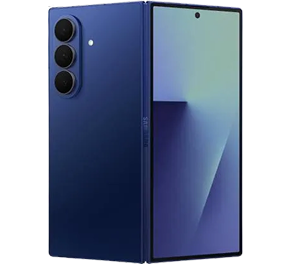
Samsung Galaxy Z Fold 7

Samsung Galaxy Z Fold 7

4.5

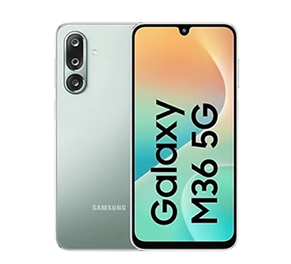
Samsung Galaxy M36 5G

Samsung Galaxy M36 5G

4.5

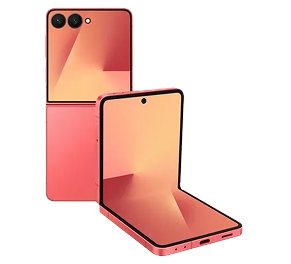
Samsung Galaxy Z Flip7 5G

Samsung Galaxy Z Flip7 5G

4.4

EMIs starting from

Rs. 5,007/month

Rs. 1,502/month

Rs. 3,491/month

Front camera

10MP + 10MP

13MP

10MP

Rear camera

200MP + 12MP + 10MP

50MP + 8MP + 2MP

50MP + 12MP

Screen size

8-inch

6.7-inch

6.85-inch

RAM

12GB

6GB

12GB

Internal storage

256GB

128GB

512GB

Processor

Snapdragon 8 Elite

Exynos 1380 S5E8835

Exynos 2500

Explore other Samsung smartphones

Save more with Smart Savings Calculator

Combine the best offers, EMI plans, and exclusive vouchers with Smart Savings Calculator to save big.

20k+ people used their offers at the store

Why use the Smart Savings Calculator?

Bajaj Finance’s Maha Bachat Savings Calculator helps you unlock maximum savings every time you shop at partner stores. It brings together all available brand, dealer, and scheme offers—so you can see your total savings instantly and shop smarter with Easy EMIs.


  1. Dealer offers - Grab exclusive in-store deals at over 1.5 lakh partner stores across India. Enjoy local discounts and special prices you will not find online.
  2. Brand offers - Access limited-time discounts from top brands across electronics, appliances, and more. Discover brand-specific savings selected just for you.
  3. Bajaj offers - Unlock exclusive Bajaj Finance deals on popular products—available only to our customers. More rewards, more value.
  4. Scheme offers - Take advantage of time-sensitive offers on select EMI schemes. Get extra benefits after paying just 3 EMIs—visible during EMI selection at checkout.

Calculate your extra savings now!

Frequently asked questions

EMI details

Perplexity Related

Can I buy a smartphone on EMI?

Yes, you can easily upgrade to a new smartphone with Bajaj Finance's Easy EMI options. Whether you already have the Insta EMI Card or are new to it, here is how you can get started:


If you have the Bajaj Finance Insta EMI Card:


  • Explore smartphones on Bajaj Mall: Choose from top brands offering models with powerful processors, high-resolution cameras, and long-lasting batteries.
  • Visit a partner store: Check out the latest phones in person at any of 1.5 lakh partner stores across 4,000 cities.
  • Use your Insta EMI Card at checkout: Convert the total cost into Easy EMIs that fit your monthly budget.
  • Zero down payment on select models: Bring home your smartphone without paying anything upfront.

If you do not have an Insta EMI Card:


Check your Insta EMI Card eligibility online using your mobile number and OTP. If eligible, you can apply instantly and start shopping for your favourite smartphone easily and affordably.

Samsung announced India starting prices of Rs. 87,999 for Galaxy S26, Rs. 1,19,999 for Galaxy S26+, and Rs. 1,39,999 for Galaxy S26 Ultra. Current store prices can differ because of storage, colour, offers, exchange programmes, and promotions.

Yes. Samsung officially launched the Galaxy S26 series with Perplexity included among its available AI agents. Samsung also provides support guidance for configuring Perplexity as the digital assistant on the S26, so the feature is part of the current product experience rather than only a pre-launch rumour.

Not in the sense of permanently replacing Bixby and Gemini. Samsung supports multiple AI agents on the Galaxy S26. Users can configure Perplexity as their digital assistant and assign it to the Side button, while Bixby and Gemini remain part of the broader Galaxy AI experience.

Perplexity can work with supported Samsung apps and workflows when the required permissions are enabled. Examples can include Notes, Calendar, Gallery, Clock, and Reminders. Exact functions can depend on software version, region, account status, and app permissions.

Its main benefit is combining conversational research with current web information and visible sources, then connecting that information to supported device actions. This can reduce the need to switch repeatedly between a browser, notes, calendar, and reminder apps during research or planning.

Yes. Samsung positions the Galaxy S26 as a multi-agent Galaxy AI phone. Bixby remains the Samsung device assistant, Gemini remains available for broader AI workflows, and Perplexity adds another option with a strong focus on sourced search and reasoning.

Show More Show Less

Explore more Samsung mobile phones

Samsung Latest Mobile on Easy EMI

Samsung Galaxy S26 Ultra 5G

Samsung Galaxy S26 Plus 5G

Samsung Galaxy S26 5G

Samsung Galaxy S25 Ultra 5G

Samsung Galaxy S25 Plus 5G

Samsung Galaxy S25 5G

Samsung Galaxy S25 Edge

Samsung Galaxy S25 Fe

Samsung Galaxy S24 Ultra


Samsung Galaxy S Series

Samsung Galaxy S26 Plus

Samsung Galaxy S26 Ultra

Samsung Galaxy S26

Samsung Galaxy S26 Edge

Samsung Galaxy S26 Pro

Samsung Galaxy S26 FE

Samsung Galaxy S25 Ultra

Samsung Galaxy S25+

Samsung Galaxy S25 Edge


Samsung Galaxy A Series

Samsung Galaxy A57 5G

Samsung Galaxy A56 5G

Samsung Galaxy A37 5G

Samsung Galaxy A36 5G

Samsung Galaxy A26 5G

Samsung Galaxy A17

Samsung Galaxy A16 5G

Samsung Galaxy A06

Samsung Galaxy A55 5G


Samsung Galaxy F Series

Samsung Galaxy F17 5G

Samsung Galaxy F56 5G

Samsung Galaxy F36

Samsung Galaxy F16 5G

Samsung Galaxy F07

Samsung Galaxy F06

Samsung Galaxy F55 5G

Samsung Galaxy F35 5G

Samsung Galaxy F15 5G


Samsung Galaxy Z Series

Samsung Galaxy Z Fold 8

Samsung Galaxy Z Flip 8

Samsung Galaxy Z TriFold

Samsung Galaxy Z Fold 7

Samsung Galaxy Z Flip 7

Samsung Galaxy Z Flip 7 FE

Samsung Galaxy Z Fold 6

Samsung Galaxy Z Fold Special Edition

Samsung Galaxy Z Flip 3


Samsung Galaxy M Series

Samsung Galaxy M56

Samsung Galaxy M55 5G

Samsung Galaxy M36 5G

Samsung Galaxy M35 5G

Samsung Galaxy M17 5G

Samsung Galaxy M16

Samsung Galaxy M06

Samsung Galaxy M15 5G

Samsung Galaxy M54 5G


Samsung mobile phones by budget

Samsung phones under Rs. 7,000

Samsung phones under Rs. 8,000

Samsung phones under Rs. 10,000

Samsung phones under Rs. 15,000

Samsung phones under Rs. 20,000

Samsung phones under Rs. 25,000

Samsung phones under Rs. 30,000

Samsung phones under Rs. 40,000

Samsung phones under Rs. 50,000


5G mobiles by budget

5G Phones under Rs. 10,000

5G mobiles under Rs. 15,000

5G mobiles under Rs. 20,000

5G mobiles under Rs. 25.000

5G mobiles under Rs. 30,000

5G mobiles under Rs. 40,000


Mobile by budget

Mobiles under Rs. 10,000

Mobiles under Rs. 15,000

Mobiles under Rs. 20,000

Mobiles under Rs. 25,000

Mobiles under Rs. 30,000

Mobiles under Rs. 35,000

Mobiles under Rs. 50,000

Mobiles under Rs. 60,000

Mobiles under Rs. 80,000


Mobile by features

10,000 mAh battery mobiles

120 W fast charging mobiles

Ultra wide camera phones

200MP camera mobiles

16GB RAM mobiles

Sony IMX sensor camera mobiles

Dolby Atmos phones

Dual Stereo speaker mobiles

Android 16

Mobiles with optical zoom

Octa Core Processor Phones

Fingerprint Sensor Phones


5G mobiles by brand

OPPO 5G mobiles

realme 5G mobiles

Nokia 5G mobiles

motorola 5G mobiles

Samsung 5G mobiles

Mi 5G mobiles

vivo 5G mobiles

Google 5G mobiles

iQOO 5G mobiles


Mobile by brands

Samsung mobiles

motorola mobiles

vivo mobiles

OPPO mobiles

OnePlus mobiles

Xiaomi mobiles

POCO mobiles

Google mobiles

Nothing mobiles

realme mobiles

TECNO mobiles

iQOO mobiles

HONOR mobiles

Infinix mobiles

Mi mobiles

Redmi mobiles

Nokia mobiles

itel mobiles

LAVA phones

Gionee mobiles


Disclaimer

While care is taken to update the information, products, and services included in or available on our website and related platforms/websites, there may be inadvertent inaccuracies or typographical errors or delays in updating the information. The material contained in this site, and on associated web pages, is for reference and general information purpose and the details mentioned in the respective product/service document shall prevail in case of any inconsistency. Subscribers and users should seek professional advice before acting on the basis of the information contained herein. Please take an informed decision with respect to any product or service after going through the relevant product/service document and applicable terms and conditions. In case any inconsistencies observed, please click on reach us.

*Terms and conditions apply