






Insurance: Meaning, types, and benefits
Insurance is a vital financial product that offers security against risks and uncertainties. Insurance policies provide several benefits that are crucial during emergencies, and there are several types of policies available to cater to diverse needs and situations.
What is insurance?
An insurance policy is a contract between the insurer and the insured, in which the insured pays a premium in exchange for coverage and benefits. Insurance helps you and your family manage risks. It lets you protect your savings during emergencies. Insurance policies provide coverage against unexpected financial losses.
Why is insurance important?
Insurance is an essential aspect of modern life, providing financial protection against unforeseen risks and events. Whether it is for individuals or businesses, insurance can help mitigate the impact of financial loss brought about by accidents, illness, theft, or natural calamities. By providing stability and security, insurance plays a crucial role in financial future planning.
What are the benefits of insurance
Here are some major advantages of having insurance:
- Financial security: Insurance safeguards you and your family from unexpected events that could otherwise lead to heavy out-of-pocket costs.
- Risk management: It helps ease the financial strain caused by unforeseen expenses.
- Healthcare support: Health insurance covers medical costs, including preventive services and necessary treatments.
- Access to legal aid: Certain insurance types, like legal or liability insurance, provide access to legal advice, representation, and related services.
- Tax advantages: Depending on the policy, you might be able to deduct insurance premiums, potentially lowering your taxable income and saving on taxes.
Types of insurance policies
Below are different types of insurance policies that you can avail of as per your requirement.
- Life Insurance:
Life insurance provides financial support to your loved ones in case of your untimely demise. It ensures they can maintain their lifestyle, manage debts, and meet future goals like education or marriage expenses. Many policies also offer savings or investment benefits, helping you build a secure financial foundation over time. - Health Insurance:
Health insurance covers the cost of medical expenses, including hospitalization, treatments, surgeries, and preventive care. It helps protect your savings from unexpected healthcare costs and ensures timely access to quality medical services. Many plans also offer wellness benefits, cashless treatments, and coverage for critical illnesses, giving you complete peace of mind. - Home Insurance:
Home insurance protects your property and belongings against damages from events like fire, theft, natural disasters, and vandalism. It covers repair and replacement costs, providing financial security for one of your biggest investments. Some plans also include liability protection if someone is injured on your property, ensuring broader coverage. - Motor Insurance:
Motor insurance covers damages to your vehicle and third-party liabilities arising from accidents, theft, or natural calamities. It ensures financial protection against costly repairs and legal issues. Depending on the policy, it may also cover personal accident benefits for the driver and passengers, making every journey safer and worry-free. - Travel Insurance:
Travel insurance safeguards you against unforeseen events while traveling, such as medical emergencies, trip cancellations, lost luggage, or flight delays. It offers coverage and assistance across borders, ensuring you enjoy your journey with peace of mind. Whether traveling domestically or internationally, it’s a must-have for a stress-free experience
These insurance policies are further categorised in different types, such as:
- Comprehensive insurance
- Third-party insurance (applicable in car insurance)
- Top-up insurance policies
- Add-on covers/rider plans
Insurance terms you need to know
- Insurer:
The insurance company that provides coverage and pays out claims as per the policy agreement. - Policyholder:
The person who owns the insurance policy and is responsible for paying the premium. - Policy limit:
The maximum amount an insurer will pay for a covered claim during the policy period. - Premium:
The amount you pay periodically (monthly, quarterly, or yearly) to keep your insurance policy active. - Deductible:
The amount you must pay out-of-pocket before your insurance coverage starts paying for claims. - Coinsurance:
A percentage of the claim amount that you must share with the insurer after the deductible is met. - Copay:
A fixed amount you pay for specific services, like a doctor's visit or prescription, while the insurer covers the rest. - Claim:
A formal request made to the insurance company asking for payment based on the terms of your policy.
How does insurance work?
In simple terms, when you pay a premium—typically on a monthly basis—to your insurance company, you're essentially securing financial help for a range of covered situations. These may include accidents, routine check-ups, or other specific services depending on your policy. Once your plan is active, you're covered until you stop making payments or the policy expires. Whether it's a doctor’s appointment, home or car damage, or even a dental cleaning, your insurer will help cover eligible costs—either by reimbursing you or directly paying the provider. However, in some cases, you'll need to meet your deductible before the insurance company starts paying.
Filing a claim
In certain situations, you’ll need to file a claim to get a payout from your insurance company. This means submitting a formal request for compensation when a covered event occurs. Details on how to file a claim are usually outlined in your policy documents. Sometimes, service providers like doctors, dentists, or therapists may handle the claim process directly with your insurer.
Reasons to buy an insurance policy
Here’s why having an insurance policy is important.
Financial security: Insurance policies keep you financially equipped for any emergencies. These policies act as a financial backup for you and your loved ones in times of crisis. It can help mitigate the impact of accidents, illnesses, or other unexpected events that can cause financial strain.
Peace of mind: Knowing that you have a good financial backup for any uncertainties will help you stay worry-free.
Long-term wealth creation: Purchasing insurance can be a wise financial decision, as it allows you to leverage the power of compounding and deferred payments to create long-term wealth.
Things to consider when buying insurance online
Here are the factors that you must consider when buying insurance online.
Evaluate your needs: First and foremost, make a checklist. Understand what kind of policy that you require. For example, if you need a health insurance, then evaluate whether you need it for self or family. If you are considering buying a health insurance for senior citizens, you may want to look for specific policies designed for the age group.
Compare premiums and coverages online: Secondly, go on different insurance providers websites to check for the policies they offer. You can also visit websites like Bajaj Finance Insurance Mall, where you get all the plans at one platform. This makes it easier to compare and research on different policies, their coverage, and premium. It also helps you get the best deal and coverage. Choose the one that suits your requirement and budget.
Understand policy terms and conditions: While you are researching on different policies, ensure to read the policy terms and conditions. It will give you a better view on the coverages offered, exclusions, waiting period (if applicable), claim process, and more. It is vital to read and understand the policy terms and conditions.
How to choose an insurance plan
When selecting an insurance plan, start by evaluating your personal needs and situation. Think about the types of coverage you require and the amount of protection that fits your lifestyle. Key factors to consider include your health, the value of your property, your dependents, and your budget.
Next, research and compare different insurance providers, paying close attention to their plan features, pricing, coverage limits, and any extra benefits they offer.
If you need additional help, consider consulting an insurance agent or professional who can guide you through your choices. If you're getting coverage through your employer, your HR department can also assist you.
How to get insurance
The process of getting insurance can vary depending on the type of coverage and the enrollment period. Here are some general steps to guide you:
- Open enrollment:
During the designated open enrollment window, you can sign up for insurance through your employer or a government program. Employer-sponsored plans usually have a set enrollment period each year, though specific dates may vary by company, state, or situation. - Special enrollment period (SEP):
If you experience a qualifying life event (QLE)—such as marriage, divorce, the birth or adoption of a child, relocation, or job loss—you may be eligible to enroll outside of the regular period. Typically, you’ll have a limited window (about 30–60 days) to adjust your insurance coverage after a QLE. - Year-round enrollment:
Certain insurance types, like auto, homeowners, and life insurance, are available year-round. You can apply directly through the insurance provider whenever you’re ready, based on their plan guidelines and requirements.
Frequently asked questions
An insurance policy gives you financial security during emergencies. It helps you get best-in-class facilities and coverage without worrying about the funds. Additionally, insurance policies ensure you maintain your health and life. For example, health insurance policies give you the benefit of free health check-ups that help you track your health record. Many life insurance policies allow you to save and invest, benefiting you in the long run. These plans help you earn monthly incomes and secure your and your family's future.
You can buy insurance policies after carefully considering and comparing plans offered by various insurers. After deciding which policy to buy, you can purchase the policy online or offline through registered insurance agents. Bajaj Finance Insurance Mall lets you compare and buy insurance plans of your choice online in just a few clicks.
These are the two categories of insurance policies available in India:
General Insurance:
Under general insurance, there are several types of insurance coverage:
1. Health Insurance
2. Motor Insurance
3. Home Insurance
4. Travel Insurance
Life Insurance
Under life insurance, some of the insurance plans available are:
1. Term Life Insurance
2. Whole Life Insurance
3. Endowment Plans
4. Unit-Linked Insurance Plans
5. Child Plans
6. Pension Plans
Bajaj Finance Limited partners with leading insurers in India to offer a range of insurance policies. You can buy from a selection of health insurance, motor insurance, life insurance, savings and investment plans. You can also buy travel insurance, pocket insurance, and pocket subscription plans. To know more about the various plans and their premiums/membership fees click here.
An insurance policy gives you financial security. You can avail of the best-in-class facilities during emergency without worrying about the funds. An insurance policy gives you financial security to avail of the best-in-class facilities in time of emergency without worrying about the funds. Not only that, it ensures you maintain your health and life. For example, health insurance policies give you a benefit of free health check-ups that help you track your health record. Many life insurance policies allow you to save and invest, benefiting you in the long run. These plans help you earn monthly incomes and secure your and your family's future.
In cashless claims, you do not have to pay the bills in cash. The insurer takes care of the bills directly with their network service provider. You only have to visit any of the network hospitals or garages to avail of the cashless claim facility. For example, if you opt for a cashless claim facility in health insurance, your insurer will directly settle the bills with the network hospital. Similarly, in motor insurance, repair your vehicle at any of the insurer’s network garages and get cashless services. The insurer settles the bills upon verifying the claim details.
An insurance claim is a formal process wherein a policyholder raises a request with the insurance company for coverage or compensation. There are two types of insurance claims: cashless and reimbursement. The insurer directly settles the amount with the network partner in case of a cashless claim. For reimbursement claims, the policyholder must raise a request separately. Share the relevant documents with the insurer to get reimbursed for the expenses.
Non-life insurance are is general insurance that includes health insurance, motor insurance, travel insurance, and home insurance. These policies give your coverage against medical-related expenses and damages or losses caused to your asset or property.
Insurance policies can offer significant tax benefits in the form of deductions and exemptions on the premiums paid. This can help reduce the policyholder's overall tax burden, making insurance an attractive option for those looking to save on taxes while protecting their financial health.
Click here to know the tax benefits on health insurance.
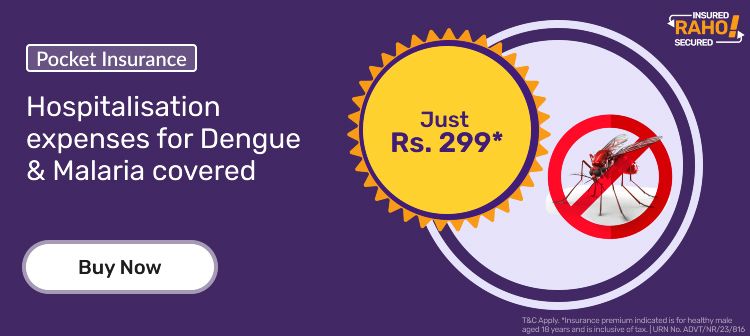
Pocket Insurance plans are small-ticket insurance plans offered at a pocket-friendly price. Bajaj Finance offers 200+ Pocket Insurance plans at premiums starting from Rs. 19. These plans offer insure you to coverage your everyday needs.
Check the plans here.
Bajaj Finance offers 200+ Pocket Insurance plans at premiums starting from Rs. 19. These small-ticket plans offer coverage against health, travel, accident, cyber protection, and gadgets like mobile phones and laptops.
Bajaj Finance Limited has partnered with leading insurance companies in India. Our health insurance partners include Aditya Birla Health Insurance, Bajaj Allianz General Insurance, ManipalCigna Health Insurance, Care Health Insurance, and Niva Bupa Health Insurance. We also have various motor insurance partners, such as ACKO General Insurance, SBI General Insurance, HDFC ERGO, ICICI Lombard, and Bajaj Allianz Genera Insurance. For life insurance, we have partnered with HDFC Life Insurance and Bajaj Life Insurance. Our partners for assistance service providers are CPP Group India, DocOnline Health and Bajaj Finance Health.
Bajaj Finance provides 300+ insurance policies in different categories like health, life, motor, travel, pocket insurance and subscriptions.
Insurance is a contract between an individual or business and an insurance provider, covering you against financial loss in exchange for a premium payment. There are various types of insurance policies like life, health, motor, property, and others to provide financial stability in case of any unforeseen events.
Insurance is a financial arrangement where you pay a premium to an insurance company in exchange for protection against specific risks or losses. It helps reduce the financial impact of unexpected events like accidents, illnesses, or damages by covering part or all of the costs.
The full form of IRDA is Insurance Regulatory and Development Authority. It is the regulatory body in India that oversees and regulates the insurance industry to protect policyholders' interests and promote fair practices.
There isn't one single formula for "insurance," but a common basic formula related to insurance premiums is:
Insurance Premium = Risk Factor × Coverage Amount × Policy Term / Adjustments (like discounts or surcharges)
In simple terms:
- Higher risk = higher premium
- Higher coverage amount = higher premium
- Longer policy term = adjusted premium
Specific types of insurance (like life or health insurance) may have different detailed formulas based on actuarial calculations.