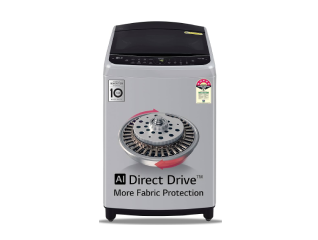

How To Reset Washing Machine

How To Reset Washing Machine

Learn how to reset a washing machine with simple troubleshooting steps for common issues. You can also buy a new washing machine on Easy EMIs from Bajaj Finance.

Get a pre-approved loan offers up to Rs. 5 lakh

Quick approval | Flexible tenure options | Zero approval fees

In summary

Resetting a washing machine can resolve many common issues without requiring professional assistance. Understanding when a reset is needed and following the correct steps can help restore normal operation, improve performance, and reduce unnecessary service visits.

  • Resetting can clear temporary errors and restore normal machine operation.
  • Unresponsive controls and error codes are common signs that a reset may be required.
  • Reset methods vary across washing machine brands and models.
  • Basic troubleshooting should be completed before performing a reset.
  • Regular maintenance helps prevent recurring washing machine issues.

Explore washing machines at any of Bajaj Finance’s 1.5 lakh partner stores in 4,000 cities in India. Choose your ideal model, pay with Easy EMIs, and enjoy zero down payment on select deals. Simply check your loan eligibility now and bring home your desired product without worrying about overspending.

How to reset your washing machine

Resetting a washing machine is a straightforward process that can resolve temporary software glitches, interrupted wash cycles, and unresponsive controls. Although the exact method varies by manufacturer, the general steps below apply to most automatic washing machines and can help restore normal operation.

  1. Switch off the power: Turn off the washing machine and unplug it from the electrical outlet to ensure safety.
  2. Wait for a few minutes: Leave the appliance unplugged for around 5 to 10 minutes so the internal control system can reset.
  3. Reconnect the power: Plug the washing machine back into the power outlet and switch it on.
  4. Perform the reset: If the washing machine includes a reset function, press and hold the recommended button according to the user manual.
  5. Run a short cycle: Start a rinse or spin cycle to confirm that the washing machine is operating correctly after the reset.

Following the recommended reset procedure can resolve many minor issues without professional assistance. Always refer to the user manual for model-specific instructions before performing a reset.

What are the signs that indicate a washing machine needs resetting

Recognising the signs of a washing machine malfunction helps determine whether a simple reset may restore normal operation. Many temporary faults affect the control system and can often be resolved without repairs, making early identification useful for preventing unnecessary downtime.

  • Unresponsive controls: Buttons or touch controls stop responding even though the machine has power.
  • Error codes: Repeated error messages remain on the display after restarting the wash cycle.
  • Interrupted wash cycles: The machine stops unexpectedly during washing, rinsing, or spinning.
  • Drainage problems: Water does not drain properly despite the drain hose and filter appearing clear.
  • Unusual noises or vibrations: Unexpected sounds or excessive vibration may indicate a temporary system fault.

Identifying these symptoms early allows a reset to be attempted before arranging servicing. If the problem continues after resetting, further inspection or professional assistance may be required.

How do reset methods differ across washing machine brands

Reset procedures vary between washing machine manufacturers and even between individual models. Understanding the recommended method for each brand helps restore normal operation safely while avoiding unnecessary troubleshooting or incorrect operating steps.


BrandGeneral reset method
WhirlpoolUnplug the machine for 1–5 minutes before reconnecting. Some models can also be reset by holding the Start/Pause button.
SamsungSwitch off and unplug the appliance for a few minutes before restarting. Selected models also support Smart Check diagnostics.
LGUnplug the washing machine for around 5 minutes before reconnecting. Some models may also require pressing the Power button to clear temporary errors.
BoschTurn the washing machine off, wait approximately 30 seconds, and switch it back on.
IFBDisconnect the power supply for 10–15 minutes before restarting. Refer to the user manual if additional reset steps are required.

Following the correct reset procedure for each brand helps minimise unnecessary interruptions and supports safe, efficient washing machine operation.

What are the common checks before resetting a washing machine

Before performing a reset, checking a few common areas can help identify simple problems that may be affecting the washing machine. Basic troubleshooting often resolves temporary issues and helps determine whether a reset or further servicing is actually required.


ProblemPossible causeSuggested solution
The washing machine does not startPower supply issueCheck that the power cord is connected securely and the power outlet is working correctly.
The door or lid will not lockThe door is not closed correctly, or the latchClose the door firmly and inspect the latch for visible damage.
Water is not fillingClosed water tap or blocked inlet hoseEnsure the water supply is turned on and inspect the inlet hose for blockages or kinks.
Water is not drainingBlocked drain filter or drain hoseClean the drain filter and inspect the drain hose for obstructions.
Error code appearsTemporary software glitch or system faultRestart the wash cycle or perform a reset according to the manufacturer's instructions.

Completing these basic checks before resetting can save time and resolve many everyday washing machine problems. If the issue persists, referring to the user manual or contacting an authorised service centre is recommended.

How does resetting improve washing machine performance

Resetting a washing machine helps restore normal operation after temporary software glitches or interrupted wash cycles. It can improve performance, clear minor system errors, and support efficient functioning, helping the appliance continue operating smoothly without unnecessary interruptions.

  • Clears temporary faults: Removes minor software glitches that may affect normal operation.
  • Restores normal performance: Allows the washing machine to resume regular wash cycles.
  • Improves efficiency: Helps the appliance operate smoothly after temporary interruptions.
  • Reduces unnecessary service calls: Many minor issues can be resolved without professional assistance.
  • Supports long-term reliability: Regular maintenance and correct resetting help maintain washing machine performance.

Get electronics and appliances on Easy EMIs with Bajaj Finance

Bringing home your preferred product is now hassle-free with Bajaj Finance's flexible financing options. Follow these steps to get started:

  • Explore products on Bajaj Mall: Browse through a wide selection of products on Bajaj Mall. Compare features to find a model that meets your needs.
  • Visit a partner store: Once you shortlist a model, step into any of Bajaj Finance’s 1.5 lakh partner stores across 4,000 cities in India. See the product in person, talk to experts, and make a confident decision.
  • Choose the Easy EMI Loan option: At checkout, select the Bajaj Finance Easy EMI Loan. Avail financing of up to Rs. 5 lakh and split the cost into convenient monthly instalments. Some products also come with a zero down payment option.
  • Check your loan eligibility online: Plan better by checking your loan eligibility in minutes. Simply enter your mobile number and OTP to know your pre-approved limit.
  • Use the Insta EMI Card for purchases up to Rs. 3 lakh: Already own the Bajaj Finance Insta EMI Card? Use it for instant, paperless checkout and convert your purchases of up to Rs. 3 lakh into Easy EMIs.

Why use the Smart Savings Calculator

Bajaj Finance’s Smart Savings Calculator helps you unlock maximum savings every time you shop at partner stores. It brings together all available brand, dealer, and scheme offers—so you can see your total savings instantly and shop smarter with Easy EMIs.

  1. Dealer offers - Grab exclusive in-store deals at over 1.5 lakh partner stores across India. Enjoy local discounts and special prices you will not find online.
  2. Brand offers - Access limited-time discounts from top brands across electronics, appliances, and more. Discover brand-specific savings selected just for you.
  3. Bajaj offers - Unlock exclusive Bajaj Finance deals on popular products—available only to our customers. More rewards, more value.­
  4. Scheme offers - Take advantage of time-sensitive offers on select EMI schemes. Get extra benefits after paying just 3 EMIs—visible during EMI selection at checkout.

Calculate your extra savings today!

Maximise your savings with Maha Bachat

Combine the best summer offers, EMI plans, and exclusive vouchers with Maha Bachat to save big.

20k+ people used their offers at the store

Washing Machine By Brand

IFB

Whirlpool

Godrej

LG

Panasonic

Bosch

Kelvinator

Lloyd

Videocon

Voltas

Amstrad

Elista

T-Series

BPL

Hyundai

Intex

Siemens

Voltas Beko

Croma


Washing Machine By Type

Front Load

Top Load

Fully Automatic

Semi - Automatic


Washing Machine By Capacity

6Kg

6.5KG

7KG

8Kg


IFB Washing Machine By Type

Top Load

Front Load

Fully Automatic

Semi automatic


IFB Washing Machine By Capacity

6kg

6.5kg

7kg

7.5kg

8kg

8.5kg


Whirlpool Washing Machine By Type

Top Load

Front Load

Fully Automatic

Semi automatic


Whirlpool Washing Machine By Capacity

6kg

6.5kg

7kg

7.5kg

8kg

8.5kg

6.2kg

7.2kg


Godrej Washing Machine By Type

Top Load

Front Load

Fully Automatic

Semi automatic


Godrej Washing Machine By Capacity

7kg

8kg


LG Washing Machine By Type

Top Load

Front Load


LG Washing Machine By Capacity

6kg

6.2kg

6.5kg

7kg

7.5kg

8kg

9kg

10kg


Samsung Washing Machine By Type

Top Load

Front Load

Fully Automatic

Semi automatic


Samsung Washing Machine By Capacity

6kg

6.5kg

7kg

7.5kg

8kg

8.5kg

6.2kg

7.2kg

9kg


Panasonic Washing Machine By Type

Top Load

Front Load

Fully Automatic

Semi automatic


Panasonic Washing Machine By Capacity

7kg

8kg

6.2kg


Bosch Washing Machine By Type

Top Load

Front Load

Fully Automatic


Bosch Washing Machine By Capacity

6kg

6.5kg

7kg

7.5kg

8kg

8.5kg

9kg


Kelvinator Washing Machine By Type

Top Load

Front Load

Fully Automatic

Semi automatic


Kelvinator Washing Machine By Capacity

6kg

6.5kg

7kg


Lloyd Washing Machine By Type

Top Load

Front Load

Fully Automatic

Semi Automatic


Lloyd Washing Machine By Capacity

6kg

6.5kg

7kg

7.5kg

8kg

8.5kg

9kg


Haier Washing Machine By Type

Top Load

Front Load

Fully Automatic

Semi Automatic


Haier Washing Machine By Capacity

6kg

6.5kg

7kg

7.5kg

8kg

8.5kg

9kg


Disclaimer

While care is taken to update the information, products, and services included in or available on our website and related platforms/websites, there may be inadvertent inaccuracies or typographical errors or delays in updating the information. The material contained in this site, and on associated web pages, is for reference and general information purpose and the details mentioned in the respective product/service document shall prevail in case of any inconsistency. Subscribers and users should seek professional advice before acting on the basis of the information contained herein. Please take an informed decision with respect to any product or service after going through the relevant product/service document and applicable terms and conditions. In case any inconsistencies observed, please click on reach us.

*Terms and conditions apply