

You can also upgrade to a newer phone or laptop to run the APK files smoothly. Shop on Easy EMIs using Bajaj Finserv financing options and enjoy benefits like zero down payment and free home delivery on select products. Check your loan eligibility online in just a few simple steps and make your next smartphone purchase more affordable than ever.
3 min
27 June 2025
Learn how to open APK files on Android mobile phones and PC/Desktop with easy, step-by-step instructions. This guide covers simple methods for both devices, using basic tools and settings. You will be able to install and access APK files without any trouble. No technical background is needed, just follow the steps and get started quickly. Whether on your phone or computer, this guide makes the process smooth, safe, and beginner-friendly for all types of users.
You can also upgrade to a newer phone or laptop to run the APK files smoothly. Shop on Easy EMIs using Bajaj Finserv financing options and enjoy benefits like zero down payment and free home delivery on select products. Check your loan eligibility online in just a few simple steps and make your next smartphone purchase more affordable than ever.
What is an APK file?
An APK file, short for Android Package Kit, is the file format used by the Android operating system to distribute and install applications. It contains all the elements required for an app to function, including the code, resources, assets, certificates, and manifest file. APK files are similar to executable files (.exe) used in Windows. Users can download APK files from the Google Play Store or install them manually from third-party sources. Manual installation is known as sideloading. APK files allow developers to share apps before they are officially released, but installing from untrusted sources can pose security risks.
Here is how you can open APK files on both Windows and Mac:
On Windows PC
1. Download the tools: DownloadAPKToolfor decompiling the APK andJDKfor signing the modified APK. Install them on your PC.
2. Extract the APK: To extract the APK file, open APKTool and use it to decompile the APK. This will create a folder with all the app’s files, including resources and code.
3. Modify the APK: Once extracted, you can modify the app’s resources, such as images and XML files. If you want to make code changes, you will need to work with thesmalifiles, which are the app’s code in a simplified format.
4. Repackage and sign the APK: After making the necessary modifications, repackage the APK using APKTool. Once repackaged, you need to sign the APK using JDK. This step is essential to make the APK installable on Android devices.
5. Install the APK: Finally, transfer the signed APK to your Android device and install it.
Easy EMIs: With Bajaj Finserv’s financing options, you can easily afford your selected product. Enjoy the freedom to choose a repayment tenure that aligns with your financial comfort.
No upfront payment: Enjoy the convenience of no initial lump sum payment on select products, thanks to the zero down payment policy.
Wide selection and accessibility: Finding your preferred product has never been simple. Explore an extensive collection available at Bajaj Finserv partner stores across the country.
Exclusive deals and cashback: When you shop at a Bajaj Finserv partner store, you unlock access to exclusive deals and exciting cashback offers, enhancing your shopping experience.
Free home delivery: Enjoy the added benefit of free delivery on select products, making your shopping journey even more seamless.
How to open and install APK files on Android phones
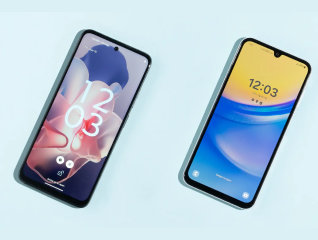
Installing APK files on an Android phone allows you to access apps that may not be available through the Google Play Store. Follow these steps to open and install APK files on your device.- Allow installation from unknown sources: Go toSettings>SecurityorPrivacy, then enableInstall unknown appsfor the app (e.g., Chrome or File Manager) you will use to open the APK.
- Download the APK file: Download the APK from a trusted source. Once downloaded, the file will usually be in theDownloadsfolder.
- Locate the APK file: Open yourFile Managerapp and go to theDownloadsfolder or the location where the APK file is saved.
- Install the APK file: Tap the APK file, and a prompt will appear. TapInstallto begin the process.
- Open the app: Once installed, tapOpenor find the app icon in your app drawer to launch the app.
How to open APK files on Windows PC and Mac
APK files are Android application packages designed for use on Android devices. However, you might want to open or install them on a Windows PC or Mac for various reasons, such as testing an app or running an Android app on your computer. To do this, you will need an Android emulator.Here is how you can open APK files on both Windows and Mac:
On Windows PC
- Download an Android emulator: The first step is to install an Android emulator on your Windows PC. Popular options includeBlueStacks,NoxPlayer, andLDPlayer. These emulators mimic the Android operating system, allowing you to run Android apps on your PC.
- Install the emulator: After downloading the emulator from the official website, install it on your computer. The installation process is simple, similar to installing any other program on Windows.
- Open the APK file: Once the emulator is installed, open it and sign in with your Google account if required. Drag and drop the APK file into the emulator window, or use the “Install APK” option within the emulator to browse and select the file. The APK will begin installing just as it would on an Android device.
- Run the app: After installation, you can find the app in the emulator's interface. Click on the app icon to run it.
- Download an Android emulator: For Mac,BlueStacksis one of the most popular emulators, though you can also try others likeNoxPlayerorGenymotion.
- Install the emulator: Download and install the emulator by following the on-screen instructions. Once installed, launch the emulator.
- Install the APK: Inside the emulator, look for an option to install APK files, usually by dragging the file into the emulator or selecting it from a file dialog.
- Open the app: After installation, open the app directly within the emulator, and you can start using it on your Mac.
How to extract and modify APK files on PC
To extract and modify APK files on a PC, you need a few tools such as APKTool and JDK. Here is a simple guide:1. Download the tools: DownloadAPKToolfor decompiling the APK andJDKfor signing the modified APK. Install them on your PC.
2. Extract the APK: To extract the APK file, open APKTool and use it to decompile the APK. This will create a folder with all the app’s files, including resources and code.
3. Modify the APK: Once extracted, you can modify the app’s resources, such as images and XML files. If you want to make code changes, you will need to work with thesmalifiles, which are the app’s code in a simplified format.
4. Repackage and sign the APK: After making the necessary modifications, repackage the APK using APKTool. Once repackaged, you need to sign the APK using JDK. This step is essential to make the APK installable on Android devices.
5. Install the APK: Finally, transfer the signed APK to your Android device and install it.
Financing options with Bajaj Finserv
Bajaj Mall is the best online destination for you to read about all the details, features, and specs of the latest smartphones and laptops. Once you have gathered all the information you want, head to the nearest Bajaj Finserv partner store and select the product you want. Enjoy great discounts on top mobile phones from Bajaj Finserv and explore the latest offers to get the best deals. Plus, you can get a pre-approved loan to fund your purchase. You can check your pre-approved loan limit online or at the store. After that, provide your basic details, and convert the cost of your purchase into Easy EMIs.Benefits of shopping with Bajaj Finserv’s financing options
Competitive prices: Bajaj Finserv partner stores offer unbeatable prices, making sure that your purchase fits your budget effortlessly.Easy EMIs: With Bajaj Finserv’s financing options, you can easily afford your selected product. Enjoy the freedom to choose a repayment tenure that aligns with your financial comfort.
No upfront payment: Enjoy the convenience of no initial lump sum payment on select products, thanks to the zero down payment policy.
Wide selection and accessibility: Finding your preferred product has never been simple. Explore an extensive collection available at Bajaj Finserv partner stores across the country.
Exclusive deals and cashback: When you shop at a Bajaj Finserv partner store, you unlock access to exclusive deals and exciting cashback offers, enhancing your shopping experience.
Free home delivery: Enjoy the added benefit of free delivery on select products, making your shopping journey even more seamless.
Mobile by brands
| vivo mobile | LAVA phones | iQOO mobiles |
| TECNO mobiles | OnePlus Mobiles | Samsung mobiles |
| realme mobiles | Nokia mobiles | Xiaomi mobiles |
| Infinix mobiles | motorola mobiles |
Mobile by features
Mobile by budget
5G mobiles by brand
| OPPO 5G mobiles | realme 5G mobiles | Nokia 5G mobiles |
| motorola 5G mobiles | Samsung 5G mobiles | Mi 5G mobiles |
| Vivo 5G mobiles | Google 5G mobiles | iQ00 5G mobiles |
5G mobiles by budget
| 5G mobiles under Rs. 15,000 | 5G mobiles under Rs. 20,000 | 5G mobiles under Rs. 25,000 |
| 5G mobiles under Rs. 30,000 | 5G mobiles under Rs. 40,000 |
Brand by Budget (Rs. 20,000)
Frequently asked questions
Why can’t I install an APK file on my Android phone?
An APK might not install due to disabled unknown source settings, corrupted files, version incompatibility, insufficient storage, security software blocking, missing permissions, or the file being flagged for potential security risks from untrusted sources.
You can upgrade to a latest mobile phone which can run APK files seamlessly. Make your purchase more affordable by using the Bajaj Finserv Insta EMI Card. Simply check your eligibility for the card in just a few clicks and enjoy the freedom to split the cost into affordable EMIs.
How do I open APK files on a PC without an emulator?
To open APK files on a PC without an emulator, you can use an APK extractor tool or a file converter to extract the contents of the APK. You can also use software like 7-Zip to view the APK as a compressed archive, but this will not allow you to run the app.
Is it safe to download APK files from third-party websites?
Downloading APK files from third-party websites can be risky. These files may contain malware, viruses, or spyware that can harm your device or steal personal information. It is safer to download APKs only from trusted sources, such as the official Google Play Store or reputable websites.
Can I convert an APK file into an iOS app?
No, you cannot directly convert an APK file into an iOS app. APK files are designed specifically for Android devices, while iOS apps use a different format (.ipa) and are built with Apple's development tools (like Xcode). To create an iOS app, you would need to develop it from scratch or port the code from the Android app to an iOS-compatible format using programming languages like Swift or Objective-C.
Show More
Show Less
Bajaj Finserv App for all your financial needs and goals
Trusted by 50 million+ customers in India, Bajaj Finserv App is a one-stop solution for all your financial needs and goals.
You can use the Bajaj Finserv App to:
Apply for loans online, such as Instant Personal Loan, Home Loan, Business Loan, Gold Loan, and more.
You can use the Bajaj Finserv App to:
Apply for loans online, such as Instant Personal Loan, Home Loan, Business Loan, Gold Loan, and more.
- Explore and apply for co-branded credit cards online.
- Invest in fixed deposits and mutual funds on the app.
- Choose from multiple insurance for your health, motor and even pocket insurance, from various insurance providers.
- Pay and manage your bills and recharges using the BBPS platform. Use Bajaj Pay and Bajaj Wallet for quick and simple money transfers and transactions.
- Apply for Insta EMI Card and get a pre-approved limit on the app. Explore over 1 million products on the app that can be purchased from a partner store on Easy EMIs.
- Shop from over 100+ brand partners that offer a diverse range of products and services.
- Use specialised tools like EMI calculators, SIP Calculators
- Check your credit score, download loan statements, and even get quick customer support—all on the app.