LG vs Samsung TV- Which is better?

LG vs Samsung TV- Which is better?

LG vs Samsung TV comes down to panels. LG uses self-lit OLED for deep blacks, Samsung uses QLED for higher brightness. Buy either on Easy EMIs with Bajaj Finance.

Check your pre-approved loan offer

Quick approval | Flexible tenure options | Zero approval fees

In summary

LG TVs are known for OLED panels that show deep blacks and wide viewing angles. Samsung TVs are known for QLED panels that go brighter in well-lit rooms.


  • LG OLED gives per-pixel contrast, ideal for dark-room movies and fast motion.
  • Samsung QLED delivers higher peak brightness, better for bright living rooms and sports.
  • Both brands sell 4K and 8K models across sizes from around 24-inch to 98-inch.
  • Prices range from around Rs. 10,000 for entry models to over Rs. 45 lakh for flagship sets.
  • LG runs webOS while Samsung runs Tizen, both with major streaming apps built in.

Once you have made your decision, you can convert the cost into Easy EMIs using Bajaj Finance's financing options at 1.5 lakh partner stores such as Reliance Digital, Croma, and Vijay Sales, and check your eligibility in 2 minutes.

LG vs Samsung TV — Overview

Choosing between an LG and a Samsung TV comes down to your room. If you watch mostly in the dark, LG's OLED gives you deeper blacks and stronger contrast. If your room gets a lot of light, Samsung's Neo QLED gets brighter — around 2,000 nits — and handles glare better.


With Bajaj Finance, you can bring home an LG or Samsung TV — along with a range of other electronics and appliances — without exhausting your savings. Visit any of Bajaj Finance's 1.5 lakh partner stores, such as Vijay Sales, Croma, Reliance Digital, and more, across 4,000 cities, including Tier 2 cities like Jaipur, Lucknow, Kochi, and Bhopal. Choose your preferred TV model and pay using the Bajaj Finance Insta EMI Card or the Bajaj Finance Easy EMI Loan. Convert the cost into Easy EMIs that suit your monthly budget, and enjoy zero down payment on select models — so you can take your TV home without any upfront payment. 


You can also check your loan eligibility online in minutes, so you know exactly what you can get before you step into the store.


Check out the stunning visuals and advanced technology of Samsung LED TVs and LG 3D TVs for an unparalleled viewing experience.

LG vs Samsung TV- Which brand should you buy?

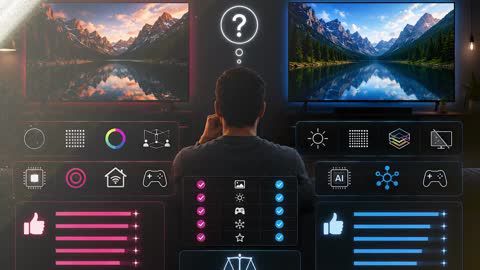
There is no single winner as to whichbrand should you buy. The better brand depends on how and where you watch. Match your room and viewing habits to the guide below before you decide.


Choose LG if…Choose Samsung if…
You watch mostly in a dark room (OLED's per-pixel black, effectively infinite contrast)Your room is bright or sunlit (Neo QLED, around 2,000 nits, anti-glare coating)
You want Dolby Vision content, which LG supportsYou mainly stream Amazon Prime Video or want the SmartThings ecosystem
You game at night and want the lowest input lagYou watch daytime sports and news that need full-screen brightness
You watch varied movies and showsYou leave static content on screen for many hours daily (no burn-in risk)
You prefer the webOS system with Google AssistantYou already use Samsung phones and appliances at home

One caveat either way: OLED still carries a small burn-in risk with heavy static content, while Neo QLED can show slight blooming around bright objects in dark scenes.

Which features set LG and Samsung TVs apart?

LG leads on contrast because its OLED panels switch off each pixel for true black. Samsung leads on brightness because its Neo QLED Mini LED backlight pushes more light for bright rooms. On refresh rate, price, and everyday features, the two are close — the right pick depends on your model and budget.


FeatureLGSamsungWinner
Contrast and black levelsOLED, per-pixel black, effectively infinite contrastMini LED local dimming, slight blooming possibleLG
Peak brightnessOLED, around 1,300–2,100 nitsNeo QLED, around 2,000–4,000 nitsSamsung
Refresh rate60Hz (entry) to 144Hz (premium)60Hz (entry) to 165Hz (premium)Tie — model-dependent
HDR formatDolby Vision and HDR10HDR10+ only, no Dolby VisionLG (broader content)
Price range (India)Around Rs. 12,000 to Rs. 45 lakhAround Rs. 10,000 to Rs. 40 lakhTie — heavy overlap

LG or Samsung- Which TV has better picture quality?

LG wins for dark rooms and movie nights, thanks to its OLED panel's near-infinite contrast, while Samsung wins for bright, sunlit rooms with Neo QLED's roughly 2,000-nit peak brightness. Neither brand is better in every condition — it depends on your room and what you watch.

On contrast, LG's self-lit pixels switch fully off for true black, so dark scenes show real depth. On brightness and glare, Samsung's Mini LED backlight pushes more light, so the picture stays punchy in daylight. For streaming, LG also supports Dolby Vision, which Samsung leaves out.


SpecLG OLEDSamsung QLED / Neo QLEDBest for
Contrast ratioEffectively infinite (per-pixel black, 0 nits)~5,000:1–8,000:1 native, higher with Mini LED dimmingLG — dark-room depth
Peak brightness~1,300–2,100 nits~2,000–4,000 nits (Neo QLED)Samsung — bright rooms
HDR formatDolby Vision, HDR10, HLGHDR10+, HDR10 (no Dolby Vision)LG — wider content
Viewing angleWide; colour stays consistent off-axisNarrower; colour shifts at side anglesLG — group viewing

LG OLED can suffer burn-in if static images, like channel logos or game menus, stay on screen for many hours daily. Samsung QLED is burn-in-free, though its Mini LED backlight can show slight blooming around bright objects in dark scenes.

Maximise your savings with Maha Bachat

Combine the best summer offers, EMI plans, and exclusive vouchers with Maha Bachat to save big.

20k+ people used their offers at the store

Which is better for gaming- LG or Samsung TV?

For most gamers, the LG C5 OLED is the better pick. Its OLED panel switches each pixel almost instantly, so motion stays sharp and input lag drops to about 4.7 milliseconds at 120Hz. It also supports Dolby Vision gaming, which no Samsung TV does.


Choose the Samsung QN90F Neo QLED instead if you game in a bright room, or if you run a gaming computer that can push its higher 165Hz refresh rate. It stays clear under sunlight and carries no burn-in risk.


SpecificationLG C5 (55-inch)Samsung QN90F (55-inch)
Input lag~9.2 ms at 4K/60Hz; ~4.7 ms at 120Hz~9.5 ms at 4K/60Hz; ~5 ms at 120Hz
Refresh rateUp to 144HzUp to 165Hz
VRR supportYes (G-Sync, FreeSync Premium)Yes (FreeSync Premium Pro)
HDMI 2.1 ports4 (full 48 Gbps)4 (full 48 Gbps)
Price (India)Around Rs. 1,19,999Around Rs. 1,20,690

One thing to keep in mind- The LG C5's OLED panel can develop burn-in if you leave a static game menu or health bar on screen for many hours every day. The Samsung QN90F avoids that risk, but Dolby Vision games fall back to standard HDR10 on it.

What are my financing options to buy a TV?

Bajaj Finance offers two ways to convert your TV purchase into affordable monthly payments. Both options are available at 1.5 lakh partner stores across 4,000 cities in India.


OptionLimitKey features
Bajaj Finance Insta EMI CardPre-approved card limit up to Rs. 3 lakhZero annual fee; 3 months to 60 months tenure; works at 1.5 lakh partner outlets; 1 million+ eligible products
Bajaj Finance Easy EMI LoanLoan limit up to Rs. 5 lakhQuick loan approval; 3 months to 60 months tenure; basic KYC documents needed; ideal for higher-value purchases

How to choose? Both options require you to be physically present at a partner store. The Insta EMI Card is ideal for shoppers who want to buy across multiple categories over time. The Easy EMI Loan suits buyers looking to finance a higher-value TV purchase in a single transaction.

How do I buy a TV on EMI at a Bajaj Finance partner store?

Upgrading to a new TV is simple and affordable with Bajaj Finance's in-store financing options. The whole process usually takes just 10–15 minutes. Follow these steps:


  1. Browse models on Bajaj Mall: Explore the range of TV models available on Bajaj Mall. Compare brands, screen sizes, and prices before heading to the store.
  2. Find a partner store near you: Use the Bajaj Finance store locator to find a nearby outlet such as Croma, Vijay Sales, Reliance Digital, or another authorised retailer.
  3. Check the TV in person: Visit the store and view the models. Check screen size, resolution (4K or 8K), panel type (OLED or Neo QLED), refresh rate, and smart features to find the one that suits your needs.
  4. Choose a suitable EMI option: At checkout, ask the store executive about the Bajaj Finance Insta EMI Card or Easy EMI Loan. Confirm the available tenure options and whether your chosen model comes with a zero down payment offer.
  5. Complete payment and take your TV home: Once approved, your purchase is processed immediately, and you can schedule delivery or installation at your convenience.

Disclaimer

While care is taken to update the information, products, and services included in or available on our website and related platforms/websites, there may be inadvertent inaccuracies or typographical errors or delays in updating the information. The material contained in this site, and on associated web pages, is for reference and general information purpose and the details mentioned in the respective product/service document shall prevail in case of any inconsistency. Subscribers and users should seek professional advice before acting on the basis of the information contained herein. Please take an informed decision with respect to any product or service after going through the relevant product/service document and applicable terms and conditions. In case any inconsistencies observed, please click on reach us.

*Terms and conditions apply