

Understanding Sleep Mode in ACs - Features, Benefits, and Energy Savings

Understanding Sleep Mode in ACs - Features, Benefits, and Energy Savings

Discover what air conditioner sleep mode means, how to set a timer in AC, and its benefits. If you are looking for a new AC, know how to get yours on Easy EMIs with Bajaj Finance.

Get a loan offer up to Rs. 5 lakh

Quick approval | Flexible tenure options | Zero approval fees

In summary


Sleep mode in an air conditioner is a smart setting that automatically adjusts the room temperature while you sleep. It gradually increases the temperature by 1-degree Celcius every hour for up to 2 hours, lowers fan speed, and saves electricity.

  • Reduces power consumption by up to 15% during overnight cooling.
  • Prevents uncomfortable chilling by maintaining a stable temperature between 24-degree Celcius and 26-degree Celcius.
  • Lowers operational noise for peaceful, uninterrupted sleep.
  • Works efficiently on split and window AC models priced between Rs. 25,000 and Rs. 65,000.

You can also buy a new AC on Easy EMIs at over 1.5 lakh partner stores across 4,000 cities, including Reliance Digital, Croma, and Vijay Sales.

What does sleep mode mean in an air conditioner?

Sleep mode in an air conditioner is an energy-saving feature that automatically increases the room temperature by 0.5–1°C per hour to maintain a 24–26°C optimal sleep temperature throughout the night. When activated, AC sleep mode reduces compressor workload as the ambient nighttime temperature naturally cools down. This prevents overcooling, lowers operational fan noise, and ensures consistent physical comfort. By using air conditioner sleep mode overnight, you reduce electricity consumption while keeping your bedroom at an ideal cooling level until morning.


If you want to replace your AC, visit any of Bajaj Finance's 1.5 lakh partner stores — like Vijay Sales, Croma, Reliance Digital, and more — across 4,000 cities, including Tier 2 cities like Jaipur, Lucknow, Kochi, Bhopal, and more in India. Choose your preferred model, then use the Bajaj Finance Insta EMI Card or Bajaj Finance Easy EMI Loan to finance it. Convert the cost into Easy EMIs that suit your monthly budget and enjoy zero down payment on select models — take it home without any upfront payment. Check your loan eligibility online in minutes so you know exactly what you can get before you step into the store.

How does sleep mode works in an AC - Step-by-step guide

Activating sleep mode in an air conditioner initiates an automated, temperature-controlled cycle designed for nighttime cooling.

  1. Activation: The AC starts running at your initial selected setting, such as 22°C.
  2. First temperature shift: After 1 hour, the unit automatically increases the set temperature by 0.5–1°C.
  3. Second temperature shift: After 2 hours, the temperature increases by another 0.5–1°C, reaching a stable 24–26°C range.
  4. Fan speed reduction: The indoor fan blower automatically lowers its speed to reduce operational noise to a quiet 20–30 dB range.
  5. Stable operation and shutoff: The system maintains this balanced state over 7–8 hours before automatically turning off or continuing at minimal power.

This step-by-step automatic adjustment ensures maximum energy efficiency and uninterrupted rest throughout the night.

What are the benefits of AC sleep mode?

The primary benefit of AC sleep mode is lowering household energy consumption while keeping room temperatures at a stable 24–26°C optimal sleep temperature.

BenefitWhat it means in practice
Lower electricity billsDelivers up to 10–15% electricity saving vs continuous cooling by reducing compressor load.
Prevents overcoolingKeeps room air at 24–26°C, preventing midnight chills, dry throat, and muscle stiffness.
Ultra-quiet operationDrops fan speed to lower sound output down to 20–30 dB for undisturbed sleep.
Extended AC lifespanDecreases wear and tear on the inverter compressor during long overnight runs.

Using this smart function keeps your utility costs low while providing ideal thermal comfort every night.

How do you set sleep mode on an AC?

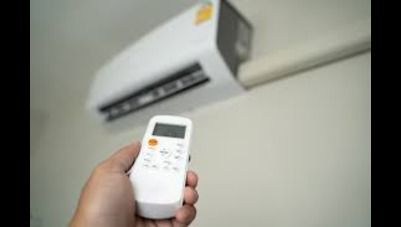
Press the SLEEP or SLP button on your AC remote to activate sleep mode on your air conditioner instantly. Follow these steps to set it up:

  1. Turn on your air conditioner using the POWER button on the remote control.
  2. Select your initial cooling temperature, such as 22°C, using the TEMP UP or DOWN keys.
  3. Locate and press the SLEEP or SLP button on the remote handset.
  4. Look for the crescent moon or bed icon on the remote's display panel to confirm activation.
  5. Adjust the built-in timer if your model allows custom sleep duration settings.

Note: Exact button labels and display icons may vary slightly across brands like LG, Voltas, Daikin, and Haier.


Learning how to set sleep mode in AC units helps you manage indoor comfort efficiently while lowering power bills.

Sleep mode vs normal mode in ACs - What is the difference?

Sleep mode adjusts temperature gradually and reduces fan speed, while normal mode maintains a fixed set temperature without any automatic adjustment.

FeatureSleep modeNormal mode
Temperature controlIncreases temperature by 0.5–1°C/hour up to a 24–26°C limitHolds the exact user-selected temperature indefinitely
Fan speed and soundLowers fan speed to achieve lower dB noise levelsOperates at the manually chosen fan speed (Low, Mid, High)
Energy efficiencySaves up to 10–15% electricity compared to continuous coolingConsumes standard power based on fixed compressor cycles

Choosing air conditioner sleep mode over regular cool mode ensures better nighttime comfort while saving money on electricity.

What are my financing options to buy an AC?

Bajaj Finance offers two financing options at over 1.5 lakh partner stores across 4,000 cities in India. Here is how they compare:


OptionLimitKey features
Bajaj Finance Insta EMI CardPre-approved card loan offer up to Rs. 6 lakh3 to 60 months tenure; works at 1.5 lakh partner stores; 1 million eligible products
Bajaj Finance Easy EMI LoanLoan limit up to Rs. 5 lakhQuick loan approval; 3 to 60 months tenure; basic KYC documents needed; ideal for higher-value purchases

How to choose? Both options require you to be physically present at a partner store. The Insta EMI Card is ideal for shoppers who want to purchase across multiple categories over time. The Easy EMI Loan suits buyers looking to finance a higher-value purchase in a single transaction.


Also explore the latest offers. You may find a great deal on a model that matches your needs.

How do I buy an AC on EMI at a Bajaj Finance partner store?

The process is simple and typically takes 10 to 15 minutes once you are at the store.

  1. Browse models on Bajaj Mall: Compare options on Bajaj Mall before visiting a store.
  2. Find a partner store near you: Use the Bajaj Finance store locator to find a nearby partner outlet such as Croma, Vijay Sales, or other authorised retailers.
  3. Check the AC in person: Check the key features, specifications, size, and performance to choose the product that best suits your needs and budget.
  4. Choose a suitable EMI option: At checkout, ask the store executive about the Bajaj Finance Insta EMI Card or Easy EMI Loan. Confirm available tenure options and whether your chosen model comes with a zero down payment offer.
  5. Complete payment and schedule installation: The in-store process is quick, and most partner stores offer installation as part of the purchase.

You can also check your loan eligibility online in advance by entering your mobile number and OTP, helping you plan your purchase better before visiting the store.

Save more with Smart Savings Calculator

Combine the best offers, EMI plans, and exclusive vouchers with Smart Savings Calculator to save big.

20k+ people used their offers at the store

Why use the Smart Savings Calculator

Bajaj Finance’s Smart Savings Calculator helps you unlock maximum savings every time you shop at partner stores. It brings together all available brand, dealer, and scheme offers—so you can see your total savings instantly and shop smarter with Easy EMIs.

  1. Dealer offers - Grab exclusive in-store deals at over 1.5 lakh partner stores across India. Enjoy local discounts and special prices you will not find online.
  2. Brand offers - Access limited-time discounts from top brands across electronics, appliances, and more. Discover brand-specific savings selected just for you.
  3. Bajaj offers - Unlock exclusive Bajaj Finance deals on popular products—available only to our customers. More rewards, more value.­
  4. Scheme offers - Take advantage of time-sensitive offers on select EMI schemes. Get extra benefits after paying just 3 EMIs—visible during EMI selection at checkout.

Calculate your extra savings today!

Frequently asked questions

Sleep mode basics

Timer and settings

EMI details

What does sleep mode do in an AC?

Sleep mode in an air conditioner gradually increases the temperature at night to ensure comfort while reducing energy consumption. It maintains an optimal cooling balance, prevents overcooling, and minimises noise, helping users sleep peacefully without unnecessary power usage.

The ideal AC temperature for sleep is between 24-26°C. This range ensures comfort without excessive cooling, reducing energy consumption. Using sleep mode or a timer can also help maintain a consistent temperature while conserving electricity.

Sleep mode optimises temperature for comfortable sleep by gradually adjusting cooling levels, while eco mode reduces power consumption by limiting the compressor’s operation. Sleep mode is better for night-time comfort, while eco mode is ideal for general energy savings throughout the day.

Sleep mode adjusts temperature gradually for better comfort, while a timer allows users to set a specific time for the AC to turn on or off automatically. Sleep mode ensures a restful sleep environment, whereas a timer provides control over the AC’s operating hours.

Sleep mode reduces power consumption by adjusting the cooling cycle to maintain a steady temperature. Since it prevents overcooling and minimises compressor usage, it helps conserve energy while keeping the room comfortable throughout the night.

To set a timer on your AC, press the Timer button on the remote, choose the required time, and confirm the setting. You can use the timer to switch the AC on or off automatically after a set period. The exact steps may vary by AC model, so check the user manual if needed.

Yes, you can use sleep mode and the timer together on many AC models. Sleep mode gradually adjusts the temperature during the night, while the timer switches the AC on or off after a set period. However, the exact combination depends on your AC model. Check the user manual for supported settings and controls.

Yes, you can easily bring home your preferred AC using Bajaj Finance’s Easy EMI options. Whether you already have the Insta EMI card or are new to it, here is how to begin:


If you have the Bajaj Finance Insta EMI card:

  • Explore products on Bajaj Mall: Choose from a wide range of the latest and most popular models.
  • Visit a partner store: Check out the product in person at any of Bajaj Finance’s 1.5 lakh partner stores across 4,000 cities in India.
  • Use your Insta EMI card at checkout: Convert the cost into Easy EMIs that fit your monthly budget.
  • Zero down payment on select models: Take your chosen product home without paying anything upfront.

If you do not have an Insta EMI card:

Check your Insta EMI Card eligibility online using your mobile number and OTP. If you are eligible, apply instantly and enjoy a smarter, more affordable way to buy your favourite product on Easy EMIs.

Show More Show Less

Disclaimer

While care is taken to update the information, products, and services included in or available on our website and related platforms/websites, there may be inadvertent inaccuracies or typographical errors or delays in updating the information. The material contained in this site, and on associated web pages, is for reference and general information purpose and the details mentioned in the respective product/service document shall prevail in case of any inconsistency. Subscribers and users should seek professional advice before acting on the basis of the information contained herein. Please take an informed decision with respect to any product or service after going through the relevant product/service document and applicable terms and conditions. In case any inconsistencies observed, please click on reach us.

*Terms and conditions apply