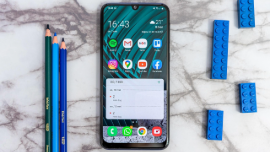
Samsung testing One UI 9

Samsung testing One UI 9

Samsung's One UI 9, based on Android 17, is live via beta and runs on the Z Fold8, Fold8 Ultra and Flip8.

Get pre-approved loan offer

Quick approval | Flexible Tenure Options | Zero Approval Fees

What is Samsung One UI 9?

One UI 9 is Samsung's custom Android skin built on top of Android 17. While Android 17 itself focuses on privacy, security and refined performance, Samsung has layered its own improvements on top, aimed at better adaptability across device types, expanded AI features and tighter ecosystem integration.

  • Announced in May 2026, shortly after Google's own Android 17 rollout to Pixel devices
  • Beta testing began on 13 May 2026 for the Galaxy S26 series, days ahead of Android 17's official unveiling at Google I/O 2026
  • Unlike earlier One UI betas that were limited to South Korea at launch, the One UI 9 beta was made available in multiple regions at once, including India, Germany, Poland, the U.K. and the U.S.
  • The Galaxy Z Fold8, Z Fold8 Ultra and Z Flip8 launched on 22 July 2026 with One UI 9 already installed, making them the first devices to run the update out of the box
  • Core Android 17 additions carried into One UI 9 include flexible multitasking and a redesigned Google search bar below the homescreen dock

Samsung One UI 9 - Key features

One UI 9 introduces changes across the interface, AI tools and everyday usability. Here is what the update changes on eligible devices.


  • Redesigned Now Bar music player - The lockscreen Now Bar shows a music wavelength when minimised, and the play/pause and skip buttons are bolder and no longer sit inside a card when expanded
  • Animation improvements - Smoother transitions when tapping the search bar in the app drawer, opening folders and using the widgets picker menu
  • Quick settings panel customisation -Toggles, the media player and sliders can now be resized. The media player can expand into a 2x2 layout, and brightness and volume sliders are thicker for easier scrolling
  • Parental controls - New app-specific time limits, along with the option to restrict app installations by category or age rating
  • Redact text in Samsung Notes - A new tape tool lets users cover parts of a note with different tape patterns and designs
  • Bypass charging in the gaming menu - A single toggle in the gaming menu enables bypass charging while the phone is plugged in, to help preserve battery health
  • Now Nudge - A Galaxy AI feature that reads on-screen context to suggest real-time next actions, such as opening a calendar entry or saving a location, without switching apps manually
  • My FanCam - Exclusive to foldables, this feature tracks a chosen subject in a video and automatically reframes it to a preferred aspect ratio for sharing
  • Warranty and care section - A new settings section shows a device's warranty coverage status and provides a direct line to Samsung Care

Early builds and regional reports also point to a few additional changes expected on One UI 9, including an easier shortcut to trigger Lockdown Mode, the option to block internet access for specific apps, and AI-based suggestions while editing images. These are based on early testing and may be refined before a wider rollout.

Which Samsung phones will get One UI 9 update?

Samsung has not published an official device list for One UI 9. Based on the brand's software update commitments, the following devices are expected to be eligible.

SeriesExpected eligible devices
S-SeriesGalaxy S26+, Galaxy S26 Ultra, Galaxy S25, Galaxy S25+, Galaxy S25 Ultra, Galaxy S25 Edge, Galaxy S25 FE, Galaxy S24, Galaxy S24+, Galaxy S24 Ultra, Galaxy S24 FE, Galaxy S23, Galaxy S23+, Galaxy S23 Ultra, Galaxy S23 FE
Z-SeriesGalaxy Z Fold8, Galaxy Z Fold8 Ultra, Galaxy Z Flip8, Galaxy Z TriFold, Galaxy Z Fold, Galaxy Z Flip7, Galaxy Z Flip7 FE, Galaxy Z Fold6, Galaxy Z Flip6, Galaxy Z Fold5, Galaxy Z Flip5
A-SeriesGalaxy A57, Galaxy A56, Galaxy A55, Galaxy A54, Galaxy A37, Galaxy A36, Galaxy A35, Galaxy A34, Galaxy A27, Galaxy A26, Galaxy A25, Galaxy A24, Galaxy A17 (4G/5G), Galaxy A16 (4G/5G), Galaxy A15 (4G/5G), Galaxy A07 (4G/5G), Galaxy A06 (5G)
M-SeriesGalaxy M56, Galaxy M55, Galaxy M55s, Galaxy M54, Galaxy M47, Galaxy M36, Galaxy M34, Galaxy M17, Galaxy M17e, Galaxy M16, Galaxy M15, Galaxy M07, Galaxy M06
F-SeriesGalaxy F70e, Galaxy F70 Pro 5G, Galaxy F56, Galaxy F55, Galaxy F54, Galaxy F36, Galaxy F34, Galaxy F17, Galaxy F16, Galaxy F15, Galaxy F07, Galaxy F06
Galaxy Tab SeriesGalaxy Tab S11, Galaxy Tab S11 Ultra, Galaxy Tab S10+, Galaxy Tab S10 Lite, Galaxy Tab S10 Ultra, Galaxy Tab S10 FE, Galaxy Tab S10 FE+, Galaxy Tab S9, Galaxy Tab S9+, Galaxy Tab S9 Ultra, Galaxy Tab S9 FE, Galaxy Tab S9 FE+, Galaxy Tab S6 Lite (2024), Galaxy Tab A11, Galaxy Tab A11+, Galaxy Tab Active5, Galaxy Tab Active5 Pro
XCoverGalaxy XCover7, Galaxy XCover7 Pro

Devices already running stable One UI 9

SeriesModels
Z-SeriesGalaxy Z Fold8, Galaxy Z Fold8 Ultra, Galaxy Z Flip8

The One UI 9 beta is currently live for the Galaxy S26 series through the Samsung Members app. The Galaxy S25 series is expected to gain beta access in the coming weeks, with a wider stable rollout to follow across other series.

How to update your Samsung phone to One UI 9

Before updating, it helps to check which One UI version your phone is currently running.


Check your current One UI version

  1. Open the Settings app
  2. Scroll down and tap About phone
  3. Select Software information
  4. Look for the One UI version listed on the screen

If it shows One UI 9, the update has already been installed. If it shows an older version, use the steps below to check manually.


Install the One UI 9 update

  1. Open the Settings app on your Samsung phone or tablet
  2. Scroll down and select Software update
  3. Tap Download and install
  4. If the update is available, tap Install now. To install later, use the Schedule install option instead
  5. Once the download completes, the phone will install the update and restart on One UI 9

Devices will also receive an OTA notification once the update is available, provided the Auto download setting for updates is turned on.

Samsung One UI 9 troubleshooting — Common issues and fixes

Software updates can occasionally cause temporary issues on some devices. Here are common problems reported after major One UI updates and ways to resolve them.


  • Phone running slower than usual: Restart the device after the update completes, as background indexing can temporarily affect performance. Clearing the cache partition or individual app caches from Settings > Apps can also help
  • Apps crashing or not opening: Check for pending app updates in the Play Store, since apps sometimes need their own update to work correctly with a new One UI version
  • Faster battery drain after updating: This is common in the first few days as the system re-indexes apps and services in the background. Battery use typically stabilises within 24 to 48 hours
  • Wi-Fi or Bluetooth connectivity issues: Turn the affected connection off and on again, or restart the device. If the issue persists, forget the network or paired device and reconnect
  • Update stuck or failing to install: Ensure the device has at least 20 percent battery and a stable Wi-Fi connection, and confirm there is sufficient free storage before retrying the update
  • Device not showing the update yet: Availability rolls out in phases by region and model, so the update may not appear immediately even on an eligible device

If issues continue after trying these steps, use the Samsung Members app to report the problem directly, or reach out to Samsung Care through the Warranty and care section in Settings.

Save more with Smart Savings Calculator

Combine the best offers, EMI plans, and exclusive vouchers with Smart Savings Calculator to save big.

20k+ people used their offers at the store

Shop smart with Easy EMIs

Bajaj Finance puts you in control of your shopping. See if you are eligible for a loan and get instant approval in just a few steps. Once approved, go to any of 1.5 lakh partner stores across India. Pick from over 1 million products from 550+ leading brands. Pay in Easy EMIs with 50+ flexible options that fit your budget. Enjoy a fast, seamless, and stress-free shopping experience—with more freedom and more savings.

Why use the Smart Savings Calculator

Bajaj Finance’s Smart Savings Calculator helps you unlock maximum savings every time you shop at partner stores. It brings together all available brand, dealer, and scheme offers—so you can see your total savings instantly and shop smarter with Easy EMIs.


1. Dealer offers - Grab exclusive in-store deals at over 1.5 lakh partner stores across India. Enjoy local discounts and special prices you will not find online.

2. Brand offers - Access limited-time discounts from top brands across electronics, appliances, and more. Discover brand-specific savings selected just for you.

3. Bajaj offers - Unlock exclusive Bajaj Finance deals on popular products—available only to our customers. More rewards, more value.

4. Scheme offers - Take advantage of time-sensitive offers on select EMI schemes. Get extra benefits after paying just 3 EMIs—visible during EMI selection at checkout.


Calculate your extra savings today!

Compare with similar products

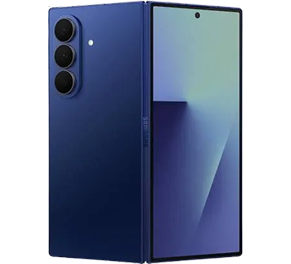
Samsung Galaxy Z Fold 7

Samsung Galaxy Z Fold 7

4.5

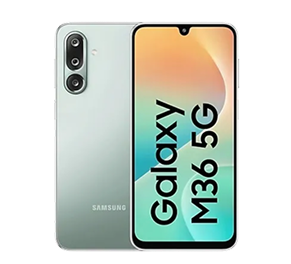
Samsung Galaxy M36 5G

Samsung Galaxy M36 5G

4.5

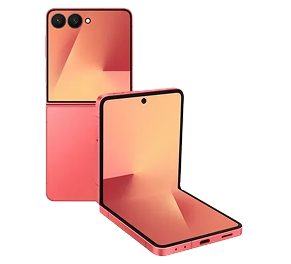
Samsung Galaxy Z Flip7 5G

Samsung Galaxy Z Flip7 5G

4.4

EMIs starting from

Rs. 5,007/month

Rs. 1,502/month

Rs. 3,491/month

Front camera

10MP + 10MP

13MP

10MP

Rear camera

200MP + 12MP + 10MP

50MP + 8MP + 2MP

50MP + 12MP

Screen size

8-inch

6.7-inch

6.85-inch

RAM

12GB

6GB

12GB

Internal storage

256GB

128GB

512GB

Processor

Snapdragon 8 Elite

Exynos 1380 S5E8835

Exynos 2500

Explore other Samsung smartphones

Explore more Samsung mobile phones

Samsung Galaxy S Series

Samsung Galaxy S25 Ultra

Samsung Galaxy S25

Samsung Galaxy S24 Ultra

Samsung Galaxy S24 Plus

Samsung Galaxy S24

Samsung Galaxy S24 Series

Samsung S23 Ultra 5G

Samsung Galaxy S23 Plus

Samsung Galaxy S22 Ultra 5G


Samsung Galaxy A Series

Samsung Galaxy A91

Samsung Galaxy A81

Samsung Galaxy A74 5G

Samsung Galaxy A70s

Samsung Galaxy A61

Samsung Galaxy A56

Samsung Galaxy A55 5G

Samsung Galaxy A52s

Samsung Galaxy A50s


Samsung Galaxy F Series

Samsung Galaxy F62

Samsung Galaxy F35 5G

Samsung Galaxy F15

Samsung Galaxy F55 5G

Samsung Galaxy F23 5G

Samsung Galaxy F07

Samsung Galaxy F52

Samsung Galaxy F22

Samsung Galaxy F04s


Samsung Galaxy Z Series

Samsung Galaxy Z Flip

Samsung Galaxy Z Fold 3

Samsung Galaxy Z Fold 6


Samsung Galaxy M Series

Samsung Galaxy M55 5G

Samsung Galaxy M35 5G

Samsung Galaxy M16

Samsung Galaxy M54 5G

Samsung Galaxy M32

Samsung Galaxy M14 5G

Samsung Galaxy M52

Samsung Galaxy M31s

Samsung Galaxy M13


Samsung mobile phones by budget

Samsung phones under Rs. 7,000

Samsung phones under Rs. 8,000

Samsung phones under Rs. 10,000

Samsung phones under Rs. 15,000

Samsung phones under Rs. 20,000

Samsung phones under Rs. 25,000

Samsung phones under Rs. 30,000

Samsung phones under Rs. 40,000

Samsung phones under Rs. 50,000


5G mobiles by budget

5G mobiles under Rs. 15,000

5G mobiles under Rs. 20,000

5G mobiles under Rs. 25,000

5G mobiles under Rs. 30,000

5G mobiles under Rs. 40,000


Mobiles by budget

Mobiles under Rs. 10,000

Mobiles under Rs. 15,000

Mobiles under Rs. 20,000

Mobiles under Rs. 25,000

Mobiles under Rs. 30,000

Mobiles under Rs. 35,000

Mobiles under Rs. 50,000

Mobiles under Rs. 60,000

Mobiles under Rs. 80,000


Mobiles by features

10000 mAh battery mobiles

120 W fast charging mobiles

Xiaomi curved display mobiles

200MP camera mobiles

16GB RAM mobiles

Flagship mobiles

Dolby Atmos phones

Dual stereo speaker mobiles

Mobiles with optical zoom

Ultra-wide camera phones

Sony IMX sensor camera mobiles


5G mobiles by brands

OPPO 5G mobiles

realme 5G mobiles

Nokia 5G mobiles

motorola 5G mobiles

Samsung 5G mobiles

Mi 5G mobiles

vivo 5G mobiles

Google 5G mobiles

iQOO 5G mobiles


Mobiles by brands

vivo mobile

LAVA phones

iQOO mobiles

TECNO mobiles

OnePlus mobiles

Samsung mobiles

realme mobiles

Nokia mobiles

Xiaomi mobiles

Infinix mobiles

motorola mobiles

Google mobiles

HONOR mobiles

itel mobiles

Mi mobiles

Redmi mobiles

OPPO mobiles

Nothing mobiles

Gionee mobiles

POCO mobiles


Disclaimer

1. Bajaj Finance Limited (“BFL”) is a Non-Banking Finance Company (NBFC) and Prepaid Payment Instrument Issuer offering financial services viz., loans, deposits, Bajaj Pay Wallet, Bajaj Pay UPI, bill payments and third-party wealth management products. The details mentioned in the respective product/ service document shall prevail in case of any inconsistency with respect to the information referring to BFL products and services on this page. 

2. All other information, such as, the images, facts, statistics etc. (“information”) that are in addition to the details mentioned in the BFL’s product/ service document and which are being displayed on this page only depicts the summary of the information sourced from the public domain. The said information is neither owned by BFL nor it is to the exclusive knowledge of BFL. There may be inadvertent inaccuracies or typographical errors or delays in updating the said information. Hence, users are advised to independently exercise diligence by verifying complete information, including by consulting experts, if any. Users shall be the sole owner of the decision taken, if any, about suitability of the same.