







As per your loan
Don't let your auto loan EMI go overdue – pay now!
*T&C Apply
In Summary
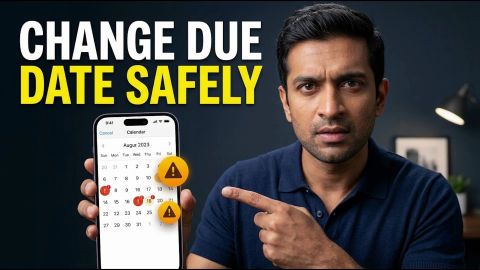
Manage Loan EMI Due Dates and Schedules
Your auto loan EMI covers the principal and interest according to your repayment schedule. Track your due dates, choose an available payment method and check each transaction to manage repayments and avoid missed instalments.
- Calculate your estimated EMI using the loan amount, interest rate and tenure, then confirm the actual amount against your repayment schedule.
- Pay through an available authorised method, such as UPI, debit card, net banking or an active automatic debit mandate.
- Track your EMI due dates, maintain sufficient bank funds and retain payment confirmations for reference.
- If you miss an EMI, check the overdue amount and applicable charges, make the payment through an authorised channel and verify your account status.
- If a payment fails, remains pending or appears duplicated, check the transaction details and contact Bajaj Finance through an authorised support channel.
Review your loan account regularly to track payments and outstanding dues. Contact Bajaj Finance if you face repayment difficulties or need clarification about your loan terms.
What is an auto loan EMI?
An auto loan EMI is a fixed monthly instalment you pay towards your vehicle loan. It covers the principal amount and interest according to your loan repayment schedule. Your loan amount, applicable interest rate and repayment tenure determine your EMI. The repayment schedule specifies your instalment amount and due dates, helping you plan your monthly payments. Each EMI contributes towards repaying your outstanding loan balance and interest, as outlined in your loan agreement. Paying your EMI by the due date helps you maintain a consistent repayment record and manage your loan obligations. If you miss an instalment, your account may reflect overdue dues and applicable charges under your loan terms. A missed payment may also affect your credit history, depending on the delay and applicable credit reporting practices. Review your loan agreement and repayment schedule to understand your payment obligations, due dates and applicable conditions. Keeping track of these details helps you plan repayments and address payment difficulties before they lead to further overdue amounts.
How do you calculate your auto loan EMI?
You can calculate your auto loan EMI by using an online EMI calculator and entering your loan details. Start by entering the loan amount, applicable interest rate and repayment tenure. The calculator uses these details to estimate your monthly instalment. Adjust the loan amount or tenure to compare different repayment scenarios and understand how they may affect your EMI.
For example, suppose you borrow Rs. 5,00,000 at an annual interest rate of 10% for five years. An EMI calculator estimates your monthly instalment at approximately Rs. 10,624. Your actual EMI may vary depending on your loan terms and applicable interest rate.
A longer tenure generally reduces your monthly instalment but may increase the total interest payable. A shorter tenure generally increases the EMI but may reduce the overall interest cost. Review the estimated EMI against your monthly income, essential expenses and existing financial commitments before choosing a repayment plan. Remember that the calculator provides an estimate, not a final repayment amount. Check your approved loan details and repayment schedule to confirm your instalment amount, applicable interest rate and due dates.
What auto loan EMI payment methods are available?
You can pay your auto loan EMI using online payment methods such as UPI, debit card and net banking. You can also use an authorised automatic bank debit arrangement to pay your instalments on their scheduled dates. The options available depend on the payment channel and your loan account.
| Payment method | How it works | What to remember |
| UPI | Pay through a supported UPI app when you select UPI at checkout. | Verify the payment details before authorising the transaction. |
| Debit card | Enter your eligible debit card details on the payment page and complete the required verification. | Check the amount and confirm the transaction through your bank. |
| Net banking | Select your bank and sign in to its net banking service to authorise the payment. | Follow your bank’s instructions to complete the transaction. |
| Automatic bank debit (NACH mandate) | Your registered bank account is debited according to your authorised repayment mandate. | Maintain sufficient funds before the scheduled debit date. |
| Other options shown at checkout | Depending on the authorised payment platform, additional methods may be available. | Confirm that the method supports your loan repayment before proceeding. |
Choose a payment method that suits your repayment arrangement and appears as an available option for your loan. After paying, save the transaction reference and check your loan account to confirm that the EMI payment has been recorded. If a transaction remains pending, check its status before attempting another payment to avoid duplicate payments.
How can you pay your auto loan EMI online?
You can use My Account to access your auto loan details and check the repayment options available for your account. The exact labels may vary between the portal and app.
Follow these steps:
- Open the Bajaj Finance My Account portal or app.
- Sign in using your registered mobile number and OTP, then complete any additional verification requested.
- Open your loan details and select the relevant auto loan account.
- Look for the available loan repayment or EMI payment option.
- Review the amount due and select an available payment method.
- Check the payment details before confirming the transaction.
- Save the transaction reference or confirmation for your records.
If you cannot find the payment option, check the loan-related services available in your account or contact Bajaj Finance through an authorised support channel. Avoid making a second payment until you have checked the status of any transaction already in progress.
How can you manage your auto loan EMI payments?
You can manage your auto loan EMIs by tracking due dates, checking your repayment schedule and reviewing each payment in your loan account. A consistent repayment routine helps you identify potential issues before they affect your account.
Use these practices to manage repayments:
- Track your due date: Check your repayment schedule and note each EMI date.
- Maintain sufficient funds: If your loan uses automatic debit, keep enough money in the registered bank account before the scheduled debit.
- Check your mandate details: Review your registered bank account and repayment mandate if you change accounts or encounter a debit failure. Follow the authorised process to update details where available.
- Save payment records: Keep receipts and transaction references until your loan account reflects the payment.
- Review your outstanding balance: Check your loan account periodically to confirm the instalments paid and the amount remaining.
- Plan for payment difficulties: If you expect difficulty paying an EMI, contact Bajaj Finance through an authorised channel to understand the options available for your account.
A change to your bank account or payment mandate does not automatically change your EMI amount, due date or loan tenure. Continue to meet your repayment obligations unless Bajaj Finance confirms a change to your loan terms.
What should you do if you miss an auto loan EMI?
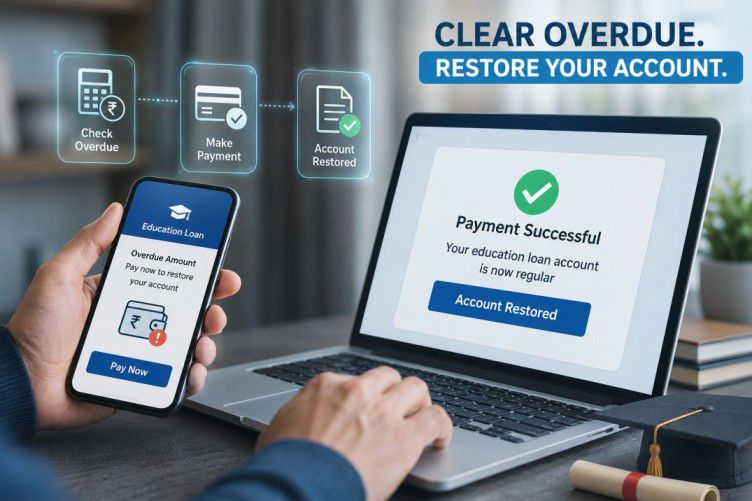
If you miss an auto loan EMI, check your loan account for the overdue amount and pay the outstanding dues through an authorised payment option. Your account may also reflect applicable charges under your loan terms.
Take these steps:
- Sign in to the My Account portal and open your auto loan details.
- Check the overdue amount and any applicable charges shown for your account.
- If available, select the overdue payment option and review the amount before paying.
- Save the payment confirmation and check your loan account again to verify the update.
- If you cannot find the payment option or the amount appears incorrect, contact Bajaj Finance through an authorised support channel.
A missed EMI may lead to additional charges and can affect your credit history if the delay is reported. The impact depends on your repayment circumstances and the applicable reporting process. Paying an overdue amount does not necessarily mean that all outstanding dues have been cleared, so review your account after payment.
Explore other guides
Not your nearest branch?

Frequently Asked Questions
Auto Loan EMI Basics
Overdue & Penalties
How does making a part-payment affect your auto loan EMI?
A part-payment reduces a portion of your outstanding loan principal, subject to your lender's terms. Depending on the loan arrangement, it may affect your future EMI amount or remaining tenure. Before making a part-payment, ask Bajaj Finance how it would apply the payment and whether any conditions or charges apply to your account.
What should you consider before choosing a longer auto loan tenure?
A longer tenure generally reduces your monthly EMI but may increase the total interest you pay over the loan period. Compare the estimated instalment with your monthly budget and consider the overall repayment cost. Review your approved loan terms before deciding, rather than choosing a tenure based on the EMI amount alone.
What happens to your auto loan EMI if the interest rate changes?
The effect depends on whether your loan has a fixed or floating interest rate and on the terms of your agreement. Review your loan documents to understand how the lender handles rate changes. If you notice a difference in your EMI or repayment schedule, contact Bajaj Finance for clarification about your account.
What should you do if your auto loan EMI is deducted twice?
Check your bank statement and loan account to confirm both transactions, and retain the transaction references. Contact Bajaj Finance through an authorised channel to report the duplicate debit and ask how it will be reviewed. Avoid assuming that a refund will happen automatically, and monitor your account until you receive a clear resolution.
How should you handle an auto loan EMI debit from a closed bank account?
Contact your bank to confirm the status of the account and ask Bajaj Finance how to update your repayment details. Follow the authorised process to register a replacement account or payment method. Check your upcoming due date and arrange payment through an available authorised channel until the new repayment arrangement is confirmed.
What should you do if your auto loan EMI receipt shows an incorrect amount?
Compare the receipt with your loan account, repayment schedule and bank transaction details. If the amount still appears incorrect, contact Bajaj Finance with the payment reference and request clarification. Keep the receipt and related communication until the issue is resolved. Do not assume that an incorrect receipt means your loan balance has been updated incorrectly.
More Articles

Disclaimer
While care is taken to update the information, products, and services included in or available on our website and related platforms/websites, there may be inadvertent inaccuracies or typographical errors or delays in updating the information. The material contained in this site, and on associated web pages, is for reference and general information purpose and the details mentioned in the respective product/service document shall prevail in case of any inconsistency. Subscribers and users should seek professional advice before acting on the basis of the information contained herein. Please take an informed decision with respect to any product or service after going through the relevant product/service document and applicable terms and conditions. In case any inconsistencies observed, please click on reach us.
*Terms and conditions apply.