





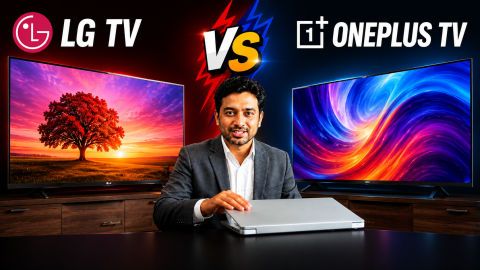
LG TV vs OnePlus TV: Which Smart TV Is Better for You?

LG TV vs OnePlus TV: Which Smart TV Is Better for You?

Compare LG and OnePlus TVs across display, performance, sound, smart features, and value to choose the right model. Bring your preferred option on Easy EMIs with Bajaj Finance.

Get a pre-approved loan offer of up to Rs. 5 lakh

Quick approval | Flexible tenure options | Zero approval fees

In summary


LG TVs and OnePlus TVs offer different advantages based on display preferences, smart features, sound quality, and budget requirements. Comparing these aspects can help identify a TV that matches viewing needs, room setup, and entertainment preferences.


  • LG TVs are known for advanced display technologies, strong picture processing, reliable smart features through webOS, and premium options across different screen sizes.
  • OnePlus TVs focus on value-driven features, smooth smart experiences, modern designs, and competitive pricing for users looking for feature-rich options.
  • Both brands offer models with features such as 4K resolution, HDR support, streaming apps, HDMI connectivity, and voice control on selected televisions.
  • Display quality, operating system experience, audio performance, and available connectivity options should be considered before selecting between the two brands.

You can also buy a new TV on Easy EMIs at over 1.5 lakh partner stores across 4,000 cities, including Reliance Digital, Croma, and Vijay Sales. 
How do LG TVs and OnePlus TVs compare?

LG TVs and OnePlus TVs offer different approaches to home entertainment, with each brand catering to specific user preferences. LG focuses on a wider range of display technologies, premium picture quality, and a mature smart platform, while OnePlus aims to provide feature-packed televisions with modern designs and competitive pricing. Both brands offer options across screen sizes and price segments, making them suitable for different types of buyers. Features such as display resolution, audio output, connectivity options, and smart capabilities play an important role when comparing models. Understanding these differences helps buyers select a television that matches their viewing habits, room setup, and entertainment requirements.


If you want to replace your TV, visit any of Bajaj Finance's 1.5 lakh partner stores — like Vijay Sales, Croma, Reliance Digital, and more — across 4,000 cities, including Tier 2 cities like Jaipur, Lucknow, Kochi, Bhopal, and more in India. Choose your preferred model, then use the Bajaj Finance Insta EMI Card or Bajaj Finance Easy EMI Loan to finance it. Convert the cost into Easy EMIs that suit your monthly budget and enjoy zero down payment on select models — take it home without any upfront payment. Check your loan eligibility online in minutes so you know exactly what you can get before you step into the store. 

How do LG TVs and OnePlus TVs compare in terms of features?

LG TVs and OnePlus LED TVs offer different strengths across display, smart features, audio, and connectivity. The comparison below highlights the key differences to help understand how both brands perform across important areas:

FeatureLG TVsOnePlus TVs
Display qualitySelected models feature OLED and QNED display technologies for deeper blacks, vibrant colours, and enhanced contrast.Selected models offer 4K resolution, HDR support, and picture enhancement features for clear, detailed visuals.
Smart platformRuns on webOS with smooth navigation, popular streaming apps, voice control, and smart home integration.Offers an intuitive smart TV platform with access to popular streaming apps and connected entertainment features.
Picture processingPremium models use advanced image processing to improve clarity, motion handling, and colour accuracy.Delivers balanced picture performance with optimisation features for everyday viewing.
Audio experienceSelected models support Dolby Atmos, AI Sound, and enhanced audio processing for immersive sound.Selected models include powerful speakers and Dolby Audio support for an engaging entertainment experience.
ConnectivityOffers HDMI, USB, Bluetooth, Wi-Fi, screen mirroring, and other connectivity options across the range.Includes HDMI, USB, Bluetooth, Wi-Fi, and wireless casting on selected models.
DesignPremium, slim designs with modern finishes across multiple series.Sleek, minimalist designs that complement modern living spaces.

Both brands offer capable televisions for different viewing needs, with LG TVs focusing more on premium picture performance and OnePlus TVs providing feature-rich options at competitive price points.

Which TV offers better picture quality - LG and OnePlus?

LG and OnePlus TVs differ in display technology, colour performance, contrast, and motion handling. LG focuses on premium picture technologies for a more immersive viewing experience, while OnePlus offers reliable picture quality with features that deliver good value for everyday entertainment.

Picture quality factorLG TVsOnePlus TVs
Display technologySelected models feature OLED, QNED, NanoCell, and LED panels for deeper contrast, richer colours, and enhanced picture quality.Primarily offers LED panels with 4K resolution and HDR support for sharp, detailed visuals.
Colour accuracyAdvanced image processing delivers vibrant, accurate colours and more lifelike visuals on selected models.Produces balanced, natural-looking colours suitable for movies, streaming, and everyday viewing.
Contrast and brightnessOLED models deliver perfect blacks and excellent contrast, while premium LED models offer high brightness for HDR content.Provides good contrast and brightness, particularly on 4K HDR models.
Motion handlingAdvanced processors reduce motion blur for smoother sports, action scenes, and gaming.Delivers smooth performance for everyday viewing and casual gaming.
Best viewing experienceIdeal for premium home entertainment, gaming, and cinematic viewing.Well suited for users seeking good picture quality at a competitive price.

LG TVs are the better choice for users who want premium picture quality, advanced display technologies, and superior image processing. OnePlus TVs deliver dependable picture performance with modern features, making them a strong option for those looking for good value without compromising on everyday viewing quality.


Also explore the top 4K TVs under Rs. 30,000 that balance affordability with quality.

How to choose between LG and OnePlus TVs based on viewing needs?

Selecting between LG TVs and OnePlus TVs depends on factors such as picture quality, smart features, budget, and usage preferences. Both brands offer different advantages, making it important to compare their features before choosing a suitable Smart TV and an Android TV option for home entertainment needs.


  • For premium picture quality: LG TVs are suitable for users who prefer advanced display technologies, better contrast, and accurate colours. Selected OLED and QNED models offer an immersive viewing experience for movies, sports, and high-quality content.
  • For value-focused entertainment: OnePlus TVs provide a balance of features and pricing, making them a practical choice for users looking for reliable performance, streaming support, and modern designs.
  • For smart features and daily use: LG TVs with webOS offer smooth navigation, app support, and connected device compatibility. OnePlus TVs provide easy access to streaming platforms and selected models with Android TV support offer a familiar interface with multiple entertainment options.
  • For gaming and fast-moving content: LG TVs are preferred by users seeking enhanced gaming performance on selected models, with features that support smoother motion and improved responsiveness.
  • For different budgets: OnePlus TVs are suitable for buyers looking for feature-rich options at competitive prices, while LG offers a wider range of models across premium and mid-range categories.

Considering factors such as viewing habits, room size, budget, and preferred features can help buyers select between LG and OnePlus TVs for a more suitable home entertainment experience.


How do LG and OnePlus TVs compare in pricing?

LG and OnePlus TVs cater to different budgets and viewing needs. LG offers everything from entry-level 4K LED TVs to premium OLED models, while OnePlus focuses on affordable and mid-range Smart TVs with modern features. The table below compares some popular models and their prices:

BrandModelScreen sizeDisplay typePrice
LGLG AI TV UA8200 (43UA82006LA)43-inch4K LEDRs. 30,990
LGLG AI TV UA8200 (55UA82006LA)55-inch4K LEDRs. 41,990
LGLG evo AI C5 (OLED55C5XLA)55-inch4K OLEDRs. 1,19,990
OnePlusOnePlus Y Series (32Y1)32-inchHD Ready LEDRs. 14,999
OnePlusOnePlus Y Series (43Y1)43-inchFull HD LEDRs. 24,999
OnePlusOnePlus U Series (55U1)55-inch4K LEDRs. 49,999


Disclaimer: Each model's features, availability, and pricing are subject to change and may vary. For the most accurate and up-to-date information, please visit the official website.


Before you decide, explore the latest offers. You may find a great deal on a model that matches your needs.

What are my financing options to buy a TV?

Bajaj Finance offers two financing options for purchasing a television. Both options are available at over 1.5 lakh partner stores across 4,000 cities in India. Here is how they compare:

OptionLimitKey features
Bajaj Finance Insta EMI CardPre-approved card loan offer up to Rs. 6 lakhZero annual fee; 3 to 60 months tenure; works at 1.5 lakh partner stores; 1 million eligible products
Bajaj Finance Easy EMI LoanLoan limit up to Rs. 5 lakhQuick loan approval; 3 to 60 months tenure; basic KYC documents needed; ideal for higher-value purchases

How to choose? Both options require you to be physically present at a partner store. The Insta EMI Card is ideal for shoppers who want to purchase across multiple categories over time. The Easy EMI Loan suits buyers looking to finance a higher-value purchase in a single transaction.

How do I buy a television on EMI at a Bajaj Finance partner store?

The process is simple and typically takes 10 to 15 minutes once you are at the store.


  1. Browse models on Bajaj Mall: Compare options on Bajaj Mall before visiting a store.
  2. Find a partner store near you: Use the Bajaj Finance store locator to find a nearby partner outlet such as Croma, Vijay Sales, or other authorised retailers.
  3. Check the TV in person: Check the key features, specifications, size, and performance to choose the product that best suits your needs and budget.
  4. Choose a suitable EMI option: At checkout, ask the store executive about the Bajaj Finance Insta EMI Card or Easy EMI Loan. Confirm available tenure options and whether your chosen model comes with a zero-down-payment offer.
  5. Complete payment and schedule installation: The in-store process is quick, and most partner stores offer installation as part of the purchase.


You can also check your loan eligibility online in advance by entering your mobile number and OTP, helping you plan your purchase better before visiting the store.

Save more with Smart Savings Calculator

Combine the best offers, EMI plans, and exclusive vouchers with Smart Savings Calculator to save big.

20k+ people used their offers at the store

Why use the Smart Savings Calculator

Bajaj Finance’s Smart Savings Calculator helps you unlock maximum savings every time you shop at partner stores. It brings together all available brand, dealer, and scheme offers—so you can see your total savings instantly and shop smarter with Easy EMIs.


  1. Dealer offers - Grab exclusive in-store deals at over 1.5 lakh partner stores across India. Enjoy local discounts and special prices you will not find online.
  2. Brand offers - Access limited-time discounts from top brands across electronics, appliances, and more. Discover brand-specific savings selected just for you.
  3. Bajaj offers - Unlock exclusive Bajaj Finance deals on popular products—available only to our customers. More rewards, more value.
  4. Scheme offers - Take advantage of time-sensitive offers on select EMI schemes. Get extra benefits after paying just 3 EMIs—visible during EMI selection at checkout.


Calculate your extra savings today!

Frequently asked questions

General

EMI details

How do LG and OnePlus TVs compare in features?

LG TVs focus on premium features such as advanced display technologies, webOS, AI-powered picture processing, and enhanced audio support on selected models. OnePlus TVs offer value-focused features, including 4K resolution, smart connectivity, streaming app support, and modern designs. Both brands provide features such as HDMI ports, Wi-Fi, and voice control on selected televisions, but LG generally targets premium experiences while OnePlus focuses on affordable smart entertainment options.


LG TVs generally offer better picture quality, especially in premium models with OLED, QNED, and advanced image processing technologies. They provide deeper contrast, accurate colours, and smoother motion handling for an immersive viewing experience. OnePlus TVs deliver good picture quality with 4K resolution, HDR support, and balanced visuals on selected models. The better choice depends on whether the priority is premium display performance or value-focused entertainment.


The price difference between LG and OnePlus TVs varies based on screen size, display technology, and features. Based on the models compared, OnePlus TVs are available at around Rs. 14,999 to Rs. 49,999, while LG TVs range from approximately Rs. 30,990 to Rs. 1,19,990. OnePlus TVs are more affordable for buyers seeking smart features at competitive prices, whereas LG offers premium options with advanced display technologies at higher price points.


LG TVs generally offer a more refined smart TV experience with webOS, providing smooth navigation, a wide range of apps, voice control support, and smart home integration on selected models. OnePlus TVs also provide useful smart features, including streaming app access, voice controls, and connected device support on selected models. The better choice depends on whether users prefer a premium interface experience or a value-focused smart TV setup.

Yes, LG TVs and OnePlus TVs support popular streaming apps on selected models, allowing users to access movies, shows, and other online content directly on the television. LG TVs with webOS offer access to platforms such as Netflix, Prime Video, and YouTube through a user-friendly interface. OnePlus TVs also provide streaming app support through their smart TV platforms, offering convenient entertainment options.

Yes, you can easily bring home your preferred TV using Bajaj Finance’s Easy EMI options. Whether you already have the Insta EMI card or are new to it, here is how to begin:


If you have the Bajaj Finance Insta EMI card:

  • Explore products on Bajaj Mall: Choose from a wide range of the latest and most popular models.
  • Visit a partner store: Check out the product in person at any of Bajaj Finance’s 1.5 lakh partner stores across 4,000 cities in India.
  • Use your Insta EMI card at checkout: Convert the cost into Easy EMIs that fit your monthly budget.
  • Zero down payment on select models: Take your chosen product home without paying anything upfront.

If you do not have an Insta EMI card:

Check your Insta EMI Card eligibility online using your mobile number and OTP. If you are eligible, apply instantly and enjoy a smarter, more affordable way to buy your favourite product on Easy EMIs.

Show More Show Less

Disclaimer

While care is taken to update the information, products, and services included in or available on our website and related platforms/websites, there may be inadvertent inaccuracies or typographical errors or delays in updating the information. The material contained in this site, and on associated web pages, is for reference and general information purpose and the details mentioned in the respective product/service document shall prevail in case of any inconsistency. Subscribers and users should seek professional advice before acting on the basis of the information contained herein. Please take an informed decision with respect to any product or service after going through the relevant product/service document and applicable terms and conditions. In case any inconsistencies observed, please click on reach us.

*Terms and conditions apply