
LCD (Liquid Crystal Display) TVs use liquid crystals to control light and create images on the screen. These crystals do not emit light themselves, so a fluorescent backlight is used to illuminate the display. LCD TVs became popular for their slim design, energy efficiency compared to older CRTs, and affordability. They deliver decent picture quality with good brightness and sharpness, making them suitable for everyday viewing. However, their contrast and color accuracy are generally lower than newer display technologies, which limits performance in darker scenes.
What is LED TV?
LED (Light Emitting Diode) TVs are essentially advanced LCD TVs that use LEDs instead of fluorescent tubes for backlighting. This upgrade allows for thinner designs, better energy efficiency, and improved picture quality. LED backlighting enhances brightness, contrast, and color reproduction, making images appear more vivid and lifelike. Depending on the type of LED backlight—edge-lit or full-array—performance can vary, with full-array offering deeper blacks and more uniform lighting. LED TVs are widely available, affordable, and versatile, making them one of the most popular choices for modern households.
LED TV vs. LCD TV: How are they different
The main difference between LED TV and LCD TV lies in the technology the TV uses to project visuals on screen. Each of the two technologies responds to projections and video differently.
Here is what you must know about LED TVs and LCD TVs to make an informed decision.
- Screen thickness: LED TVs are very thin with sharp edges, while LCD TVs are bulkier because of their two-layer display.
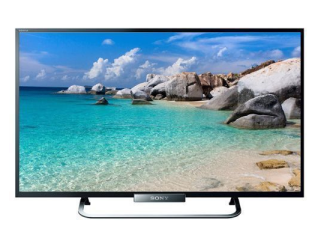
- Backlight: LEDs use edge-lit or full-array light guides, whereas LCDs rely on CCFL tubes for backlighting. For example, the latest LED Sony TV and LG TV use edge-lit with local dimming technology to present bright visuals.
- Brightness: LED TVs get brighter and more uniform lighting thanks to individual dimming zones.
- Contrast and colour: LEDs deliver deeper blacks, dynamic contrast, and more accurate colours than LCDs.
- Viewing angles: LED screens stay clear from wider angles, while LCD images start to fade past about 165°.
- Energy efficiency: LEDs use up to 30% less power than CCFL-lit LCDs, lowering your electricity bill.
- Price: LED TVs cost more—especially larger or smart models—while basic LCDs start cheaper. Smart TVs, for instance, come with a higher price tag.
- Size: LEDs come slim in sizes up to 90", whereas LCDs typically cap around 57".
Why spend more when you can save more? Use the Maha Bachat savings calculator to combine dealer offers, brand offers, and Bajaj offers to bring down your purchase cost. Calculate your extra savings today!
LCD vs LED monitor- Which is better
Aspect
|
LED Monitor
|
LCD Monitor
|
Backlight
|
Uses light-emitting diodes for uniform, bright lighting
|
Uses cold-cathode fluorescent lamps, less bright
|
Thickness and design
|
Slimmer panels fit sleek setups
|
Bulkier profile due to CCFL tubes
|
Brightness and contrast
|
Higher peak brightness, local dimming zones create deeper blacks and high contrast
|
Moderate brightness, blacks can appear grayer
|
Energy efficiency
|
Consumes about 20–30% less power, lowering your electricity bill
|
Uses more power, increasing energy costs
|
Colour and image quality
|
More vivid colours and sharper detail, ideal for movies and gaming
|
Clear images for basic tasks, but less dynamic range
|
Price
|
Generally pricier, especially in larger or high-end models
|
More affordable, good for budget or entry-level users
|
Best use cases
|
Home theaters, gaming setups, and power-conscious environments
|
Office work, school projects, casual browsing
|
Types of LED and LCD TVs
Category
|
Type
|
Description
|
LED
|
Standard LED TVs
|
Use LED backlighting to illuminate the LCD screen, offering improved energy efficiency and brightness compared to traditional LCDs. They suit most home viewing needs.
|
LED
|
Edge-Lit LED TVs
|
Feature LEDs placed along the screen edges, allowing for a slimmer profile and more even brightness distribution. They are great in well-lit rooms.
|
LED
|
Full-Array LED TVs
|
Have LEDs spread uniformly behind the panel with local dimming zones, enhancing contrast and delivering deeper blacks—ideal for HDR content.
|
LED
|
QLED (Quantum Dot LED) TVs
|
Use quantum dots to boost color and brightness, offering a wider color gamut and vivid HDR performance with excellent viewing angles.
|
LED
|
OLED (Organic LED) TVs
|
Feature self-emissive pixels that turn on/off individually, producing perfect blacks and infinite contrast—top choice for home theater enthusiasts.
|
LED
|
Mini-LED TVs
|
Utilize thousands of tiny LEDs in local dimming zones for precise brightness control and better contrast, delivering premium HDR experiences.
|
LED
|
MicroLED TVs
|
Use microscopic self-emissive LEDs as pixels, offering exceptional brightness, color accuracy, and long lifespan—suiting high-end home setups.
|
LCD
|
Standard LCD TVs
|
Rely on fluorescent backlighting to light the screen. They are affordable and provide reliable picture quality for everyday use.
|
LCD
|
IPS (In-Plane Switching) LCD TVs
|
Provide wider viewing angles and accurate colors compared to standard LCDs, making them ideal when multiple people watch from different spots.
|
LCD
|
VA (Vertical Alignment) LCD TVs
|
Offer higher contrast ratios and deeper blacks than IPS panels, delivering better home-theater performance in dark rooms.
|
LCD
|
TN (Twisted Nematic) LCD TVs
|
Known for fast response times—perfect for gaming and sports—but they have narrower viewing angles and less colour accuracy than IPS and VA panels.
|
LCD
|
Wide Color Gamut (WCG) LCD TVs
|
Feature enhanced colour reproduction for a broader range of hues than standard LCDs, making HDR content look more vibrant and lifelike.
|
Also check out a wide variety of LG TV, Lloyd TV, and Haier TV to make the best choice.
How to turn your LED/LCD TV into a smart TV
If you own a standard LED or LCD TV, you can easily upgrade it into a smart TV without replacing the entire unit. The simplest way is by using external streaming devices such as Amazon Fire Stick, Google Chromecast, or Apple TV, which connect via HDMI ports and provide access to apps like Netflix, YouTube, and Prime Video.
Alternatively, Android TV boxes or smart set‑top boxes from local providers offer similar functionality with added features. With a stable internet connection, these devices transform your regular TV into a hub for streaming, gaming, and browsing, making it more versatile and future‑ready.
Which is better for different use cases
Choosing between LED and LCD TVs depends largely on your viewing preferences and budget. LCD TVs are affordable and suitable for basic use, such as casual viewing of cable channels or occasional movie nights. They deliver decent brightness but may lack depth in darker scenes.
LED TVs, on the other hand, provide better contrast, richer colors, and improved energy efficiency, making them ideal for households that stream content regularly or enjoy high‑definition visuals. For gamers or cinephiles, LED TVs offer smoother performance and more immersive experiences. In short, LCD suits budget buyers, while LED caters to those seeking enhanced picture quality and versatility.
Get electronics and appliances on Easy EMIs with Bajaj Finserv
Upgrading your home with the latest electronics and appliances is now easier and more affordable with Bajaj Finserv’s flexible financing options. You can also maximise your savings by using the Maha Bachat Savings Calculator—a smart tool that combines brand offers, dealer offers, and EMI offers, all in one place, helping you lower the overall cost while still paying in small, bite-sized instalments. Follow these steps to get started:
Explore products on Bajaj Mall: Browse a wide range of electronics and appliances from trusted brands. Compare features like energy ratings, storage capacity, performance settings, and design to choose the right product for your home.
Visit a partner store: Once you shortlist a model, step into any of Bajaj Finserv’s 1.5 lakh partner stores across 4,000 cities in India. See the product in person, talk to experts, and make a confident decision.
Choose the Easy EMI Loan option: At checkout, select the Bajaj Finserv Easy EMI Loan. Avail financing of up to Rs. 5 lakh and split the cost into convenient monthly instalments. Some products also come with a zero down payment option.
Check your loan eligibility online: Plan better by checking your loan eligibility in minutes. Simply enter your mobile number and OTP to know your pre-approved limit.
Use the EMI Network Card for purchases up to Rs. 3 lakh: Already own the Bajaj Finserv EMI Network Card? Use it for instant, paperless checkout and convert your purchases of up to Rs. 3 lakh into Easy EMIs.
TV by brand
TV by features
TV by size
TVs by brands
TVs by budget