Published Apr 29, 2026 · 4 Min Read

Karaoke TV - Overview

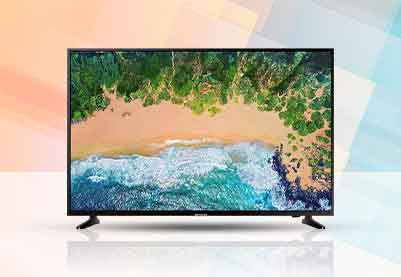
A karaoke TV is a television with built‑in karaoke features. It lets users sing along to songs with lyrics shown on the screen, microphone support, and real‑time voice effects, no separate karaoke machine needed. These TVs combine smart functions with karaoke modes, echo control, and pitch adjustment. Popular at family gatherings, parties, and festivals in India, karaoke TVs offer a fun all‑in‑one setup that saves buyers from buying extra equipment.


To know more, head to any of Bajaj Finserv’s 1.5 lakh partner stores in 4,000 cities in India. Choose your ideal model, pay with Easy EMIs, and enjoy zero down payment on select deals. Simply check your loan eligibility now and bring home your desired TV without worrying about overspending.
Key features and specifications of Karaoke TV

Karaoke TVs combine standard smart TV capabilities with dedicated audio and singing features. Reviewing these alongside the specifications helps you identify the right model for your home entertainment needs. The latest smart TV technology makes karaoke functionality more accessible and feature-rich than ever before.


Key features


  • Built-in karaoke mode: A dedicated karaoke mode displays song lyrics on screen in sync with the music, allowing singers to follow along easily without any external app or device.
  • Microphone input port: Most karaoke TVs include one or two 6.35mm or 3.5mm microphone input ports, allowing standard wired karaoke microphones to be connected directly to the television.
  • Echo and reverb control: Built-in echo and reverb adjustment lets users add vocal effects to their singing in real time, creating a more immersive and enjoyable performance experience at home.
  • Pitch and volume control: Dedicated pitch control allows singers to adjust the key of a song to suit their vocal range, while independent microphone volume control ensures the vocal level balances with the background music.
  • Smart platform integration: Karaoke TVs typically run on Android TV or a proprietary smart platform, giving access to karaoke apps such as Smule, StarMaker and YouTube Karaoke alongside regular streaming services.

Specifications


SpecificationDetails
Screen size32 to 65 inches
Display typeLED, QLED
ResolutionHD, Full HD, 4K
Karaoke modeBuilt-in
Microphone input6.35mm or 3.5mm (1 to 2 ports)
Echo and reverb controlYes
Pitch controlYes
Smart platformAndroid TV or proprietary OS
ConnectivityWi-Fi, Bluetooth, HDMI, USB
Speaker output20W to 40W

What are the benefits of owning a karaoke TV

A karaoke TV offers more than just singing entertainment. It brings a range of practical and social benefits that make it a worthwhile investment for Indian households. For a broader look at the advantages of television as a home entertainment device, the karaoke TV takes those benefits even further.


  • All-in-one entertainment solution: A karaoke TV eliminates the need for a separate karaoke machine, external speakers and a screen, reducing clutter and simplifying your home entertainment setup significantly.
  • Perfect for family gatherings and parties: Karaoke TVs transform any living room into an entertainment venue, making them ideal for Diwali parties, birthdays, anniversaries and casual family evenings without any additional setup.
  • Encourages participation from all age groups: Singing along to familiar songs is an activity that people of all ages enjoy, making a karaoke TV a natural social catalyst that brings families and guests together.
  • Improves confidence and vocal skills: Regular karaoke singing helps individuals develop confidence in performing, improve their sense of rhythm and pitch and enjoy music more actively rather than passively.
  • Access to a vast song library: Through smart TV karaoke apps and YouTube, users have access to thousands of songs across Hindi, regional and international languages, ensuring there is always something for everyone regardless of musical preference.

Price of top selling Karaoke TV models in India (April 2026)

Karaoke TVs are available across a range of screen sizes and price points in India.


Brand and modelScreen sizeResolutionKey featurePrice (approx.)
Onida Fire TV edition karaoke43 inchesFull HDBuilt-in karaoke, mic input, echo controlRs. 22,000 to Rs. 28,000
Onida karaoke LED TV32 inchesHDKaraoke mode, mic port, pitch controlRs. 14,000 to Rs. 18,000
Micromax karaoke smart TV40 inchesFull HDAndroid TV, karaoke app, mic inputRs. 18,000 to Rs. 24,000
BPL karaoke LED TV32 inchesHDBuilt-in karaoke, echo and reverbRs. 13,000 to Rs. 17,000
VU karaoke series50 inches4K4K display, karaoke mode, smart appsRs. 35,000 to Rs. 45,000

Disclaimer: Each model's features, availability, and pricing are subject to change and may vary. For the most accurate and up-to-date information, please visit the official website.


Before you decide, explore the latest offers. You may find a great deal on a model that matches your needs.

What to check before buying a Karaoke TV

Buying a karaoke TV involves more than just picking a screen size. Use these pointers alongside the comprehensive TV buying guide to make a well-informed decision.


  • Check the number of microphone input ports: Some karaoke TVs include only one mic port, while others offer two. If you plan to have duet singing or group karaoke sessions, a model with two ports is far more practical for home use.
  • Evaluate the built-in speaker quality: Karaoke performance depends heavily on audio output quality. Look for models with at least 30W of total speaker output and check whether the speaker system supports Dolby or DTS audio processing for richer sound during singing sessions.
  • Confirm smart platform and app availability: Ensure the TV runs a smart platform that supports popular karaoke apps such as Smule, StarMaker and YouTube. An Android TV-based model gives you the widest app compatibility and access to the Google Play Store for future downloads.
  • Check screen size relative to your room: For a living room of 150 sq. ft. or more, a 43-inch screen is the minimum recommended size for comfortable lyric reading during karaoke. Smaller rooms can work well with a 32-inch model.
  • Look for echo and pitch adjustment controls: These features significantly improve the karaoke experience by allowing each singer to customise the sound to their voice. Models without these controls deliver a noticeably less satisfying singing experience.

Why should you choose a karaoke TV

With entertainment options multiplying rapidly, a karaoke TV stands out as a genuinely unique and multi-purpose home appliance that delivers entertainment value well beyond standard television viewing.


  • No additional equipment needed: Unlike a traditional karaoke setup that requires a separate machine, amplifier, screen and microphone system, a karaoke TV integrates everything into a single device that is ready to use straight out of the box.
  • Adds a unique entertainment dimension to your home: A karaoke TV creates a home entertainment experience that friends and family actively look forward to, making your living space the preferred destination for gatherings rather than an external venue.
  • Works as a regular smart TV every day: When karaoke mode is not in use, the TV functions as a fully capable smart television for streaming, gaming and everyday viewing, giving you full value from the device regardless of how often you use the singing feature.
  • Available at accessible price points: Karaoke TVs in India are available from as low as Rs. 13,000, making them one of the most affordable ways to add dedicated entertainment functionality to your home without the cost of a separate karaoke machine and sound system.
  • Great long-term entertainment value: Unlike a single-use appliance, a karaoke TV delivers consistent entertainment value across years of family use, seasonal celebrations and social gatherings, making it a strong and practical long-term investment for Indian households.

Get electronics and appliances on Easy EMIs with Bajaj Finserv

Upgrading your home with the latest electronics and appliances is now easier and more affordable with Bajaj Finserv’s flexible financing options. Follow these steps to get started:


  • Explore products on Bajaj Mall: Browse a wide range of electronics and appliances from trusted brands. Compare features like energy ratings, storage capacity, performance settings, and design to choose the right product for your home.
  • Visit a partner store: Once you shortlist a model, step into any of Bajaj Finserv’s 1.5 lakh partner stores across 4,000 cities in India. See the product in person, talk to experts, and make a confident decision.
  • Choose the Easy EMI Loan option: At checkout, select the Bajaj Finserv Easy EMI Loan. Avail financing of up to Rs. 5 lakh and split the cost into convenient monthly instalments. Some products also come with a zero down payment option.
  • Check your loan eligibility online: Plan better by checking your loan eligibility in minutes. Simply enter your mobile number and OTP to know your pre-approved limit.
  • Use the EMI Network Card for purchases up to Rs. 3 lakh: Already own the Bajaj Finserv EMI Network Card? Use it for instant, paperless checkout and convert your purchases of up to Rs. 3 lakh into Easy EMIs.


TVs by brand:

Mi TVSony TVLG TVOnePlus TVSamsung TVVu TVTCL TV
Panasonic TVLloyd TVKodak TVrealme TVPhilips TVHaier TVIntex TV
Hyundai TVBPL TVAkai TVAmstrad TVSansui TVElista TVITEL TV


TVs by features:

LED TVSmart TVFull HD TVAndroid TV
OLED TVQLED TVHD TV 


TVs by size:

32-inch TV40-inch TV75-inch TV65-inch TV
43-inch TV49-inch TV50-inch TV55-inch TV


TVs by brands:

Sony TVMi TVLG TVHaier TVOnePlus TV
Vu TVTCL TVSamsung TVPanasonic TVPhilips TV


TVs by budget:

TVs under Rs. 15,000TVs under Rs. 20,000TVs under Rs. 25,000
TVs under Rs. 30,000TVs under Rs. 40,000TVs under Rs. 50,000

FAQ

Can I buy a TV on EMI?

Yes, you can easily bring home your preferred TV using Bajaj Finserv’s Easy EMI options. Whether you already have the EMI Network Card or are new to it, here is how to begin: 


  • Explore televisions on Bajaj Mall: Choose from a wide range of the latest and most popular models.
  • Visit a partner store: Check out the latest TV in person at any of 1.5 lakh+ partner stores across 4,000 cities.
  • Use your EMI Network Card at checkout: Convert the cost of your TV into Easy EMIs that fit your monthly budget.
  • Zero down payment on select models: Take your chosen TV home without paying anything upfront.


If you do not have an EMI Network Card:
Check your Insta EMI Card eligibility and take the first step towards enjoying the affordability and convenience of Easy EMIs.

How does karaoke work on TV?

A karaoke TV has a built-in karaoke mode that displays song lyrics on screen in sync with the background music track. The user connects a microphone to the TV's mic input port and sings along to the lyrics as they scroll across the screen. The TV's audio system mixes the microphone input with the music, with echo and pitch adjustments available to enhance the vocal sound during the performance.

What makes an Onida karaoke TV better for parties than a regular TV?

An Onida karaoke TV includes dedicated microphone input ports, built-in echo and reverb control, pitch adjustment and a karaoke mode that displays lyrics in sync with songs. A regular TV lacks these features, requiring separate karaoke equipment to achieve the same result. For parties, the all-in-one convenience of a karaoke TV means no additional setup is needed, making it ready for group singing within minutes of switching it on.

How to set up a TV for karaoke?

For a dedicated karaoke TV, simply connect a compatible microphone to the mic input port, select the karaoke mode from the TV's settings or menu and choose a song from the built-in library or a karaoke app. For a regular smart TV, download a karaoke app such as Smule or YouTube and connect a microphone via a Bluetooth receiver or HDMI audio adapter. Adjust the volume and echo settings to your preference before starting.

What equipment is needed for karaoke?

For a karaoke TV, you need only a compatible wired microphone that fits the TV's input port, which is typically a 6.35mm or 3.5mm jack. No additional equipment is required. For a regular TV karaoke setup, you would need a separate karaoke machine or player, a microphone, an amplifier and speakers in addition to the screen. A karaoke TV eliminates all of these extra components, simplifying the setup significantly.

Can I use my regular TV as a karaoke screen?

Yes, you can use a regular smart TV as a karaoke screen by using a karaoke app such as Smule, StarMaker or YouTube Karaoke and connecting a microphone through a compatible Bluetooth receiver or audio adapter. However, a standard TV does not have built-in echo control, pitch adjustment or dedicated mic input ports, so the experience is less polished than a dedicated karaoke TV. For regular karaoke use, a dedicated karaoke TV is the more convenient and better-sounding option.

Show more Show less

Bajaj Finserv app for all your financial needs and goals

Trusted by 50 million+ customers in India, Bajaj Finserv App is a one-stop solution for all your financial needs and goals.

You can use the Bajaj Finserv App to:

  • Apply for loans online, such as Instant Personal Loan, Home Loan, Business Loan, Gold Loan, and more.
  • Invest in fixed deposits and mutual funds on the app.
  • Choose from multiple insurance for your health, motor and even pocket insurance, from various insurance providers.
  • Pay and manage your bills and recharges using the BBPS platform. Use Bajaj Pay and Bajaj Wallet for quick and simple money transfers and transactions.
  • Apply for Insta EMI Card and get a pre-qualified limit on the app. Explore over 1 million products on the app that can be purchased from a partner store on Easy EMIs.
  • Shop from over 100+ brand partners that offer a diverse range of products and services.
  • Use specialised tools like EMI calculators, SIP Calculators
  • Check your credit score, download loan statements and even get quick customer support—all on the app.

Download the Bajaj Finserv App today and experience the convenience of managing your finances on one app.

Disclaimer

1. Bajaj Finance Limited (“BFL”) is a Non-Banking Finance Company (BAJAJ FINANCE) and Prepaid Payment Instrument Issuer offering financial services viz., loans, deposits, Bajaj Pay Wallet, Bajaj Pay UPI, bill payments and third-party wealth management products. The details mentioned in the respective product/ service document shall prevail in case of any inconsistency with respect to the information referring to BFL products and services on this page.

2. All other information, such as, the images, facts, statistics etc. (“information”) that are in addition to the details mentioned in the BFL’s product/ service document and which are being displayed on this page only depicts the summary of the information sourced from the public domain. The said information is neither owned by BFL nor it is to the exclusive knowledge of BFL. There may be inadvertent inaccuracies or typographical errors or delays in updating the said information. Hence, users are advised to independently exercise diligence by verifying complete information, including by consulting experts, if any. Users shall be the sole owner of the decision taken, if any, about suitability of the same.