








Pay overdue from ₹500 to improve CIBIL
Clear your overdue EMIs – your CIBIL score will thank you
CIBIL score update may take up to 45 days after clearing dues. T&C apply.
In Summary

CIBIL Impact of Missed EMIs
You can download your CIBIL report as a PDF from the official CIBIL website by registering with your PAN and personal details and verifying your identity with an OTP. One full report each year is available at no cost, while additional reports in the same year may involve a fee. The report lists your accounts, repayment history and score, and a missed EMI appears as a Days Past Due (DPD) entry against the relevant month.
- Go to the official CIBIL website, register or log in with your name, PAN, mobile number, email ID and date of birth, and verify with an OTP.
- Download the report as a PDF from the dashboard once your identity is verified.
- One full report each year is available at no cost, and additional reports in the same year may involve a fee.
- The report shows personal details, credit accounts, payment history, credit enquiries and your CIBIL score (300 to 900).
- A missed EMI appears as a DPD entry against that month, and the earlier entry generally remains on record after the overdue is paid.
- Clearing an overdue amount stops further damage but does not repair the score immediately, and the update appears after the lender's next reporting cycle.
What is a CIBIL report and why does it matter
A CIBIL report is a record maintained by TransUnion CIBIL, one of the credit information companies (CICs) registered with the Reserve Bank of India (RBI). It shows your loan and credit card accounts, your repayment history, how many times your report has been checked by lenders, and your CIBIL score, which usually ranges from 300 to 900.
Lenders refer to this report when you apply for a loan or a credit card, since it gives them a quick view of how you have handled credit in the past. A higher score generally reflects consistent, on-time repayment, while missed or delayed payments can bring the score down.
Checking your own CIBIL report regularly is a useful habit. It helps you:
- Confirm that your loan and credit card accounts are reported correctly
- Spot errors, such as a closed loan still showing as active
- Track how recent repayments have affected your score
- Understand where you stand before applying for new credit
How to download your CIBIL report
Here is how to get it from the official CIBIL website:
- Go to the official CIBIL website (cibil.com).
- Select the option for your free annual credit report, or the paid CIBIL score and report plan if you would like more frequent access.
- Register with your name, PAN, mobile number, email ID, and date of birth. Returning users can simply log in.
- Complete identity verification, usually through an OTP sent to your registered mobile number.
- Once verified, your CIBIL score and report will be generated on the dashboard.
Use the download option to save the report as a PDF for your records.
| What you will need | Why it is needed |
|---|---|
| PAN card | Primary ID used to match your credit history |
| Registered mobile number | To receive the OTP for verification |
| Email ID | For login and report delivery |
Under RBI's directive, one full report a year is free. Any additional report within the same year, or a subscription for more frequent checks, may involve a fee set by CIBIL. Always check the current terms on the CIBIL website before proceeding, since these can change from time to time.
What information is included in your CIBIL report
Your CIBIL report is divided into several sections, each providing valuable insights into your credit behaviour. Below is a breakdown of the key components:
| Section | Details |
|---|---|
| Personal Information | Name, date of birth, PAN, Aadhaar, and contact information. |
| Credit Accounts | Details of loans and credit cards, including outstanding balances. |
| Payment History | Record of timely or delayed payments for all credit accounts. |
| Credit Inquiries | List of recent credit applications made by you. |
| CIBIL Score | A three-digit score summarising your creditworthiness (300 to 900). |
Understanding these sections can help you identify areas for improvement and maintain a healthy credit profile.
How to read your CIBIL report and spot overdue loan entries
Once you have your CIBIL report, knowing which sections to check helps you understand your credit standing quickly and catch any overdue entries before they affect your score further.
What sections of your CIBIL report matter the most
Your CIBIL report is organised into a few key sections. The Personal Information section lists your name, date of birth, PAN, and address, so this is the first place to check for errors. The Account Summary shows the total number of loans and credit cards, active and closed, along with your overall credit exposure. The Credit History or Account Information section lists each loan and card individually, along with the month-on-month repayment record. This is where overdue or DPD (Days Past Due) entries appear, usually as figures like 030, 060, or 090, showing how many days a payment was late. The Enquiries section shows which lenders have checked your report and when, which is useful to review if you are applying for credit soon.
What does an overdue EMI look like on your CIBIL report
When an EMI is not paid by its due date, the lender reports this to CIBIL and other credit bureaus as part of its regular monthly submission. On your report, this shows up as a DPD entry against that specific month, commonly tagged 30, 60, or 90-plus, depending on how many days the payment remained unpaid. A 30 DPD entry means the payment was up to 30 days late, while 90-plus indicates a more serious delay. These entries stay visible in your credit history for that reporting cycle and, unlike a single late fee, can affect your CIBIL score for a longer period, since lenders view a pattern of delays as a sign of higher credit risk.
Steps to improve your CIBIL score by clearing overdue EMIs
Clearing an overdue EMI does not repair your score immediately, but it stops further damage and starts the process of rebuilding your credit history. Here is what typically happens once you pay, and how Bajaj Finance customers can settle dues conveniently.
How clearing overdue EMIs repairs your credit history
Once you clear an overdue EMI, the lender updates this repayment in its next reporting cycle to the credit bureaus, which is usually monthly. Your CIBIL report will then reflect the payment as made, though the earlier DPD entry for that specific month generally remains on record as part of your credit history. With consistent, on-time repayment going forward, most borrowers see their CIBIL score gradually improve over the following three to six months. The pace of improvement depends on factors such as how overdue the payment was, your overall repayment record, and your credit utilisation. There is no fixed guarantee on timing or the extent of improvement, since this depends on individual credit profiles.
Using Bajaj Finance My Account to pay all overdue EMIs at once
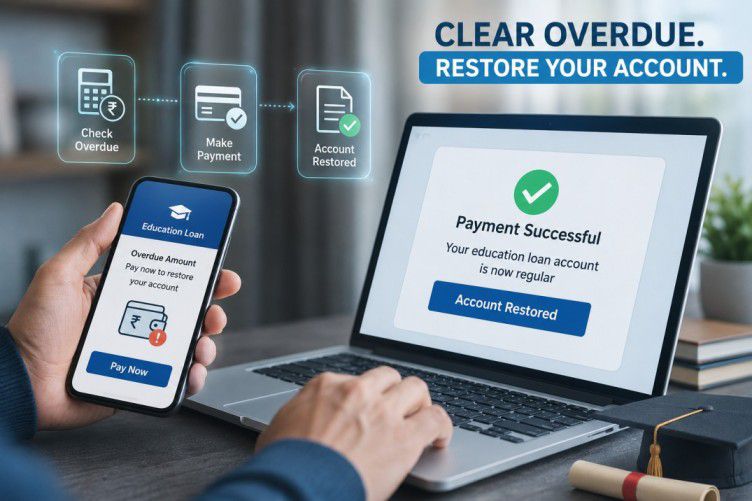
If you have a loan with Bajaj Finance, you can clear overdue EMIs through the My Account customer portal or the Bajaj Finance app. After logging in with your registered mobile number and OTP, select the loan account with the pending EMI, then choose the overdue or missed EMI payment option. If you hold more than one loan with overdue instalments, My Account lets you view and settle these from a single dashboard rather than logging into separate sections for each loan. Payment can be completed through UPI, net banking, or a debit card. Do check the applicable penal or bounce charges shown on screen before confirming, since these are added to the overdue amount as per your loan agreement.
Essential Bajaj Finance Service Guides & Support
Not your nearest branch?

Frequently Asked Questions
CIBIL Report Download
Overdue Entries in CIBIL
Score Recovery
How do I download my CIBIL report online for free?
Visit the official CIBIL website and register, or log in, using your PAN, mobile number and email ID. Verify your identity with an OTP sent to your registered mobile number. Once verified, your free annual CIBIL report and score appear on your dashboard, ready to download as a PDF.
How many times can I download my CIBIL report for free in a year?
Under an RBI directive to credit information companies, you are entitled to one free full credit report, including your CIBIL score, from CIBIL each calendar year, from January to December. Any extra report within the same year usually needs a paid subscription, so check the current terms on CIBIL's website.
What is the difference between a CIBIL score and a CIBIL report?
Your CIBIL score is a three-digit number, usually between 300 and 900, that summarises your creditworthiness at a glance. Your CIBIL report is the fuller document behind that score, listing your loan accounts, repayment history, credit enquiries and personal details in detail.
How long does it take to get my CIBIL report after requesting it?
Once you complete registration and OTP verification on the CIBIL website, your report is usually generated and shown online straightaway. There is no lengthy waiting period, unlike the older postal process, so you can normally view and download your report the same day.
Can I check my CIBIL report using my PAN card?
Yes. Your PAN card is the main identity document used to register on the CIBIL website, or with tools such as the Bajaj Finance Credit Pulse Report. It helps match your credit history correctly, alongside your registered mobile number for OTP verification.
How does a missed EMI appear in my CIBIL report?
When an EMI is missed, your lender reports this to CIBIL during its next monthly reporting cycle. It appears as a DPD, or Days Past Due, entry against that month in your account history, showing how many days the payment remained overdue.
What does DPD (Days Past Due) mean in my CIBIL report?
DPD stands for Days Past Due. It is a figure, such as 030, 060 or 090, shown against a loan account for a given month, telling you exactly how many days that particular EMI payment remained unpaid after its due date.
How long does a negative entry stay in my CIBIL report?
Overdue, default, or settled entries generally remain visible on your CIBIL report for up to seven years from the date they were first reported, which is standard practice among Indian credit bureaus. This is why timely repayment matters well beyond the immediate due date.
Can an overdue entry be removed from my CIBIL report?
A genuine overdue entry cannot simply be removed, since it reflects actual repayment history. However, if an entry is inaccurate, for instance a paid EMI still showing as overdue, you can raise a dispute with CIBIL to have it checked and corrected.
Will Bajaj Finance update CIBIL after I clear my overdue EMI?
Yes. Once you clear an overdue EMI, Bajaj Finance reports the updated payment status to CIBIL and other bureaus in its next monthly reporting cycle. It can take a few weeks after payment for your CIBIL report to reflect this update fully.
How can I improve my CIBIL score after clearing overdue EMIs?
Pay all EMIs on time going forward, keep credit card balances low, avoid applying for multiple loans in a short span, and maintain a healthy mix of credit. Consistent, responsible repayment over time, rather than any single action, is what gradually improves your score.
How long does it take for CIBIL score to improve after clearing dues?
There is no fixed timeline, but many borrowers see gradual improvement over three to six months of consistent, on-time repayment after clearing overdue dues. The exact pace depends on your overall credit history and how overdue the earlier payment had been.
What CIBIL score is needed for a personal loan from Bajaj Finance?
Bajaj Finance generally looks for a CIBIL score of 650 or above for personal loan eligibility, alongside factors such as income and employment stability. A higher score can improve your approval chances and may help you secure better loan terms.
Does settling a loan (as opposed to closing it) affect CIBIL score?
Yes. A settled loan means you paid less than the full amount owed, and lenders report this differently to CIBIL than a fully closed loan. A settled status is viewed less favourably and can affect your score more than a standard closure would.
Can I dispute wrong overdue entries in my CIBIL report?
Yes. If you notice an incorrect overdue entry, you can raise a dispute directly with CIBIL online, or contact your lender to have the reporting corrected. CIBIL and lenders are expected to look into and resolve genuine disputes within a set timeframe.
Articles Insights

Disclaimer
While care is taken to update the information, products, and services included in or available on our website and related platforms/websites, there may be inadvertent inaccuracies or typographical errors or delays in updating the information. The material contained in this site, and on associated web pages, is for reference and general information purpose and the details mentioned in the respective product/service document shall prevail in case of any inconsistency. Subscribers and users should seek professional advice before acting on the basis of the information contained herein. Please take an informed decision with respect to any product or service after going through the relevant product/service document and applicable terms and conditions. In case any inconsistencies observed, please click on reach us.
*Terms and conditions apply.