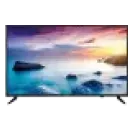
Croma TVs: Prices in India, Specifications, and Features

Explore Croma TV prices online in India. Check out their types, models, and features and get your pick on affordable Easy EMIs with Bajaj Finance.
TVs on Easy EMIs
3 Min
2-Sept-2024

Upgrading your home entertainment setup involves balancing brilliant display quality with sensible financial planning. Selecting a Croma TV provides an ideal solution, as these televisions deliver vivid colours and crystal-clear sound for an immersive viewing experience. You can easily find a model that fits your budget by reviewing the competitive Croma TV price online. These smart devices provide seamless streaming access, ensuring that you elevate your everyday media consumption effortlessly.

Purchasing a new TV is now budget-friendly. Simply browse the selection of televisions on Bajaj Mall. Alternatively, visit any of Bajaj Finance’s 1.5 lakh partner stores in 4,000 cities in India. Choose the product that you like and get Easy EMI and zero down payment offers exclusively with Bajaj Finance’s financing options. Check your loan eligibility and convert the cost of your new TV into Easy EMIs.

Overview of Croma TVs

Upgrading your home entertainment setup involves balancing innovative design, immersive display features, and cost-effective pricing. Choosing a Croma TV provides an elegant solution for contemporary Indian households seeking reliable daily performance. These televisions focus on giving you a cinematic experience by utilising clear panels, vivid colour generation, and multi-directional audio setups. You will find that these devices serve your daily media consumption requirements effortlessly, whether you enjoy streaming high-definition web series or playing console games. They integrate easily into modern living spaces while remaining exceptionally accessible.
 

Key features and specifications of Croma TVs

Croma TVs combine modern visual technologies with user-friendly smart interfaces. These home entertainment systems elevate your daily viewing habits by providing excellent picture clarity and robust audio output across all budget segments.

  • High-definition visual engines deliver realistic picture depth, which ensures that you do not miss any finer details during dark movie scenes.
  • Integrated smart operating systems provide instant access to global streaming platforms, allowing you to browse popular digital shows quickly.
  • Multiple connectivity terminals support concurrent links to external soundbars, gaming devices, and set-top boxes without any signal interference.
  • Elegant bezel-less frame layouts maximise the visible display field while complementing your interior home decor beautifully.
Specification attributeValue range
Screen size24-inch to 75-inch
Native resolution1366 x 768 pixel to 3840 x 2160 pixel
Peak brightness panel300 nits to 500 nits
Internal data storage8GB to 16GB
Audio speaker output8 W to 30 W

Different types of Croma TVs

The diverse product portfolio caters to specific space dimensions, user viewing habits, and financial preferences. You can find the ideal model that aligns precisely with your unique home entertainment demands.

  • Standard high-definition models offer practical space-saving footprints, which makes them perfect selections for secondary bedrooms, kitchens, or compact office environments.
  • Intermediate full high-definition televisions elevate pixel density, providing sharp image rendering for general satellite channel broadcasts and casual media streaming.
  • Premium ultra high-definition 4K screens deliver four times the clarity of standard models, immersing your family into cinematic visual landscapes.
  • Advanced quantum dot systems utilise precise backlighting techniques to unlock vivid colour saturation and deep contrast levels for home theatre enthusiasts.
     

Updated price list of the best-selling Croma TVs (2026)

Selecting a brand-new television becomes simple when you map your requirements against popular models. This curated breakdown helps you compare options to find the ideal addition for your home.

Model nameKey featuresWhy should you get thisPrice
Croma CREL024HBB02460224-inch panel, 1366 x 768 pixel resolution, dual HDMI inputsIt fits tight spaces perfectly and serves well as a secondary monitor.Rs. 5,590
Croma 80 cm HD Ready LED Smart Linux TV32-inch panel, Linux operating system, A+ grade panel qualityThis model offers smart capabilities at an accessible entry price point.Rs. 9,490
Croma 80 cm HD LED Google TV 5.032-inch panel, Dolby Audio integration, hands-free voice searchYou receive tailored content recommendations through an intuitive, interactive smart interface.Rs. 9,990
Croma 109 cm Full HD LED Smart Linux TV43-inch panel, 1920 x 1080 pixel display, borderless aestheticThe sleek chassis provides an expensive look while expanding the viewable screen area.Rs. 15,990
Croma CREL043USA02460143-inch panel, 3840 x 2160 pixel resolution, WebOS platformThis device delivers breathtaking 4K quantum dot picture realism for movie enthusiasts.Rs. 22,990

Disclaimer: Product features, availability, and prices may differ based on location and time. For the latest and most accurate details, visit a partner store. 
 

Why should you choose a Croma TV

Investing in this domestic product line brings multiple long-term advantages to your household entertainment infrastructure. The design process directly targets the modern needs of regional consumers.

  • Affordable pricing structures allow you to secure modern smart features without overextending your planned household electronic budgets.
  • Comprehensive local assistance infrastructure ensures that you receive timely installation guidance and rapid technical support whenever necessary.
  • Energy-efficient engineering reduces daily electricity consumption, which helps you manage monthly utility bills lower even during extended weekend viewings.
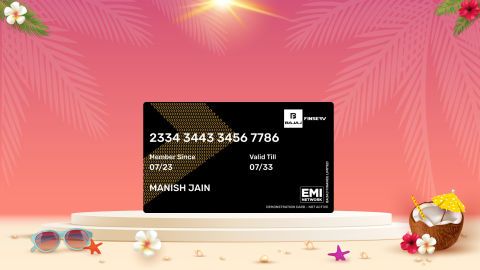
  • Flexible financing options allow you to convert your final purchase amount into manageable monthly installments by utilising an Insta EMI Card.
     

Thinking of buying a TV?

Before you do that, explore the latest offers from Bajaj Finance. You may find a great deal on a model that matches your needs.
 

Get electronics and appliances on Easy EMIs with Bajaj Finance

Upgrading your home with the latest electronics and appliances is now easier and more affordable with Bajaj Finance’s flexible financing options. You can also maximise your savings by using the Smart Savings Calculator—a smart tool that combines brand offers, dealer offers, and EMI offers, all in one place, helping you lower the overall cost while still paying in small, bite-sized instalments. Follow these steps to get started:

  • Explore products on Bajaj Mall: Browse a wide range of electronics and appliances from trusted brands on Bajaj Mall. Compare features like energy ratings, storage capacity, performance settings, and design to choose the right product for your home.
  • Visit a partner store: Once you shortlist a model, step into any of Bajaj Finance’s 1.5 lakh partner stores across 4,000 cities in India. See the product in person, talk to experts, and make a confident decision.
  • Choose the Easy EMI Loan option: At checkout, select the Bajaj Finance Easy EMI Loan. Avail financing of up to Rs. 5 lakh and split the cost into convenient monthly instalments. Some products also come with a zero down payment option.
  • Check your loan eligibility online: Plan better by checking your loan eligibility in minutes. Simply enter your mobile number and OTP to know your pre-approved limit.
  • Use the Insta EMI Card for purchases up to Rs. 3 lakh: Already own the Bajaj Finance Insta EMI Card? Use it for instant, paperless checkout and convert your purchases of up to Rs. 3 lakh into Easy EMIs.
     

Why use the Smart Savings Calculator

Bajaj Finance’s Smart Savings Calculator helps you unlock maximum savings every time you shop at partner stores. It brings together all available brand, dealer, and scheme offers—so you can see your total savings instantly and shop smarter with Easy EMIs.

1. Dealer offers - Grab exclusive in-store deals at over 1.5 lakh partner stores across India. Enjoy local discounts and special prices you will not find online.

2. Brand offers - Access limited-time discounts from top brands across electronics, appliances, and more. Discover brand-specific savings selected just for you.

3. Bajaj offers - Unlock exclusive Bajaj Finance deals on popular products—available only to our customers. More rewards, more value.

4. Scheme offers - Take advantage of time-sensitive offers on select EMI schemes. Get extra benefits after paying just 3 EMIs—visible during EMI selection at checkout.

Calculate your extra savings today!
 

TVs by brand:

Mi TVSony TVLG TVOnePlus TVSamsung TVVu TVTCL TV
Panasonic TVLloyd TVKodak TVrealme TVPhilips TVHaier TVIntex TV
Hyundai TVBPL TVAkai TVAmstrad TVSansui TVElista TVITEL TV

TVs by features:

LED TVSmart TVFull HD TVAndroid TV
OLED TVQLED TVHD TV 

 TVs by size:

32-inch TV40-inch TV75-inch TV65-inch TV
43-inch TV49-inch TV50-inch TV55-inch TV

 TVs by brands:

Sony TVMi TVLG TVHaier TVOnePlus TV
Vu TVTCL TVSamsung TVPanasonic TVPhilips TV

 TVs by budget:

TVs under Rs. 15,000TVs under Rs. 20,000TVs under Rs. 25,000
TVs under Rs. 30,000TVs under Rs. 40,000TVs under Rs. 50,000

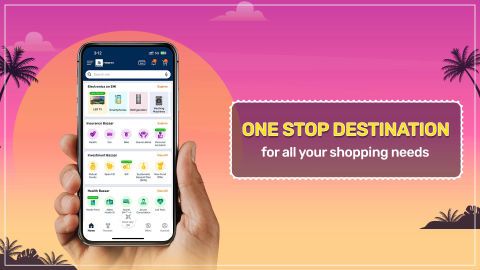
Bajaj Finance app for all your financial needs and goals

Trusted by 50 million+ customers in India, Bajaj Finance App is a one-stop solution for all your financial needs and goals.

You can use the Bajaj Finance App to:

  • Apply for loans online, such as Instant Personal Loan, Home Loan, Business Loan, Gold Loan, and more.
  • Invest in fixed deposits and mutual funds on the app.
  • Choose from multiple insurance for your health, motor and even pocket insurance, from various insurance providers.
  • Pay and manage your bills and recharges using the BBPS platform. Use Bajaj Pay and Bajaj Wallet for quick and simple money transfers and transactions.
  • Apply for Insta EMI Card and get a pre-qualified limit on the app. Explore over 1 million products on the app that can be purchased from a partner store on Easy EMIs.
  • Shop from over 100+ brand partners that offer a diverse range of products and services.
  • Use specialised tools like EMI calculators, SIP Calculators
  • Check your credit score, download loan statements and even get quick customer support—all on the app.

Download the Bajaj Finance App today and experience the convenience of managing your finances on one app.

Do more with the Bajaj Finserv App!

UPI, Wallet, Loans, Investments, Cards, Shopping and more

Disclaimer

1. Bajaj Finance Limited (“BFL”) is a Non-Banking Finance Company (NBFC) and Prepaid Payment Instrument Issuer offering financial services viz., loans, deposits, Bajaj Pay Wallet, Bajaj Pay UPI, bill payments and third-party wealth management products. The details mentioned in the respective product/ service document shall prevail in case of any inconsistency with respect to the information referring to BFL products and services on this page.

2. All other information, such as, the images, facts, statistics etc. (“information”) that are in addition to the details mentioned in the BFL’s product/ service document and which are being displayed on this page only depicts the summary of the information sourced from the public domain. The said information is neither owned by BFL nor it is to the exclusive knowledge of BFL. There may be inadvertent inaccuracies or typographical errors or delays in updating the said information. Hence, users are advised to independently exercise diligence by verifying complete information, including by consulting experts, if any. Users shall be the sole owner of the decision taken, if any, about suitability of the same.
For customer support, call Personal Loan IVR: 7757 000 000

Frequently asked questions

Can I buy a new TV on EMIs?

Yes, you can easily upgrade to a new TV with Bajaj Finance's Easy EMI options. Whether you already have the Insta EMI Card or are new to it, here is how you can get started:

If you have the Bajaj Finance Insta EMI Card:

  • Explore televisions on Bajaj Mall: Choose from top brands offering models with high refresh rates, vibrant displays, and high-resolution.
  • Visit a partner store: Check out the latest TVs in person at any of 1.5 lakh partner stores across 4,000 cities.
  • Use your Insta EMI Card at checkout: Convert the total cost into Easy EMIs that fit your monthly budget.
  • Zero down payment on select models: Bring home your TV without paying anything upfront.

If you do not have an Insta EMI Card:

Check your Insta EMI Card eligibility online using your mobile number and OTP. If eligible, you can apply instantly and start shopping for your favourite television easily and affordably.

How to switch on Croma TV without a remote?

You can turn on a Croma TV without a remote by using the physical power button located on the TV itself. It’s typically found on the side or bottom of the panel. Press this button to power on the TV.

Can I use Croma Smart TV as a monitor?

Yes, you can use a Croma Smart TV as a monitor by connecting it to a computer via HDMI. Ensure the TV is set to the correct HDMI input, and adjust display settings on your computer for optimal resolution.

Does Croma TV have Bluetooth connectivity?

Some Croma TVs come with Bluetooth connectivity, allowing you to connect wireless headphones or speakers. Check the specifications of your particular model or consult the user manual to confirm if Bluetooth is available.

What is the price range for Croma LED TVs?

Croma LED TVs typically range from Rs. 20,000 to Rs. 60,000. The price varies based on size, resolution, and features, with basic models starting lower and advanced models, like those with 4K resolution, costing more.

How do I connect my Croma QLED TV to the internet?

To connect your Croma QLED TV to the internet, go to the settings menu, select "Network," and choose "Wi-Fi." Scan for available networks, select your Wi-Fi network, enter the password, and connect.

What is the energy consumption of a Croma LED TV?

The energy consumption of a Croma LED TV varies by size and model but generally ranges from 50 to 150 watts. For accurate details, check the energy label on the TV or the product specifications.

What is the resolution of a Croma LCD TV?

Croma LCD TVs typically come in HD (1366 x 768 pixels) or Full HD (1920 x 1080 pixels) resolutions. Higher-end models may offer Full HD or even 4K resolutions for enhanced picture clarity.

Is my Croma QLED TV compatible with HDR content?

Most Croma QLED TVs are compatible with HDR (High Dynamic Range) content, which enhances brightness and colour range. Check the specifications of your model or user manual to confirm HDR support.

Is Croma TV a good brand for smart TVs?

Croma TVs offer an excellent balance of affordability and smart functionality. They come with features like Android OS, good connectivity options, and decent display quality. While not as premium as some other brands, they are a solid choice for budget-conscious buyers seeking reliable smart TVs.

Does Croma TV support 4K resolution?

Yes, Croma TVs do offer 4K resolution in certain models. These TVs provide a great viewing experience with sharp, detailed images, making them suitable for users who want to enjoy 4K content, whether through streaming services or external devices, at an affordable price.

Is Croma TV compatible with external soundbars?

Croma TVs are compatible with external soundbars through HDMI ARC, optical, or AUX inputs. This allows users to enhance their audio experience, improving sound quality for movies, music, or games. The compatibility with external devices ensures flexibility in creating a better home entertainment system.

What is the warranty period for Croma TVs in India?

Croma TVs come with a standard 1-year warranty, covering manufacturing defects and malfunctions. Some models may also have additional coverage for the panel or other parts, depending on the specific terms of the warranty. It’s recommended to check individual product details for precise coverage.

Do Croma TVs support screen mirroring?

Yes, Croma TVs support screen mirroring, allowing users to share content from their smartphones or tablets. This feature, compatible with Android and iOS devices, is typically enabled through Wi-Fi Direct or Miracast, making it easy to display photos, videos, or presentations directly on the TV

How to switch on my Croma TV without a remote?

You can turn on the television manually by pressing the physical power button, which sits directly underneath the lower bezel or on the back panel of the chassis. Alternatively, downloading a compatible smart application onto your smartphone allows you to control the system power via your shared home wireless network.

Can I use my Croma smart TV as a monitor?

Yes, you can utilise the television as an expanded computer monitor by linking your personal laptop or desktop unit to the screen with a high-speed HDMI cable. You must select the corresponding input source using the television interface menu to display your computer workspace on the larger screen.

Do Croma TVs have Bluetooth connectivity?

Many modern smart versions within this product line feature integrated Bluetooth modules that allow you to establish wireless links with external devices. This feature helps you pair personal wireless headphones, external sound systems, or compatible gaming controllers to the television without managing messy physical cables around your media console.

What is the price range for Croma LED TVs?

The entry-level high-definition units start around Rs. 5,590 for smaller screen form factors. The price scales upward progressively up to Rs. 1,49,990 for premium, grand-format home cinema models that include advanced mini LED illumination and large screen dimensions to fit expansive living rooms.

How do I connect my Croma QLED TV to the internet?

Open the system settings menu using the home screen interface, navigate directly to the network configuration section, and select your preferred wireless network name. Enter your local security password to establish a permanent internet connection, which opens up instant access to streaming media libraries and online applications.

Show more Show less