
Published Apr 26, 2026 · 3 Min Read

What are Bosch washing machine error codes

Bosch washing machines display error codes on their digital panel when something goes wrong during a wash cycle. These codes are the machine's way of telling you exactly what the problem is, whether it is a drainage issue, a door fault, a water supply problem or an internal sensor error. Understanding what each code means helps you diagnose the issue quickly and decide whether it is something you can fix at home or whether you need to call a technician. Bosch machines are known for their reliability, but like all appliances, they occasionally develop faults that trigger these codes during operation.


And if your machine needs replacing, buying a new Whirlpool washing machine has never been more affordable. With Bajaj Finserv's financing options available across 1.5 lakh partner stores like Croma, Vijay Sales, and Reliance Digital in 4,000 cities, you can convert the cost into Easy EMIs with flexible tenures up to 60 months. Simply check your loan eligibility now and bring home your desired washing machine without worrying about overspending.

What are the most common Bosch washing machine error codes

Bosch washing machines use a standardised set of error codes that appear on the display panel. Knowing what each code means helps you respond quickly and avoid unnecessary downtime for your laundry routine.


Error codeMeaningLikely cause
E02 / F02Water not heatingFaulty heating element or temperature sensor
E03 / F03Drainage problemBlocked drain filter or kinked drain hose
E04 / F04Drum overfillingFaulty water inlet valve or pressure sensor
E17 / F17Water filling too slowlyLow water pressure or blocked inlet filter
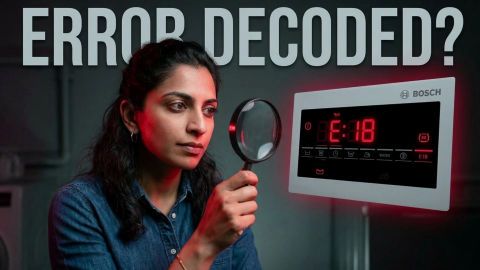
E18 / F18Drainage taking too longBlocked pump filter or drain hose obstruction
E23Aquastop activatedWater leak detected under the machine
E27Low voltage detectedUnstable power supply or voltage fluctuation
E32Drum imbalanceUneven laundry load distribution in drum
F21Motor faultMotor overheating or carbon brush wear
F43Drum not turningBelt or motor issue preventing drum rotation

How do you fix common Bosch washing machine error codes

Many Bosch error codes can be resolved at home without calling a technician. Work through these fixes based on the code your machine is displaying before booking a service visit.


  • E03 or F03 drainage error: Check the drain filter at the bottom front of the machine. Unscrew the filter cover, remove any debris and rinse the filter under running water. Also check the drain hose for kinks or blockages and ensure it is not inserted too deeply into the standpipe.
  • E17 or F17 slow water fill: Turn off the tap connected to the machine and check the inlet hose filter. This small mesh filter sits where the hose connects to the back of the machine. Remove it carefully, rinse it under water and refit it securely before restarting.
  • E32 drum imbalance: Open the machine and redistribute the laundry evenly around the drum. Washing a single heavy item such as a towel or jeans alone is a common cause of imbalance errors. Add a few more items to balance the load and restart the cycle.
  • E23 Aquastop or leak detected: Switch off the machine immediately and unplug it. Check underneath and behind the machine for visible water. Do not restart the machine until the source of the leak has been identified and resolved by a qualified technician.
  • E27 low voltage: Check whether other appliances in the home are also affected by unstable power. A voltage stabiliser connected to the washing machine can prevent this error from recurring in areas with frequent power fluctuations, which are common across many Indian cities.
  • General reset procedure: If an error code appears without an obvious cause, try a full reset by switching the machine off at the mains, waiting two minutes and switching it back on. Many temporary sensor errors clear themselves after a simple power cycle.

How do you prevent error codes on your Bosch washing machine

Most Bosch washing machine errors are caused by simple maintenance oversights that are easy to avoid. These habits keep your machine running smoothly and reduce the likelihood of error codes interrupting your laundry routine.


  • Clean the drain filter every month: The drain filter collects lint, coins, hair clips and other debris from laundry. A blocked filter is the single most common cause of drainage errors on all washing machine brands. Monthly cleaning takes less than five minutes and prevents the majority of E03 and F18 errors.
  • Use the correct amount of detergent: Using too much detergent creates excessive foam inside the drum, which confuses the pressure sensor and can trigger overfilling or drainage errors. Always follow the detergent manufacturer's guidance for load size and water hardness in your area.
  • Do not overload the drum: Overloading prevents the drum from rotating correctly and increases the risk of imbalance errors. Fill the drum to approximately three-quarters of its capacity to allow laundry to move freely during the wash and spin cycles.
  • Check the inlet hose filter every three months: The small mesh filter at the water inlet connection point on the back of the machine can become blocked with sediment, particularly in areas with hard water. Cleaning it quarterly prevents slow fill errors from developing.
  • Install a voltage stabiliser in areas with power fluctuations: Unstable voltage is a frequent cause of electronic errors in washing machines across India. A dedicated voltage stabiliser protects the machine's control board and motor from the effects of power surges and dips.

How to choose the best washing machine for your home

Buying a premium washing machine is a significant investment — and choosing the right one requires matching the machine's capabilities to your specific household needs. Before making a decision, also check our detailed guide on washing machine brands for a broader comparison across all price segments.


  1. Decide if you need a washer-dryer combination: If drying clothes is a challenge in your home, particularly in monsoon-heavy cities like Mumbai, Kolkata, and Chennai, opt for a washer-dryer combination. It eliminates the need for a separate dryer and delivers the most complete laundry solution available in India.
  2. Choose the right capacity for your family: Premium washing machines are available from 7kg to 13kg in India. For families of three to four members, 8kg to 10kg is the ideal capacity. Larger families of five or more members benefit from 10kg to 13kg models that handle full loads of heavy fabrics including bedsheets, curtains, and towels in a single cycle.
  3. Prioritise inbuilt heater if hygiene matters: For households with infants, elderly members, or allergy sufferers, a washing machine with an inbuilt heater delivers superior hygiene through hot wash cycles that eliminate bacteria, dust mites, and allergens more effectively than cold-water programmes.
  4. Check Wi-Fi and smart app compatibility: Premium washing machines from LG, Samsung, and Bosch offer Wi-Fi connectivity and smartphone app control, allowing remote monitoring, cycle selection, and smart diagnosis from anywhere. This is particularly useful for busy Indian households that want to start or monitor laundry cycles remotely.
  5. Compare warranty terms carefully: Premium washing machines come with longer warranty periods. LG offers up to 10 years on the motor, and Bosch and Siemens offer comprehensive European-standard warranties on their India models. Always compare warranty terms as part of the total value assessment before purchase.

Get a washing machine on Easy EMIs with Bajaj Finserv

Buying a premium washing machine is simple and affordable with Bajaj Finserv's Easy EMI options. The entire process takes just a few minutes, and you can walk out with your new washing machine the same day. Follow these steps to get started:


  • Choose your washing machine: Pick the brand, capacity, and features that best suit your household needs and budget from the range available at the store or on Bajaj Mall.
  • Visit a partner store: Once you shortlist a model, step into any of Bajaj Finserv’s 1.5 lakh partner stores across 4,000 cities in India. See the product in person, talk to experts, and make a confident decision.
  • Choose the Easy EMI Loan option: At checkout, select the Bajaj Finserv Easy EMI Loan. Avail financing of up to Rs. 5 lakh and split the cost into convenient monthly instalments. Some products also come with a zero down payment option.
  • Check your loan eligibility online: Plan better by checking your loan eligibility in minutes. Simply enter your mobile number and OTP to know your pre-approved limit.
  • Use the EMI Network Card for purchases up to Rs. 3 lakh: Already own the Bajaj Finserv EMI Network Card? Use it for instant, paperless checkout and convert your purchases of up to Rs. 3 lakh into Easy EMIs.

FAQs

Can I buy a washing machine on EMI?

Yes, you can easily bring home your preferred washing machine using Bajaj Finserv’s Easy EMI options. Whether you already have the EMI Network Card or are new to it, here is how to begin: 


  • Explore washing machines on Bajaj Mall: Choose from a wide range of the latest and most popular models.
  • Visit a partner store: Experience the device in person at any of Bajaj Finserv’s 1.5 lakh partner stores across 4,000 cities in India.
  • Use your EMI Network Card at checkout: Convert the cost of your washing machine into Easy EMIs that fit your monthly budget.
  • Zero down payment on select models: Take your chosen washing machine home without paying anything upfront.


If you do not have an EMI Network Card:
Check your Insta EMI Card eligibility and take the first step towards enjoying the affordability and convenience of Easy EMIs.

What do Bosch washing machine error codes mean?

Bosch washing machine error codes are two- or three-character codes displayed on the machine's panel when a fault is detected during operation. Each code corresponds to a specific problem such as a drainage failure, water inlet issue, door fault or motor error. These codes help you identify the problem quickly without needing to guess what has gone wrong. Refer to your machine's manual or the error code list above to find the meaning of the specific code your machine is showing.

How do I reset my Bosch washing machine?

To reset a Bosch washing machine, switch it off at the power socket and unplug it from the mains. Wait for at least two minutes, then plug it back in and switch it on. This clears temporary errors stored in the control board. If the error code reappears after the reset, the underlying fault has not been resolved and will need further investigation or a service call to an authorised Bosch technician.

Can I fix Bosch washing machine errors at home?

Yes, many common Bosch error codes can be resolved at home without professional help. Drainage errors caused by a blocked filter, slow fill errors from a clogged inlet mesh and imbalance errors from an uneven load are all simple fixes that require no tools or technical knowledge. However, errors related to water leaks, motor faults, heating element failure or electronic control board issues should always be assessed and repaired by an authorised Bosch service technician to avoid further damage.

How can I prevent error codes in my washing machine?

Clean the drain filter every month, use the correct amount of detergent for each load and avoid overloading the drum. Check the inlet hose filter every three months and install a voltage stabiliser if your area experiences frequent power fluctuations. Running a drum clean cycle once a month also helps prevent residue build-up that can affect sensors and drainage performance over time. Most error codes on Bosch machines are preventable with these basic maintenance habits.

Is it safe to use a washing machine when an error code is displayed?

No, it is not safe to continue using your washing machine while an error code is displayed. Error codes indicate that something is not functioning correctly, and running the machine in this condition can worsen the fault, damage internal components or create a safety risk if the issue involves a water leak or electrical fault. Switch the machine off, identify the error code using the list above and resolve the underlying cause before running another wash cycle.

Show More Show Less

Bajaj Finserv app for all your financial needs and goals

Trusted by 50 million+ customers in India, Bajaj Finserv App is a one-stop solution for all your financial needs and goals.

You can use the Bajaj Finserv App to:

  • Apply for loans online, such as Instant Personal Loan, Home Loan, Business Loan, Gold Loan, and more.
  • Invest in fixed deposits and mutual funds on the app.
  • Choose from multiple insurance for your health, motor and even pocket insurance, from various insurance providers.
  • Pay and manage your bills and recharges using the BBPS platform. Use Bajaj Pay and Bajaj Wallet for quick and simple money transfers and transactions.
  • Apply for Insta EMI Card and get a pre-qualified limit on the app. Explore over 1 million products on the app that can be purchased from a partner store on Easy EMIs.
  • Shop from over 100+ brand partners that offer a diverse range of products and services.
  • Use specialised tools like EMI calculators, SIP Calculators
  • Check your credit score, download loan statements and even get quick customer support—all on the app.

Download the Bajaj Finserv App today and experience the convenience of managing your finances on one app.

Disclaimer

1. Bajaj Finance Limited (“BFL”) is a Non-Banking Finance Company (BAJAJ FINANCE) and Prepaid Payment Instrument Issuer offering financial services viz., loans, deposits, Bajaj Pay Wallet, Bajaj Pay UPI, bill payments and third-party wealth management products. The details mentioned in the respective product/ service document shall prevail in case of any inconsistency with respect to the information referring to BFL products and services on this page.

2. All other information, such as, the images, facts, statistics etc. (“information”) that are in addition to the details mentioned in the BFL’s product/ service document and which are being displayed on this page only depicts the summary of the information sourced from the public domain. The said information is neither owned by BFL nor it is to the exclusive knowledge of BFL. There may be inadvertent inaccuracies or typographical errors or delays in updating the said information. Hence, users are advised to independently exercise diligence by verifying complete information, including by consulting experts, if any. Users shall be the sole owner of the decision taken, if any, about suitability of the same.