Published Feb 23, 2026 4 Min Read

  1. How does a hard drive work?
  2. HDD vs. SSD vs. NVMe: Which hard drive do you need?
  3. Choosing the right hard drive for your needs
  4. Shop smart with Easy EMIs
  5. Why use the Maha Bachat Savings Calculator

How does a hard drive work?

A hard drive stores and retrieves data by recording information on a storage medium and accessing it when needed. In a traditional hard disk drive (HDD), data is written on spinning magnetic platters. A moving read and write head travels across these platters to locate, read, or store information. The speed of rotation and the head movement determine how quickly data can be accessed.


When you open a file, the system sends a request to the hard drive, which locates the exact data location and transfers it to the computer’s memory for use. In solid state drives (SSD), there are no moving parts. Instead, data is stored in flash memory chips, allowing faster access, lower power consumption, and improved durability. Both HDDs and SSDs work with the operating system to ensure smooth data storage, quick retrieval, and reliable performance during everyday computing tasks.


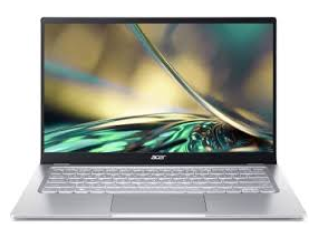
Buy latest laptops from popular brands like HP, Dell, Asus, Lenovo, Apple and more on Easy EMIs from Bajaj Finserv and enjoy exclusive discounts. Check the latest offers and grab the best deals for a premium and affordable shopping experience.
HDD vs. SSD vs. NVMe: Which hard drive do you need?

Choosing the right storage depends on your speed needs, storage capacity, and budget. HDDs offer affordable large storage, while SSDs deliver faster performance and reliability for daily tasks. NVMe SSDs provide ultra fast data transfer and minimal load times, making them ideal for gaming, content creation, and heavy workloads. Understanding the differences helps you pick the most suitable drive.


FeatureHDDSATA SSDNVMe SSD
Storage typeMechanical spinning diskFlash memoryFlash memory (PCIe interface)
Speed80–160 MB/sUp to 550 MB/s3,000–7,000 MB/s
Boot timeSlowFastVery fast
NoiseAudibleSilentSilent
DurabilityLower (moving parts)HighHigh
Capacity rangeUp to 20TBUp to 8TBUp to 8TB
Cost per GBLowestMediumHighest
Best forBackup, media storageEveryday computingGaming, editing, heavy workloads

Why Hard Drives are Making a 2026 Comeback

Hard drives are making a comeback in 2026 because storage needs are growing faster than ever. With the rise of high-resolution video, large datasets for artificial intelligence, and cloud backups, users and businesses need affordable space. HDDs still provide the most storage per rupee, especially for capacities above 4 TB. Many creative professionals and small enterprises choose HDDs for archiving and long-term storage, where cost efficiency outweighs speed. In servers and network-attached storage (NAS) systems, large hard drives are hard to replace without significantly increasing expenses.


At the same time, improvements in reliability and energy efficiency have made modern hard drives more competitive. Newer models consume less power, produce less noise, and last longer under regular workloads. Hybrid storage setups that pair SSDs for operating systems and HDDs for bulk files are becoming standard in both desktops and budget laptops. As data generation continues to explode, hard drives remain a sensible choice for anyone prioritising capacity and value over peak performance.

Common types of hard drive connections

Hard drives connect to computers and networks through different interfaces, each designed for specific performance and usage needs. The right connection type affects speed, compatibility, and overall efficiency. From internal motherboard connections to high speed external ports and shared network storage, understanding these options helps you choose the right setup for home or office use.


Internal drives: SATA vs. PCIe M.2 interfaces


Internal drives commonly use SATA or PCIe M.2 interfaces. SATA is widely supported and suitable for HDDs and SATA SSDs, offering stable performance for everyday tasks and bulk storage. PCIe M.2, typically used by NVMe SSDs, connects directly to the motherboard and delivers significantly faster data transfer speeds, making it ideal for gaming, editing, and heavy software workloads.


External hard drives: USB-C and Thunderbolt storage


External drives usually connect through USB-C or Thunderbolt ports. USB-C provides fast speeds and broad compatibility with modern laptops and desktops. Thunderbolt offers even higher bandwidth, preferred by professionals working with large video files or complex creative projects.


NAS (network attached storage) for home and office


NAS connects to a router instead of a single computer, enabling multiple users to access shared storage over a network. It is useful for backups, media streaming, and collaborative office environments.

Choosing the right hard drive for your needs

Selecting the right hard drive depends on how you use your system, the storage capacity you require, and your budget. Different users have different priorities, ranging from speed and responsiveness to large scale storage and data security.


  • For high performance tasks: NVMe SSDs deliver extremely fast read and write speeds, making them suitable for gaming, 4K video editing, 3D rendering, and heavy software usage. They reduce boot time and application load time significantly, ensuring smoother multitasking and faster file transfers for demanding professional workflows.
  • For everyday computing: SATA SSDs offer a noticeable speed improvement over traditional hard drives. They are ideal for browsing, office applications, online classes, and streaming. With reliable performance and reasonable pricing, they provide a balanced solution for students and working professionals.
  • For large storage needs: HDDs are cost effective for storing large files such as movies, photos, backups, and archives. They offer higher capacities at lower prices, making them practical for users who prioritise storage volume over maximum speed.
  • For budget conscious buyers: If affordability is the main concern, combining a smaller SSD for the operating system with a larger HDD for data storage offers good performance without increasing overall cost significantly.
  • For portability and backups: External hard drives or portable SSDs are suitable for users who frequently transfer files between devices. They provide convenient plug and play storage, making them useful for travel, remote work, and secure data backups.
  • For shared access and collaboration: NAS systems are suitable for homes and offices where multiple users need centralised storage. They allow file sharing over a network, support automated backups, and provide scalable storage as data requirements grow over time.

Hard Drive Maintenance and Troubleshooting

Proper maintenance helps extend the lifespan of your hard drive and protects important data. Whether you use an HDD, SSD, or NVMe drive, regular monitoring and preventive care can reduce the risk of sudden failure and performance issues.


  • Keep your drive clean and cool: Excess heat is one of the main causes of hardware failure. Ensure proper ventilation inside your desktop cabinet or laptop. Clean dust from fans and avoid blocking airflow to maintain stable operating temperatures.
  • Run disk checks regularly: Use built in system tools to scan for errors and bad sectors. Regular health checks help detect early warning signs such as corrupted files or unusual slowdowns before they become serious problems.
  • Defragment HDDs only: If you use a traditional HDD, occasional defragmentation can improve performance. Do not defragment SSDs, as it is unnecessary and may reduce their lifespan.
  • Back up your data: Always maintain regular backups using external storage or cloud services. This protects your files in case of hardware failure or accidental deletion.
  • Watch for warning signs: Strange noises, slow performance, frequent crashes, or file corruption may indicate drive issues. If problems persist, consider replacing the drive to avoid data loss.

The 2026 hard drive shortage: why prices are spiking

Hard drive prices are rising sharply in 2026 due to an unprecedented surge in demand from artificial intelligence and cloud infrastructure. Major manufacturers like Western Digital and Seagate have already sold out their entire production capacity for the year, with large cloud companies and hyperscale data centres locking in long term supply contracts. These organisations require massive storage for AI training data, backups, and logs, and HDDs remain the most cost effective solution for storing data at scale.


The shortage is also affecting everyday consumers. Enterprise and cloud customers now account for nearly 89 percent of revenue for some manufacturers, leaving limited inventory for retail buyers. As a result, consumer HDD prices have increased by around 40 to 50 percent in recent months, with further increases expected. Since production cannot expand quickly and long term contracts extend into 2027 and beyond, tight supply and higher prices may continue throughout the year.

Shop smart with Easy EMIs

Bajaj Finserv puts you in control of your shopping. See if you are eligible for a loan and get instant approval in just a few steps. Once approved, go to any of 1.5 lakh+ partner stores across India. Pick from over 1 million products from 550+ leading brands. Pay in Easy EMIs with 50+ flexible options that fit your budget. Enjoy a fast, seamless, and stress-free shopping experience—with more freedom and more savings.

Why use the Maha Bachat Savings Calculator

Bajaj Finserv’s Maha Bachat Savings Calculator helps you unlock maximum savings every time you shop at partner stores. It brings together all available brand, dealer, and scheme offers—so you can see your total savings instantly and shop smarter with Easy EMIs.
 

  1. Dealer offers - Grab exclusive in-store deals at over 1.5 lakh partner stores across India. Enjoy local discounts and special prices you will not find online.
  2. Brand offers - Access limited-time discounts from top brands across electronics, appliances, and more. Discover brand-specific savings selected just for you.
  3. Bajaj offers - Unlock exclusive Bajaj Finserv deals on popular products—available only to our customers. More rewards, more value.
  4. Scheme offers - Take advantage of time-sensitive offers on select EMI schemes. Get extra benefits after paying just 3 EMIs—visible during EMI selection at checkout.


Calculate your extra savings now!


Explore more laptops


Laptops by brand


Dell LaptopHP Laptop Lenovo Laptop
Acer  LaptopSamsung Touch screen LaptopAsus Laptop
HCL Laptop  

Laptops By RAM


8GB RAM Laptops16GB RAM Laptops

Laptops for student


Student Laptop under Rs. 30000Laptops for Students under Rs. 50000

Laptops by budget


Laptops under Rs. 15000Laptops under Rs. 25000Laptops under Rs. 30000
Laptops under Rs. 35000Laptops under Rs. 45000Laptops under Rs. 50000
Laptops under Rs. 55000Laptops under Rs. 70000Laptops under Rs. 75000
Laptops under Rs. 90000Laptops under Rs. 100000 


HP laptops by budget


Best HP Laptop under Rs. 35000Top HP Laptop under Rs. 20000Best HP Laptops under Rs. 70000
Top HP Laptops under Rs. 50000Top HP Laptops under Rs. 45000 Best HP Laptop Under Rs. 25000


Laptop by processor


Core i5 Processor LaptopsCore i9 Processor LaptopsAMD Ryzen 3 Laptops
AMD Processor LaptopsAMD Ryzen 5 LaptopsAMD Ryzen 7 Laptop
AMD Ryzen 9 Laptops  


Laptop brand by processor


Acer AMD Ryzen 5AVITA AMD Ryzen 7Acer AMD Ryzen 7
HP 15s Ryzen 5 LaptopsASUS AMD Ryzen 5 LaptopsAcer Aspire 7 Ryzen 5
HP Victus Ryzen 7 LaptopsHP 15s Ryzen 3 LaptopsASUS AMD Ryzen 7 Laptops
Dell Ryzen 5 laptopToshiba AMD Ryzen 5 LaptopsHP Pavilion Ryzen 5 Laptops
Dell i3 LaptopsLenovo i3 LaptopsASUS i3 Laptops
HP i3Acer i3MSI i3

Frequently asked questions

Is a hard drive the same thing as memory (RAM)?

No, a hard drive and RAM serve different purposes. A hard drive stores your files, operating system, and software permanently, while RAM temporarily holds data your computer is actively using. RAM affects multitasking performance, whereas storage capacity determines how much data you can save.

Can I replace my old HDD with a new SSD?

Yes, in most cases you can replace an HDD with an SSD. Ensure your laptop or desktop supports the SSD type, such as SATA or NVMe. Upgrading improves boot speed, application loading time, and overall system responsiveness without changing other hardware components. Buy latest laptops with high SSD storage on Easy EMIs using the Bajaj Finserv Insta EMI Card. Check your eligibility in just a few clicks and enjoy the convenience of converting your purchase into affordable monthly instalments.

What is the average lifespan of a computer hard drive?

Traditional HDDs typically last three to five years, depending on usage, heat, and maintenance. SSDs often last longer because they have no moving parts. However, lifespan varies based on workload, write cycles, and environmental conditions such as temperature and power stability.

Does a bigger hard drive make my computer faster?

No, larger capacity alone does not increase speed. Performance depends on the drive type and interface. An SSD or NVMe drive improves speed significantly, while simply choosing a higher capacity HDD only increases storage space without boosting processing performance.

What is the difference between an internal and external hard drive?

An internal hard drive is installed inside your computer and connects directly to the motherboard. An external hard drive connects through USB or similar ports and is portable. Internal drives are used for primary storage, while external drives are ideal for backups.

How do I safely erase all data from a hard drive before selling it?

To securely erase a hard drive, use built in disk wiping tools or trusted data erasure software. Simply deleting files is not enough. Perform a full format or secure erase process to overwrite data, ensuring personal information cannot be recovered.

Show More Show Less

Bajaj Finserv app for all your financial needs and goals

Trusted by 50 million+ customers in India, Bajaj Finserv App is a one-stop solution for all your financial needs and goals.

You can use the Bajaj Finserv App to:

  • Apply for loans online, such as Instant Personal Loan, Home Loan, Business Loan, Gold Loan, and more.
  • Invest in fixed deposits and mutual funds on the app.
  • Choose from multiple insurance for your health, motor and even pocket insurance, from various insurance providers.
  • Pay and manage your bills and recharges using the BBPS platform. Use Bajaj Pay and Bajaj Wallet for quick and simple money transfers and transactions.
  • Apply for Insta EMI Card and get a pre-qualified limit on the app. Explore over 1 million products on the app that can be purchased from a partner store on Easy EMIs.
  • Shop from over 100+ brand partners that offer a diverse range of products and services.
  • Use specialised tools like EMI calculators, SIP Calculators
  • Check your credit score, download loan statements and even get quick customer support—all on the app.

Download the Bajaj Finserv App today and experience the convenience of managing your finances on one app.

Disclaimer

1. Bajaj Finance Limited (“BFL”) is a Non-Banking Finance Company (NBFC) and Prepaid Payment Instrument Issuer offering financial services viz., loans, deposits, Bajaj Pay Wallet, Bajaj Pay UPI, bill payments and third-party wealth management products. The details mentioned in the respective product/ service document shall prevail in case of any inconsistency with respect to the information referring to BFL products and services on this page. 

2. All other information, such as, the images, facts, statistics etc. (“information”) that are in addition to the details mentioned in the BFL’s product/ service document and which are being displayed on this page only depicts the summary of the information sourced from the public domain. The said information is neither owned by BFL nor it is to the exclusive knowledge of BFL. There may be inadvertent inaccuracies or typographical errors or delays in updating the said information. Hence, users are advised to independently exercise diligence by verifying complete information, including by consulting experts, if any. Users shall be the sole owner of the decision taken, if any, about suitability of the same.