Vu 55 Inch TV Models in India – 4K, Oled, Qled TV Variants Explained

Experience stunning 4K visuals, immersive sound, and smart features with Vu 55-inch TVs. Get it on Easy EMIs with Bajaj Finance.
Explore TVs on Easy EMIs
3 min
Apr 17, 2026

The Vu 55-inch TV is perfect if you want a big screen without going over budget. It fits well in medium to large rooms and offers features made for movie lovers, gamers, and everyday viewers. Whether you are watching sports, hosting family nights, or working from home, this screen size gives you all-round comfort. For example, a 2023 study showed that screens above 50 inches were the most preferred for living rooms in India.

Before choosing your Vu 55-inch TV, check your loan eligibility on Bajaj Finance. This helps you decide your budget with ease. Once you are ready, browse the latest Vu TVs on Bajaj Mall or visit one of 1.5 lakh partner stores in over 4,000 cities. Select models come with zero down payment and easy EMIs—making your purchase smooth and affordable.

Overview of Vu 55-inch TV

Vu 55-inch TVs are known for their excellent picture quality, modern design, and affordable pricing. These TVs support 4K resolution, making colours look rich and images sharp. Most Vu TV models include smart features like Android TV or Google TV, letting you stream your favourite apps with ease. You also get multiple connectivity ports for your devices and energy-saving functions to help reduce your electricity bill. Vu’s 55-inch models are built for users who want value without losing quality.


Key features of Vu 55-inch TVs


Vu offers two popular 55-inch TVs. Each one is built to match different viewing needs:

  • Vu GloLED Series: This model uses GloLED technology for brighter visuals, bold colours, and deeper blacks. It is a great choice if you want a more powerful visual experience.
  • Vu Ultra HD (4K) TV: This TV gives you sharp 4K resolution. It is ideal if you enjoy watching films or playing games in high detail.

If you are also thinking about a smaller screen, you can explore Vu’s 32-inch smart TV range before making your choice.


Popular models and specifications of Vu 55-inch TVs


Here is a detailed look at the most popular VU 55-inch TV models available in India in 2026 — with verified specifications for easy comparison.

ModelDisplayAudioSmart featuresPrice (Approx.)
VU Vibe Series 55VIBE-DV55‑inch 4K QLEDDolby AudioGoogle TV, Wi‑Fi, HDMI portsRs. 35,490
VU Frame Series 202555‑inch 4K QLED, 144Hz refresh rate, 800 nits brightness124W output, 6 speakersGoogle TV, 3GB RAM, 16GB storage, voice searchRs. 34,999–Rs. 36,000
VU GloQLED Series 55GLOQLED2555‑inch 4K QLEDDolby AtmosGoogle TV, HDR10+, multiple HDMI/USB portsRs. 33,999


Price list of Vu 55-Inch TV in India (October 2026)


Here is the latest price list for Vu’s 55-inch TV models:

ModelSmart featuresPrice (Approx.)
VU GloQLED 55GLOQLED25Google TV, Dolby Vision, HDR10+Rs. 33,999
VU Vibe Series 55VIBE-DVGoogle TV, Wi‑Fi, HDMI portsRs. 35,490
VU Vibe Series 55VIBE24Google TV, 3‑year warrantyRs. 41,981
VU Frame Series 2025Google TV, 3GB RAM, 16GB storageRs. 34,999–Rs. 36,000


Disclaimer: Each model's features, availability, and pricing are subject to change and may vary. For the most accurate and up-to-date information, please visit the official website.


Before you decide, explore the latest offers. You may find a great deal on a model that matches your needs.


Power consumption and energy rating of VU 55-inch TVs


Understanding the power consumption and energy rating of your VU 55-inch TV helps Indian households manage monthly electricity bills more effectively. Here is what you need to know:


  • Most VU 55-inch LED models consume between 80 and 120 watts during normal viewing — significantly less than older plasma or CRT televisions of equivalent screen size.
  • VU 55-inch QLED models consume slightly more — between 120 and 180 watts — due to the higher brightness and advanced backlighting technology used in QLED panels.
  • VU TVs carry BEE star ratings that indicate energy efficiency — higher star ratings translate directly into lower annual electricity consumption and reduced monthly bills.
  • Using the TV's built-in energy saving or eco mode reduces brightness automatically and can cut power consumption by 20 to 30% during everyday viewing without noticeably affecting picture quality.
  • Switching the TV off at the wall socket rather than leaving it on standby eliminates standby power draw — typically 1 to 3 watts — which adds up meaningfully over a full year of daily use in Indian households.
  • Screen brightness is the single largest factor affecting power consumption — reducing brightness from maximum to a comfortable viewing level can reduce consumption by up to 40% on most VU 55-inch models.


How to troubleshoot common issues on VU 55-inch TVs


Most common VU 55-inch TV issues can be resolved at home without calling a technician. Here is a quick troubleshooting guide for the most frequently reported problems.


  • TV not switching on: Check the power cable connection at both the wall socket and the TV. Try a different wall socket. If the standby LED is lit but the TV does not start, perform a power cycle by unplugging for five minutes and restarting.
  • No picture but sound is present: Switch the TV off and on. Check HDMI cable connections and try a different HDMI port. If the issue persists, perform a factory reset from the TV settings menu.
  • Wi-Fi not connecting: Restart your router and TV simultaneously. Forget the Wi-Fi network on the TV and reconnect by entering the password again. Ensure the TV firmware is updated to the latest version.
  • Remote not responding: Replace the batteries with fresh ones and ensure no obstruction between the remote and the TV's IR receiver. Try the VU TV remote app on your smartphone as an alternative.
  • Picture flickering or dark spots: Check HDMI cable quality and replace if damaged. If flickering persists across all inputs, contact VU's authorised service centre as it may indicate a backlight issue.
  • Apps crashing or freezing: Clear the app cache from Settings, force stop the app, and relaunch. If multiple apps crash, perform a factory reset after backing up your login credentials.

Also explore - Top 10 TV brands in India


Find Vu TVs on Easy EMI Loan with Bajaj Finance


Upgrading your home with the latest electronics and appliances is now easier and more affordable with Bajaj Finance’s flexible financing options. Follow these steps to get started:


  • Explore products on Bajaj Mall: Browse a wide range of electronics and appliances from trusted brands. Compare features like energy ratings, storage capacity, performance settings, and design to choose the right product for your home.
  • Visit a partner store: Once you shortlist a model, step into any of Bajaj Finance’s 1.5 lakh partner stores across 4,000 cities in India. See the product in person, talk to experts, and make a confident decision.
  • Choose the Easy EMI Loan option: At checkout, select the Bajaj Finance Easy EMI Loan. Avail financing of up to Rs. 12 lakh and split the cost into convenient monthly instalments. Some products also come with a zero down payment option.
  • Check your loan eligibility online: Plan better by checking your loan eligibility in minutes. Simply enter your mobile number and OTP to know your pre-approved limit.
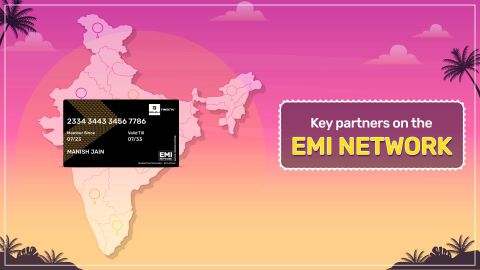
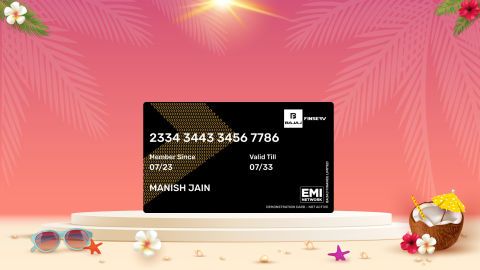
  • Use the EMI Network Card for purchases up to Rs. 3 lakh: Already own the Bajaj Finance EMI Network Card? Use it for instant, paperless checkout and convert your purchases of up to Rs. 3 lakh into Easy EMIs.
Bajaj Finance app for all your financial needs and goals

Trusted by 50 million+ customers in India, Bajaj Finance App is a one-stop solution for all your financial needs and goals.

You can use the Bajaj Finance App to:

  • Apply for loans online, such as Instant Personal Loan, Home Loan, Business Loan, Gold Loan, and more.
  • Invest in fixed deposits and mutual funds on the app.
  • Choose from multiple insurance for your health, motor and even pocket insurance, from various insurance providers.
  • Pay and manage your bills and recharges using the BBPS platform. Use Bajaj Pay and Bajaj Wallet for quick and simple money transfers and transactions.
  • Apply for Insta EMI Card and get a pre-qualified limit on the app. Explore over 1 million products on the app that can be purchased from a partner store on Easy EMIs.
  • Shop from over 100+ brand partners that offer a diverse range of products and services.
  • Use specialised tools like EMI calculators, SIP Calculators
  • Check your credit score, download loan statements and even get quick customer support—all on the app.

Download the Bajaj Finance App today and experience the convenience of managing your finances on one app.

Do more with the Bajaj Finance App!

UPI, Wallet, Loans, Investments, Cards, Shopping and more

Disclaimer

1. Bajaj Finance Limited (“BFL”) is a Non-Banking Finance Company (NBFC) and Prepaid Payment Instrument Issuer offering financial services viz., loans, deposits, Bajaj Pay Wallet, Bajaj Pay UPI, bill payments and third-party wealth management products. The details mentioned in the respective product/ service document shall prevail in case of any inconsistency with respect to the information referring to BFL products and services on this page.

2. All other information, such as, the images, facts, statistics etc. (“information”) that are in addition to the details mentioned in the BFL’s product/ service document and which are being displayed on this page only depicts the summary of the information sourced from the public domain. The said information is neither owned by BFL nor it is to the exclusive knowledge of BFL. There may be inadvertent inaccuracies or typographical errors or delays in updating the said information. Hence, users are advised to independently exercise diligence by verifying complete information, including by consulting experts, if any. Users shall be the sole owner of the decision taken, if any, about suitability of the same.
For Customer Support, call IVR: 7757000000

Frequently asked questions

Can I buy Vu 55-inch TVs on EMIs?

Yes, you can purchase Vu 55-inch TVs with Bajaj Finance’s Easy EMI options.

If you are an existing user of the Bajaj Finance Insta EMI Card:

  • Explore a wide range of TVs on Bajaj Mall

  • Choose the preferred model and visit a Bajaj Finance partner store to check it out in person

  • Use your EMI Network Card and avail of Easy EMIs for affordable monthly payments

  • Enjoy your new TV on Easy EMIs

If you do not have one, there is no need to worry. Check your eligibility for an Insta EMI Card and take the first step towards enjoying the affordability and convenience of Easy EMIs.

Do Vu TVs have AirPlay?
Yes, some Vu TV models support AirPlay, allowing you to stream content from your Apple devices directly to the TV for a seamless viewing experience.
What is the voltage of a Vu TV?
Vu TVs typically operate on a voltage range of 100-240V AC, 50/60 Hz, making them compatible with standard power supplies in most regions.
How to use a Vu TV without remote?
You can use Vu TV without a remote by using the physical buttons on the TV or by downloading the Vu remote app on your smartphone to control the TV wirelessly.
Which Vu 55-inch TV model is best for home theatre use?

The VU Frame Series 55‑inch TV is best for home theatre setups. It offers a 4K QLED display, 144Hz refresh rate, and 124W speaker output with Dolby Audio. Combined with Google TV smart features, it delivers cinematic visuals and powerful sound, making it ideal for immersive movie nights and gaming in medium to large living rooms.

Does Vu 55-inch TV support HDR10 or Dolby Vision?

Yes, most VU 55‑inch TVs support HDR10 and Dolby Vision, enhancing brightness, contrast, and color accuracy. These features ensure vivid visuals and lifelike detail, especially in 4K QLED models like the GloQLED and Frame Series. This makes them excellent for streaming platforms such as Netflix and Prime Video, where HDR content is widely available.

How do I connect a USB drive to a Vu 55-inch TV?

To connect a USB drive, insert it into the USB port on your VU 55‑inch TV. Navigate to the TV’s Media or File Explorer app via the home screen. Select the USB option to access videos, music, or photos stored on the drive. Ensure the files are in supported formats like MP4, MP3, or JPEG for smooth playback.

How do I install an APK file on a Vu 55-inch TV?

On VU 55‑inch TVs running Google TV, enable Install from Unknown Sources in settings. Transfer the APK file to a USB drive, plug it into the TV, and use a file manager app to locate and install the APK. Ensure the APK is safe and compatible with Android TV to avoid performance or security issues.

Does Vu 55-inch TV work with Google Assistant or Alexa?

Yes, most VU 55‑inch smart TVs support Google Assistant directly through the remote or voice commands. Some models also integrate with Alexa via external devices like Echo speakers. This allows you to control the TV, search content, adjust volume, or launch apps hands‑free, enhancing convenience and smart home integration.

Can I use a Vu 55‑inch TV without the remote?

Yes, you can operate a VU 55‑inch TV without the remote. Use the physical control buttons on the TV for basic functions like power and volume. For smart features, download the VU or Google TV remote app on your smartphone, which allows navigation, typing, and voice control. This makes it convenient if the remote is misplaced or not working.

Show More Show Less