Paying your Loan Against Securities (LAS) EMI on time is not just a financial obligation—it’s a key to maintaining a healthy credit score, preserving your pledged investments, and avoiding unnecessary penalties. Whether you've pledged shares, mutual funds, or bonds as collateral, timely EMI payments ensure that your investments continue to work for you without disruption. Understanding how to pay your LAS EMI effectively can help you stay in control of your finances and avoid defaults. With the growing convenience of digital platforms, there are multiple payment modes available—from mobile apps and online banking to setting up auto-debit instructions. In this guide, we cover everything you need to know about paying your LAS EMI: its importance, various payment methods, security tips, and associated charges. Whether you're planning to automate your payments or looking for a one-time method, this article simplifies the process for your convenience.
Why paying your loan against securities EMI on time is important?
Timely payment of your Loan Against Securities (LAS) EMI is crucial for several reasons, and the benefits extend far beyond simply staying on schedule with your loan obligations. Firstly, making EMI payments on or before the due date ensures that your credit score remains unaffected. Credit bureaus consider your repayment behaviour seriously, and any delay or missed EMI can result in a drop in your credit rating. This lowered score could hinder your eligibility for future loans, credit cards, or other financial products.
Secondly, consistent EMI payments protect your pledged investments. Under a LAS agreement, the lender holds your shares, mutual funds, or bonds as collateral. If you default on your EMI payments, the lender has the authority to liquidate these assets to recover their dues. This forced sale may result in financial loss, especially if the securities' market value is unfavourable at that time.
Additionally, failing to pay your EMIs on time can attract penalties such as late payment fees, penal interest rates, and other service charges. Over time, these charges can significantly increase your overall debt burden. You may also be subjected to frequent reminder calls or legal action, adding further stress and complications.
Another overlooked benefit of timely payments is the positive impression it creates with your financial institution. Regular, punctual payments show financial discipline, making lenders more willing to offer you favourable terms on future loans. You might also find it easier to apply for a loan top-up, restructuring, or loan part prepayment without additional hurdles.
In summary, paying your LAS EMI on time is essential for maintaining your creditworthiness, protecting your assets, avoiding unnecessary charges, and ensuring a smooth and beneficial relationship with your lender.
Different ways to pay your loan against securities EMI
Repaying your Loan Against Securities (LAS) EMI has never been easier, thanks to the variety of secure and user-friendly payment options available today. Whether you prefer mobile apps, internet banking, or automated deductions, there is a method to suit every borrower’s convenience. Below are the different ways you can make your EMI payment effectively and on time.
Mobile app payment
Official mobile app of your lender can prove to be an efficient platform for you to manage your loans, including EMI payments. After downloading the app, you can log in using your registered mobile number. Once inside, navigate to the ‘My Loans’ section, select your LAS account, and choose ‘Pay EMI’. You can complete the payment using UPI, debit card, credit card, or net banking. This method is ideal for users who prefer handling finances on their smartphones with real-time confirmation and access to receipts.
Online banking (net banking)
Online banking allows you to pay your EMI directly through your bank’s net banking portal. Add your lender as a beneficiary using its official bank account details. You can transfer the EMI amount via NEFT, IMPS, or RTGS. Always mention your Loan ID in the remarks section to ensure correct payment tracking. This method provides flexibility and control for users comfortable with internet banking.
Auto-debit (ECS/NACH mandate)
Auto-debit is an excellent option for borrowers who prefer automation. You can set up an Electronic Clearing Service (ECS) or National Automated Clearing House (NACH) mandate by visiting your lender’s customer service portal or app. Once your bank account is linked and verified, the EMI amount will be deducted automatically each month on the due date. This helps prevent missed payments and late charges, ensuring financial discipline without manual effort.
UPI-based payment
For those who prefer simplicity, Unified Payments Interface (UPI) offers a fast and secure method to pay EMIs. Enter the UPI ID linked to your lender, mention the EMI amount, and add your Loan ID in the remarks. This method is widely adopted and suitable for tech-friendly users.
NEFT or IMPS transfer
NEFT and IMPS are traditional yet reliable fund transfer options. Using your bank’s platform, you can pay directly to the lender’s account. Always double-check the payee details and include your Loan ID to avoid misrouting. IMPS offers instant credit, while NEFT may take a few hours.
In-branch payment
If you prefer offline methods, you can visit the nearest branch of your lender to pay by cheque or demand draft. Ensure the instrument is drawn in favour of your lender and includes your Loan ID. Request a receipt for your records.
How to set up auto-debit for loan against securities EMI payments?
If you are searching for how to pay your loan against securities EMI seamlessly and on time, setting up an auto-debit facility is one of the most efficient and hassle-free methods. It ensures your EMIs are paid automatically every month without manual intervention, helping you maintain a good credit score and avoid penalties. Here is a step-by-step guide to help you set up auto-debit for your LAS EMI payments:
Log in to the customer portal or mobile app
Visit the official website or use the mobile app of your lender. Enter your registered mobile number or customer ID and authenticate using OTP to access your dashboard.
Navigate to your LAS loan account
On the dashboard, go to the ‘My Loans’ section and select your Loan Against Securities account. This section provides all your loan details and repayment status.
Choose the auto-debit or NACH mandate option
Within the loan settings or payment section, select the option to set up auto-debit. Most lenders typically offers this through a NACH (National Automated Clearing House) or ECS (Electronic Clearing Service) mandate.
Enter your bank details securely
Provide accurate bank account details, including your account number, IFSC code, and bank name. These details are essential for the mandate setup and fund deductions.
Verify and authorise the mandate
Authenticate the setup through OTP verification or eSign if prompted. In some cases, your bank may redirect you to complete verification on its platform.
Download and save the confirmation
Once the mandate is successfully registered, download or screenshot the confirmation page. An email or SMS acknowledgement will also be sent for your records.
Ensure sufficient balance before due dates
Make sure that your account has adequate funds before the EMI due date every month. A failed auto-debit due to insufficient balance may result in penalties.
Track deductions and loan status regularly
Log in periodically to check whether the EMI is being debited as scheduled. This will help you detect any discrepancies and avoid missed payments.
Use the portal for manual payments if neededIn case auto-debit fails or is temporarily disabled, you can always opt for loan payment through debit card via the My Account portal as an alternative.
Plan for part-prepayment if you prefer early closureIf you wish to repay your loan ahead of schedule or reduce your EMI burden, consider loan part prepayment. Auto-debit continues seamlessly unless you modify your EMI schedule post prepayment.
Setting up auto-debit ensures you never miss an EMI deadline while offering the convenience and peace of mind that comes with timely and automated payments.
Top of Form
Bottom of Form
How to pay tractor loan EMI using a mobile app
Using a mobile app to pay your tractor loan EMI is fast, secure, and convenient. It enables real-time access to your loan account and instant confirmation of payments—all from the comfort of your smartphone. Here are the step-by-step instructions to guide you through the process:
- Download your lender’s official appDownload and install your lender’s official app on your mobile device.
- Log in using your registered mobile numberOpen the app and enter your mobile number linked with your loan account. Authenticate the login via a one-time password (OTP) sent to your phone.
- Access the ‘My Loans’ sectionAfter logging in, navigate to the main dashboard and select the ‘My Loans’ tab. This section displays all your active loans, including your tractor loan.
- Select your tractor loan accountIdentify the tractor loan from the list and tap to open the loan summary page. Here, you can view details such as due EMIs, payment schedule, and outstanding balance.
- Tap on the ‘Pay EMI’ optionClick the ‘Pay EMI’ button available on the loan dashboard to begin the payment process.
- Enter the EMI amount to be paidInput the amount due or choose the full EMI value as shown. You may also view a breakdown of principal and interest components before confirming.
- Choose your preferred payment methodSelect from UPI, debit card, credit card, or internet banking options. If you are wondering about other methods like loan payment through debit card, this is where you can use it.
- Authorise the transactionVerify and confirm the transaction using OTP, password, or biometric login depending on your chosen payment method.
- Receive instant confirmationAfter successful payment, you will receive an SMS and email notification. The app will also display a payment confirmation screen.
- Download or screenshot your payment receiptSave the digital receipt for your records. This document can be helpful in case of disputes or audit requirements.
- Enable EMI reminders or auto-payTo avoid missed payments, set up app reminders or use the auto-debit facility for future EMIs.
Using your lender’s app can simplify the process of paying tractor loan EMIs and ensures timely payments from anywhere, anytime.
How to pay loan against securities EMI using online banking?
Online banking is one of the most secure and convenient ways to pay your Loan Against Securities (LAS) EMI. It allows you to manage payments directly from your bank account without needing to visit a physical branch or log into multiple platforms. Follow these step-by-step pointers to ensure a smooth and timely EMI payment process:
- Log in to your bank’s internet banking portalAccess your bank’s official website and enter your user ID and password. Use secure access methods such as OTP or biometric login where available.
- Go to the ‘Payments’ or ‘Fund Transfer’ sectionMost internet banking portals have dedicated menus for bill payments or fund transfers. Choose NEFT, IMPS, or RTGS based on the urgency and availability.
- Add your lender as a beneficiarySelect the ‘Add Beneficiary’ or ‘Register Payee’ option. Enter the beneficiary name (Your lender’s name), account number, IFSC code, and other required details as provided in your loan documentation.
- Enter your Loan ID in the remarks sectionThis is a crucial step. Include your unique LAS Loan ID in the remarks or reference field to ensure that your EMI payment is properly attributed to your loan.
- Input the exact EMI amountRefer to your EMI schedule or the latest loan statement to enter the correct EMI amount. Double-check to avoid underpayment or overpayment.
- Select the mode of transferChoose NEFT for regular processing, IMPS for instant payment, or RTGS for large transactions. Ensure that the transfer timing aligns with bank processing hours.
- Authorise the transactionConfirm the payment using OTP, secure PIN, or authentication device as required by your bank.
- Wait for confirmation from the bankUpon successful processing, your bank will provide a transaction reference number. Save this for your records.
- Monitor your LAS account for payment updateLog into your lender’s customer service portal to confirm that the EMI has been received and credited against your LAS loan.
- Use this method for one-time or recurring paymentsOnline banking is suitable for scheduled manual payments. You can also combine this with auto-debit setup for hassle-free future payments.
Using online banking for EMI payments not only enhances security but also offers real-time tracking and flexibility. It is a reliable method for those seeking control and convenience while managing loan repayments.
Fees and charges for loan against securities online EMI payments
Understanding the fees and charges associated with Loan Against Securities (LAS) EMI payments is essential for managing your loan efficiently. While most online payment methods are cost-effective, certain scenarios may involve additional charges. Below are the key fees and conditions to be aware of:
- No processing fee for standard online paymentsEMI payments made via UPI, debit card, or net banking typically do not attract any processing charges.
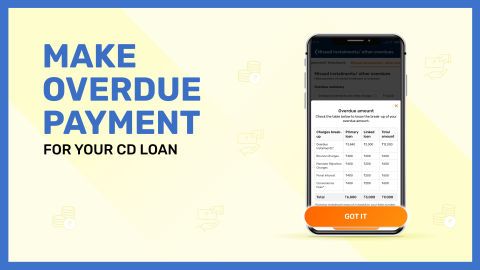
- Late payment penaltyIf the EMI is not paid by the due date, a late payment fee is levied. This amount may vary based on the delay duration and outstanding balance.
- Bounce charges for failed auto-debitIf the auto-debit from your bank account fails due to insufficient balance, bounce charges are applicable. These charges are typically fixed per failed transaction.
- Penal interest on overdue EMIsIn addition to late fees, penal interest may be charged on overdue amounts until full repayment is made.
- Convenience fee for credit card paymentsIf you choose to pay via credit card, some gateways may levy a convenience fee, usually as a percentage of the transaction amount.
- GST on applicable chargesGoods and Services Tax (GST) is levied on late payment charges, bounce fees, and other service fees as per government regulations.
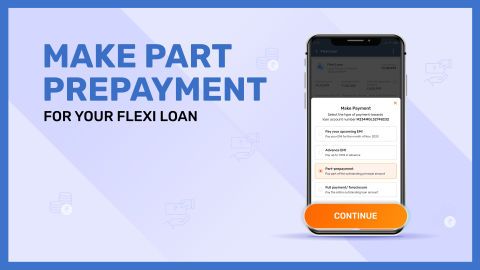
- Prepayment or foreclosure chargesIf you opt for loan part prepayment or complete loan closure, nominal charges may apply as per the loan agreement.
Staying informed about these charges helps you avoid unnecessary costs and manage your LAS account responsibly.
Safety and security of online payments
When making Loan Against Securities (LAS) EMI payments online, ensuring safety and security is of utmost importance. Ensure that your lender and their associated payment platforms implement multiple layers of protection to keep your transactions safe. Below are the essential safety features and practices to be aware of:
- End-to-end encryption for all transactionsOnline payments are protected using secure SSL encryption protocols to safeguard sensitive data from unauthorised access.
- Two-factor authentication (2FA)Payments are authenticated through a second layer such as OTPs, biometric verification, or transaction passwords to confirm user identity.
- Secure UPI and app loginsMobile apps and UPI platforms use device-based authentication and PIN verification to prevent unauthorised access.
- RBI-compliant payment gatewaysAll payment processors adhere to RBI guidelines and data protection policies to maintain high standards of transaction integrity.
- Real-time alerts and notificationsSMS and email alerts are sent instantly for every transaction, allowing immediate tracking and quick action in case of any discrepancy.
- Firewall and fraud detection systemsAdvanced firewalls and AI-powered detection tools monitor network activity for suspicious behaviour and block threats in real time.
- User-controlled access permissionsOnly authorised users can initiate or modify payment methods, helping prevent misuse of your account.
- Regular updates and auditsPlatforms are frequently updated and audited to patch vulnerabilities and meet evolving cybersecurity standards.
Practising caution and using secure platforms ensures your online EMI payments are processed safely, without compromising your personal or financial data.
Conclusion
Paying your Loan Against Securities EMI on time is critical to maintaining your credit health, protecting your pledged investments, and avoiding penalties. Whether you choose to set up auto-debit, use online banking, or prefer app-based payments, there are multiple secure and flexible options. Understanding the available methods, applicable fees, and safety measures allows you to manage your loan with confidence and convenience. Stay informed, stay timely, and ensure a seamless repayment experience.