Onida TVs: Price in India, Features and Specifications 2026

Explore Onida TV prices, features, and more. Check latest offers to bring home an Onida LED TV with ease.
Explore Onida TV on EMIs
3 min
18 December 2025

Whether you want a TV for family movie nights, online streaming, or casual viewing, Onida TV models cater to every need. You can choose from compact options for smaller rooms to large-screen 4K display smart TVs for immersive experiences. Students, professionals, families, and even gamers can find something suitable. For instance, the Onida smart television with Dolby Atmos transforms any living room into a theatre.

If you plan to buy a new TV, remember to check your loan eligibility first. It helps you fix your budget and short-list options. Once ready, browse models on Bajaj Mall or visit over 1.5 lakh partner stores in over 4,000 cities. With Easy EMIs and zero down payment on select models, bringing home the right Onida LED TV is simple and stress-free.

Overview of Onida TVs

Onida LED TV models are designed to offer quality viewing at an affordable price. They come with clear displays, powerful sound, and the latest smart features. The smart TV range includes Google TV and Coolita platforms for a smooth experience. Many models also feature Dolby Vision and Atmos for enhanced visuals and sound. If you enjoy binge-watching, gaming, or even casual content, Onida has a TV for you. Many TVs include energy-saving features, helping you reduce electricity bills.


Before moving ahead, take a moment to browse the latest offers. You might find a great offer on the Onida TV that fits your needs.


Selecting the right Onida TV


To find the best Onida TV for your needs, think about the following:


  • Screen size: Match the screen size to your room. A 32-inch TV works well in a small bedroom. A 40-inch or bigger screen is better for a larger living room.
  • Resolution: HD, Full HD, and 4K TVs offer sharper images. Pick one based on your budget and content needs.
  • Smart features: If you want to stream content, go for a smart TV with built-in apps and internet access.
  • Connectivity: Make sure there are enough HDMI ports for devices like your set-top box or gaming console.
  • Sound quality: Some models include Dolby Audio, which gives better and richer sound.

When you look at all these factors, it becomes easier to choose the Onida LED TV that suits your lifestyle and space.


Types of Onida TVs


  • Smart TVs: Include Wi-Fi, apps, and streaming services to upgrade your entertainment.
  • LED TVs: Use less power and give bright, clear pictures.
  • Android TVs: Come with Google Play, voice search, and easy controls.
  • 4K UHD TVs: Offer ultra-sharp visuals, perfect for a cinema-style feel at home.


Onida TV of Features and Specifications 


Onida TVs come packed with useful features to improve your viewing:


FeatureDetails
Picture qualityVivid colours, sharp images, and strong contrast for clear everyday viewing
Sound performanceDolby Audio support on select models for clearer, more immersive sound
Smart functionsBuilt-in Wi-Fi with access to Netflix, Disney+ Hotstar, and other streaming apps on select models
ConnectivityMultiple HDMI and USB ports for easy connection of external devices, set-top boxes, and gaming consoles
Energy efficiencyPower-saving technology on select models to reduce electricity consumption and lower monthly bills
Ease of useSimple, user-friendly remote and interface design suitable for all age groups including children and seniors


Updated price list of bestselling Onida TV (June 2026)


Here are some popular Onida smart TV and LED TV models available in India, offering a mix of affordability, advanced features, and reliable performance. Whether you are searching for the Best Onida TV in India, comparing Onida TV Price ranges, or simply looking for the Best Onida TV for your home, these models deliver clear visuals, Dolby Audio, smart connectivity, and energy‑efficient designs.


ModelPriceDescription
ONIDA NEXg 138.68 cm (55 inch) Ultra HD (4K) LED Smart Google TV (55UIG-R)Rs. 30,99055-inch 4K TV with Nexg processor, Dolby Vision, Dolby Atmos, and 500W sound output.
ONIDA 80 cm (32 inch) HD Ready LED Smart Google TV (32HAG1)Rs. 11,990Smart Google TV with HD Ready display and voice-enabled remote.
ONIDA NEXg 139 cm (55 inch) Ultra HD (4K) LED Smart Google TV (55UIG)Rs. 29,990Large 4K TV with HDR10, Dolby features, and Android-based interface.
ONIDA 108 cm (43 inch) Ultra HD (4K) LED Smart Google TV (43UIG)Rs. 23,49043-inch Ultra HD TV with Dolby Atmos and Google TV interface.
ONIDA 80 cm (32 inch) HD Ready LED Smart Coolita TV (32HTI)Rs. 10,890Affordable 32-inch TV with Coolita OS and smart functions.


Disclaimer: The features, availability, and pricing of each model are subject to change and may vary. For the most accurate and up-to-date information, please visit the official website.


Best Onida TV models by screen size


Choosing the right Onida TV depends on your room size and viewing preferences. Onida offers a variety of models across screen sizes, combining affordability with smart features and reliable performance.

Screen sizeModel nameKey featuresPrice range (India)
32-inchOnida Fire TV 32HD Ready, Fire OS, Alexa integrationBudget-friendly
40-inchOnida Smart LED 40Full HD, Smart apps, HDMI/USB portsMid-range
43-inchOnida Fire TV 43Full HD, Dolby Audio, Voice remoteMid-range
50-inchOnida 4K UHD Smart 504K UHD, HDR10, Smart OSAffordable premium
55-inchOnida 4K UHD Smart 554K UHD, Dolby Vision, DTS-HD audioPremium


Onida TV vs Mi, Samsung, and LG – Comparison


Onida TVs compete strongly with Mi, Samsung, and LG by offering smart features and affordability. While Samsung and LG lead in premium innovation, Onida balances performance and price, making it attractive for budget-conscious buyers.

FeatureOnida TVMi TVSamsung TVLG TV
DisplayHD to 4K UHD, HDR10, Dolby Vision4K UHD, HDR10+QLED/OLED, HDR10+, Dolby VisionOLED/QNED, HDR10+, Dolby Vision
Smart featuresFire OS, Android TV, AlexaAndroid TV, PatchWallTizen OS, Smart HubwebOS, ThinQ AI
AudioDolby Audio, DTS-HDDolby Audio, DTS-HDDolby Digital Plus, Q-SymphonyDolby Atmos, AI Sound Pro
ConnectivityHDMI, USB, Wi-FiHDMI, USB, Wi-FiHDMI, USB, Wi-Fi, BluetoothHDMI, USB, Wi-Fi, Bluetooth
Price range (India)Budget to mid-premiumBudget to mid-rangePremiumPremium


Why choose Onida TV


Onida TVs are a good fit for many households. Here is why they might be the right pick for you:

  • Affordable: You get great value for money with Onida. Find a good TV without spending too much.
  • Reliable: These TVs are built to last and offer steady performance for years.
  • Plenty of options: Whether you want a basic LED TV or a smart TV with extra features, Onida has it.
  • Focus on the basics: You get clear pictures and strong sound – the essentials of good TV viewing.
  • Easy to use: The simple interface makes it suitable for all age groups.


With so many benefits, choosing an Onida smart TV becomes easy and practical.


Explore Onida TVs on Easy EMIs


Upgrading your home with the latest electronics and appliances is now easier and more affordable with Bajaj Finance’s flexible financing options. Follow these steps to get started:


  • Explore products on Bajaj Mall: Browse a wide range of electronics and appliances from trusted brands. Compare features like energy ratings, storage capacity, performance settings, and design to choose the right product for your home.
  • Visit a partner store: Once you shortlist a model, step into any of Bajaj Finance’s 1.5 lakh partner stores across 4,000 cities in India. See the product in person, talk to experts, and make a confident decision.
  • Choose the Easy EMI Loan option: At checkout, select the Bajaj Finance Easy EMI Loan. Avail financing of up to Rs. 5 lakh and split the cost into convenient monthly instalments. Some products also come with a zero down payment option.
  • Check your loan eligibility online: Plan better by checking your loan eligibility in minutes. Simply enter your mobile number and OTP to know your pre-approved limit.
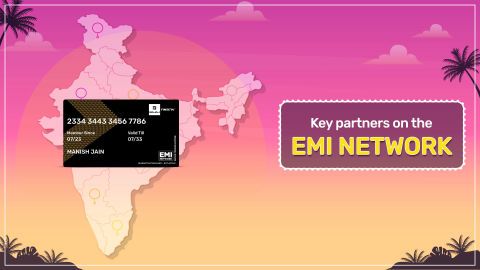
  • Use the EMI Network Card for purchases up to Rs. 3 lakh: Already own the Bajaj Finance EMI Network Card? Use it for instant, paperless checkout and convert your purchases of up to Rs. 3 lakh into Easy EMIs.


TVs by brand:

Mi TvSony TvLg TvOnePlus TvSamsung TvVu TvTcl Tv
Panasonic TvLloyd TvKodak TvRealme TvPhilips TvHaier TvIntex Tv
Hyundai TvBpl TvAkai TvAmstrad TvSansui TvElista TvItel

TVs by features: 

LED TVsSmart TVsFull HD TVsAndroid TVs
OLED TVsQLED TVsHD TVs 


TVs by size: 

32-inch Tv40-inch Tv75-inch Tv65-inch Tv
43-inch Tv49-inch Tv50-inch Tv55-inch Tv


TVs by budget 

TVs under Rs. 15,000TVs under Rs. 20,000TVs under Rs. 25,000
TVs under Rs. 30,000TVs under Rs. 40,000TVs under Rs. 50,000

Pro tip

Explore with rewards, cashbacks, coupons, and deals from Bajaj Finance.

Bajaj Finance app for all your financial needs and goals

Trusted by 50 million+ customers in India, Bajaj Finance App is a one-stop solution for all your financial needs and goals.

You can use the Bajaj Finance App to:

  • Apply for loans online, such as Instant Personal Loan, Home Loan, Business Loan, Gold Loan, and more.
  • Invest in fixed deposits and mutual funds on the app.
  • Choose from multiple insurance for your health, motor and even pocket insurance, from various insurance providers.
  • Pay and manage your bills and recharges using the BBPS platform. Use Bajaj Pay and Bajaj Wallet for quick and simple money transfers and transactions.
  • Apply for Insta EMI Card and get a pre-qualified limit on the app. Explore over 1 million products on the app that can be purchased from a partner store on Easy EMIs.
  • Shop from over 100+ brand partners that offer a diverse range of products and services.
  • Use specialised tools like EMI calculators, SIP Calculators
  • Check your credit score, download loan statements and even get quick customer support—all on the app.

Download the Bajaj Finance App today and experience the convenience of managing your finances on one app.

Do more with the Bajaj Finance App!

UPI, Wallet, Loans, Investments, Cards, Shopping and more

Disclaimer

1. Bajaj Finance Limited (“BFL”) is a Non-Banking Finance Company (NBFC) and Prepaid Payment Instrument Issuer offering financial services viz., loans, deposits, Bajaj Pay Wallet, Bajaj Pay UPI, bill payments and third-party wealth management products. The details mentioned in the respective product/ service document shall prevail in case of any inconsistency with respect to the information referring to BFL products and services on this page. 

2. All other information, such as, the images, facts, statistics etc. (“information”) that are in addition to the details mentioned in the BFL’s product/ service document and which are being displayed on this page only depicts the summary of the information sourced from the public domain. The said information is neither owned by BFL nor it is to the exclusive knowledge of BFL. There may be inadvertent inaccuracies or typographical errors or delays in updating the said information. Hence, users are advised to independently exercise diligence by verifying complete information, including by consulting experts, if any. Users shall be the sole owner of the decision taken, if any, about suitability of the same.

Frequently asked questions

Can I buy an Onida TV on Easy EMIs?

Yes, you can easily purchase an Onida TV using Bajaj Finance’s Easy EMI options. If you are an existing EMI Network Card holder:

Browse the range of Onida TVs on Bajaj Mall.

Choose a model and visit a Bajaj Finance partner store to explore it in person.

Use your EMI Network Card to avail of Easy EMIs for affordable monthly payments.

Get your TV with zero stress.

If you do not have a card yet, start by checking your EMI eligibility and unlock convenient payment options in just a few steps.

Is Onida a good brand for TV?

Yes, Onida is known for offering affordable smart TVs with good display and audio features. It is a reliable choice for budget-friendly entertainment.

Does Onida TV have Bluetooth?

Onida TVs in India typically offer models with Bluetooth connectivity, providing users with the option to connect external devices wirelessly. However, it's recommended to check the specific model's features to confirm Bluetooth functionality as it may vary across models.

Does an Onida TV have an HDMI port?

Yes, Onida TVs typically come with HDMI ports. These ports allow you to connect various devices such as gaming consoles, Blu-ray players, and set-top boxes, providing high-definition video and audio output for an enhanced viewing experience.

Is the Onida Smart TV a good choice?

The Onida Smart TV is generally well-regarded for its quality features, including high-definition displays, smart connectivity options, and a user-friendly interface. It supports streaming apps and offers a range of sizes and resolutions to suit different preferences and needs.

How do you connect an Onida LED TV to a mobile wirelessly?

To connect an Onida LED TV to a mobile wirelessly, use the TV’s built-in Wi-Fi or screen mirroring features. Enable screen mirroring on your mobile device and select the TV from the available devices list to establish a connection and share content.

Does the Onida LED TV have Wi-Fi connectivity?

Many Onida LED TVs feature Wi-Fi connectivity, allowing you to access online streaming services, apps, and content. Check the specifications of your specific model to confirm Wi-Fi support and make the most of its smart features.

Does Onida TV support Dolby Audio?

Yes, many Onida TV models come equipped with Dolby Audio support, delivering clear dialogue, balanced sound, and immersive audio quality. This makes every day viewing more enjoyable, whether you are watching movies, sports, or streaming music. Combined with DTS‑HD in select models, Onida ensures that its TVs provide a theatre‑like experience at home without requiring external speakers.

Does Onida TV support Fire TV OS and Android TV?

Onida offers a wide range of smart TVs powered by both Fire TV OS and Android TV. The Fire TV models integrate Alexa voice control, Prime Video, Netflix, and other popular apps directly into the interface. Android TV models provide access to Google Play Store, Chromecast built‑in, and Google Assistant, ensuring seamless connectivity with smartphones and smart devices.

Are Onida smart TVs a dependable option for budget-conscious users in India?

Yes. Onida smart TVs are widely reviewed as reliable budget options, delivering 4K resolution, Dolby Audio, and smart features at competitive prices. They are positioned in India’s crowded budget TV market as value-for-money choices, especially for users seeking affordability without compromising on essential features.

What operating system and smart features do Onida TVs run on?

Onida TVs run on Amazon’s Fire OS in Fire TV editions, offering Alexa voice integration and a content-first UI. Other models, like the Nexg Series, use Google TV, providing access to Google Play apps, Chromecast, and personalised recommendations. Both platforms support streaming apps like Netflix, Prime Video, and Hotstar.

Which Onida TV model is most suitable for everyday home viewing in India?

For everyday home use, the Onida Nexg Series 43‑inch 4K Ultra HD LED Smart TV is highly recommended. It balances affordability (Rs. 17,999–Rs. 26,099), strong picture quality, Dolby Audio, and smart features, making it ideal for family viewing in living rooms or bedrooms.

What is the power consumption and energy rating of Onida smart TVs?

Onida smart TVs generally consume 70–120 watts depending on size and resolution. Many models are designed with energy-saving features and carry standard BEE star ratings, helping reduce monthly electricity bills. Larger QLED and 55‑inch models consume more power but remain efficient compared to similar competitors.

How to troubleshoot and fix Onida TV not connecting to Wi-Fi?

If your Onida TV is not connecting to Wi‑Fi, the issue can usually be resolved with a few simple steps. Start by restarting both the TV and your Wi‑Fi router to refresh the connection. Navigate to the TV’s network settings, select Wi‑Fi, and try reconnecting. If the problem persists, forget the saved network and re‑enter the password carefully. Ensure the router is within range and not overloaded with too many devices. For Fire OS models, unplugging the TV for a minute and reconnecting often fixes temporary glitches.

Show More Show Less