motorola TV Prices in India, Features and Specifications (February 2026)

Discover the latest motorola televisions online in India from price, features and different models with specs for 2026. Discover exclusive offers on top-rated TVs and bring cinematic entertainment to your living room.
Explore TVs on Easy EMIs
3 min
19-Feb-2026

Discover a range of Motorola TVs, designed to enhance your entertainment experience with stunning visuals and immersive sound. Whether you're looking for HD Ready, Full HD, or 4K Ultra HD, motorola offers budget-friendly options for every home. With smart features and seamless connectivity, these TVs bring your favorite content to life.
 

If you are thinking of buying a TV, check your loan eligibility first. It helps you understand your budget and narrow down your options. Once you have a budget in mind, explore the latest models on Bajaj Mall. Simply visit any of Bajaj Finserv’s 1.5 lakh partner stores in over 4,000 cities, choose the model you want, and convert your purchase into Easy EMIs of up to Rs. 5 lakh. With Easy EMIs and zero down payment on select models, bringing home the right TV is simple and stress-free.

motorola TV for upgrade your viewing experience

motorola TVs, renowned for their excellent display quality and smart features, offer a range of options suitable for different viewing preferences and budgets. These LED TVs are designed to provide immersive viewing experiences with vibrant colors, deep contrasts, and smooth motion handling. They come equipped with smart features, including access to popular streaming services and seamless connectivity options, making them an ideal choice for modern entertainment needs. With various sizes and resolutions available, motorola TVs cater to both casual viewers and dedicated cinephiles, ensuring a versatile and enjoyable television experience.
 

Features of motorola TVs

  1. Resolution display: Motorola TVs come with 4K Ultra HD resolution, offering crystal-clear picture quality and vivid colors.
  2. Smart TV functionality: These TVs are equipped with popular streaming apps, voice control features, and easy connectivity options for a seamless viewing experience.
  3. Powerful sound system: Many motorola TVs feature Dolby Audio and DTS Studio Sound, delivering an immersive audio experience.
  4. User-friendly interface: The TVs have an intuitive interface that allows for easy navigation and customization of settings.
  5. Energy efficiency: motorola’s TVs are designed to be energy-efficient, ensuring lower power consumption without compromising on performance.
     

Benefits of buying motorola TVs

  • Affordable pricing: motorola TVs offer great value for money, delivering high-quality features at competitive prices.
  • Excellent display quality: Equipped with advanced technologies like HDR and Dolby Vision, motorola TVs ensure vibrant visuals.
  • Seamless connectivity: With built-in Wi-Fi and Bluetooth, connecting devices is convenient and hassle-free.
  • Sturdy design: motorola TVs boast a sleek, durable design that fits well in any home setup.

Different types of motorola TVs

  • HD Ready TVs: Ideal for smaller spaces, these provide decent picture quality at a budget-friendly price.
  • Full HD TVs: Offering higher resolution, these are perfect for clear and sharp visuals in medium-sized rooms.
  • 4K Ultra HD TVs: With ultra-high-definition resolution, these TVs deliver immersive viewing experiences for larger spaces.
  • Smart TVs: Equipped with apps and voice control, these models offer seamless access to streaming services and internet browsing.
     

Top selling motorola TV models of 2026

motorola TVs combine advanced technology with stylish design, making them a strong choice for modern homes. If you are searching for the latest motorola TV price or want the best motorola TV within your budget, Bajaj Mall offers flexible options. Explore models across categories, including TV under Rs. 50,000, and enjoy easy EMIs with reliable performance and immersive viewing experiences.

ModelPriceDescription
motorola ZX2 32 inchRs. 14,999HD Ready display, Dolby Audio, Android TV, ideal for small rooms.
motorola ZX2 40 inchRs. 22,999Full HD resolution, built-in Chromecast, voice remote, smooth performance.
motorola ZX Pro 43 inchRs. 29,9994K UHD display, Dolby Vision & Atmos, Android 10, sleek bezel-less design.
motorola ZX Pro 50 inchRs. 34,9994K UHD, HDR10, powerful speakers, great for immersive viewing.
motorola ZX Pro 55 inchRs. 39,9994K UHD, Dolby technologies, smart features, ideal for medium to large spaces.
motorola ZX Pro 65 inchRs. 54,999Large 4K screen, cinematic experience, voice control, premium build.
motorola Revou 32 inchRs. 13,999HD Ready, stock Android TV, compact and budget-friendly.
motorola Revou 43 inchRs. 27,9994K UHD, Dolby Vision, stock Android, vibrant colours and clarity.
motorola Revou 50 inchRs. 33,9994K UHD, immersive sound, sleek design, ideal for entertainment lovers.
motorola Revou 55 inchRs. 38,9994K UHD, Dolby Atmos, Android 10, excellent value for larger rooms.


Check out all the motorola TV under Rs. 10,000 on Bajaj Mall.
 

Disclaimer: The features, availability, and pricing of each model are subject to change and may vary. For the most accurate and up-to-date information, please visit the official website. 

Note: You can use Bajaj Finserv’s financing options to split any purchase above Rs. 5,000 into Easy EMIs.


Thinking of buying a new TV? Before you do that, explore the latest offers from Bajaj Finserv. You may find a great deal on a model that matches your needs.
 

motorola EnvisionX QLED Google TV

  • Display: QLED with Quantum Glow Technology
  • Audio: Dolby Digital, Dolby Audio, DTS Trusurround
  • Processor: MediaTek with 2GB RAM and 16GB ROM
  • Special features: Chromecast Built-In, 20W AmphiSoundX PRO Speakers
     

motorola EnvisionX Spectra 55" Mini LED Smart Google TV

  • Display: Ultra HD (4K) with Mini LED Technology
  • Audio: Dolby Vision, Dolby Atmos
  • Processor: Google TV with ALLM and MEMC Technology
  • Special features: 160 Dimming Zones, 500 nits Brightness
ModelDisplaySpecial Features
EnvisionX QLED Google TVQLED with Quantum GlowChromecast Built-In, 20W AmphiSoundX PRO Speakers
EnvisionX Spectra 55" Mini LED Smart Google TVUltra HD (4K) with Mini LED160 Dimming Zones, 500 nits Brightness


Get electronics and appliances on Easy EMIs with Bajaj Finserv

Upgrading your home with the latest electronics and appliances is now easier and more affordable with Bajaj Finserv’s flexible financing options. You can also maximise your savings by using the Maha Bachat Savings Calculator—a smart tool that combines brand offers, dealer offers, and EMI offers, all in one place, helping you lower the overall cost while still paying in small, bite-sized instalments. Follow these steps to get started:

  •  Explore products on Bajaj Mall: Browse a wide range of electronics and appliances from trusted brands. Compare features like energy ratings, storage capacity, performance settings, and design to choose the right product for your home.
  • Visit a partner store: Once you shortlist a model, step into any of Bajaj Finserv’s 1.5 lakh partner stores across 4,000 cities in India. See the product in person, talk to experts, and make a confident decision.
  • Choose the Easy EMI Loan option: At checkout, select the Bajaj Finserv Easy EMI Loan. Avail financing of up to Rs. 5 lakh and split the cost into convenient monthly instalments. Some products also come with a zero down payment option.
  • Check your loan eligibility online: Plan better by checking your loan eligibility in minutes. Simply enter your mobile number and OTP to know your pre-approved limit.
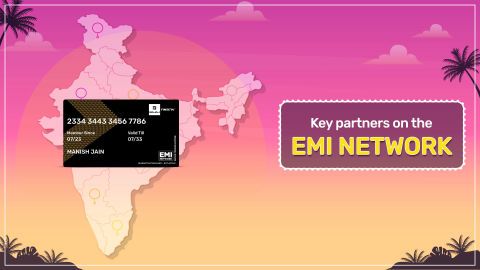
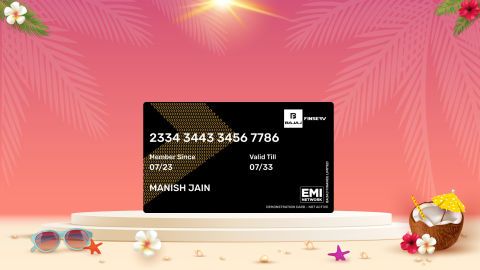
  • Use the EMI Network Card for purchases up to Rs. 3 lakh: Already own the Bajaj Finserv EMI Network Card? Use it for instant, paperless checkout and convert your purchases of up to Rs. 3 lakh into Easy EMIs.
     

TVs by brand:

Mi TVSony TVLG TVOnePlus TVSamsung TVVu TVTCL TV
Panasonic TVLloyd TVKodak TVRealme TVPhilips TVHaier TVIntex TV
Hyundai TVBpl TVAkai TVAmstrad TVSansui TVElista TVItel TV


TVs by feature:

LED TVSmart TVFull HD TVAndroid TV
OLED TVQLED TVHD TV 

TVs by size:

32-inch TV40-inch TV75-inch TV65-inch TV
43-inch TV49-inch TV50-inch TV55-inch TV


TVs by brand:

Sony TVMi TVLG TVHaier TVOnePlus TV
Vu TVTCL TVSamsung TVPanasonic TVPhilips TV


TVs by budget:

TVs under Rs. 15,000TVs under Rs. 20,000TVs under Rs. 25,000
TVs under Rs. 30,000TVs under Rs. 40,000TVs under Rs. 50,000

Why use the Maha Bachat Savings Calculator

Bajaj Finserv’s Maha Bachat Savings Calculator helps you unlock maximum savings every time you shop at partner stores. It brings together all available brand, dealer, and scheme offers—so you can see your total savings instantly and shop smarter with Easy EMIs.


1. Dealer offers - Grab exclusive in-store deals at over 1.5 lakh partner stores across India. Enjoy local discounts and special prices you will not find online.

2. Brand offers - Access limited-time discounts from top brands across electronics, appliances, and more. Discover brand-specific savings selected just for you.

3. Bajaj offers - Unlock exclusive Bajaj Finserv deals on popular products—available only to our customers. More rewards, more value.

4. Scheme offers - Take advantage of time-sensitive offers on select EMI schemes. Get extra benefits after paying just 3 EMIs—visible during EMI selection at checkout.


Calculate your extra savings today!
Pro tip

Explore with rewards, cashbacks, coupons, and deals from Bajaj Finserv.

Bajaj Finserv app for all your financial needs and goals

Trusted by 50 million+ customers in India, Bajaj Finserv App is a one-stop solution for all your financial needs and goals.

You can use the Bajaj Finserv App to:

  • Apply for loans online, such as Instant Personal Loan, Home Loan, Business Loan, Gold Loan, and more.
  • Invest in fixed deposits and mutual funds on the app.
  • Choose from multiple insurance for your health, motor and even pocket insurance, from various insurance providers.
  • Pay and manage your bills and recharges using the BBPS platform. Use Bajaj Pay and Bajaj Wallet for quick and simple money transfers and transactions.
  • Apply for Insta EMI Card and get a pre-qualified limit on the app. Explore over 1 million products on the app that can be purchased from a partner store on Easy EMIs.
  • Shop from over 100+ brand partners that offer a diverse range of products and services.
  • Use specialised tools like EMI calculators, SIP Calculators
  • Check your credit score, download loan statements and even get quick customer support—all on the app.

Download the Bajaj Finserv App today and experience the convenience of managing your finances on one app.

Do more with the Bajaj Finserv App!

UPI, Wallet, Loans, Investments, Cards, Shopping and more

Disclaimer

1. Bajaj Finance Limited (“BFL”) is a Non-Banking Finance Company (NBFC) and Prepaid Payment Instrument Issuer offering financial services viz., loans, deposits, Bajaj Pay Wallet, Bajaj Pay UPI, bill payments and third-party wealth management products. The details mentioned in the respective product/ service document shall prevail in case of any inconsistency with respect to the information referring to BFL products and services on this page.

2. All other information, such as, the images, facts, statistics etc. (“information”) that are in addition to the details mentioned in the BFL’s product/ service document and which are being displayed on this page only depicts the summary of the information sourced from the public domain. The said information is neither owned by BFL nor it is to the exclusive knowledge of BFL. There may be inadvertent inaccuracies or typographical errors or delays in updating the said information. Hence, users are advised to independently exercise diligence by verifying complete information, including by consulting experts, if any. Users shall be the sole owner of the decision taken, if any, about suitability of the same.
For customer support, call Personal Loan IVR: 7757 000 000

Frequently asked questions

Can I buy a new TV on EMIs?

Yes, you can easily upgrade to a new TV with Bajaj Finserv's Easy EMI options. Whether you already have the EMI Network Card or are new to it, here is how you can get started:

If you have the Bajaj Finserv EMI Network Card:

  • Explore televisions on Bajaj Mall: Choose from top brands offering models with high refresh rates, vibrant displays, and high-resolution.
  • Visit a partner store: Check out the latest TVs in person at any of 1.5 lakh partner stores across 4,000 cities.
  • Use your EMI Network Card at checkout: Convert the total cost into Easy EMIs that fit your monthly budget.
  • Zero down payment on select models: Bring home your TV without paying anything upfront.


If you do not have an EMI Network Card:

Check your Insta EMI Card eligibility online using your mobile number and OTP. If eligible, you can apply instantly and start shopping for your favourite television easily and affordably.

How to use Chromecast on motorola TVs?
To use Chromecast on your motorola TV, ensure your TV and smartphone are connected to the same Wi-Fi network. Open the app that you want to cast from on your smartphone, such as YouTube or Netflix, and look for the Cast icon, which resembles a small TV screen with a Wi-Fi symbol. Tap the Cast icon and select your motorola TV from the list of available devices. The content from your smartphone should now be displayed on your TV screen. If your motorola TV has a built-in Chromecast, no additional hardware is needed. If not, you may need to plug in a Chromecast device into the HDMI port of your TV.
Are motorola TVs manufactured by Flipkart?

motorola TVs are manufactured and marketed by Flipkart in India. Flipkart has partnered with motorola to design and produce these smart TVs, combining motorola's brand reputation with Flipkart's extensive distribution network. This collaboration ensures that motorola TVs are tailored to meet the preferences and demands of the Indian market, offering a range of models with varying features and price points to cater to different customer needs.

How do I clear the cache on my motorola TV?
To clear the cache on your motorola TV, follow these steps: Navigate to the Home screen and select "Settings." Scroll down to "Apps" and select the app for which you want to clear the cache. Once you have selected the app, you will see options like "Clear Data" and "Clear cache." Choose "Clear cache" to remove the temporary files stored by the app. This process can help improve the performance of the app and free up storage space on your TV.
How do I clear storage on my motorola TV?
To clear storage on your motorola TV, start by navigating to the Home screen and selecting "Settings." From there, go to "Device preferences" and then "Storage." Here, you can see how much storage is being used and what is occupying the space. To free up storage, you can uninstall unused apps by selecting them and choosing "Uninstall." Additionally, you can clear the cache for specific apps by going to "Apps" in the settings and selecting "Clear cache" for each app. This will help in optimising the available storage on your TV.
How to reset motorola TVs?

To reset a motorola TV, go to the settings menu, select system, and choose reset or factory reset. This restores default settings and deletes stored data. Alternatively, use the Android Recovery Menu if the TV is unresponsive. Always back up important preferences before resetting.

What is the refresh rate of a motorola TV?

motorola TVs generally offer refresh rates of 60 Hz on entry models and up to 120 Hz on premium models. Higher refresh rates provide smoother visuals, especially for gaming and fast‑moving content. Choosing the right model depends on your viewing needs and budget.

How to control a motorola TV without a remote?

You can control a motorola TV without a remote by using physical buttons on the TV, mobile apps compatible with Android TV, or voice commands if supported. These options allow you to power on, adjust volume, and navigate menus conveniently when the remote is unavailable.

Show More Show Less