When choosing the Lenovo Tab M11, you may want to know how well it handles daily tasks, how long its battery lasts and whether it suits your learning and entertainment needs. Here are six important aspects to consider.
Can the Lenovo Tab M11 last through your day?
The Lenovo Tab M11 packs a 7,040 mAh battery for activities such as browsing, online learning and video streaming. Its battery capacity supports extended use between charges, although actual backup depends on your screen time, applications and usage habits.
Can you use the Lenovo Tab M11 for everyday tasks?
The MediaTek Helio G88 octa-core processor and 4GB RAM support everyday activities such as browsing, reading, video streaming and online classes. You can also use the tablet for note-taking and light productivity with stylus support. However, demanding games and heavy multitasking may push its hardware limits.
Is the Lenovo Tab M11 good for online classes, reading and entertainment?
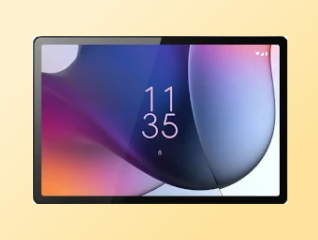
Yes, the Lenovo Tab M11 is suitable for online classes, reading and everyday entertainment, thanks to its 11-inch display, 90 Hz refresh rate and quad speakers. You can use its 8 MP front camera for video calls and Android 13 for everyday applications.
| Use case | Relevant feature | Specification |
| Online classes | Front camera and speakers | 8 MP front camera, 4 speakers |
| Reading | Large display | 11-inch screen |
| Video streaming | Smooth visuals | 90 Hz refresh rate |
| Extended use | Battery capacity | 7,040 mAh |
However, the 4GB RAM configuration may show occasional lag when you keep several demanding applications open simultaneously. The Lenovo Tab M11, also known as the Lenovo Tab K11, is better suited to everyday learning and entertainment than intensive multitasking.
Does the Lenovo Tab M11 support a stylus?
Yes, the Lenovo Tab M11 supports stylus input, which you can use for handwritten notes, sketching and annotating PDFs. Stylus input can make online learning and document work more convenient, especially when you prefer writing directly on the screen.
The tablet supports compatible Lenovo stylus models, but the exact stylus type should be checked before purchase. The stylus is sold separately, so account for this additional cost if you plan to use it regularly.
You should also confirm compatibility with your specific Lenovo Tab M11 variant, before choosing a stylus.
→ Pro tip: If you plan to use the Lenovo Tab M11 for online classes or note-taking, compare the Wi-Fi and LTE variants and check stylus compatibility before purchasing.