








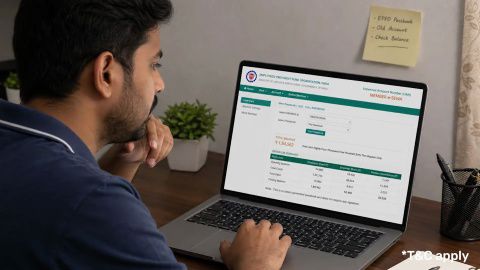
EPF Auto Transfer
In summary
To understand how to transfer EPF online, follow six main steps on the EPFO member portal. EPFO allows up to 20 days under the scheme, with a Citizen’s Charter target of seven working days.
- Start PF transfer online through Member e-Sewa.
- Check whether automatic transfer has already started.
- Use your activated, Aadhaar-linked UAN.
- Verify old and current employment details.
- Submit Form 13 using Aadhaar OTP.
Track transfer credit in your passbook.
Employer approval is no longer needed in most eligible cases, although mismatched details or exempted trusts may require further action. After consolidating your EPF retirement savings, separate surplus funds may be considered for a Bajaj Finance Fixed Deposit, subject to your goals, liquidity needs and prevailing rates.
What is an EPF transfer?
-
An EPF transfer is the process of moving the accumulated provident fund balance from an employee's previous employer-linked account to the account associated with their current employment.
The Employees’ Provident Fund Organisation (EPFO) manages the EPF scheme. When an employee changes jobs and joins another organisation covered by EPF, a new Member ID is generally created under the employee's existing UAN.
The UAN acts as a common identification number that connects the different Member IDs associated with an employee's employment history.
An EPF transfer helps consolidate the member's provident fund savings and maintain continuity of pensionable service under the Employees’ Pension Scheme (EPS), where applicable.
Smart saving tip: EPF is designed mainly for retirement. An FD can be considered separately for planned goals where you want a defined tenure and predictable return. Keep sufficient emergency liquidity before locking money into any investment.
Why should you transfer your EPF account after changing jobs?
Transferring the previous EPF balance to the current account helps maintain a consolidated record of provident fund savings and employment history.
Some important benefits include:
- Consolidated savings: The balance accumulated through previous employment can be brought into the current EPF account, making it easier to track total savings.
- Continuity of service: Relevant employment and pensionable service details are carried forward for calculating eligible EPS benefits.
- Simplified account management: Multiple Member IDs can be managed under one UAN, reducing the need to track separate PF accounts.
- Clearer tax records: A transfer helps preserve the continuity of recognised provident fund service for applicable tax purposes. Tax treatment still depends on the member's circumstances and the relevant provisions.
- Easier record verification: Members can review transfer details and download Annexure K from the Member Portal after successful processing.
EPFO's revamped Form 13 process also removed the need for separate destination-office approval after the transfer is approved by the source office. This helps simplify the transfer process.
Who is eligible to transfer an EPF account?
-
An employee can generally apply for an EPF transfer when they leave one EPF-covered establishment and join another EPF-covered establishment.
Before submitting an online claim, check the following:
- Active UAN: Your UAN should be active and accessible through the EPFO Member Portal.
- Correct personal details: Your name, date of birth and other personal details should match the information recorded against your UAN and KYC documents.
- Updated KYC: Your Aadhaar and other applicable KYC details should be correctly linked and verified.
- Previous employment details: The previous Member ID and employment details should be available in the EPFO database.
- Date of exit: The date of exit from the previous employment should be correctly recorded.
- Current employment details: The new employer should have generated the current Member ID and submitted the relevant employment and contribution details.
The exact validation requirements can vary depending on the member's account and employment records. A general three-year service requirement does not apply to EPF transfers.
-
How to check PF balance online with UAN number?
To check your EPF balance with UAN number, you can use the Member Passbook facility provided by the Employees’ Provident Fund Organisation (EPFO). After registering on the Unified Member Portal, your passbook will be available after 6 hours.
How to transfer EPF online through the EPFO portal?
EPF members can submit an online transfer claim through the EPFO Member Portal using Form 13.
Follow these steps:
Step 1: Log in to the EPFO Member Portal
Visit the EPFO Member Portal.
Enter your UAN, password and the displayed captcha to log in.
Step 2: Open the transfer request service
Go to the Online Services section and select the option for transferring an EPF account. It may be displayed as One Member – One EPF Account (Transfer Request) or a similar transfer-claim option.
Step 3: Verify your personal and employment details
Check the personal information and current employment details displayed on the portal.
Confirm that the previous Member ID and current Member ID are correctly reflected. If any information is incorrect or missing, resolve the discrepancy before proceeding.
Step 4: Enter the previous PF account details
Select the previous employment account from which the PF balance needs to be transferred.
Review the details carefully, including the previous employer and Member ID.
Step 5: Select the employer for attestation, if required
Depending on the claim and portal validation, you may be asked to select the previous or current employer for attestation.
EPFO has removed employer approval in the majority of transfer cases. However, certain claims may still require employer verification or other intervention. Follow the instructions displayed for your particular claim.
Step 6: Authenticate and submit the transfer request
Complete the authentication process displayed on the portal. If an OTP is required, enter the OTP sent to the registered mobile number.
Review the details before submitting the online Form 13 claim.
Step 7: Save the acknowledgement
After submission, save the claim reference or acknowledgement details for future tracking.
The claim will be processed by the relevant EPFO office and, where applicable, the employer or exempted PF trust.
Important: Portal labels and authentication requirements may change as EPFO updates its online services. Follow the instructions shown on the official Member Portal at the time of submission.
Does EPF transfer happen automatically?
-
Yes. EPFO introduced an automatic transfer facility under which a transfer claim can be initiated after the first month's contribution is received from the new employer, subject to prescribed validations.
When the automatic transfer is successfully initiated and processed, the member does not need to submit a separate Form 13 claim for that transfer.
However, automatic transfer is not guaranteed in every case. Members should check whether the previous PF balance has been transferred to the current account. If it has not, they can review the account details and submit a transfer claim through the Member Portal, where applicable.
What documents and details are required for an online EPF transfer?
-
An online transfer generally requires accurate account and employment information rather than a separate set of physical documents.
Keep the following details accessible:
Detail Purpose UAN Identifies the member across different employers Previous Member ID Identifies the old PF account Current Member ID Identifies the new PF account Aadhaar details Helps verify the member's identity Registered mobile number Used for OTP-based authentication, where required Previous employment details Helps validate the transfer request Current employment details Helps identify the destination account Form 13 is the prescribed transfer claim form. Members filing online generally submit the claim through the portal rather than separately printing and submitting a signed copy as a standard requirement. Additional verification may be required in specific cases.
How to check EPF transfer status online?
After submitting a transfer request, members can track its progress through the EPFO Member Portal.
Follow these steps:
- Visit the EPFO Member Portal.
- Log in using your UAN and password.
- Open the Online Services section.
- Select Track Claim Status.
- Check the status and available details of your transfer claim.
Once the transfer has been processed, members can also download the transfer certificate, Annexure K, through the portal.
The current download path is:
Member Portal → Online Services → Track Claim Status → Download Annexure K.
What is Annexure K in an EPF transfer?
Annexure K is the transfer certificate generated after an EPF transfer is successfully processed. It records important details relating to the member's previous PF account and transfer.
It generally contains:
- The PF balance transferred, including applicable interest.
- The member's employment details.
- The previous and current Member IDs.
- The service history relevant to EPS benefit calculations.
Annexure K is useful for checking whether the previous PF balance and pensionable service details have been correctly accounted for in the new employment record.
Since September 2025, EPFO has enabled members to download Annexure K directly from the Member Portal instead of having to request it separately from the EPF office.
Check out different FD Rates
What should you do if your EPF transfer is delayed or rejected?
An EPF transfer may be delayed or rejected if the information in the previous and current employment records does not match or if a required verification is pending.
Some common issues include:
| Issue | What you can check |
|---|---|
| Previous Member ID is not displayed | Check whether the previous employer's employment and contribution records have been updated with EPFO. |
| Date of exit is missing | Check the previous employment record and complete the applicable date-of-exit update process. |
| Personal details do not match | Compare the UAN profile with Aadhaar and other supporting records, and correct discrepancies through the applicable process. |
| KYC is incomplete or unverified | Check the KYC status and complete the required verification. |
| Transfer claim is pending | Check the claim status to identify whether employer or EPFO action is required. |
| PF balance is not reflected after approval | Download Annexure K and compare the transfer details with the current passbook. |
If the issue remains unresolved, members can raise a grievance through the EPFO grievance portal or contact the EPFO helpdesk on 14470.
What is the difference between an EPF transfer and an EPF withdrawal?
An EPF transfer and an EPF withdrawal are two different processes.
| Basis | EPF transfer | EPF withdrawal |
|---|---|---|
| Meaning | Moves the previous PF balance to the current PF account | Pays an eligible amount to the member |
| Purpose | Consolidates savings and maintains relevant service records | Provides access to funds for an eligible reason |
| Employment situation | Generally used when changing jobs | Permitted under specified withdrawal conditions |
| Pensionable service | Relevant service details are carried forward | Withdrawal does not serve the same purpose as a transfer |
| Tax implications | Generally preserves continuity of recognised PF service | Depends on the withdrawal reason and service period |
Employees changing jobs should generally consider transferring their EPF balance rather than withdrawing it, provided they remain eligible to maintain the account. This helps preserve the accumulated retirement savings and relevant pensionable service record.
Transferring an EPF account after changing jobs helps consolidate provident fund savings and maintain continuity of eligible pensionable service. Members can submit an online transfer claim through Form 13 using the EPFO Member Portal. In many cases, EPFO may also initiate the transfer automatically after receiving the first contribution from the new employer, subject to validation.
After the transfer is processed, members should check their current PF passbook and download Annexure K to verify the transferred balance and service details. Keeping these records accurate can help avoid discrepancies when checking future EPF and EPS benefits.
Fixed Deposit variants
Get ROI up to
8.15% p.a.
Senior citizen
Starting with just Rs. 15,000
Get ROI up to
7.75% p.a.
Age below 60 years
Starting with just Rs. 15,000
Get ROI up to
7.75% p.a.
Minor
Starting with just Rs. 15,000
Get ROI up to
7.75% p.a.
HUF
Starting with just Rs. 15,000
Get ROI up to
7.75% p.a.
Sole proprietor
Starting with just Rs. 15,000
Locate to your nearest FD branch

Related Articles


Frequently Asked Questions
Overview
How can I transfer my PF from an old employer to a new one?
To transfer your PF, log in to the EPFO portal, select the 'Transfer Request' under the 'Online Services' tab, and provide your old and new PF account details. Submit the request and follow the verification process.
How much time does it take to transfer an EPF online?
Transferring an EPF online typically takes 20 to 30 days. The process involves verification from both the old and new employers, ensuring a smooth and efficient transfer of funds.
Is there any tax benefit to transferring EPF instead of withdrawing it?
The EPF transfer process is tax-free and preserves your service history, helping you reach the five-year continuous-service period for tax-free withdrawal. TDS may apply when EPF is withdrawn before five years, but it is not automatic in every case because thresholds and statutory exceptions apply. After consolidating your EPF, you may complement retirement savings with a Bajaj Finance Fixed Deposit offering up to 8.15% p.a., subject to applicable terms.
What documents are required for an online EPF transfer?
You need 5 key documents to transfer PF online: Revised Form 13, a valid identity proof (Aadhaar or PAN), your UAN, current employer details, and your bank account number with IFSC. However, the online EPFO process normally uses verified digital records rather than five separate uploads. In eligible auto-transfer cases, Form 13 is not required. Check that these details match your UAN records before submitting the request.
What are the eligibility conditions to transfer EPF online?
EPF transfer eligibility requires three key conditions: an active UAN, updated KYC details, and Aadhaar linked to the UAN. Your bank account and IFSC must be recorded on the EPFO portal, while the dates of joining and exit must be available for both employments. EPFO permits only one transfer request against a previous Member ID. Verify these details before starting a PF transfer online.
Does PF transfer happen automatically?
No, PF transfer does not happen automatically. You must initiate the transfer request through the EPFO portal and provide necessary details for the transfer to be processed by your previous and current employers.
What happens if I don't transfer my PF to a new company?
If you don't transfer your PF, the old account remains active but may become dormant after 36 months of inactivity. It’s advisable to transfer to ensure continuity of interest accrual and maintain an active EPF account.
How to transfer PF from one UAN to another UAN?
If you have multiple UANs, you need to merge them to manage your PF seamlessly. Inform EPFO or your current employer to block the old UAN and submit a transfer claim via the EPFO portal. After verification, your previous member ID is linked to the active UAN, and you’ll receive confirmation once the process is complete.
Does PF transfer happen automatically?
PF transfers can happen automatically if both previous and current employers are EPFO-registered and your KYC details are updated. When your first contribution is made to the new employer, an automatic transfer request is triggered. No action from the previous employer is usually needed. Manual submission is required only if the previous PF account is under a private trust.
Disclaimer
1. Bajaj Finance Limited (“BFL”) is a Non-Banking Finance Company (BAJAJ FINANCE) and Prepaid Payment Instrument Issuer offering financial services viz., loans, deposits, Bajaj Pay Wallet, Bajaj Pay UPI, bill payments and third-party wealth management products. The details mentioned in the respective product/ service document shall prevail in case of any inconsistency with respect to the information referring to BFL products and services on this page.
2. All other information, such as, the images, facts, statistics etc. (“information”) that are in addition to the details mentioned in the BFL’s product/ service document and which are being displayed on this page only depicts the summary of the information sourced from the public domain. The said information is neither owned by BFL nor it is to the exclusive knowledge of BFL. There may be inadvertent inaccuracies or typographical errors or delays in updating the said information. Hence, users are advised to independently exercise diligence by verifying complete information, including by consulting experts, if any. Users shall be the sole owner of the decision taken, if any, about suitability of the same.