








In summary
Eligible EPFO members can submit qualifying claims without employer attestation. Full PF settlement normally requires two months without employment in an establishment covered by the EPF law.
- Activate and access your UAN account.
- Link verified Aadhaar with the UAN.
- Seed validated bank details and IFSC.
- Record your date of exit correctly.
- Select the correct EPFO claim form.
- Authenticate using your Aadhaar-linked mobile OTP.
Track progress through official EPFO channels.
EPFO should ordinarily settle a complete claim within 20 days. Incorrect personal details, an unrecorded exit date or an invalid bank account may delay or reject the claim.
What does it mean to claim PF without employer signature?
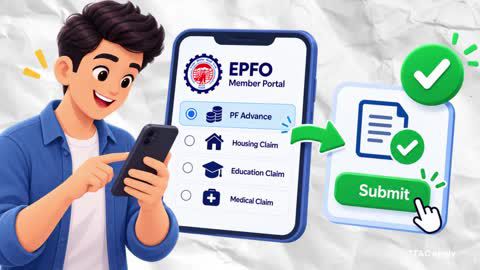
EPF withdrawal online
-
Claiming PF without an employer’s signature means submitting an eligible withdrawal claim directly to the Employees’ Provident Fund Organisation. The employer does not need to attest the online claim when the applicable UAN and KYC conditions are satisfied.
For an online claim, you generally need:
- An activated Universal Account Number or UAN
- Aadhaar linked and verified with the UAN
- Access to the Aadhaar-linked mobile number
- A bank account and IFSC seeded with the UAN
- Correct name, birth date and other member details
- The date of joining and exit recorded where required
PAN details where applicable, particularly for certain taxable final settlements
EPFO removed the requirement for employer approval of UAN bank-account seeding in April 2025. However, this does not mean that every correction or non-Aadhaar claim can always be completed without further verification.
How to withdraw EPF amount without employer signature
You can generally claim through either the EPFO online service or the applicable offline UAN-based form. The correct route depends on whether your Aadhaar, UAN and bank details satisfy EPFO’s requirements.
| Claim | Main purpose | Important condition |
| Form 19 | Final EPF settlement | Usually filed after leaving covered employment and completing the applicable waiting period |
| Form 10C | EPS withdrawal benefit or scheme certificate | Depends on pensionable service and EPS eligibility |
| Form 31 | Eligible PF advance or partial withdrawal | Purpose, service and amount conditions apply |
| Form 10D | Monthly pension claim | Available only when applicable pension conditions are met |
Offline method
A member whose activated UAN contains seeded Aadhaar and bank details may use the relevant UAN-based form and submit it directly to the jurisdictional EPFO office without employer attestation.
If the member cannot satisfy the Aadhaar-based conditions, the non-Aadhaar form and additional verification may be required. Where an employer is unavailable or the establishment has closed, the member should obtain instructions from the regional EPFO office or raise a grievance through EPFiGMS. Alternative attestation requirements should be confirmed with EPFO for the specific case.
Online method
The online method generally removes the need for a physical form and employer signature. The claim is authenticated using the Aadhaar-linked mobile number.
A cancelled cheque or attested passbook image is generally not required when the bank account linked with the UAN has been validated by the bank or National Payments Corporation of India.
What should you check before withdrawing PF?
Check whether withdrawal is permitted and whether it supports your financial needs. Changing jobs does not automatically require you to withdraw the balance. Transferring the PF balance may help preserve the retirement corpus and continuous-service record.
Before claiming, consider:
- Whether you need a full settlement or partial advance
- Whether you have completed the applicable waiting period
- Whether transferring the balance is more appropriate
- The possible effect on retirement savings
- Whether the withdrawal may be taxable
- Whether your bank account can receive the payment
Whether your EPFO records match your Aadhaar details
If part of the withdrawal will remain unused after meeting immediate needs, you may compare fixed-return options. A Bajaj Finance Fixed Deposit starts at Rs. 15,000 and provides tenures from 12 to 60 months. Before choosing it, consider liquidity, tax, issuer credit risk and premature-withdrawal conditions. You can review the application journey through the retained link.
Check out different FD Rates
Step-by-step process to claim PF without employer signature
-
Complete the following checks and select the online route whenever your UAN, Aadhaar and bank details meet EPFO’s requirements.
Offline process
- Download the required forms
Select Form 19, Form 10C or Form 31 according to the benefit being claimed. Use the latest form available through EPFO.
2. Get the forms attested
Employer attestation is not required for an eligible UAN-based Aadhaar claim. If you cannot satisfy the UAN-based requirements, ask the jurisdictional EPFO office which form and attestation route applies.
3. Write a letter to the PF Commissioner
A separate letter is not normally required for an eligible UAN-based claim. If your employer is unavailable, the establishment has closed or your records cannot be corrected online, EPFO may ask for a written explanation and supporting evidence.
4. Attach supporting documents
Submit only the documents required for your claim. These may include identity, bank or service-related records. Do not submit “proof of employer non-cooperation” unless EPFO specifically requests it.
5. Submit the application
Submit the completed form to the EPFO office responsible for your PF account. Obtain an acknowledgement or reference number.
6. Follow up
Use EPFO’s claim-status service or EPFiGMS if the claim remains unresolved beyond the applicable service timeline.
Online process
Log in to the EPFO Member Portal
Sign in using your UAN and password. Use only the official EPFO Member Portal or UMANG service.
Verify your KYC details
Check your Aadhaar, bank account, IFSC, PAN where applicable, mobile number and personal details. Confirm that the name and date of birth match across records.
Select the claim type
Open Online Services and select Claim (Form-31, 19, 10C & 10D). Verify the bank-account digits displayed by the portal.
Enter the required details
Choose the eligible claim type and complete the address, reason and other fields displayed. For Form 19, confirm that the date of exit is available and that the applicable unemployment condition has been met.
Submit the claim
Authenticate the submission using the OTP sent to the Aadhaar-linked mobile number. Upload supporting documents only when the portal requests them.
Track the status
Use the claim-status facility on the EPFO website or UMANG. A claim complete in all respects should ordinarily be settled within 20 days. Some eligible auto-mode advance claims may be processed faster, but this is not guaranteed for every claim.
Make the most of your withdrawn PF amount
Use a PF withdrawal according to the purpose for which it was claimed. Immediate expenses, emergency reserves and high-cost obligations should normally be considered before committing the money to a fixed tenure. After setting aside funds needed in the near term, you may compare deposits based on rate, tenure, payout frequency, premature-withdrawal rules, taxation and issuer credit quality. Interest from a fixed deposit is taxable according to the applicable law.
Why choose Bajaj Finance Fixed Deposit?
Bajaj Finance Fixed Deposit offers fixed interest under the applicable deposit terms. The exact rate depends on the depositor’s age, tenure and payout option.
At-maturity rates effective 7 October 2026
| Tenure | Customer below 60 | Senior citizen |
| 12–17 months | 6.80% p.a. | 7.20% p.a. |
| 18–30 months | 7.00% p.a. | 7.40% p.a. |
| 31–60 months | 7.75% p.a. | 8.15% p.a. |
Other relevant features include:
- Minimum deposit of Rs. 15,000
- Maximum deposit under this rate card of Rs. 3 cr
- Tenures ranging from 12 to 60 months
- Monthly, quarterly, half-yearly, annual and maturity payouts
- Up to 0.40% p.a. additional rate for senior citizens
- Nomination and renewal facilities
- Premature withdrawal under applicable conditions
- No processing fee for booking the deposit
Bajaj Finance Fixed Deposit carries CRISIL AAA/Stable and [ICRA]AAA (Stable) ratings. These ratings express the agencies’ opinions about credit risk; they do not guarantee repayment.
-
Claiming PF without an employer’s signature is generally possible through EPFO’s online service when your UAN, Aadhaar, mobile number and bank details meet the required conditions. Select the correct form, confirm your exit and service records, and use only official EPFO channels. Full settlement may affect retirement savings and can have tax consequences. If any withdrawn amount remains after meeting its intended need, compare liquidity, taxation, deposit protection and issuer risk before selecting another savings option.
Do not let your EPF savings sit idle!
Bajaj Finance Fixed Deposits offer secure and flexible investment options starting at Rs. 15,000. Claim Your Returns Today.
Fixed Deposit variants
Get ROI up to
8.15% p.a.
Senior citizen
Starting with just Rs. 15,000
Get ROI up to
7.75% p.a.
Age below 60 years
Starting with just Rs. 15,000
Get ROI up to
7.75% p.a.
Minor
Starting with just Rs. 15,000
Get ROI up to
7.75% p.a.
HUF
Starting with just Rs. 15,000
Get ROI up to
7.75% p.a.
Sole proprietor
Starting with just Rs. 15,000
Locate to your nearest FD branch

Related Articles


Frequently Asked Questions
Overview
Can I withdraw PF without employer approval?
Yes, you can generally submit an eligible online claim without employer approval when your UAN is active, Aadhaar is verified, the Aadhaar-linked mobile number is accessible and your validated bank account is seeded with the UAN. Final settlement also requires the relevant service and unemployment conditions. A record mismatch or missing date of exit may need correction before submission.
How can I claim my PF if my employer is not signing?
Use the EPFO online claim service if you meet its UAN, Aadhaar and bank requirements. If you cannot file online, check whether the UAN-based Aadhaar form can be submitted directly to your jurisdictional EPFO office. When the employer has closed or remains unavailable, raise a grievance through EPFiGMS and obtain case-specific instructions instead of using an unofficial intermediary.
How to approve KYC in EPF without employer digital signature?
Employer approval is no longer required for seeding bank-account details with the UAN when the account is verified through the prescribed bank or NPCI process. Aadhaar authentication and some profile corrections follow separate procedures. If the name, birth date or Aadhaar information is incorrect, use the applicable EPFO correction facility or contact the regional office.
How long does it take to withdraw PF online?
Under paragraph 72(7) of the EPF Scheme, a claim complete in all respects should ordinarily be settled within 20 days. Eligible auto-mode advance claims may be processed faster. Processing can take longer when the date of exit is absent, bank validation fails, member details do not match or EPFO requests additional evidence.
What is the minimum amount required to invest in a Bajaj Finance Fixed Deposit?
The minimum amount is Rs. 15,000. The rate card effective 7 October 2026 applies to deposits up to Rs. 3 cr. The applicable interest rate depends on age, tenure and payout frequency. Review liquidity needs before investing because premature withdrawal is restricted and can result in reduced or no interest under the applicable conditions. Open FD.
Disclaimer
1. Bajaj Finance Limited (“BFL”) is a Non-Banking Finance Company (BAJAJ FINANCE) and Prepaid Payment Instrument Issuer offering financial services viz., loans, deposits, Bajaj Pay Wallet, Bajaj Pay UPI, bill payments and third-party wealth management products. The details mentioned in the respective product/ service document shall prevail in case of any inconsistency with respect to the information referring to BFL products and services on this page.
2. All other information, such as, the images, facts, statistics etc. (“information”) that are in addition to the details mentioned in the BFL’s product/ service document and which are being displayed on this page only depicts the summary of the information sourced from the public domain. The said information is neither owned by BFL nor it is to the exclusive knowledge of BFL. There may be inadvertent inaccuracies or typographical errors or delays in updating the said information. Hence, users are advised to independently exercise diligence by verifying complete information, including by consulting experts, if any. Users shall be the sole owner of the decision taken, if any, about suitability of the same.