











An OTP will be sent to this number for verification

You may have a pre-approved offer
Enter required home loan amount
In summary
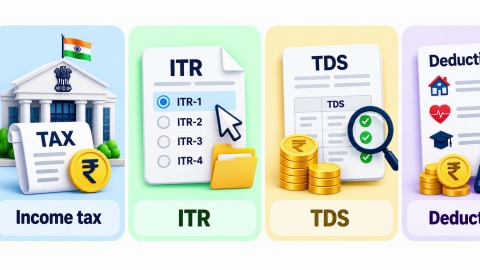
How to File Income Tax Return for Salaried Employees
Last updated: Sept 2026
Pre-filled data on the e-filing portal comes from AIS and Form 26AS, not directly from Form 16. Assuming these always match is what causes most post-filing correction notices for salaried employees.
- The 3 documents to reconcile: Form 16 (from your employer), Form 26AS (TDS credit statement), AIS (Annual Information Statement)
- Common mismatch causes: late TDS deposit, interest income not in Form 16, or a mid-year job change
- Where mismatches surface: the pre-filled income figure may differ from your Form 16's stated salary
- Correction window: before submission, since resolving a mismatch pre-filing avoids a later notice entirely
Portal reference year: Tax Year 2026-27 filings use pre-filled data current as of the actual filing da
Reconcile all 3 documents before submitting. This is mandatory to file income tax return online for salaried employees correctly, since a pre-submission fix takes minutes while a post-filing correction takes considerably longer.
Why doesn't my pre-filled income match what's on my Form 16?
This is the specific confusion behind most salaried filing questions, and it deserves a direct answer. The portal's pre-filled data comes from AIS and Form 26AS, both populated by your employer's and other reporting entities' submissions to the department, not directly transcribed from your Form 16.
Three genuine causes explain most mismatches, and each has a different fix. The realistic causes of a mismatch are:
- Timing differences, where your employer's TDS deposit hasn't yet reflected in Form 26AS at the time you're filing
- Additional income sources, such as bank interest, appearing in AIS that your Form 16 (covering salary only) never included
A job change mid-year, where two employers' TDS submissions need to be combined correctly, and one may be incomplete
Identifying which specific cause applies to your mismatch determines whether you wait, add the missing income, or contact your employer directly.
Show more
Show less
How do I reconcile these 3 documents before filing?
Five steps take a spotted mismatch to a resolved, accurate filing.
- Download your Form 16 from your employer, Form 26AS, and AIS from the e-filing portal.
- Compare the salary figure across all 3, checking specifically for TDS amount and gross salary consistency.
- If AIS shows additional income (interest, dividends) not in Form 16, add this income to your return manually.
- If Form 26AS shows less TDS credit than Form 16 states, contact your employer to confirm the deposit was actually made.
Only proceed to final submission once all 3 documents are reconciled, not before.
Skipping step 5 and submitting despite an unresolved mismatch is what generates the majority of post-filing correction notices salaried employees receive.
Show more
Show less
What do the 3 documents actually each confirm?
| Document | Source | What it confirms |
|---|---|---|
| Form 16 | Your employer | Salary paid and TDS deducted by that specific employer |
| Form 26AS | Income tax department | All TDS credited against your PAN from all sources |
| AIS | Income tax department | A broader summary of financial transactions, including interest and dividends |
Form 16 alone was historically treated as sufficient, but AIS's broader scope means it now regularly surfaces income a salaried employee's Form 16 was never designed to capture.
Show more
Show less
A worked example: resolving a mismatch before submitting
Consider Kavita, a 30-year-old analyst with a household income of Rs. 78,000 a month and a CIBIL Score of 738, who notices her AIS shows Rs. 22,000 in bank interest her Form 16 doesn't mention.
| Step | What Kavita did |
|---|---|
| Compared documents | Confirmed Form 16 covered only salary, not her savings account interest |
| Identified the gap | Rs. 22,000 in interest income visible only in AIS |
| Added the income | Manually included the interest under Other Sources in her return |
| Submitted | Filed with all 3 documents reconciled and consistent |
Because Kavita caught the gap before submitting, she avoided the mismatch notice that would likely have followed had she filed using only her Form 16 figures.
Show more
Show less
Home loan for professionals
Financing your home with a clean, reconciled filing using Bajaj Finance
| Loan feature | Detail |
|---|---|
| Interest rate | From 7.25% p.a.*, subject to credit assessment |
| Loan amount | Up to Rs. 15 crore* |
| Tenure | Up to 32 years |
A filing free of unresolved mismatches presents cleaner income documentation for a home loan application. Approval timelines can extend where a lender's verification finds a discrepancy between your ITR and Form 16, and minimum income thresholds can differ by city. Check your home loan eligibility with your filing fully reconciled.
Show more
Show less
Frequently Asked Questions
Understanding the mismatch
Practical filing
Should I trust Form 16 or AIS if the two figures genuinely disagree?
Investigate the specific discrepancy rather than defaulting to either document automatically. If AIS shows income your Form 16 doesn't cover, that income is likely genuinely yours and should be added. If Form 26AS shows less TDS than Form 16 states, your employer's deposit may be delayed, requiring their confirmation before you proceed.
Can I file my return before my employer's TDS fully reflects in Form 26AS?
You can, but a genuine mismatch between your claimed TDS and what Form 26AS shows can delay your refund or trigger a query from the department. Where possible, wait until Form 26AS reflects your employer's full deposit, or file with an explanation ready if a delay is unavoidable and confirmed by your employer.
Does switching employers mid-year make this reconciliation more complicated?
Yes, meaningfully. You'll receive two Form 16s, one from each employer, as a rule, and need to combine both salary figures correctly while checking that both employers' TDS deposits appear in your consolidated Form 26AS. Missing one employer's Form 16 entirely is a common and avoidable filing error in this specific situation.
What if I discover a genuine error in my AIS that isn't actually my income?
The AIS portal includes a feedback mechanism specifically for disputing an entry you believe is incorrect. Submit feedback through the portal rather than simply ignoring the discrepancy, since an unresolved AIS entry can resurface as a mismatch query even after your return is filed and fully processed by the department.
Home Loan in Different Cities

Home Loan in Mumbai

Home Loan in Ahmedabad

Home Loan in Bangalore

Home Loan in Chennai

Home Loan in Delhi

Home Loan in Hyderabad

Home Loan in Cochin

Home Loan in Noida

Home Loan in Pune
Home Loan for different budget
Check your pre-approved offer now
Our Calculators






What do our customers say about us
customers
Play Store rating
reviews
Amit Shiva
Reviewed on
Smooth and transparent home loan process. The interest rates were competitive, and documentation was minimal. The team guided me clearly at every step, making my first home purchase stress-free. Highly recommended for quick approvals.
Sandeep Kulkarni
Reviewed on
The loan disbursal was fast, and the customer support team was extremely patient with all my queries. Flexible EMIs helped me manage my monthly expenses easily. A great experience for salaried homebuyers.
Ritika Agarwal
Reviewed on
I had a great experience while transferring my existing home loan. The process was quick, and I saved significantly with the lower interest rate. Customer service was helpful throughout. Highly recommended for balance transfers.
Manoj Verghese
Reviewed on
Clear guidance, quick approval, and flexible repayment options made buying my new house easier than expected. The team handled everything professionally. Very satisfied and would definitely recommend their home loans
Find your nearest branch

More Articles




Watch our videos

Documents required to get a Bajaj Finserv Home Loan

Tips to increase your Home Loan eligibility
Things you need to know about pre-approved home loan

Things you need to know before applying for a Home Loan

How does Repo Rate affect your Home Loan

Download App
Now request money from your friends and family and make instant payments.

- Choose from personal, business, gold loans and more
- Pay utility bills, use UPI, get FASTag and more
- Buy over 1 million products on No Cost EMI
- Buy stocks, mutual funds and invest in FD
Disclaimer
1. Bajaj Finance Limited (“BFL”) is a Non-Banking Finance Company (NBFC) and Prepaid Payment Instrument Issuer offering financial services viz., loans, deposits, Bajaj Pay Wallet, Bajaj Pay UPI, bill payments and third-party wealth management products. The details mentioned in the respective product/ service document shall prevail in case of any inconsistency with respect to the information referring to BFL products and services on this page.
2. All other information, such as, the images, facts, statistics etc. (“information”) that are in addition to the details mentioned in the BFL’s product/ service document and which are being displayed on this page only depicts the summary of the information sourced from the public domain. The said information is neither owned by BFL nor it is to the exclusive knowledge of BFL. There may be inadvertent inaccuracies or typographical errors or delays in updating the said information. Hence, users are advised to independently exercise diligence by verifying complete information, including by consulting experts, if any. Users shall be the sole owner of the decision taken, if any, about suitability of the same.