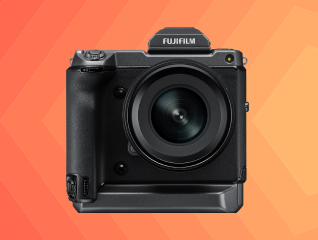
How to Adjust Camera Focus

How to Adjust Camera Focus

Get a pre-approved loan offers up to Rs. 5 lakh

Quick approval | Flexible tenure options | Zero approval fees

In summary

Adjusting camera focus means making sure your subject appears sharp while the background looks the way you want. You can improve focus by selecting the right focus mode, choosing the correct focus point, and keeping your camera steady.

  • Camera focus determines which part of the image appears sharp.
  • Auto Focus suits most everyday photography.
  • Manual Focus gives precise control in difficult scenes.
  • Single, Continuous, and Automatic AF serve different shooting situations.
  • Selecting the correct focus point improves subject sharpness.
  • Good lighting makes focusing faster and more accurate.

When you are ready to upgrade your camera, you can convert the cost into Easy EMIs using Bajaj Finance's financing options at over 1.5 lakh partner stores. Simply check your loan eligibility now and bring home your desired product without worrying about overspending.

Overview of camera focus and why it matters

Camera focus determines which area of your photo appears sharp and detailed. When focus is accurate, your main subject stands out clearly while the rest of the image looks natural based on your chosen settings. Modern cameras offer several focus modes for portraits, landscapes, sports, wildlife, and low-light photography. Choosing the right focus mode helps reduce blurry images, improves subject tracking, and allows your camera to respond quickly to changing scenes. Understanding camera focus is one of the easiest ways to improve your photography without buying new equipment.


Explore cameras at any of Bajaj Finance’s 1.5 lakh partner stores in 4,000 cities in India. Choose your ideal model, pay with Easy EMIs, and enjoy zero down payment on select deals. Simply check your loan eligibility now and bring home your desired product without worrying about overspending.

How to adjust camera focus

Adjusting camera focus is simple once you understand your camera's focus controls. The exact steps vary slightly between smartphones, DSLRs, and mirrorless cameras, but the overall process remains similar.

  • Clean the camera lens before shooting.
  • Choose the correct focus mode for your subject. Single AF works well for still subjects, while Continuous AF is better for moving people, pets, or vehicles.
  • Half-press the shutter button to allow the camera to lock focus before taking the picture.
  • Tap directly on your subject when using a smartphone camera to ensure accurate focus.
  • Switch to Manual Focus when photographing stars, macro subjects, or scenes with very low contrast where autofocus may struggle.
  • Keep your camera steady while focusing. Use both hands, a tripod, or image stabilisation to minimise blur.
  • Zoom into the preview after taking a photo to confirm the subject is sharp and refocus if needed.
  • Increase the available light whenever possible, as autofocus performs better in brighter conditions.

What are the types of camera focus modes

Different focus modes are designed for different shooting situations. Choosing the right one helps your camera lock focus faster and improves the chances of capturing a sharp image.


Focus modeBest used forHow it works
Single Auto Focus (AF-S / One Shot AF)Portraits, landscapes, architecture, productsFocus locks when you half-press the shutter. Best for subjects that are not moving.
Continuous Auto Focus (AF-C / AI Servo AF)Sports, wildlife, children, pets, vehiclesContinuously adjusts focus as the subject moves until the photo is taken.
Automatic Auto Focus (AF-A / AI Focus AF)General photographyThe camera automatically switches between Single AF and Continuous AF based on subject movement.
Manual Focus (MF)Macro photography, astrophotography, low-light scenesYou adjust focus manually using the focus ring for maximum precision.
Face Detection AFPortraits, selfies, group photosDetects human faces and prioritises keeping them in focus.
Eye Detection AFPortraits and wedding photographyFocuses specifically on the subject's eye for sharper portraits.
Tracking AFFast-moving subjectsTracks a selected subject as it moves across the frame.
Touch Focus (Smartphones)Everyday photographyTap the screen to choose exactly where the camera should focus.

How to change your camera focus settings for better photos

Small changes to your focus settings can make a noticeable difference in image quality. Learning when to switch focus modes helps you get sharper results in different shooting conditions.

  • Start with Single Auto Focus for stationary subjects like buildings, flowers, landscapes, and product photography.
  • Switch to Continuous Auto Focus when photographing moving people, pets, birds, sports, or vehicles.
  • Enable Eye Detection AF when taking portraits to keep the subject's eyes sharp, even if they move slightly.
  • Use Face Detection for family photos or group shots where multiple people need to remain in focus.
  • Select a single focus point instead of automatic area selection when you want precise control over what appears sharp.
  • Turn on focus peaking if your camera supports it. It highlights the areas that are currently in focus during Manual Focus.
  • Use Manual Focus for macro photography, night skies, fireworks, or scenes where autofocus struggles.
  • Adjust focus using the camera's touchscreen if your mirrorless camera supports touch autofocus.
  • Review your images by zooming in after capture to check focus accuracy before moving to the next shot.
  • Remember that a very wide aperture (such as f/1.8) creates a shallow depth of field, making accurate focus even more important.

How do you fix common camera focus mistakes easily

Many blurry photos are caused by simple focusing mistakes rather than camera problems. Identifying the reason helps you correct it quickly and improve future shots.

  • The camera focuses on the background: Manually select the focus point instead of using full automatic area selection.
  • Moving subjects appear out of focus: Change from Single AF to Continuous AF so the camera can track movement.
  • Photos are blurry in low light: Add more light, use a tripod, increase ISO if needed, or switch to Manual Focus.
  • Macro shots refuse to focus: Move slightly farther away until the lens reaches its minimum focusing distance.
  • The camera keeps hunting for focus: Aim at an area with clear contrast or temporarily switch to Manual Focus.
  • Portraits are soft: Focus on the nearest eye instead of the nose, ears, or hair.
  • Images remain soft despite correct focus: Clean the front lens element and check that filters are clean and properly attached.

What are the best tips for maintaining perfect camera focus

Getting sharp photos consistently is about good habits as much as camera settings. These simple practices help you achieve reliable focus in almost every shooting situation.

  • Clean your camera lens regularly to remove dust, fingerprints, and smudges that can affect focus accuracy.
  • Use the correct autofocus mode based on whether your subject is still or moving.
  • Focus on the eyes when taking portraits for natural-looking results.
  • Hold the camera with both hands or use a tripod to reduce camera shake.
  • Increase available light whenever possible, as autofocus performs better in brighter conditions.
  • Use Manual Focus for macro photography, night photography, or scenes with very low contrast.
  • Avoid recomposing too much after locking focus, especially when using wide apertures, as it can shift the focus plane.

Get electronics and appliances on Easy EMIs with Bajaj Finance

Upgrading your home with the latest electronics and appliances is now hassle-free with Bajaj Finance's flexible financing options. Follow these steps to get started:

  • Explore products on Bajaj Mall: Browse a wide range of electronics and appliances from trusted brands on Bajaj Mall. Compare features to find a model that meets your needs.
  • Visit a partner store: Once you shortlist a model, step into any of Bajaj Finance’s 1.5 lakh partner stores across 4,000 cities in India. See the product in person, talk to experts, and make a confident decision.
  • Choose the Easy EMI Loan option: At checkout, select the Bajaj Finance Easy EMI Loan. Avail financing of up to Rs. 5 lakh and split the cost into convenient monthly instalments. Some products also come with a zero down payment option.
  • Check your loan eligibility online: Plan better by checking your loan eligibility in minutes. Simply enter your mobile number and OTP to know your pre-approved limit.
  • Use the EMI Network Card for purchases up to Rs. 3 lakh: Already own the Bajaj Finance EMI Network Card? Use it for instant, paperless checkout and convert your purchases of up to Rs. 3 lakh into Easy EMIs.

Maximise your savings with Maha Bachat

Combine the best summer offers, EMI plans, and exclusive vouchers with Maha Bachat to save big.

20k+ people used their offers at the store

Why use the Smart Savings Calculator

Bajaj Finance’s Smart Savings Calculator helps you unlock maximum savings every time you shop at partner stores. It brings together all available brand, dealer, and scheme offers—so you can see your total savings instantly and shop smarter with Easy EMIs.

1. Dealer offers - Grab exclusive in-store deals at over 1.5 lakh partner stores across India. Enjoy local discounts and special prices you will not find online.

2. Brand offers - Access limited-time discounts from top brands across electronics, appliances, and more. Discover brand-specific savings selected just for you.

3. Bajaj offers - Unlock exclusive Bajaj Finance deals on popular products—available only to our customers. More rewards, more value.

4. Scheme offers - Take advantage of time-sensitive offers on select EMI schemes. Get extra benefits after paying just 3 EMIs—visible during EMI selection at checkout.


Calculate your extra savings today!

Disclaimer

While care is taken to update the information, products, and services included in or available on our website and related platforms/websites, there may be inadvertent inaccuracies or typographical errors or delays in updating the information. The material contained in this site, and on associated web pages, is for reference and general information purpose and the details mentioned in the respective product/service document shall prevail in case of any inconsistency. Subscribers and users should seek professional advice before acting on the basis of the information contained herein. Please take an informed decision with respect to any product or service after going through the relevant product/service document and applicable terms and conditions. In case any inconsistencies observed, please click on reach us.

*Terms and conditions apply