








Support available Online, on call, or at branches
Get answers instantly without waiting on call:
Enter mobile and OTP · No password needed · No branch visit needed
In Summary
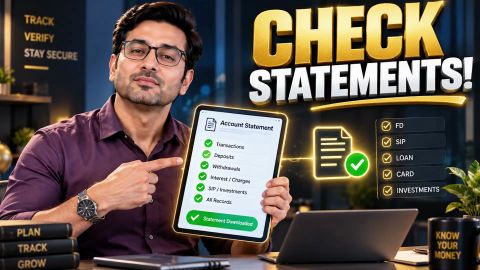
Download statements and report discrepancies seamlessly
A loan balance discrepancy after prepayment may result from payment processing, interest, unpaid dues, or account updates. Verify your records before raising a request to correct the balance, and ensure your loan account accurately reflects the payment.
- Compare your payment confirmation, bank statement, and latest Statement of Account to identify discrepancies.
- Check whether your part-payment or foreclosure amount has been recorded and the outstanding balance updated.
- Raise a service request through an official channel with transaction details and relevant supporting documents.
- Follow up using your request reference and seek clarification if the discrepancy remains unresolved.
- After full foreclosure, confirm the loan closure status and check whether the applicable closure document is available.
Why does your loan balance show a discrepancy after prepayment?
A loan balance discrepancy occurs when the amount shown in your loan account does not match what you expect after a payment. The difference may relate to how the payment was processed, the date it was adjusted, or other amounts payable under your loan agreement.
Before concluding that the balance is incorrect, check whether:
- The payment is still being processed: Your loan account may not yet reflect a recent transaction.
- Interest has accrued: The amount payable may include interest calculated up to the relevant payment date.
- Other dues remain: Unpaid instalments or applicable charges may affect the total outstanding amount.
- The payment was adjusted differently than expected: A part-payment may not reduce the displayed total by the full amount paid if other dues are adjusted first.
- The loan status has not been updated: A final payment and formal loan closure are separate stages of account processing.
Confirm the reason for the difference using your loan statement and the lender's records. If the figures still do not match, request a review rather than assuming the displayed amount is correct or incorrect.
How can you verify your loan balance after prepayment or foreclosure?
You can verify your loan balance by reviewing your latest Statement of Account (SOA), payment history, and transaction confirmation. Comparing these records helps you identify whether the payment has been reflected and whether any amount remains outstanding.
Follow these steps before raising a request:
- Check your payment confirmation: Verify the amount, date, and transaction reference number for the prepayment or foreclosure.
- Review your bank statement: Confirm that the amount was debited successfully and check whether the transaction was reversed.
- Download your latest loan statement: Review the payment entries, outstanding balance, and any dues or charges shown.
- Compare the records: Check whether the payment appears in the loan account and whether the statement explains the remaining balance.
- Check the loan status: If you made a full foreclosure payment, confirm whether the account is marked as closed.
For a part payment, check the updated principal balance and any revised repayment details for your account. For foreclosure, check whether the final payment and closure status have been recorded. If the discrepancy remains, keep these records ready when contacting the lender.
How do you raise a request to correct an incorrect loan balance?
If your loan balance still appears incorrect after checking the available records, raise a service request through an official customer service channel. Share enough information for the lender to identify the transaction and review the difference.
Follow these steps:
- Sign in to My Account or the Bajaj Finance App using your registered mobile number and OTP.
- Open your loan account under the available Relations or Loans section.
- Go to Help and Support and select the option to raise a request, where available.
- Explain the discrepancy, including the amount expected and the amount currently displayed.
- Provide the payment date, transaction reference, and supporting payment proof if requested.
- Save the request reference so you can follow up on the issue.
If you cannot raise the request online, contact Bajaj Finance through an official channel and ask how to submit the details for review. Keep your explanation factual and attach only the relevant records. The lender must verify the transaction before confirming whether a correction is needed.
What documents help resolve a loan balance discrepancy?
Payment records and loan statements help establish what you paid and what your account currently shows. Keep the documents relevant to the transaction so the lender can review the difference.
| Document or record | How it helps |
| Payment receipt or confirmation | Shows the amount and date of the transaction |
| Bank statement | Helps verify whether the payment was debited or reversed |
| Latest Statement of Account | Shows the payments and balance recorded against the loan |
| Foreclosure payment details | Helps verify the amount paid to close the loan |
| Loan account details | Helps identify the account that needs review |
| Service request reference and correspondence | Helps track the issue and any response received |
Submit the requested information through the lender's official process, and keep copies for your records. Avoid sharing sensitive account information through unofficial channels.
What should you do if the discrepancy remains unresolved?
If the loan balance still does not match your records after the lender reviews your request, follow up using your existing service request reference. Ask for an explanation of the balance and whether any payment or account update is still pending.
You can take these steps:
- Review the response against your payment proof and latest loan statement.
- Ask for clarification about any remaining amount or transaction that has not been accounted for.
- Request an updated statement if the account details have been corrected.
- Use the available grievance or escalation process if the issue remains unresolved.
- Keep a record of your request, supporting documents, and the responses received.
If you have made a full foreclosure payment, also check whether your loan is formally marked as closed and whether the relevant closure document is available. Do not treat the loan as closed solely because your bank account shows a debit. While the discrepancy is being reviewed, continue to refer to confirmed account information and ask the lender to clarify any amount it says remains payable.
Read more
Frequently Asked Questions
Contact and support channels
Service requests and self-service
Grievance
What is the Bajaj Finance customer care number?
You can contact Bajaj Finance customer care by calling +91 86980 10101. The IVR service is available 24x7 in multiple Indian languages. If you need to speak with a customer service representative, support is available daily during the published service hours.
How do I contact Bajaj Finance customer care by email or WhatsApp?
You can email wecare@bajajfinserv.in for product or service queries. Bajaj Finance also offers a 24x7 Virtual Assistant on WhatsApp for support and self-service. Visit the official Reach Us page to access the latest contact options.
Is there a toll-free number for Bajaj Finance?
No. Bajaj Finance currently provides a customer care helpline at +91 86980 10101. Standard call charges may apply based on your mobile or telephone service provider. Customers can also use the app or customer portal for many services without making a phone call.
What are the customer care working hours?
The Bajaj Finance IVR and Virtual Assistant are available 24x7. If you need to speak with a customer service representative, support is available Monday to Sunday from 9:00 AM to 9:00 PM. Some specialised teams may have different working hours.
How do I raise a service request or complaint online?
You can raise a service request by signing in to the Bajaj Finance App or the Customer Portal and selecting Raise a Request. You can also submit a complaint through the official website. Keep your registered mobile number and loan details ready for faster assistance.
How do I check my loan details or download my loan statement without calling customer care?
Sign in to the Bajaj Finance App or the Customer Portal using your registered mobile number or customer ID. You can view your loan details, repayment schedule, payment history and download available loan documents without contacting customer care.
How can I find the nearest Bajaj Finance branch?
Visit the official Branch Locator on the Bajaj Finance website. Enter your city or PIN code to view nearby branches. You can also use the directions option to navigate to your preferred branch for in-person assistance.
How can I get support through the Bajaj Finance app?
Open the Bajaj Finance App and go to the Help and Support section. You can check your loan details, raise service requests, track existing requests, make payments and access other self-service options available for your account.
How do I escalate my complaint to the Grievance Redressal Officer?
If your concern is not resolved through the regular support channels, you can contact the Grievance Redressal Officer through the official grievance process. Mention your previous service request number to help with the review of your complaint.
How do I report fraud or a suspicious call/message claiming to be from Bajaj Finance?
If you receive a suspicious call, message or email claiming to be from Bajaj Finance, do not share your personal or banking details. Report the incident immediately through the customer care helpline, the Raise a Request facility or the official fraud reporting channels on the Bajaj Finance website.
More Articles

Disclaimer
While care is taken to update the information, products, and services included in or available on our website and related platforms/websites, there may be inadvertent inaccuracies or typographical errors or delays in updating the information. The material contained in this site, and on associated web pages, is for reference and general information purpose and the details mentioned in the respective product/service document shall prevail in case of any inconsistency. Subscribers and users should seek professional advice before acting on the basis of the information contained herein. Please take an informed decision with respect to any product or service after going through the relevant product/service document and applicable terms and conditions. In case any inconsistencies observed, please click on reach us.
*Terms and conditions apply.